CleanShot X vs Shottr: Honest Comparison for Mac (2026)
Choosing between CleanShot X and Shottr? You're comparing two of the most popular Mac screenshot tools, and they're surprisingly different. (If neither feels right, ScreenSnap Pro is a third option with one-time pricing.)
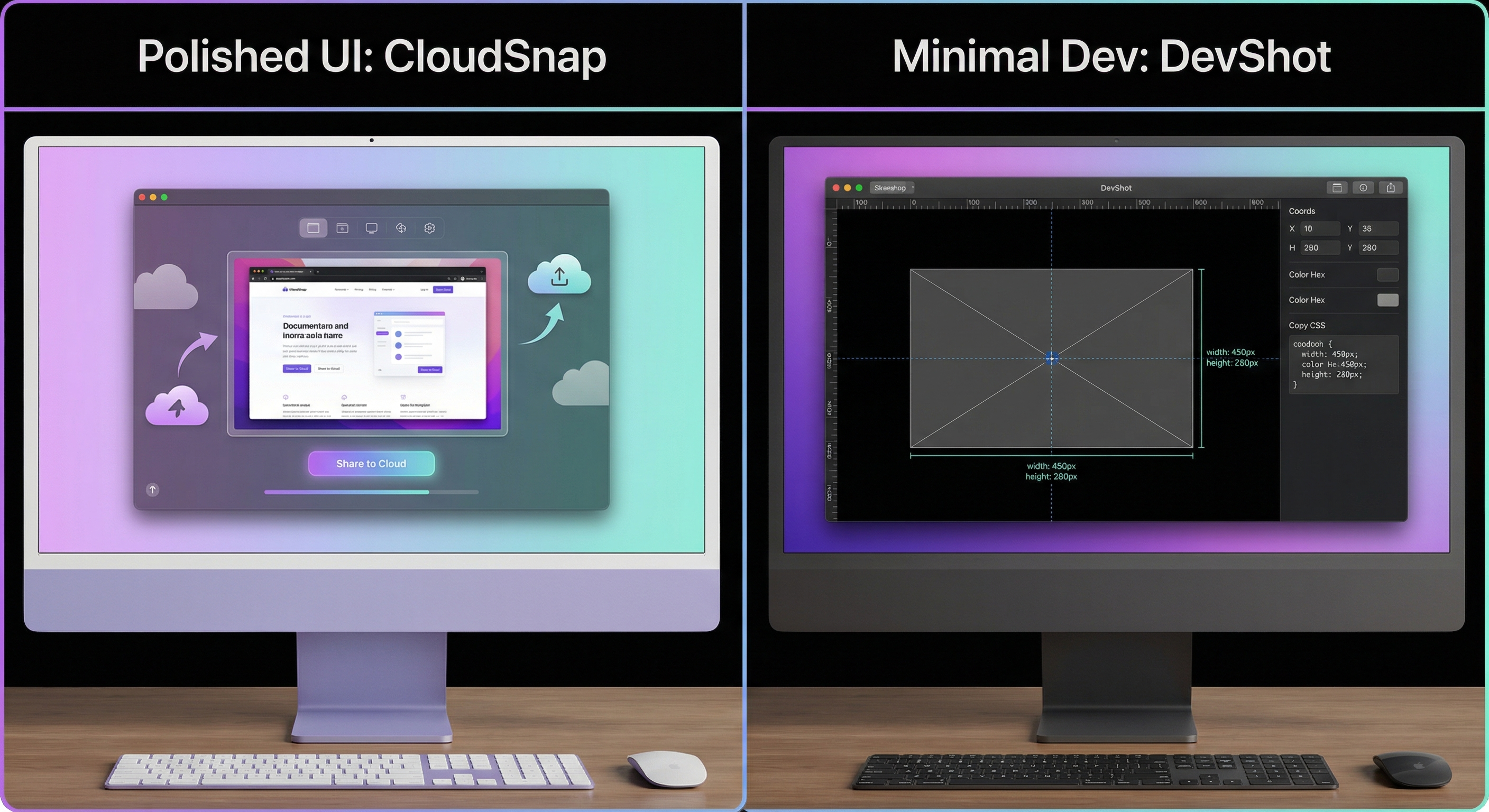
CleanShot X is the feature-packed powerhouse with video recording, GIF creation, and cloud sharing. Shottr is the lightweight speed demon with pixel-perfect measurement tools. Same category, very different approaches.
We tested both apps for weeks on M2 and M4 Macs. This direct head-to-head comparison digs deep into these two specific tools: their workflows, performance, and real-world differences.
Note: This article focuses exclusively on CleanShot X vs Shottr. If you want a broader comparison with 5 different screenshot tools (including Snagit, Monosnap, and more), see our complete CleanShot X alternatives guide.
Quick verdict
Can't read the whole comparison? Here's the short version.
Pick CleanShot X if you:
- Need screen recording for tutorials
- Want to create GIFs from screen captures
- Use cloud sharing often
- Don't mind subscription pricing
- Value a polished interface
Pick Shottr if you:
- Want pixel-perfect measurements
- Need a lightweight, fast app
- Prefer one-time payment
- Work in UI design or development
- Care about speed over features
Consider ScreenSnap Pro if you:
- Want GIF recording AND one-time pricing
- Need beautiful backgrounds (500+ wallpaper options)
- Want cloud sharing without monthly fees
Feature comparison table
Before the deep dive, here's how these two Mac screenshot tools stack up:
| Feature | CleanShot X | Shottr |
|---|---|---|
| Scrolling screenshots | ✅ Yes | ✅ Yes |
| OCR text extraction | ✅ Yes | ✅ Yes |
| Screen recording | ✅ Yes | ❌ No |
| GIF creation | ✅ Yes | ❌ No |
| Cloud storage | ✅ Yes | ⚠️ Beta only |
| Annotation tools | ✅ Full suite | ✅ Good |
| Screen ruler | ❌ No | ✅ Yes |
| Color picker | ✅ Yes | ✅ Yes |
| Background templates | ✅ 10+ options | ✅ Backdrop tool |
| M1-M4 optimized | ✅ Yes | ✅ Yes |
| File size | 45MB | 2MB |
| Price | $29 or Setapp | $12 one-time |
Both outperform the built-in macOS screenshot shortcuts. But they excel in different areas. Let's explore each app.
CleanShot X review: The all-in-one capture tool
CleanShot X markets itself as "7 tools in one." That's accurate. It handles screenshots, video recording, GIF capture, annotations, and cloud sharing. All in a single app.
The interface is polished. The workflow is smooth. But is it worth the cost?
What CleanShot X does well
Quick Access Overlay
This is CleanShot X's secret weapon. Take a screenshot. A small floating window appears. From this overlay, you can:
- Copy to clipboard instantly
- Save to disk
- Open the full editor
- Pin screenshot to your screen
- Upload to CleanShot Cloud
- Drag directly into any app
No saving required. No file management. Just capture and act.
The overlay stays until you dismiss it. You can take multiple screenshots and act on each one later. This speeds up documentation work significantly.
Screen recording and GIF creation
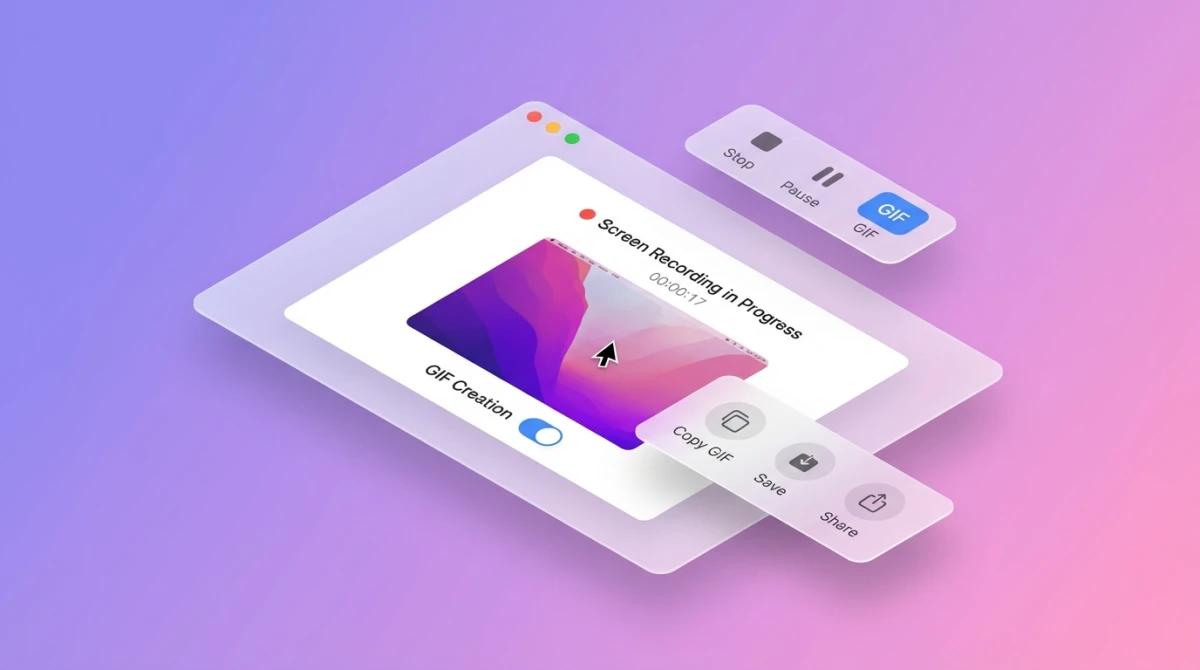
This is where CleanShot X pulls ahead. Record your screen as video. Export directly as GIF. No conversion tools needed.
Recording features include:
- Cursor highlighting
- Click effects (visual feedback)
- Area selection or full screen
- System audio capture
- Microphone input
- Trim clips before export
Shottr can't do any of this. Zero recording features. If you make tutorials or bug reports, CleanShot X wins easily.
CleanShot Cloud
One click uploads your screenshot. You get a shareable link. That's the whole process.
No attaching files to emails. No uploading to Imgur. No Dropbox links. Just paste the link into Slack, Discord, or anywhere.
Links can expire automatically. You can password-protect them. Teams get custom domains for branded links.
Background templates
Make screenshots look professional. Add gradient backgrounds, shadows, and frames. About 10 templates ship with the app.
This is great for social media posts. Or product documentation. Screenshots look polished without Photoshop.
Desktop cleanup
A small but clever feature. Hide all desktop icons before capturing. Toggle them back after.
No more screenshots showing "FINAL_v3_REALLY_FINAL.psd" on your desktop. Saves embarrassing moments.
CleanShot OCR
Read text from any image. Copy it to your clipboard. Works on PDFs, images, and even screenshots of code.
The OCR is accurate. It handles multiple languages. Very useful for grabbing text from images.
CleanShot X limitations
No app is perfect. Here's where CleanShot X falls short:
- No screen ruler. You can't measure pixels. Designers and developers really miss this feature.
- Subscription pricing. Setapp costs $10/month. Over three years, that's $360. The direct purchase ($29) lacks cloud features.
- Large file size. 45MB is hefty for a screenshot app. Compare to Shottr's 2MB.
- Feature bloat. You pay for features you might never touch. Video editing? Probably not needed.
Shottr review: The developer's favorite
Shottr takes a different approach. It's tiny (2MB). It's blazing fast. It focuses on what developers and designers actually need.
No bloat. No subscription. Just precise screenshot tools.
What Shottr does well
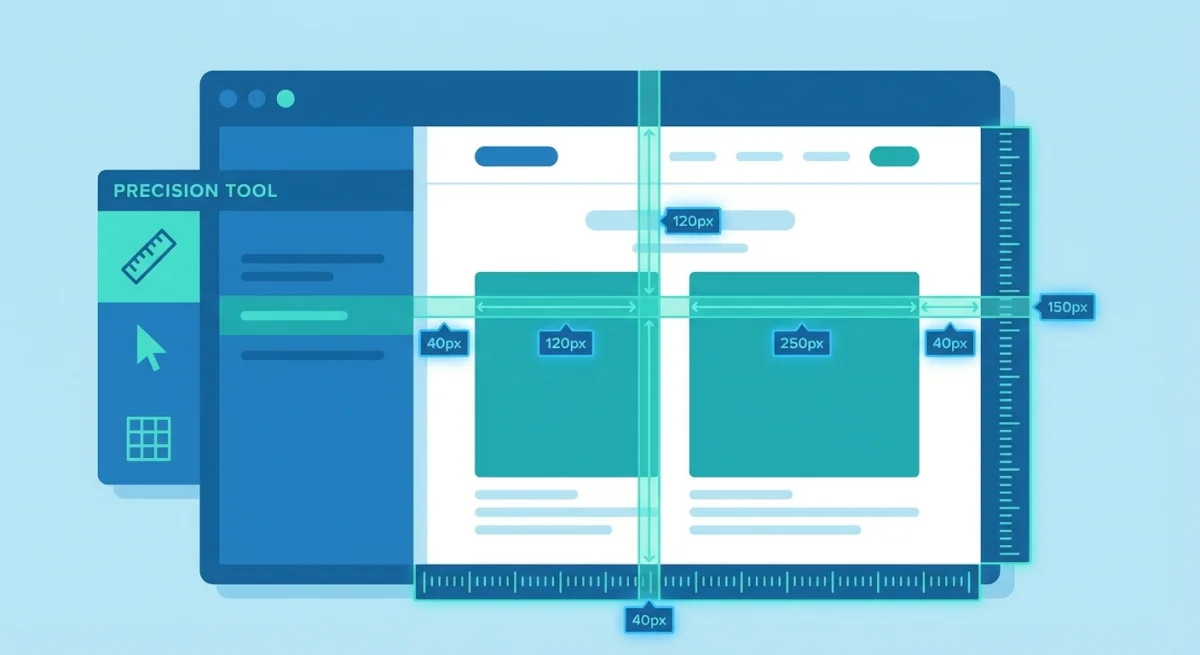
Screen ruler
This is why developers love Shottr. Hover over any element. Get exact pixel measurements. The values display right on your screenshot.
Measure spacing between elements. Check padding values. Verify UI layouts match specs.
If you do UI/UX work, this saves hours. No more opening screenshots in Figma just to measure. The screen ruler alone is worth $12.
Raw speed
Shottr captures in 165 milliseconds. That's not a typo. On M1, M2, M3, and M4 Macs, it feels instant.
Launch is instant. Capture is instant. The app never makes you wait. For developers who capture dozens of screenshots daily, this matters.
The 2MB size means the app loads immediately. No spinning beach ball. No delays.
OCR with QR code support
Extract text from any image. Standard feature. But Shottr also reads QR codes directly.
Point at a QR code in a screenshot. Get the URL or data instantly. Very handy for mobile developers testing apps.
Backdrop tool
A recent update added background templates. Shottr can now dress up screenshots with shadows and gradients.
This closed the gap with CleanShot X. Plain screenshots become presentation-ready with one click.
Pin to screen
Keep any screenshot floating above all windows. Great for following tutorials. Or comparing designs side-by-side.
The pinned screenshot stays visible while you work. Resize it. Move it. Dismiss when done.
Scrolling capture
Both apps do this well. Capture entire web pages or long documents. The app scrolls automatically and stitches images together.
Shottr's scrolling capture is reliable. Works on most websites and apps.
Shottr limitations
Shottr isn't for everyone. Here's what's missing:
- No screen recording. None at all. If you need video or GIFs, you need another app entirely.
- No cloud storage. The feature exists in beta. Only Friends Club members ($30) can test it. For now, you upload screenshots manually.
- Basic interface. Functional but plain. Not as polished as CleanShot X.
- Smaller community. Fewer tutorials. Fewer tips online. You might troubleshoot alone.

Tired of plain screenshots? Try ScreenSnap Pro.
Beautiful backgrounds, pro annotations, GIF recording, and instant cloud sharing, all in one app. Pay $39 once, own it forever.
See pricing and featuresCleanShot X vs Shottr: Head-to-Head Tests
Theory is nice. Let's test both apps in real scenarios.
Test 1: Creating a step-by-step tutorial
CleanShot X wins clearly.
Record the process as video. Cut to key moments. Export as GIF for quick loading. Add numbered annotations to screenshots.
Everything happens in one app. No switching tools.
Shottr can only do static screenshots. You'd need QuickTime for video. Then a converter for GIFs. Then an image editor for annotations. Three apps vs one.
Test 2: Documenting UI bugs for developers
Shottr wins easily.
Measure the broken spacing instantly. Show exact pixel values. Screenshot includes the measurements.
Developers can see "padding is 12px, should be 16px" right in the image.
CleanShot X can circle the problem. Add arrows. Write notes. But you can't measure anything. The developer still has to check values themselves.
Test 3: Making social media screenshots
Close tie. Slight edge to CleanShot X.
Both add nice backgrounds. CleanShot X has more templates out of the box. The presets are more varied.
Shottr's backdrop tool works well but offers fewer options.
For even more backgrounds, ScreenSnap Pro offers 500+ wallpaper templates.
Test 4: Quick sharing with teammates
CleanShot X wins.
Capture. Click upload. Paste link. Three actions. Maybe five seconds total.
Shottr requires: capture, save to disk, open browser, upload to service, copy link. More steps. More friction.
If you share 20 screenshots daily, CleanShot Cloud saves real time.
Pricing breakdown
Money matters. Here's where these tools really differ.
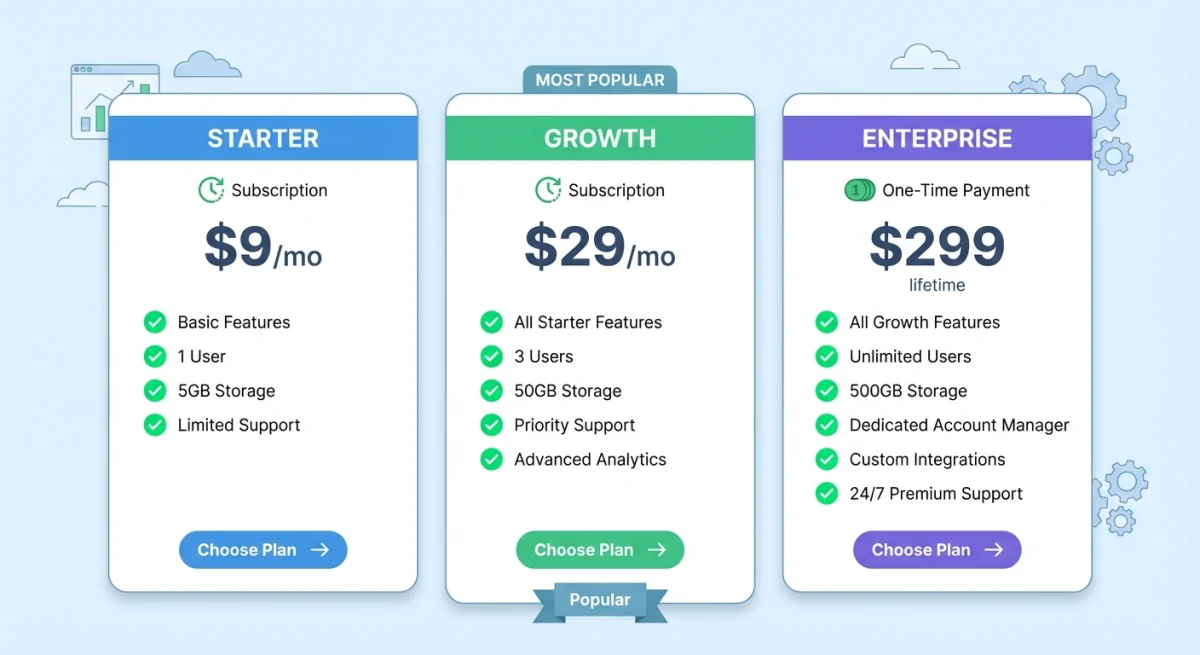
Shottr pricing
Simple and straightforward:
- 30-day free trial. Full features, no limits
- Basic license: $12. One-time payment, yours forever
- Friends Club: $30. Beta features, priority support
Pay once. Own it forever. Updates included.
CleanShot X pricing
More complex:
- Direct purchase: $29. One-time, but no cloud
- CleanShot Cloud: $8/month. Required for link sharing
- Via Setapp: $10/month. Includes 260+ other apps
The $29 price looks competitive. But cloud sharing costs extra. Many users want that feature.
Three-year cost comparison
| Tool | Year 1 | Year 2 | Year 3 |
|---|---|---|---|
| Shottr | $12 | $12 | $12 |
| CleanShot X (no cloud) | $29 | $29 | $29 |
| CleanShot X + Cloud | $125 | $221 | $317 |
| CleanShot X (Setapp) | $120 | $240 | $360 |
| ScreenSnap Pro | $39 | $39 | $39 |
One-time purchases save serious money over time.
Setapp makes sense if you use 10+ apps from their catalog. But for screenshots alone? That's expensive.
💡 Neither fits your budget? Our CleanShot X alternatives guide covers 5 options from free to premium, including tools we didn't cover here.
What about ScreenSnap Pro?
Here's the honest comparison:
Like CleanShot X:
- GIF recording built-in
- Cloud sharing with instant links
- 500+ background templates (more than CleanShot)
- Full annotation toolkit
Like Shottr:
- One-time pricing at $39
- Native Mac app
- Fast and lightweight
Unique features:
- More background options than either competitor
- Blur and pixelate tools for sensitive data
- No subscription fees ever
For a detailed breakdown, see ScreenSnap Pro vs Shottr.
Who should choose which tool?
Choose CleanShot X if you:
- Create video tutorials regularly
- Need GIF recording for demos
- Share via cloud links daily
- Already pay for Setapp anyway
- Want maximum features in one app
- Value polish over price
Choose Shottr if you:
- Work in UI/UX design
- Need pixel measurements constantly
- Hate subscription models
- Want minimal, fast software
- Only need screenshots (no video)
- Care about value for money
Choose ScreenSnap Pro if you:
- Want GIF recording without subscriptions
- Love beautiful screenshot backgrounds
- Need cloud sharing with one payment
- Want CleanShot features at a one-time price
For a broader comparison, see our best screenshot apps for Mac guide.
Frequently Asked Questions
Final verdict
Both apps are excellent. Your choice depends on your work.
CleanShot X is the Swiss Army knife. Screen recording, GIFs, cloud sharing, annotations. It handles everything. The interface is polished. The workflow is smooth.
Best for: Content creators, marketing teams, educators, tutorial makers.
Main downside: Subscription costs add up fast.
Shottr is the precision tool. Pixel measurements, lightning speed, tiny footprint. It does screenshots perfectly and nothing else.
Best for: Developers, designers, QA testers, UI/UX professionals.
Main downside: No video or cloud features at all.
ScreenSnap Pro bridges the gap. GIF recording, cloud sharing, beautiful backgrounds. All for one payment of $39. No subscriptions.
Best for: Users who want CleanShot X features without ongoing costs.
Here's the good news. All three apps offer free trials. Test each with your real work. Your best tool depends on your daily tasks and budget.
Any of these apps will transform your workflow. The built-in Mac screenshot shortcuts work for basics, but third-party tools make capturing and sharing fast, professional, and even enjoyable.
Download the trials. Test for a week. Then decide.

Morgan
Indie DeveloperIndie developer, founder of ScreenSnap Pro. A decade of shipping consumer Mac apps and developer tools. Read full bio
@m_0_r_g_a_n_