Tips, tutorials, and guides for capturing better screenshots on Mac. Comparisons, workflows, and productivity hacks.
Free text compare tool — find every difference instantly. Online diff checker with no signup or limits. Highlights additions, deletions, and changes.

JPG and JPEG are the same format with different extensions. Learn why both exist, when to use each, and how they compare to PNG, WebP, and other formats.

Convert PNG images to scalable SVG vectors instantly in your browser. Free, private, no upload required. Supports color and black & white tracing.
Free Tools
Color picker, GIF compressor, image resizer, format converter, and more — all free, right in your browser.
Browse tools

Make any image transparent—remove backgrounds, adjust opacity, or create transparent PNGs. Free methods for Mac, Windows, Canva, GIMP & online tools.

Take screenshots on any Android phone — Samsung Galaxy, Google Pixel, OnePlus. Button combos, gestures, scrolling screenshots, and editing tips.

Compare the best free watermark remover tools for photos. We tested 7 AI-powered options including WatermarkRemover.io, Pixelbin, and more.

Convert GIF to PNG online or on desktop. Extract individual frames, save as transparent PNG, or batch convert. Free methods for Mac, Windows & browser.

Convert JPG to PNG for free—online, Mac Preview, Windows Paint, CLI, or batch. Keep transparency, fix quality loss, and choose the right format.
ScreenSnap Pro
Annotate, beautify, and share screenshots instantly. Record GIFs. One-time purchase — $19, no subscription.
Get ScreenSnap Pro
Convert QuickTime screen recordings to GIF on Mac using Gifski, ffmpeg, or online tools. Plus: skip the conversion with direct GIF recording.

Discover the best Imgur alternatives for sharing screenshots in 2026. Faster uploads, better privacy, and Mac-native options compared.

PNG vs JPG explained: transparency, compression, quality, file size. Learn when to use each format for screenshots, web, print, and social media.

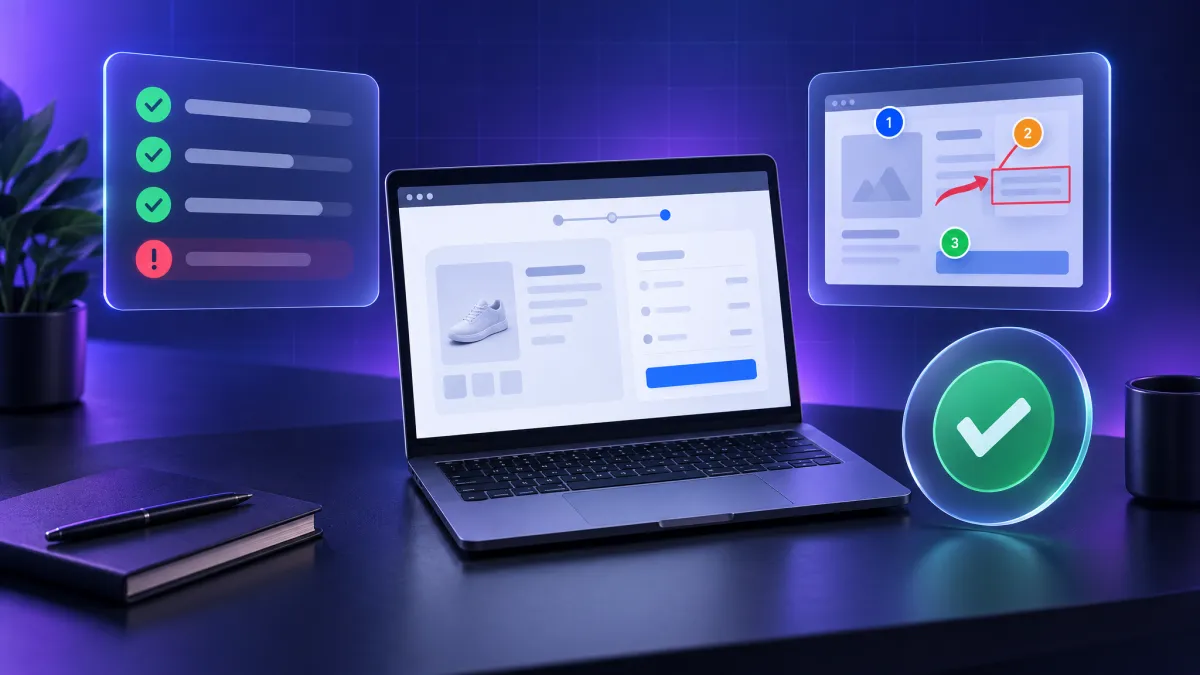
Compare the best process documentation tools for 2026. From Scribe to Tango to ScreenSnap Pro — find the right tool to capture workflows with screenshots.

Extract text from any image on Mac using Live Text, Preview, OCR apps, and more. Copy text from photos, PDFs, screenshots instantly.

Is Flameshot good on Mac? We review Flameshot macOS limitations and compare 5 better native alternatives including ScreenSnap Pro and CleanShot X.

Learn how to take a YouTube screenshot on any device. 5 methods for capturing video frames including Chrome's Copy Video Frame, Mac shortcuts, and browser extensions.

Learn how to take screenshots for Canva, edit them with Canva's tools, and create stunning mockups. Pro tips for Mac users included.

Stop taking blurry, low-res screenshots. Learn pro techniques for high quality captures on Mac including Retina settings, formats, and the best tools.

Create custom emojis online for free. Design unique emojis for Slack, Discord, and social media. Export as PNG. No signup required.

Looking for Gifski alternatives? Compare 7 Mac apps for creating GIFs from video with free options, direct screen recording, and quality comparisons.

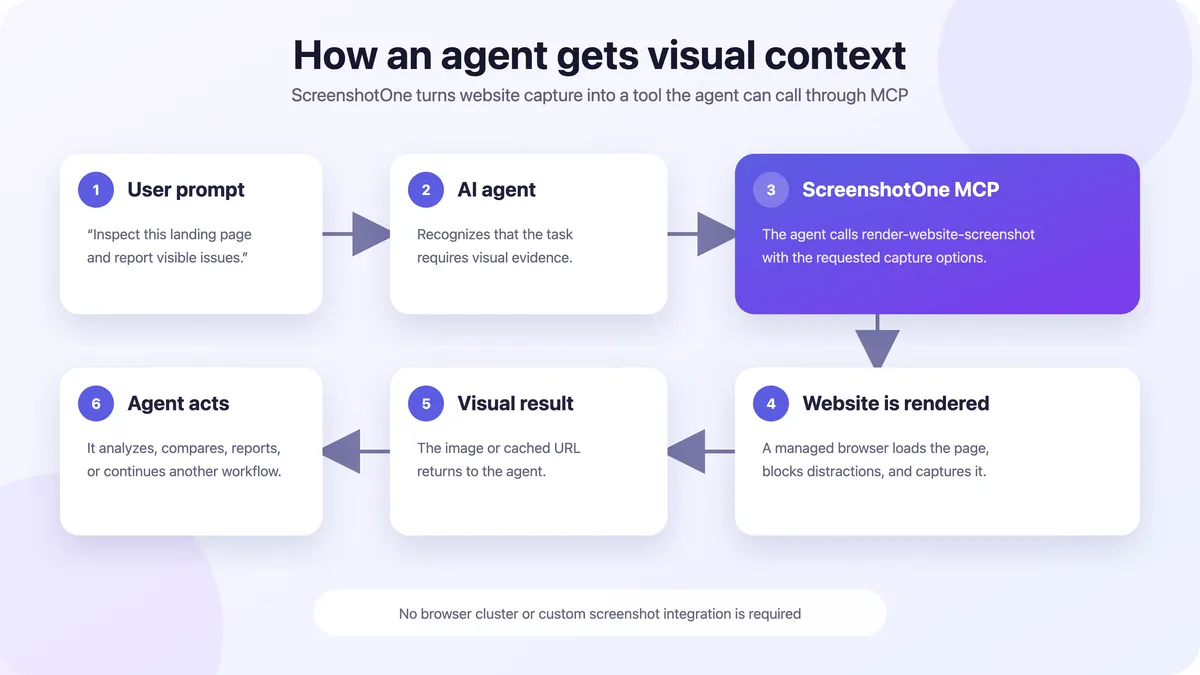
Compare the best screenshot APIs for capturing websites. ScreenshotOne, Puppeteer, Playwright, and more with pricing and code examples.

Compare the best screenshot tools for Windows including ShareX, Snagit, Lightshot, Greenshot and more. Free and paid options tested side by side.

Screenpresso doesn't work on Mac, but these 6 alternatives offer the same screenshot capture, annotation, and sharing features Mac users need.

Take screenshots in Firefox using the built-in tool, keyboard shortcuts, or developer tools. Full-page capture tips included.

Learn how to convert PNG, JPG, and photos to animated GIFs using free online tools, desktop apps, and command line. Step-by-step with examples.

Looking for free screenshot tools for Mac? Compare Shottr, Lightshot, Monosnap and more. Find the best free option for your workflow.

Compare the best markup tools for annotating screenshots and images. Free online tools, Mac apps, and cross-platform solutions reviewed.

Free bug report templates for Jira, GitHub & more. Learn how to write clear bug reports with screenshots that developers actually want to fix.

Learn how to take screenshots in Google Chrome using built-in tools, DevTools, keyboard shortcuts, and extensions. Step-by-step instructions included.

Screenshot tweets and X posts on Mac with beautiful backgrounds. Perfect for testimonials, social proof, and content repurposing. Free methods included.

Full FireShot review for Mac users. See features, limitations, and discover native Mac screenshot apps that work beyond the browser.

Compare the best free image format converters for Mac. Convert between PNG, JPG, WebP, HEIC, TIFF and more — online and offline tools.

Learn 4 quick ways to blur faces in photos on Mac. Protect privacy for social media, street photography, and professional use with free and paid tools.

Find out if TikTok notifies users when you screenshot their videos, profiles, or DMs. Updated for 2026 with tips for saving TikTok content.

Compare the best screenshot Chrome extensions including GoFullPage, FireShot, and Awesome Screenshot. Plus native Mac alternatives for better workflow.

Learn how to screenshot Zoom meetings on Mac without triggering notifications. 5 methods with keyboard shortcuts, apps, and tips for remote workers.

Is Markup Hero the right screenshot annotation tool for you? Full review of features, pricing, pros/cons, and the best alternatives for Mac users.

Complete Nimbus Screenshot review. Now called FuseBase, costs $60/year. See if its worth it and discover free + one-time alternatives for Mac.

Learn to automate screenshots on Mac with screencapture, Automator, and Shortcuts. Four methods for scheduled, hands-off screen captures.

Master the Mac Preview app for screenshot editing, annotation, image conversion, and more. Plus discover when you need a more powerful tool.

Convert GIF to MP4 video for free. 5 easy methods including online tools, FFmpeg, Mac shortcuts, and our free browser-based converter. No signup needed.

Remove text from any image for free. Compare 7 AI-powered tools and manual methods to erase text, watermarks, and captions without destroying quality.

Looking for ScreenToGif on Mac? Discover the 7 best Mac alternatives for recording screen GIFs, including ScreenSnap Pro, Kap, GIPHY Capture, and more.

Is Snagit worth $39/year on Mac? Our honest review covers features, pricing, and lighter one-time-purchase alternatives like ScreenSnap Pro.

Convert photos to ASCII art or generate ASCII text banners in your browser. Free, no signup, 100% client-side. Choose characters, width, and colors.

Looking for a Gyazo alternative on Mac? Compare 7 screenshot tools with instant sharing, GIF capture, and better privacy options.

Learn how to screenshot Spotify playlists, Wrapped, lyrics, and now playing on Mac and mobile. Tips to make screenshots shareable.

Convert SVG files to JPG instantly in your browser. Free online converter with quality settings, custom dimensions, and background color options.

Learn how to take screenshots in Google Meet on Mac using keyboard shortcuts and the Screenshot app. Capture meeting moments instantly.

Master attaching screenshots to Jira issues. Learn paste shortcuts, annotation tips, and tools that make bug reports clearer and faster.

Compare the best free screen recorders for Mac. QuickTime, OBS, Kap + 5 more. No watermarks, no time limits. Find your perfect free recording tool.

Master Microsoft Teams screenshots on Mac with keyboard shortcuts, snipping tools, and pro tips. Capture meetings, chats, and shared content instantly.

Honest Shottr review for Mac. Now $8, is it still the best free screenshot app? See features, limitations, and top alternatives like ScreenSnap Pro.

Snagit costs $63 while Snipping Tool is free. Compare features, capture options, and annotation tools to decide if Snagit is worth the price.

Learn the fastest ways to take and share screenshots directly in Slack on Mac. From clipboard shortcuts to dedicated tools.

Detailed Snagit vs Greenshot comparison. Compare features, pricing, ease of use, and discover which screenshot tool is right for your workflow in 2026.

Learn how to take screenshots during video calls on Mac. Capture Zoom, Google Meet, and Teams calls with annotations. Step-by-step guide for 2026.

Updated 2026 social media image sizes for Instagram, Facebook, LinkedIn, Twitter/X, TikTok, and YouTube. Free cheat sheet with exact dimensions.

Learn how to capture full page screenshots on Mac using built-in browser tools, extensions, and apps. Complete guide for Chrome, Safari, and Firefox.

Learn how to screenshot on Mac using keyboard shortcuts, Screenshot app, and pro tools. Works on MacBook Air, MacBook Pro, iMac, and Mac Mini.

Compare the best screen capture tools for Mac in 2026. From free options like Shottr to premium picks like ScreenSnap Pro and CleanShot X.

Compare Snagit vs Camtasia: features, pricing, and use cases. Learn which TechSmith tool fits your workflow, plus lighter Mac alternatives.

Learn how to capture your screen as a GIF on Mac. Compare the best GIF recorders, master recording techniques, and create professional animated screenshots.

Is Skitch for Mac still working in 2026? We review its current state, limitations, and compare 5 modern screenshot annotation alternatives.

Learn how to take Discord screenshots on Mac. Discover if Discord notifies others and the best methods for capturing chats and calls.

Looking for a Monosnap alternative? Compare 7 top screenshot apps for Mac including ScreenSnap Pro, CleanShot X, and Shottr.

Learn how to screencast on Mac for tutorials, product demos, and presentations. Step-by-step guide with native tools + best screencast software.

Learn how to take a timed screenshot on Mac using the built-in timer, Terminal commands, and third-party apps. Perfect for capturing menus and tooltips.

Compare 10 best screen recorders for Mac in 2026. Free options like QuickTime and OBS, plus paid tools with audio capture for tutorials and demos.

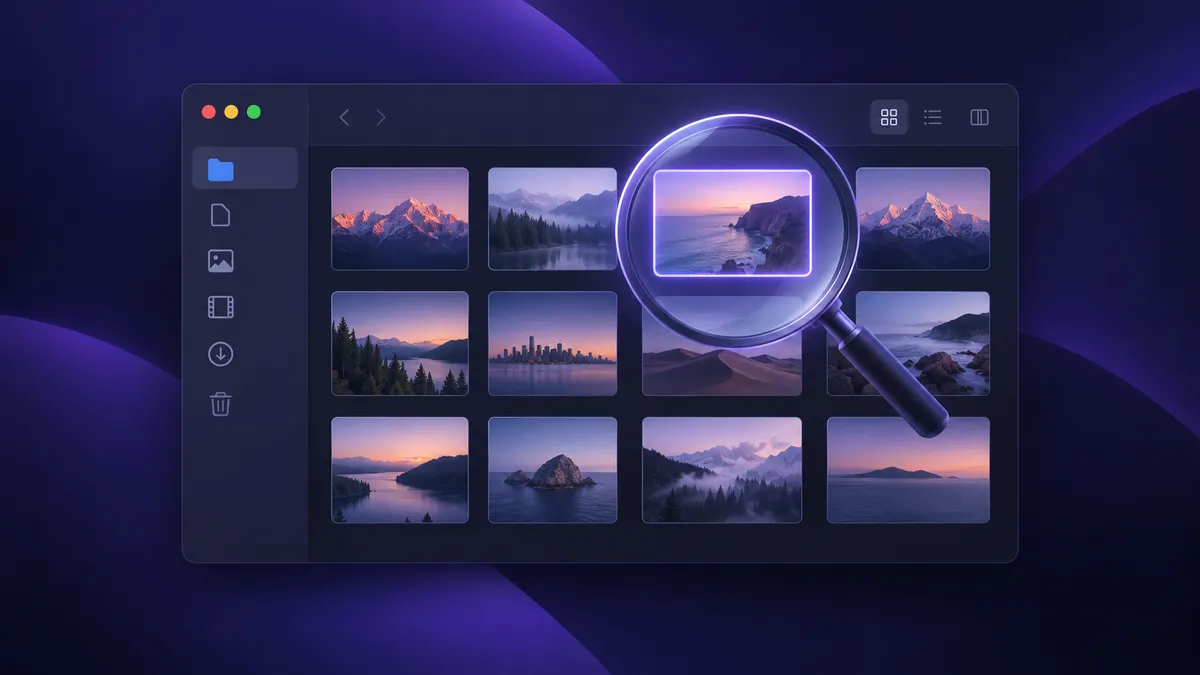
Can't find your Mac screenshots? Learn the default save location, how to find screenshots using Finder and Spotlight, and change where they go.

Is Kap the best free screen recorder for Mac? Our honest review covers features, limitations, and 4 better alternatives for serious users.

Looking for a Screen Studio alternative? Compare the best Mac screen recording tools with auto-zoom, annotations, and one-time pricing in 2026.

Learn 4 easy ways to convert screenshots to PDF on Mac. Use Preview, Quick Actions, third-party apps, or online tools. Step-by-step guide with tips.

Looking for Xnapper alternatives? Compare the best Mac screenshot beautification tools with gradient backgrounds, annotation, and one-time pricing.

Tired of the camera shutter sound? Learn 4 ways to disable screenshot sounds on Mac, from quick temporary fixes to permanent solutions.

Learn how to stop screen recording on Mac with keyboard shortcuts, menu bar, and more. Quick fixes for QuickTime, Screenshot app, and third-party tools.

Looking for Giphy Capture alternatives? Compare 5 better Mac GIF recorders with more features, better quality, and no limitations.

ShareX not available for Mac? Discover the best ShareX alternatives for macOS including ScreenSnap Pro, CleanShot X, and Shottr. Free & paid options.

Learn 5 ways to take a partial screenshot on Mac. Use Cmd+Shift+4, the Screenshot app, or pro tools for precise area capture with annotations.

No Print Screen key on Mac? Learn the Mac equivalents of Windows Print Screen shortcuts, keyboard remapping tips, and better alternatives for screenshots.

Compare 12 code to image tools for creating beautiful code screenshots. Find the best free and paid options including Carbon, Ray.so, and Snappify.

Master every Mac screenshot setting: change format (PNG to JPG), save location, remove shadows, customize filenames, and more. Complete 2026 guide.

Complete guide to App Store screenshot sizes for iPhone, iPad & Mac. Includes 2026 dimensions, requirements, and tips for creating app screenshots.

Learn how to edit screenshots on Mac using Preview, Markup, and pro tools. Crop, annotate, blur sensitive info, and share polished images in seconds.

Learn 4 easy ways to screenshot FaceTime calls on Mac. Find where FaceTime photos are saved and avoid notification alerts.

Learn to copy Mac screenshots directly to clipboard without saving files. Master shortcuts, Universal Clipboard, and pro workflow tips.

Convert MOV screen recordings to GIF on Mac using free tools, apps, and Terminal. Plus, discover how to record GIFs directly without conversion.

Learn 5 easy ways to crop screenshots on Mac. Use native tools like Preview and Photos, or try pro apps for faster workflow. Includes shortcuts.

Learn how to combine multiple screenshots into one image on Mac. Use Preview, professional tools, or online apps to merge screenshots easily.

Learn how to screenshot a window on Mac using keyboard shortcuts and the Screenshot app. Includes tips for menus, dialogs, and removing shadows.

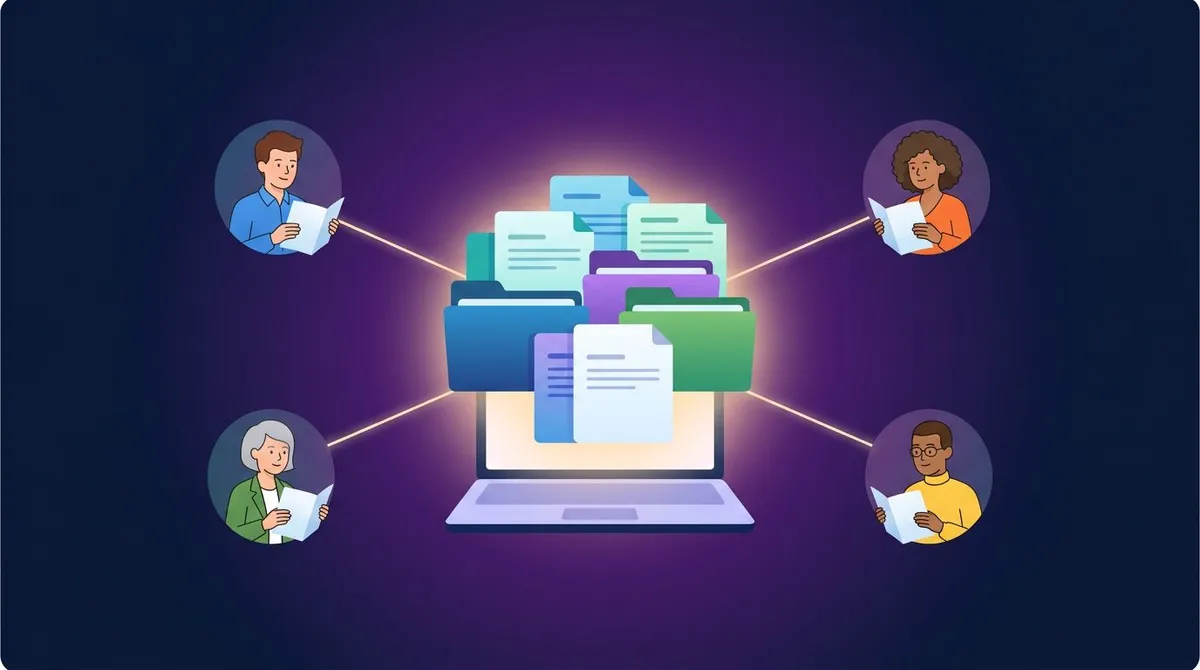
The complete guide to share screenshots instantly. Tips, tools, and techniques for professionals. Updated 2026.

Master QuickTime screen recording on Mac. Learn shortcuts, record with audio (including system sound), and fix common issues.

Snagit pricing explained. See 2026 subscription costs, what you get, and whether one-time purchase alternatives like ScreenSnap Pro are better value.

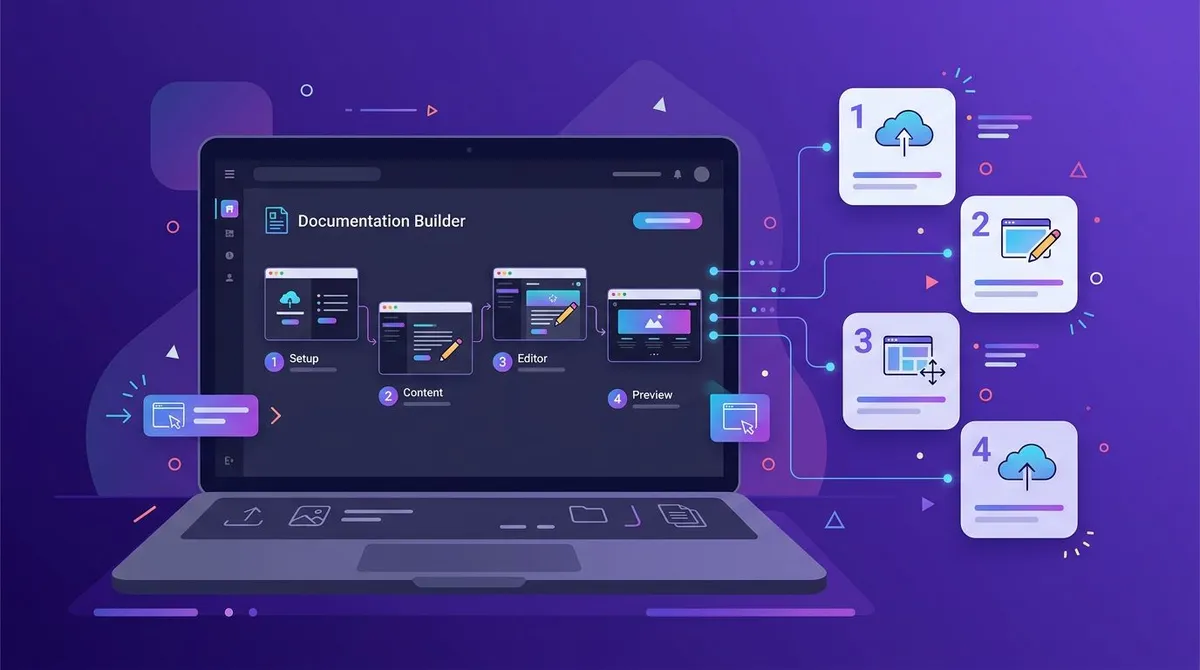
The complete guide to documentation screenshots. Tips, tools, and techniques for professionals. Updated 2026.

Looking for a Lightshot alternative for Mac? Compare ScreenSnap Pro, Flameshot, Shottr, and more. Find the best free and paid screenshot apps for macOS.

Master every Mac screenshot shortcut — Cmd-Shift-3, 4, 5, and hidden tricks. Learn to capture, edit, and customize screenshots like a pro.

CleanShot X vs Shottr comparison. We tested both Mac screenshot tools. See features, pricing, and which one fits your workflow.

Learn how to add backgrounds to screenshots. Step-by-step guide with tips, best tools, and pro techniques to improve your screenshot workflow.

Extract text from screenshots on Mac using Live Text, TextSniper, or CleanShot X. Learn how to use OCR to copy text from any image or video instantly.

Trim, crop, blur, and polish screen recordings on Mac without paid software. From 5-second QuickTime trims to pro-level edits with iMovie.

macOS has no built-in scrolling screenshot — here are 8 free workarounds. Capture full web pages, long chats, and documents in one image.

Mac has no Snipping Tool — but it has something better. Master ⌘+Shift+4 and 5 free alternatives that Windows switchers love. 2-minute setup.

The Mac App Store 'Greenshot' is abandoned. These 5 alternatives actually work on macOS — with annotations, shortcuts, and cloud sharing. Free options included.

Learn how to screen record with audio on Mac using built-in tools, BlackHole, or apps like OBS and CleanShot X. Complete guide.

Compare the top 8 screenshot apps for Mac in 2026. Find the perfect tool for your workflow — from free options like Shottr to professional apps like ScreenSnap Pro and CleanShot X.

Learn how to change where screenshots are saved on Mac. 5 methods including Screenshot app, Terminal, and cloud storage options.

Learn how to annotate screenshots on Mac like a pro. Step-by-step guide covering arrows, shapes, text, blur tools, and beautiful backgrounds. Takes 30 seconds.

Screenshot not working on your Mac? Try these 10 proven fixes for keyboard shortcuts, permissions, and storage issues. Works on all macOS versions.

Tired of CleanShot X's subscription? Here are 5 Mac screenshot apps with one-time pricing. Side-by-side comparison of features, speed, and value.

Looking for a Snagit alternative for Mac? Compare 7 screenshot tools that offer similar features at a fraction of the price. Find your perfect match.

Learn 5 ways to blur or pixelate sensitive info in screenshots on Mac. From free built-in tools to pro apps like ScreenSnap Pro. Protect your privacy before sharing.

Learn how to record GIFs on Mac with this step-by-step guide. Create smooth, shareable screen recordings in seconds — no video conversion needed.

Compare ScreenSnap Pro and Shottr for Mac. See pricing, features, cloud sharing, and GIF recording to pick the best screenshot app for your workflow in 2026.