Visual Testing Checklist for Web Teams in 2026
Code repositories frequently pass every unit assertion even when CSS changes wreck a live interface. In continuous delivery cycles, visual testing catches layout corruption that traditional functional test runners completely overlook. A green build simply tells developers that elements mount inside the DOM tree, not that those elements remain visible to site visitors. A quick utility class tweak can easily hide a primary checkout button behind a fixed header or knock a promotional banner out of alignment. Raw pixels tell the real story.
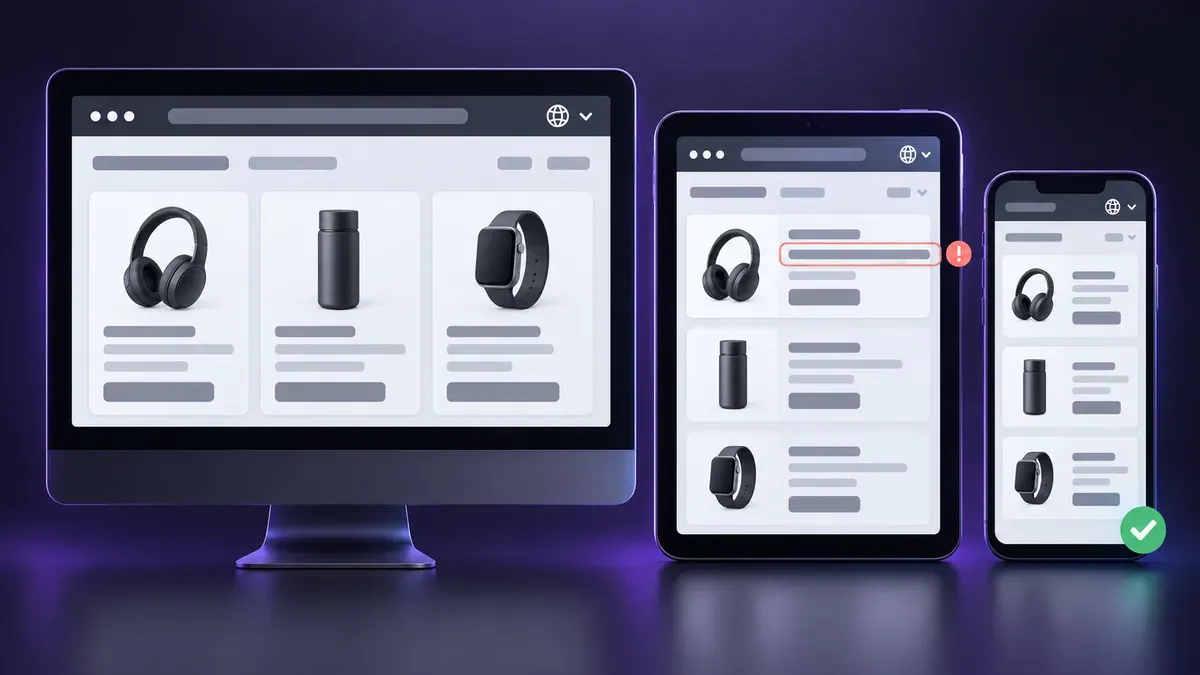
No engineering team can test across thousands of distinct display widths. It is rather common these days to stop at adding a couple of mobile breakpoints on top of the standard 1080p desktop layouts. CSS inheritance causes headaches on secondary pages. A quick refactor to a header dropdown can silently trigger overflow horizontal scrollbars on tablet viewports. CI runners catch unit errors, but only automated visual testing flags these rendering bugs before code merges to staging.
Why Reference Baselines Form the Core of Modern Visual Testing
Every solid test run depends on dependable benchmarks. QA leads save approved baseline screenshots directly into the repo. Each pull request leads to the execution of a pixel diff comparison of the new output against the master PNG file. Pixel comparators spot shifted padding, truncated buttons, and wrapped text instantly. While eyes get tired after checking ten screens in a row, scripts reliably catch 1-pixel bugs.
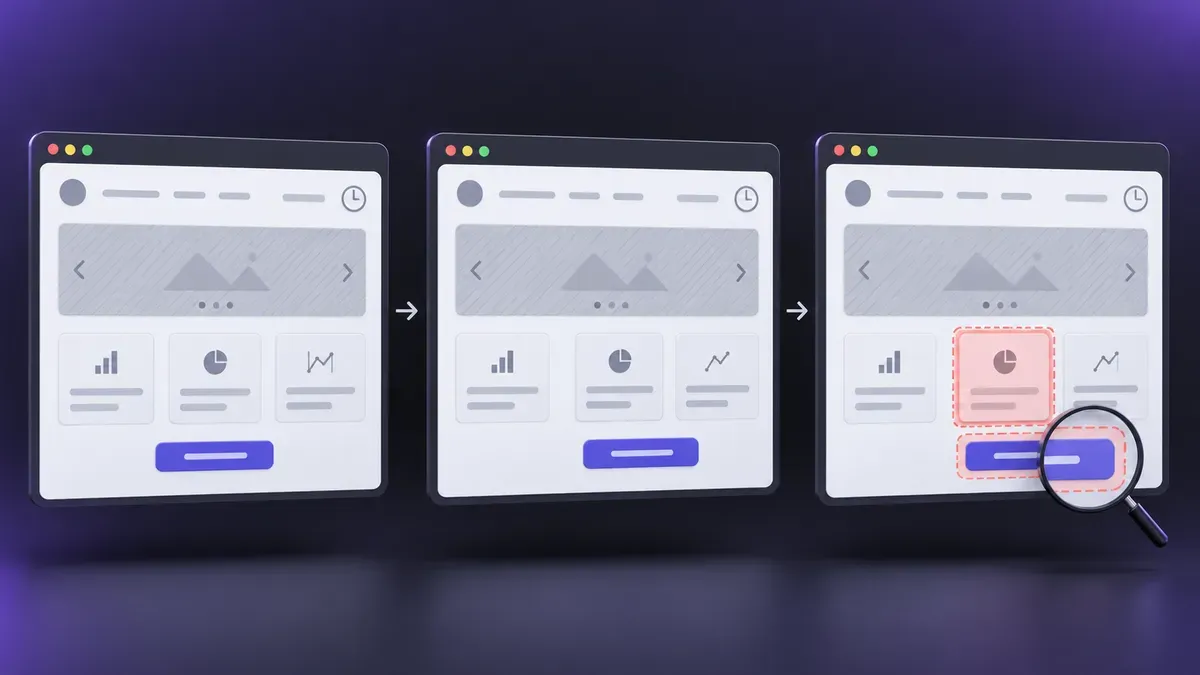
Test leads set baseline rules before launching runs:
- exact viewport widths and device pixel ratios assigned to automated suites;
- primary rendering engines prioritized for release validation;
- dynamic interface areas such as live timestamps and animated carousels marked for automated masking;
- strict color and threshold values that separate intentional design updates from accidental defects.
Modern tools handle local snapshots with ease, but host environments muddy the water. There is something all operating systems on the market have in common: they can rasterize text differently depending on font packages and graphic drivers. This leads to the appearance of mismatched pixels on identical DOM nodes. In order to keep visual testing reliable, teams run both the snapshot creation and regression assertions inside locked Docker containers. Comparing a screenshot generated on a macOS laptop against a Linux CI runner inevitably throws false positives, burning engineering hours on raster quirks instead of real UI bugs.
Comparing Framework Features and Visual Verification Platforms
A team's choice of testing tooling rests on product complexity, build velocity, and release frequency. Modern visual testing tools inspect DOM states across isolated component libraries, full-page flows, and responsive viewports. Lightweight applications often get by with simple CLI snapshot scripts, whereas expansive software products demand platforms with versioned image storage, baseline branching, and team review portals.
Selecting versatile visual testing tools allows teams to balance execution speed and rendering accuracy:
- reliable headless execution for cross-browser rendering across Chromium, Gecko, and WebKit engines;
- flexible visual comparison algorithms capable of distinguishing genuine layout shifts from subpixel font smoothing;
- dynamic DOM masking capabilities to hide variable elements before screenshot capture;
- centralized dashboard storage with side-by-side artifact reviews for front-end developers.
Dynamic layouts complicate verification considerably. Breakpoints and fluid CSS containers easily spark unwanted reflows when viewports shrink to tablet or mobile widths, making responsive layouts prone to sudden visual drift. Specialists treat visual testing as an essential safeguard against silent rendering bugs across these fluid breakpoints. Meanwhile, a dedicated tool flags divergences without blocking test execution necessarily. Human reviewers retain the final authority, distinguishing an intentional component redesign from an unexpected visual regression.
Validating Localized Layouts and International Currency Displays
International storefronts demand thorough localized content checks because translated strings rarely play nice with fixed-width UI designs. Applying automated visual testing ensures that currency signs, pricing tables, and decimal formats hold their geometry when foreign strings expand. Furthermore, modern edge servers modify layout elements on the fly—adjusting localized VAT figures and regulatory notices based on request headers. Testing these regional flows from a single cloud server in Virginia simply produces incomplete data. CDNs often serve generic fallback pages to server traffic, so a test from one datacenter shows the wrong locale.
To see what local buyers actually see, QA teams treat residential proxies buy as a standard line item in the test environment: one purchase, wired into the headless runner. With a local IP, web servers deliver the local version of the page, including localized tax displays and regional checkout flows. This geo-aware routing expands visual testing across tricky currency and language variants. Browser runners immediately flag broken layout boxes, misaligned currency symbols, and missing localized disclaimers across each locale.
Running Modern Visual Testing Routines in Deployment Pipelines
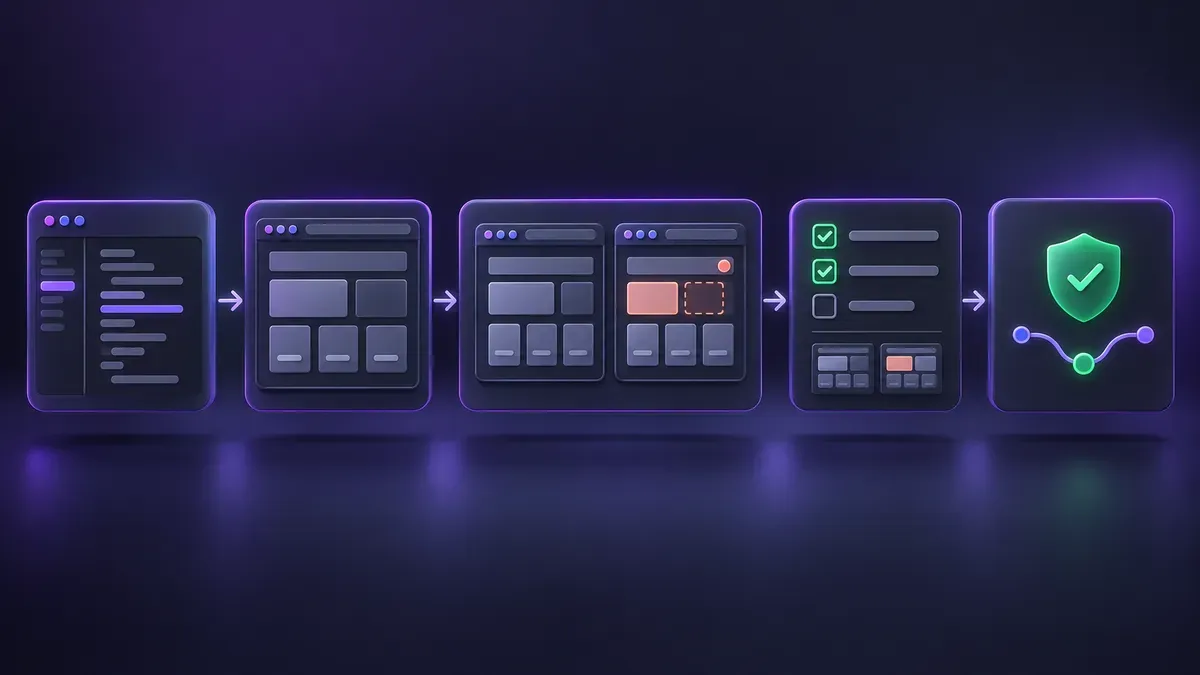
Manual screenshot verification collapses under frequent releases. Hooking visual testing into branch builds isolates unexpected UI regression before code ever reaches production branches. Modern CI pipeline checks execute headless test suites against incoming pull requests, rendering diff outputs within minutes.
A standardized engineering protocol maintains velocity across collaborative product teams:
- Developers push revised interface markup to an active branch.
- Isolated build workers launch headless browsers to snapshot the updated canvas.
- Automated diffing scripts calculate pixel offsets against baseline references.
- Reviewers examine any flagged visual deltas within an interactive diff canvas.
- The build passes automatically if diffs match zero pixels or halts when unapproved layout drift occurs.
This automated loop grounds design QA in tangible visual proof. Visual evidence shortens bug triage significantly. Paragraphs of text cannot explain a broken CSS transform. Filing solid bug reports means attaching proof: teams fire up ScreenSnap on macOS or Windows, drop red markup over layout shifts, and paste the screenshot into the ticket. Visual checks also support accessibility compliance. According to the W3C, users need to be able to zoom up to 200% without horizontal scrollbars showing up to break the page. Image diffs prove whether scaling words stay constrained within flexbox containers. Making visual testing a mandatory merge gate makes it far less likely that production releases look broken on some screens.