Loom vs Vidyard 2026: Pricing, Features Compared
# Loom vs Vidyard in 2026: Pricing, Features & Which One to Pick
Picking between Loom vs Vidyard in 2026 comes down to size and goals. Loom is the simpler, cheaper async video tool, best suited to small teams, support replies, and quick walkthroughs. Vidyard is the heavier sales and marketing platform, built for pipeline, account analytics, and CRM work. Pick Loom for speed. Pick Vidyard to track revenue.
Both tools record your screen, your face, and your voice. Both let you share a link instead of an attachment. But the gap grows fast once you look past the recorder. Loom is built for "ship a message in 90 seconds." Vidyard is built for "show me which accounts opened the demo and which reps got replies."
This guide breaks down 2026 pricing, the real feature gaps, links to Salesforce and HubSpot, AI tools, and a clear way to choose, including when both might be too much for what you need.
TL;DR: Loom vs Vidyard at a glance
| Dimension | Loom | Vidyard |
|---|---|---|
| Best for | Small teams, support, internal updates | Sales orgs, ABM, marketing |
| Free plan | Yes (25 videos, 5-min cap) | Yes (25 videos) |
| Cheapest paid | Business at $15/seat/mo | Pro at ~$19/mo |
| Mid tier | None | Plus at ~$59/mo |
| Enterprise | Custom | Business (five-figure annual range) |
| Recording | Desktop, browser, mobile | Desktop, browser, mobile |
| Editing | Light trim, blur, fillers | Light trim, captions |
| Analytics | View counts, basic engagement | Heatmaps, account scoring, attribution |
| CRM integrations | Zaps, some natives | Native Salesforce, HubSpot, Outreach, SalesLoft |
| AI features | Loom AI summaries and titles | AI Avatar, script-to-video |
| HIPAA | Enterprise only | Available |
| SOC 2 | Yes | Yes |
| Standout | Speed and simplicity | Pipeline analytics |
The short version: Loom wins on price and setup. Vidyard wins on revenue data and sales-stack links. The rest is detail, but the detail matters once you pick one tool for a 50-person team.
Quick verdict
- Pick Loom if you want async video to feel like Slack: fast, easy, cheap per seat. CS teams, engineering updates, and small marketing teams all do well here.
- Pick Vidyard if your sales team lives in Salesforce, you need view alerts sent to reps, and you want to tie video views to pipeline.
- Pick neither if you're a solo founder or freelancer who only needs a clean walkthrough once a week. Both have free tiers, but the real value of either tool shows up when you have a team.
Pricing reality in 2026
Pricing pages move. We pulled these from each tool's official site when we wrote this. Always check the live page before you sign anything.
Loom pricing
| Plan | Price | Notable limits |
|---|---|---|
| Starter (Free) | $0 | 25 videos per person, 5-minute cap, no editing |
| Business | $15/creator/mo (annual) | Unlimited videos, no length cap, AI features add-ons |
| Business + AI | $20/creator/mo | Loom AI included |
| Enterprise | Custom | SSO, advanced security, HIPAA, SCIM |
Loom counts "creators", and viewers are free. That matters when you're sizing a deal: a 200-person company might only need 30 creator seats.
Vidyard pricing
| Plan | Price | Notable limits |
|---|---|---|
| Free | $0 | 25 videos, basic recording |
| Pro | ~$19/mo | Adds CTAs, custom branding, more integrations |
| Plus | ~$59/mo | Team analytics, GIF previews, salesforce sync |
| Business | Custom (five-figure annual) | Full API, ABM, AI Avatar, security review |
Vidyard's public pricing has moved toward "talk to us" for anything past Plus. Expect a real five-figure yearly contract for the Business tier, which is where the heatmaps, account scoring, and full sales-tool sync live.
Cost check: for a 10-person team, Loom Business is about $1,800 a year. Vidyard Plus for the same team is about $7,000 a year. They are not the same product, and the price shows that.
Recording features compared
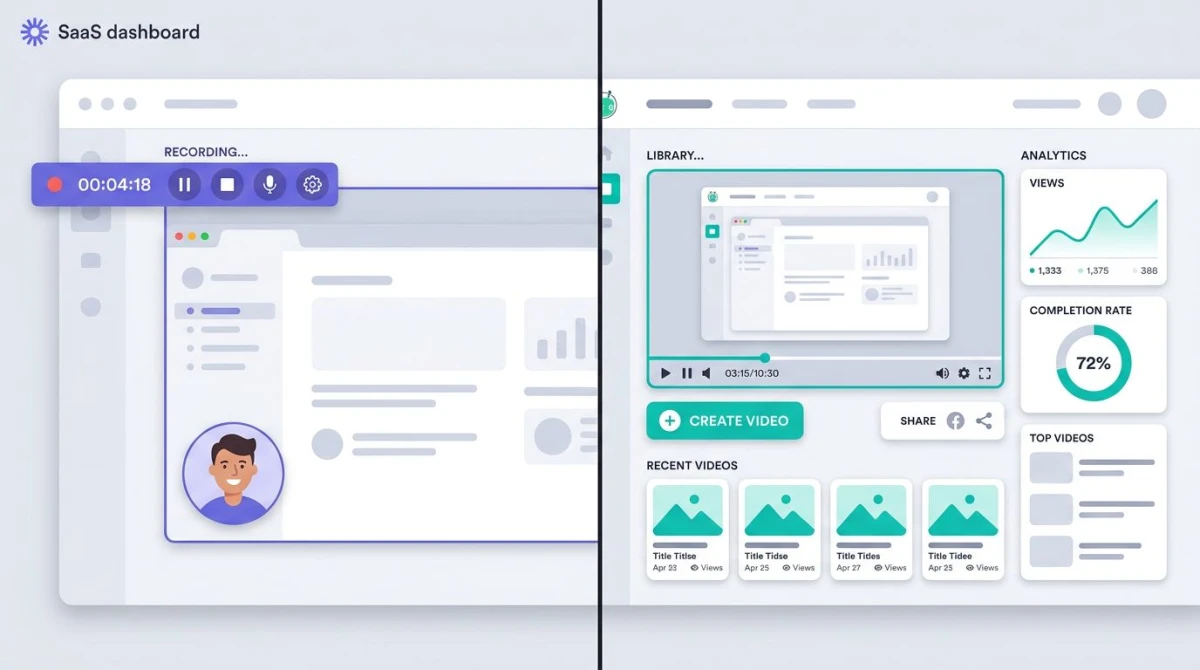
Both apps cover the basics: screen, webcam, mic, and a bubble overlay for face cam. Both ship desktop apps for Mac and Windows, browser add-ons for Chrome and Edge, and mobile apps for iOS and Android.
Where they differ on capture
- Background blur and swap. Both ship this. Vidyard's is a bit cleaner around hair and shoulders.
- Teleprompter. Vidyard has a built-in teleprompter for reps reading a script. Loom does not.
- Mobile reach. Both record on iOS and Android. Loom's mobile editor feels smoother for quick cuts.
- System audio capture. Both handle it on Mac and Windows. Linux users are out of luck on either.
Where they differ on editing
Loom's editor handles light trims, splits, blur regions, and "filler word" removal (uh, um, like). Vidyard has similar trim and split tools, plus auto-captions and CTA overlays. Neither replaces a real editor like Camtasia or Premiere. Both are built for fast async video, not polished content.
If you need more (multi-track timelines, color grading, motion graphics), look outside both. We cover heavier picks in our roundup of the best training video software.
Analytics and engagement
This is where the gap is widest.
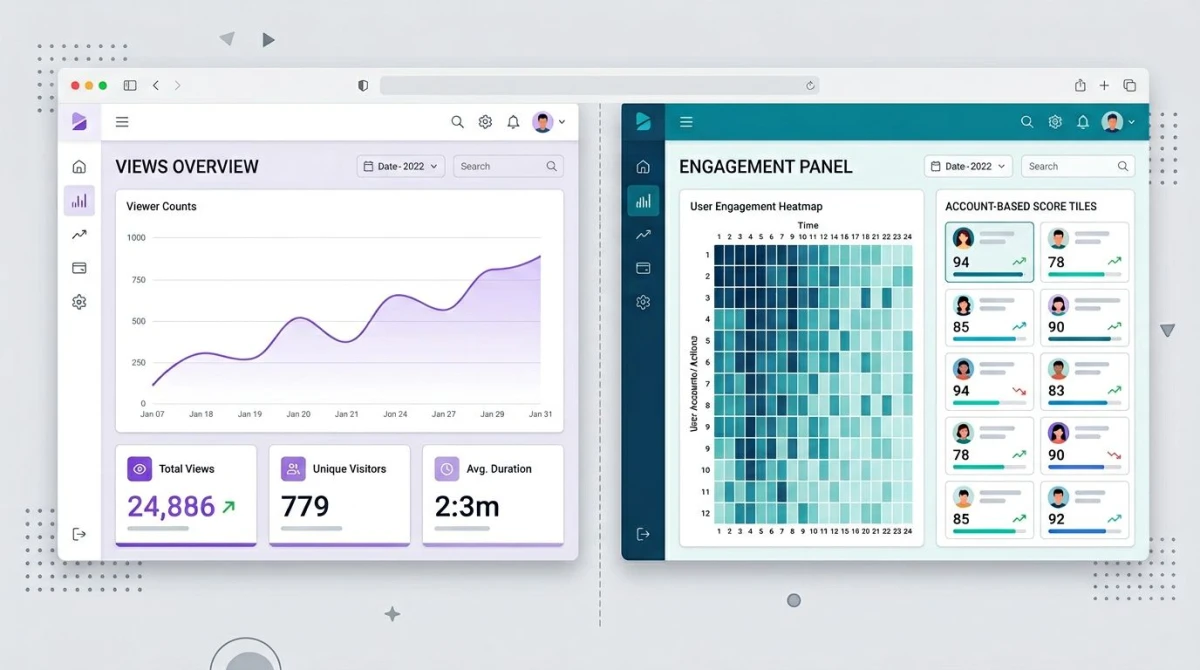
What Loom shows you
- View count
- Reactions and emoji
- Comments and threaded replies
- A simple watch-time graph
That's it on lower tiers. Loom's data is built to answer "did people watch?" rather than "which account is hottest?"
What Vidyard shows you
- View counts at the contact and account level
- Heatmaps showing which seconds got rewound or skipped
- Engagement scores per viewer
- Email-open style alerts sent to reps via Slack or Salesforce
- Attribution tied to deals in your CRM
- Team-wide performance dashboards
For a sales team running outbound, Vidyard's account-level rollup is the whole product. You can see "12 people at Acme Corp watched the demo, 78% average completion, three from procurement, two from finance", then feed that intent signal back into your pipeline.
If pipeline impact isn't a metric your team owns, you'll never use these features. They aren't worth the price.
Integrations with sales tools
Loom integrations
Loom focuses on async work tools: Slack, Notion, Gmail, Jira, GitHub, Linear, ClickUp. Its CRM story runs mostly through Zapier or third-party glue. The native HubSpot and Salesforce links exist but stay shallow: embed a video in an email, log a basic activity.
Vidyard integrations
Vidyard is built around the sales stack:
- Salesforce. Native two-way sync. Video views log as activity, attach to deals, trigger workflows.
- HubSpot. Embed videos in sequences, see view data on contact records, trigger lifecycle changes.
- Outreach and SalesLoft. Reps record and send from inside the cadence tool.
- LinkedIn Sales Navigator. Personal prospect videos in messages.
- Marketo, Eloqua, Pardot. Marketing automation that fires on view behavior.
If your team picks Salesforce and Outreach, Vidyard plugs right in. Loom needs more glue.
Video personalization
This is Vidyard's specialty and one of the clearer gaps.
Vidyard's "personal prospecting" flow lets a rep record one base video, then swap in the prospect's name on a whiteboard, the company logo on a laptop screen, or a custom intro frame, all at scale. Combined with mail-merge from a CRM, one rep can send 200 "personal" videos that all feel hand-made.
Loom doesn't try to compete here. Its personal touch stops at "Hey, Sarah" in the title. For a marketing or SDR team running outbound video, this gap alone earns Vidyard's price.
AI features
Both put money into AI through 2025 and 2026. They went different ways.
Loom AI
Loom AI focuses on cleanup and recap:
- Auto-generated titles
- Chapter timestamps
- Summary paragraphs
- Action-item extraction
- Filler-word removal
- Auto-translation of captions
It's a speed layer on top of recording. The pitch: stop wasting 15 minutes after every clip trimming, titling, and writing a blurb.
Vidyard AI
Vidyard's AI bets are bigger and aimed at sales output:
- AI Avatar. Type a script, get a video of a digital you saying it. Useful for reps who hate being on camera.
- Script-to-video. Make a full video from a paragraph of input.
- AI prospect copy. Suggest opening lines based on a prospect's LinkedIn or company news.
- Smart chapters and recaps. Same speed layer as Loom, plus deeper transcript search.
Vidyard AI sits behind the higher tiers. Loom AI is a cheap add-on. Both work, both have edge cases. Neither is a reason on its own to switch tools.

Tired of plain screenshots? Try ScreenSnap Pro.
Beautiful backgrounds, pro annotations, GIF recording, and instant cloud sharing, all in one app. Pay $34 once, own it forever.
See pricing and featuresContent management and library
Loom's library is simple: a folder tree, search, and team workspaces. It's fine for 50 videos.
Vidyard treats the video library like a content management system. You can:
- Tag videos with custom metadata
- Build playlists and channels
- Embed live on marketing sites with content that auto-updates
- Push videos through approval workflows
- A/B test thumbnails and CTAs
Marketing teams running a video hub need this. Sales teams sharing 1:1 videos do not.
Admin, SSO, and compliance
Both have the basics at higher tiers:
- SSO (SAML). Loom Enterprise and Vidyard Plus/Business.
- SCIM provisioning. Both, on top tiers.
- SOC 2 Type II. Both.
- GDPR and CCPA. Both.
- Custom retention. Both, on top tiers.
- HIPAA. Vidyard offers it on Business plans. Loom only on Enterprise, where the setup is narrower.
In a regulated field (healthcare, fintech, legal), Vidyard's earlier HIPAA option is the deciding factor more often than analytics.
Performance and where videos actually live
Both tools render and host video in the cloud. Recording happens on your machine; the upload and transcode happen on their servers. Playback runs through their CDN.
That has trade-offs:
- You don't own the file unless you download it. Both let you, both keep an MP4 you can grab.
- Offline workflows break. No internet, no upload, no share link until you're back online.
- Bandwidth costs are theirs, which is part of why pricing scales the way it does.
If you need raw local files and full control, neither tool is the right shape. That's a screen recorder job, not a video platform job. We cover lighter local-first picks in our free Mac screen recorder guide.
Decision framework: who should pick which
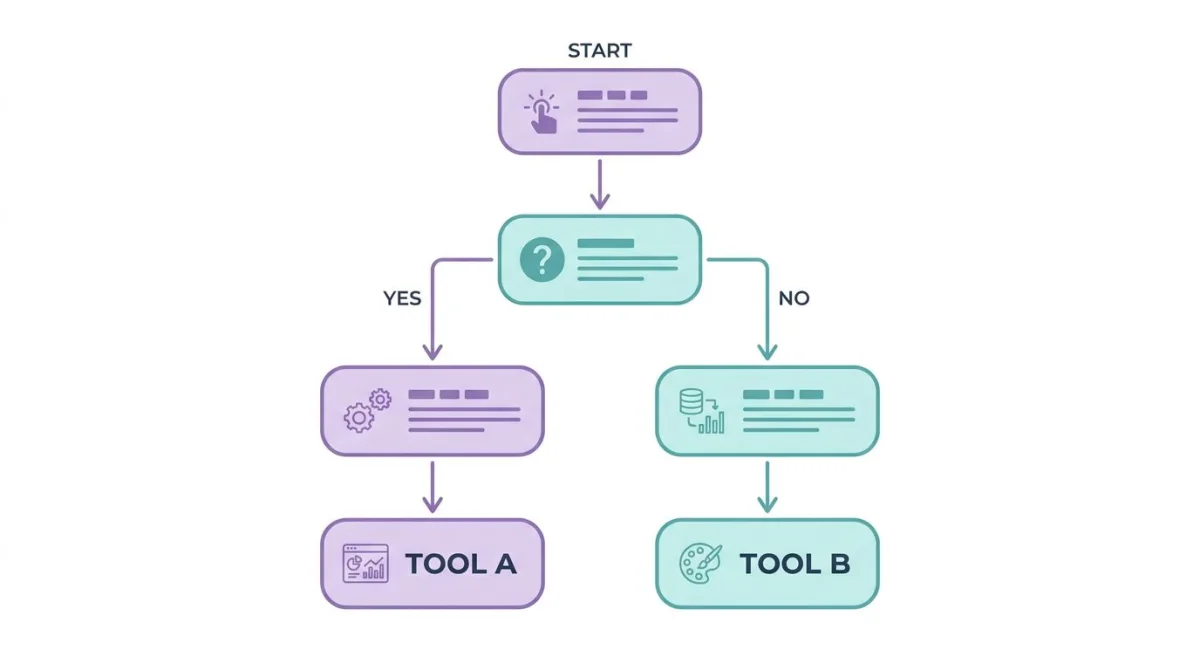
Here's the quick mental model:
- Solo or 2-10 person team that mostly sends internal updates and quick walkthroughs → Loom. The free or Business plan covers it. You'll never use Vidyard's analytics.
- CS team using HubSpot → either works. Loom is cheaper. Vidyard gives you better view tracking inside the CRM. Pick on price.
- Sales org running Salesforce + Outreach → Vidyard. The native links pay for themselves once reps see "X account watched twice this week."
- Marketing team running webinars, lifecycle, and a video hub → Vidyard. The library and CMS layer is the gap.
- Engineering or product team sending async standups and design walkthroughs → Loom. The teamwork tools (comments, reactions, threading) are tighter.
- Healthcare or legal with HIPAA needs → Vidyard unless you're already on Loom Enterprise.
The most common mistake: a small startup buys Vidyard because the demo looked great, then never uses 80% of it. The other common mistake: a 200-rep sales org picks Loom to save money, then loses pipeline visibility their CRM should have shown.
What about a one-time alternative?
If you're a solo founder or a one-person creator and both tools feel like overkill, the math gets weird fast. Both Loom and Vidyard are subscription products built for teams. Paying $15/month forever for a tool you use twice a week adds up.
For that narrow case, a one-time-purchase tool like ScreenSnap Pro ($34 once, Mac and Windows, no subscription) might fit better than either, because it covers screen plus webcam plus mic plus system audio, with optional cloud sharing. It's not a Loom or Vidyard swap for a sales team, but for a solo workflow, it's a different shape.
That's the whole pitch. Back to the comparison.
Migration: switching from one to the other
Switching tools is easier than people fear and harder than vendors claim.
What you can move
- Video files. Both let you bulk export MP4s.
- Titles, descriptions, dates. Usually exportable as CSV.
- Folder structure. Re-creatable manually.
What you can't move
- View history and analytics. Lost on switch.
- Embed URLs. Old links break unless you 301 them yourself.
- Comments and reactions. Lost.
- Custom links. Set them up again on the new side.
Practical migration steps
- Audit which videos still get views in the last 90 days. The rest can be archived, not moved.
- Bulk-export the live videos as MP4 with metadata.
- Re-upload in batches to the new tool.
- Set up redirects from old share links to new ones if you've put them on a public site.
- Re-build CRM links and re-train reps in the same week, because context-switching twice is worse than once.
Plan two to four weeks for a clean move. Vidyard has a service team that helps with this; Loom mostly leaves it to you.
Common questions teams hit during eval
A few patterns we see from procurement and IT reviews:
- "Will viewers need an account?" No on either. Public links work without sign-in. Gated links need an email capture, which is optional on both.
- "Can we self-host?" No. Both are SaaS. If self-hosting is a must, look at open-source options.
- "What about video search?" Both transcribe on their own and let you search inside videos. Vidyard's transcript search is faster.
- "Can we white-label?" Vidyard yes (custom domain, custom player, no Vidyard branding) on higher tiers. Loom keeps light branding even on Enterprise.
- "Browser support?" Modern Chromium and Firefox on both. Safari recording works but is the second-class option on both.
If you're doing this kind of review for a Windows-heavy team, our Loom alternatives for Windows post covers other tools worth a look during the same buying cycle.
Frequently Asked Questions
The wrap
In one line: Loom is async video for everyone, Vidyard is async video for revenue teams. They overlap at the recorder and split apart everywhere downstream.
For most small teams, Loom is the right pick: cheaper, faster setup, less to learn. For sales orgs running Salesforce and HubSpot at scale, Vidyard's analytics and links earn their price. And for solo creators who just need a clean walkthrough now and then, both might be more product than the work needs.
Whichever you pick, set a 30-day check-in: are people using it? Are reps replying to view alerts? Is anyone clicking the heatmap? If the answer is no, you bought the wrong tier, or the wrong tool.

Morgan
Indie DeveloperIndie developer, founder of ScreenSnap Pro. A decade of shipping consumer Mac apps and developer tools. Read full bio
@m_0_r_g_a_n_