CapCut vs DaVinci Resolve 2026: Free Editors Compared
The capcut vs davinci resolve debate comes down to one honest question: are you posting to TikTok this afternoon, or grading a short film next month? Both are free. Both are powerful. They are not the same tool. (If you also need to capture footage from your screen for tutorials, a screen-recording tool like ScreenSnap Pro handles that side.)
CapCut is built for speed. DaVinci Resolve is built for control. If you pick the wrong one, you will either feel limited or feel lost. We pulled real feature data from both vendors (CapCut's product page and Blackmagic Design's documentation) and tested both in 2026.
This guide breaks down the real trade-offs in 2026. You will see exactly which editor matches your work, your hardware, and your patience.
TL;DR: CapCut vs DaVinci Resolve at a Glance
Here is the quick comparison. Skim it, then keep reading for the why.
| Dimension | CapCut | DaVinci Resolve |
|---|---|---|
| Best for | TikTok, Reels, Shorts, fast social edits | YouTube films, color grading, broadcast |
| Learning curve | A few hours | Weeks to months |
| Price (free tier) | Free with limits | Free, full editor |
| Paid tier | CapCut Pro $7.99/mo or $74.99/yr | Resolve Studio $295 one-time |
| Mobile app | Yes (iOS, Android, iPad) | No (desktop only) |
| AI features | Auto-captions, AI avatars, templates | Voice Isolation, Magic Mask, scene cut |
| Color grading | Basic LUTs and filters | Industry-standard color suite |
| Audio | Light tools, basic ducking | Full Fairlight DAW |
| VFX / compositing | Basic effects, blend modes | Full Fusion node compositor |
| Multicam | Limited | Up to dozens of angles |
| Hardware needs | Runs on a low-end laptop | Needs a real GPU |
| Export presets | One-click TikTok / IG / YouTube | Custom render queue |
The short verdict: Pick CapCut if your output is short-form social content and you want to be done in an hour. Pick DaVinci Resolve if you care about color, audio, or making something that looks cinematic.
Quick Verdict: Which Should You Pick?
Most creators do not need to test both. The decision usually maps to your output.
Pick CapCut if you are:
- A TikTok or Reels creator
- A part-time YouTuber doing talking-head videos
- A small business making product clips
- Editing on a phone, tablet, or older laptop
- Brand new to video editing
Pick DaVinci Resolve if you are:
- A YouTuber growing past 100k subs and wanting a polished look
- A wedding or event filmmaker
- An indie filmmaker or student
- Doing color grading or multicam interviews
- Mixing audio for podcasts or films
If you sit between the two, start with CapCut for your next three projects. Move to DaVinci once you hit a wall. Usually that wall is color, audio, or precise keyframing.
Pricing Reality in 2026
Both editors have a free tier. The free tiers are very different.
CapCut Pricing
CapCut's free tier covers most casual editing. CapCut Pro unlocks higher export quality, more templates, and pro AI tools.
| Tier | Price | What You Get |
|---|---|---|
| Free | $0 | Core editor, basic effects, 720p export |
| CapCut Pro (monthly) | $7.99/mo | 4K export, full AI, premium templates |
| CapCut Pro (yearly) | $74.99/yr | Same as monthly, ~22% cheaper |
| CapCut Pro (commercial) | Custom | Brand kits, team seats, license safe assets |
The free tier is genuinely usable. You can ship full TikToks without paying. The Pro tier is a subscription, which keeps adding up over the years.
DaVinci Resolve Pricing
DaVinci is the unusual one. The free version is not a trial. It is a full editor, made by Blackmagic Design, the same company that makes pro cinema cameras.
| Tier | Price | What You Get |
|---|---|---|
| DaVinci Resolve (free) | $0 | Edit, color, basic Fairlight, basic Fusion |
| DaVinci Resolve Studio | $295 one-time | Neural Engine AI, 4K+ export, noise reduction, full Fusion |
The free Resolve is enough for 90% of YouTubers. Studio adds the deep AI tools and removes the 4K+ ceiling. One payment and lifetime updates: a model worth respecting in 2026.
What Changed Recently (2025 to 2026 Context)
Both apps had real news worth knowing about.
CapCut and the US Restriction
In early 2025, CapCut briefly disappeared from US app stores along with TikTok. Both apps are owned by ByteDance, and US lawmakers raised concerns about data and ownership. CapCut returned to stores soon after, but the question is not fully closed.
If you work for a US government agency, a school district, or a regulated industry, check your IT policy before installing CapCut. For most personal creators, the app is back and works as before.
DaVinci Resolve 19.5 and Beyond
Blackmagic shipped Resolve 19.5 in late 2025 with Fairlight and Cut Page improvements. The Cut Page got faster source tape navigation. Fairlight got better AI dialogue isolation. The Magic Mask 2 update tracks people more reliably across cuts.
The pace of free updates is one of the strongest reasons to commit to learning Resolve. You are not locked into a subscription, and the app keeps growing.
Editing Speed: Cut Page vs Vertical Timeline
Speed is where CapCut wins easily. DaVinci has gotten faster, but it is still a deeper tool.
CapCut's Workflow
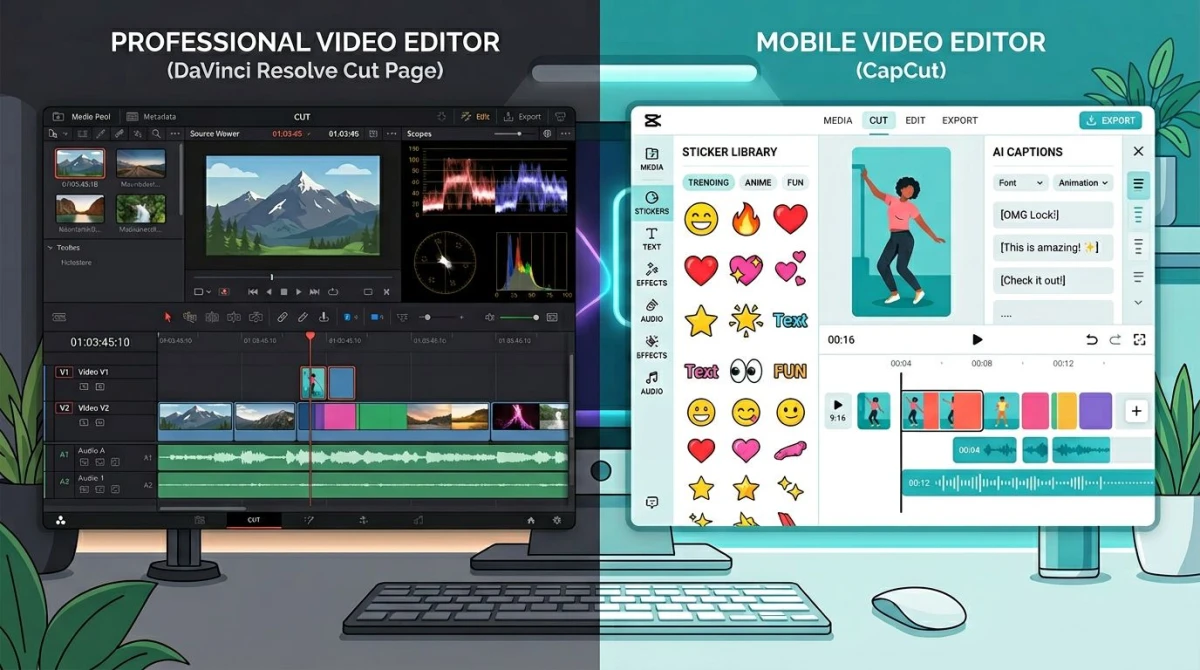
CapCut is built around a vertical scroll timeline that mirrors how you watch content. Drag clips in. Tap a template. Add captions with one button. The mobile and desktop apps share a layout, so muscle memory carries over.
A thirty-second TikTok takes about ten minutes start to finish, including export. There is almost no setup. The app guesses your aspect ratio from your first clip.
DaVinci's Cut Page
DaVinci Resolve has two editing pages. The Cut Page is the fast one, and Blackmagic built it specifically for short-deadline news and social work. The Edit Page is the deeper, traditional NLE for longer projects.
The Cut Page is fast once you learn it. But "once you learn it" is the catch. You need to understand source tapes, smart bins, and the dual timeline view. Day one feels slow. Day thirty feels great.
Color Grading: DaVinci's Signature Strength
This is where Resolve is in a class of its own. DaVinci started as a color grading tool used on Hollywood films before it became an editor. That heritage shows.
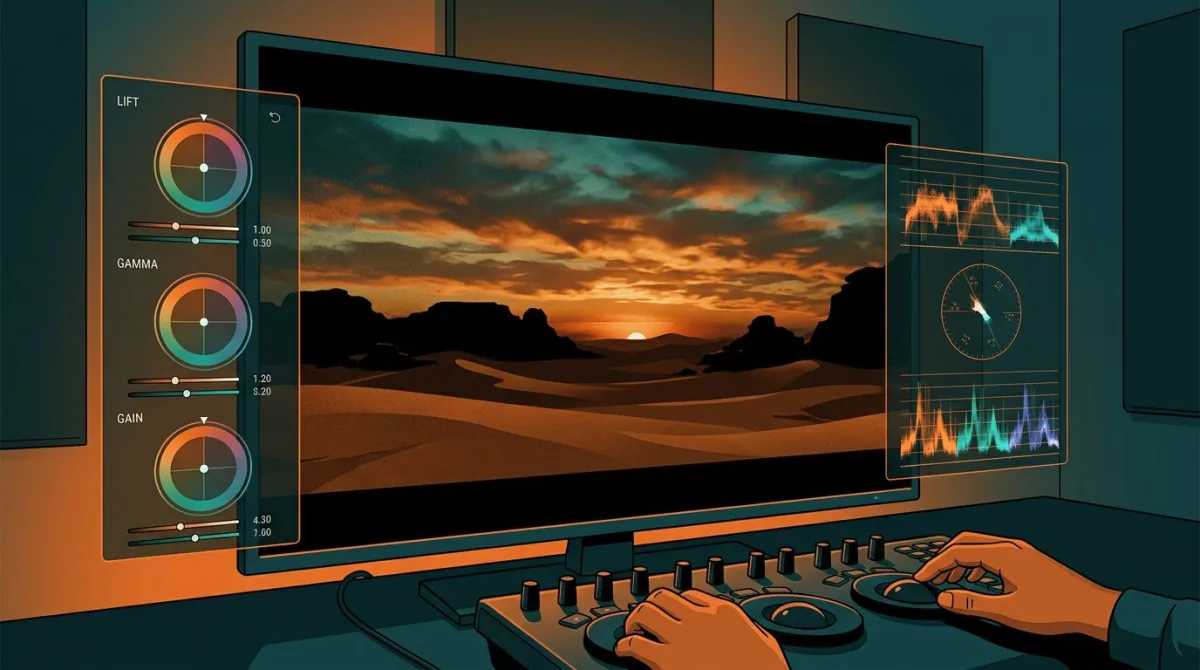
Resolve's Color Page gives you primary and secondary wheels, curves, qualifiers, power windows, tracker, and node-based grades. You can match shot-to-shot color across an interview. You can pull a person's skin tone out and adjust it without touching the rest of the frame.
CapCut has filters and basic LUT support. That is fine for a TikTok. It will not match a wedding film's look across forty shots from two different cameras. If color matters at all to your work, that alone decides the question.
Audio: Fairlight vs Basic Tools
DaVinci ships with Fairlight, a full digital audio workstation that lives inside the app. You get track-based mixing, automation, EQ, compression, dialogue leveler, and voice isolation. It is closer to Logic Pro or Pro Tools than to a typical editor's audio panel.
CapCut handles audio at a creator level. You get volume curves, basic ducking, royalty-safe music, and AI sound effects. It is good enough for talking-head videos. It is not enough for a podcast you plan to publish, or for a film with field audio that needs cleaning.
If you record voiceover or interviews often, Resolve saves you a round trip to another app.
Effects, Transitions, and VFX
Both apps have effects. They are aimed at different worlds.
CapCut's Social-Style Library
CapCut's catalog is huge and trend-driven. Glitches, zooms, beat-synced cuts, sticker libraries, AI effects that turn you into an anime character, captions that animate word-by-word: most of what makes a TikTok feel current is one tap inside CapCut.
The trade-off: a lot of those looks are recognizable. If your audience watches CapCut content all day, they have seen those exact transitions before.
DaVinci's Fusion
Resolve includes Fusion, a node-based compositor used on real movies. You can do clean keying, sky replacements, motion graphics, particle systems, and 3D camera tracking. It is genuinely close to After Effects in capability.
The catch is that Fusion is a serious app of its own. You will not pick it up in an afternoon. But for thumbnail-worthy effects on YouTube, or VFX work on a short film, it is a real reason to use Resolve.
AI Features: Both Bring Different Strengths
AI is where both apps have invested heavily, and where the comparison gets interesting.
| AI Feature | CapCut | DaVinci Resolve |
|---|---|---|
| Auto-captions / subtitles | Yes, multilingual | Yes (Studio only for full quality) |
| Background removal | Yes, one-tap | Yes, Magic Mask |
| Voice cleanup | Basic | Voice Isolation (Studio) |
| AI avatar / talking head | Yes | No |
| Scene detection | Limited | Yes, automatic |
| Object tracking | Basic | DaVinci Neural Engine |
| Generative effects | Yes (templates) | Limited |
| Auto-translate | Yes | Subtitle translation only |
CapCut's AI is creator-facing: turn footage into a polished short with one tap. Resolve's AI is workflow-facing: clean dialogue, mask a person across cuts, detect every scene change in an hour-long interview. Different jobs.

Tired of plain screenshots? Try ScreenSnap Pro.
Beautiful backgrounds, pro annotations, GIF recording, and instant cloud sharing, all in one app. Pay $39 once, own it forever.
See pricing and featuresExport Presets and Delivery
CapCut has one-click presets for TikTok, Instagram Reels, YouTube Shorts, YouTube long-form, and stories. The app handles aspect ratios, bitrates, and watermark settings on its own. You can ship without thinking about codecs.
DaVinci Resolve gives you a full Deliver page. You can stack multiple renders in a queue, target H.264 for the web and ProRes for archive in one pass, set color spaces, and do background renders while you keep editing. It is more setup, but the control matters when you deliver to clients or broadcast.
For a YouTube creator who only needs MP4, both work. For anyone delivering to multiple platforms or formats, Resolve saves time over a project's life.
Multicam Editing
Multicam is editing footage from two or more cameras at once, which is common in interviews, weddings, and live events.
DaVinci handles multicam well. You sync clips by audio waveform or timecode, then cut between angles in real time. The Cut Page makes this fast. Up to dozens of angles are supported.
CapCut has a basic multicam workflow but it is limited to a few angles and works best on the desktop app. For weddings, conferences, or anything past a two-camera interview, Resolve is the right tool.
Mobile and Cross-Platform
CapCut is mobile-first and it shows. The phone app is not a stripped-down version. It is the main app. iPad editing is genuinely usable. You can edit on a flight with one hand.
DaVinci Resolve has an iPad app, but it is the only mobile option. There is no Android version. The iPad app is impressive, but it expects an M-series chip and a magic keyboard to be comfortable. Most editors still use the desktop version.
If your phone is your main computer, CapCut is the only real option.
Performance and Hardware
This is where hardware budgets come in.
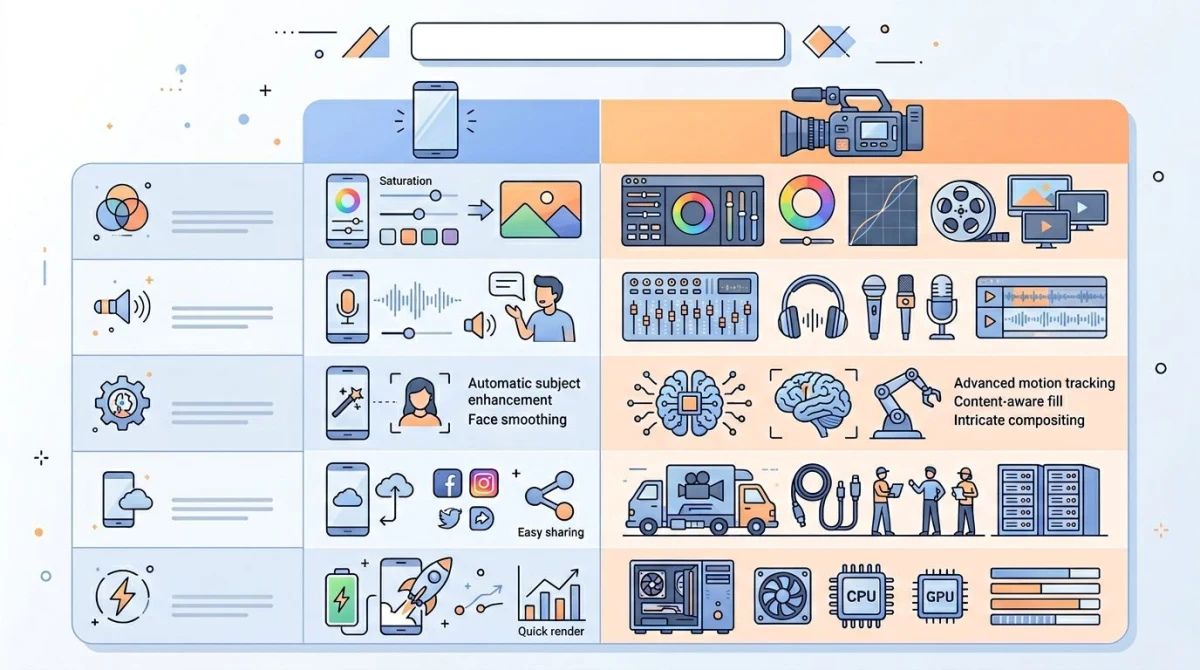
CapCut on Modest Hardware
CapCut runs on almost anything. A five-year-old laptop with integrated graphics will edit 1080p comfortably. The mobile app handles 4K on a recent phone. The app does most heavy lifting in the cloud or with light local processing.
This is one of CapCut's biggest practical wins. You do not need to upgrade your machine.
DaVinci's Real GPU Needs
DaVinci Resolve is GPU-bound. Color grading, Fusion, and noise reduction all lean on your graphics card. On Mac, an M1 Pro or better is the realistic floor. On Windows, you want at least an NVIDIA RTX 3060 with 12GB VRAM, or an equivalent AMD card.
You can run Resolve on weaker hardware. It will work. But you will spend more time waiting for caches to build than editing. If your machine is older than three years and not a recent Mac, this matters.
Learning Curve: Hours vs Months
Honesty time. The learning curves are not close.
CapCut can be learned in an afternoon. Most templates and AI features hide complexity, and the timeline mimics how you scroll content. People with zero prior editing experience ship usable videos on day one.
DaVinci Resolve is a real professional tool. Plan for a few weeks of YouTube tutorials before you feel comfortable on the Edit Page. Plan months before you feel comfortable on the Color and Fusion pages. The good news: time invested in Resolve transfers to other pro tools, and the app does not change drastically year to year.
If you are still deciding, ask yourself how patient you are this month. CapCut rewards short attention spans. Resolve rewards persistent ones.
Decision Framework: Who Should Pick Which
Here is the simple version.
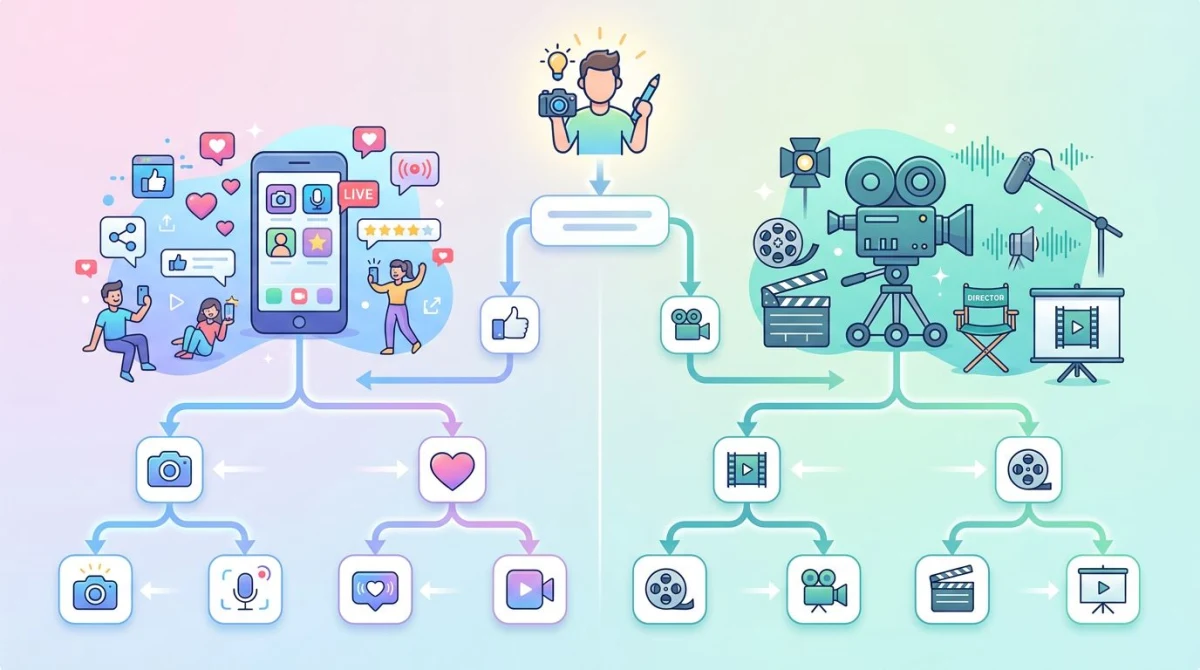
Pick CapCut when:
- Your output is under 60 seconds, vertical, and posted to social
- You edit on a phone or low-spec laptop
- You want one-click captions, templates, and trend effects
- You do not plan to grade color or mix audio seriously
- You value finishing fast over finishing perfectly
Pick DaVinci Resolve when:
- You upload to YouTube long-form, Vimeo, or broadcast
- You care about how your footage looks (color matters)
- You record voiceover, interviews, or scripted dialogue
- You shoot on more than one camera
- You plan to make video editing part of how you work for years
Pick both when:
- You make long-form YouTube videos with social cutdowns
- Use Resolve for the hero edit and CapCut for the vertical clips
- Many full-time creators do exactly this
If your workflow is "record my screen, trim a few seconds, share it," neither tool is overkill, but both are heavier than you need. Need to capture your screen footage first? See ScreenSnap Pro. For actual video edits beyond a trim, see our guides on the best way to edit screen recordings on Windows and editing screen recordings on Mac.
How CapCut and DaVinci Compare to Other Editors
If you are also weighing other options, the closest comparisons are:
- CapCut vs Premiere Pro. Premiere is closer to Resolve in scope, but locked behind an Adobe subscription
- DaVinci vs Final Cut Pro. Both are pro tools, but Final Cut is Mac-only and a one-time $299 buy
- CapCut vs Movavi Video Editor. Both are simple, have rich effects and AI tools, but Movavi puts less emphasis on social trends and one-tap templates.
- Snagit vs Camtasia. For screen-focused content, see our Snagit vs Camtasia comparison
- Best screen recorder on Mac. If you mostly record screens, see our best screen recorder Mac roundup
The capcut vs davinci resolve choice is unique because of the price gap (free vs free) and the audience gap (mobile creators vs film editors).
Migrating From CapCut to DaVinci
A common path: creators start on CapCut, hit a ceiling, and move to Resolve. Here is what to expect.
The good news is that DaVinci's Cut Page is closer to CapCut than the Edit Page is. Start there. Most CapCut habits (drag clips, scroll timeline, fast trim) work on the Cut Page with small changes.
The harder shift is mindset. CapCut hands you finished looks. DaVinci hands you the tools to build any look. You need to think about what you want before you start clicking. That is also the reason your work will look more like yours and less like everyone else's.
Frequently Asked Questions
The Bottom Line
CapCut and DaVinci Resolve are both genuinely good apps. They are aimed at different creators.
CapCut wins on speed, mobile, and AI-driven social effects. DaVinci wins on color, audio, VFX, and long-term professional growth. Both are free, which makes the choice low-risk: you can install either tonight and have an honest answer by next weekend.
The right choice is whichever editor matches the work you actually plan to do this year. Pick one. Ship three videos. You will know.

Morgan
Indie DeveloperIndie developer, founder of ScreenSnap Pro. A decade of shipping consumer Mac apps and developer tools. Read full bio
@m_0_r_g_a_n_