I Combined One Photo From Three Different Ones: Here's How It Went
By Alex Mercer · Consumer-AI writer · Hands-on review, 2026
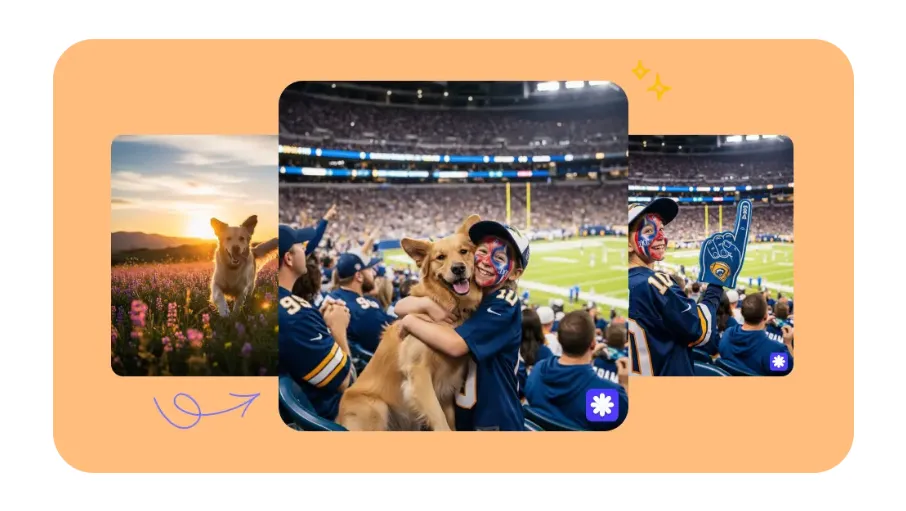
I spent an afternoon merging photos that were never taken together (a person and a new landscape, someone and a pet, a fan and a stadium crowd) into single images using an AI image combiner, no Photoshop involved. Some took three tries; the good ones took under a minute. Here is what I did, with real before-and-after results, and what worked.
The setup: three photos that were never meant to go together
The idea came from a real problem. We all have photos that would be perfect together but never were: a portrait taken indoors and a landscape from a trip, a person and a pet photographed on different days, in different light, on different cameras. Getting them into one believable frame normally means Photoshop and an hour of masking. I wanted to see whether an AI tool could just do it from a sentence. The examples below are real before-and-after results from the combiner I tested.
What the tool looks like, and how I started
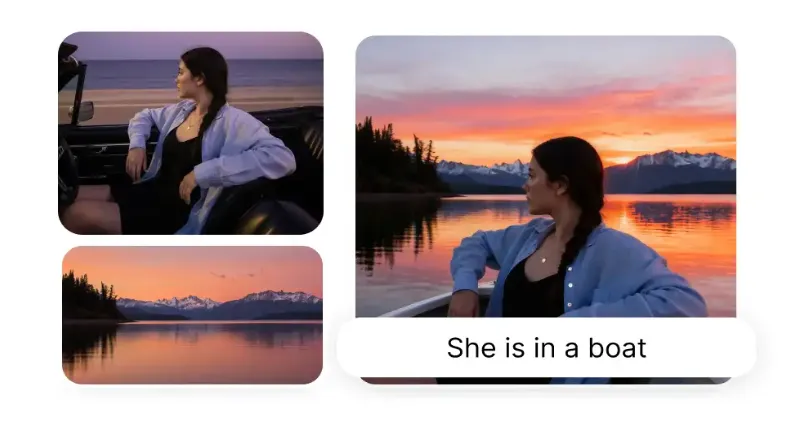
I used Overchat's combiner. The interface is refreshingly plain: two upload boxes labelled Image 1 and Image 2, a text field titled "How to combine," and an aspect-ratio setting. That is basically it. Because it only takes two images at once, I worked in stages: first merging myself into the beach, then adding the dog. If you want to try the same, this AI image blending tool is where I did it.
It took three tries, and the prompt was everything
My first attempt was lazy, and it showed. I typed "put me on the beach" and got a version of me floating slightly off the sand with the lighting all wrong. The tool had done what I asked; I just hadn't asked for much. The fix was to be specific about placement and light, and the second and third passes were noticeably better.
| Attempt | What I typed | What I got |
|---|---|---|
| 1 | "Put me on the beach" | Placed, but flat lighting and an odd position |
| 2 | "Place me standing on the left of the beach, warm sunset light" | Much better: the light finally matched the scene |
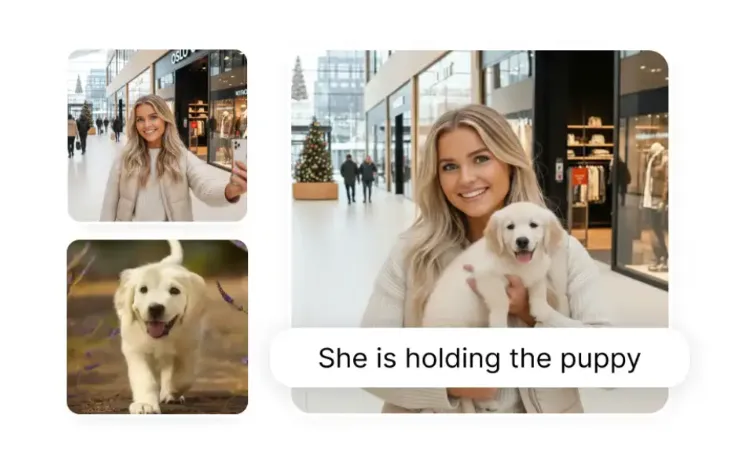
| 3 | "Add the dog sitting beside me on the sand, same lighting" | The keeper: all three elements, one believable photo |
The lesson I kept relearning: name the subject, say where it goes, and describe the light. When I did all three, the AI matched the sunset tones and the shadows well enough that a casual viewer would not question it.
How good was the result, honestly?
Better than I expected, with caveats. The blending of lighting and colour was the standout: the part that usually betrays a manual composite looked natural here. Edges around my hair and the dog's fur held up at normal viewing size. Zoom right in and you can find soft spots, as you can with most AI images. For a social post, a card, or a bit of fun, it was more than good enough; for a printed poster you would scrutinise, I would still want a designer.

Tired of plain screenshots? Try ScreenSnap Pro.
Beautiful backgrounds, pro annotations, GIF recording, and instant cloud sharing, all in one app. Pay $39 once, own it forever.
See pricing and featuresOne thing I didn't expect: it's not just a combiner
What surprised me most had nothing to do with photos. The combiner turned out to be one tool inside Overchat AI, an all-in-one platform with more than 150 purpose-built tools spanning image, video, audio and text: image generation, video creation, transcription, writing and more. They run on the latest models from GPT, Claude, Gemini, Grok, Kimi and Qwen, and it is on the web, iOS and Android; the company says it is used by more than 350,000 people. That reframed the value for me: the same account I used to merge my beach photo could stand in for separate ChatGPT, Claude and Gemini subscriptions, so if you were paying for those anyway, the image tools essentially come along for free.
The quick facts
| What | Detail |
|---|---|
| What it does | Merges two photos per pass from a text description |
| Inputs | JPG, PNG or WEBP, up to 10MB each |
| Output | HD PNG, no watermark, commercial use allowed |
| Sizes | Five aspect ratios for social, print and slides |
| Speed | Roughly 10 to 30 seconds per merge |
| Cost | Free account; generating the image is a paid feature |
Would I use it again?
Yes, for the everyday stuff: putting people together, dropping something into a nicer background, making a quick keepsake. It saved me the Photoshop session I was dreading, and the result was genuinely shareable. My honest advice: spend your effort on the prompt and on picking source photos with similar lighting, and treat the first result as a draft you refine, not a one-shot. Do that, and combining three photos into one stops being a project and becomes a two-minute job.
FAQ
Sources
Combiner interface and details (Image 1/Image 2 uploads up to 10MB, "How to combine" prompt, aspect-ratio settings, HD PNG output, no watermark, commercial use, free account with paid generation) observed on overchat.ai/image/ai-image-combiner, 2026. Overchat platform details (150+ tools; models; web, iOS and Android; user figure) per the company, 2026. Before/after images are example results from the Overchat AI Image Combiner.
Disclosure: this hands-on review features Overchat AI and links to its image combiner. Impressions are my own; results depend on your source photos.