Hex Color Codes Explained + 100 Common Hex Values (2026)
A hex color code is a 6-character string that starts with # and represents red, green, and blue intensities in base-16. Each pair of digits is one channel from 00 to FF (0 to 255 in decimal). For example, #FF0000 is pure red, #00FF00 is pure green, and #0000FF is pure blue.
Hex color codes power CSS, design tools, and almost every digital color picker you'll ever use. They're compact, copy-pasteable, and unambiguous. That's why they've outlasted every other notation. Here's how they work, what the common values mean, and when to reach for hex versus RGB or HSL.
How hex color codes work
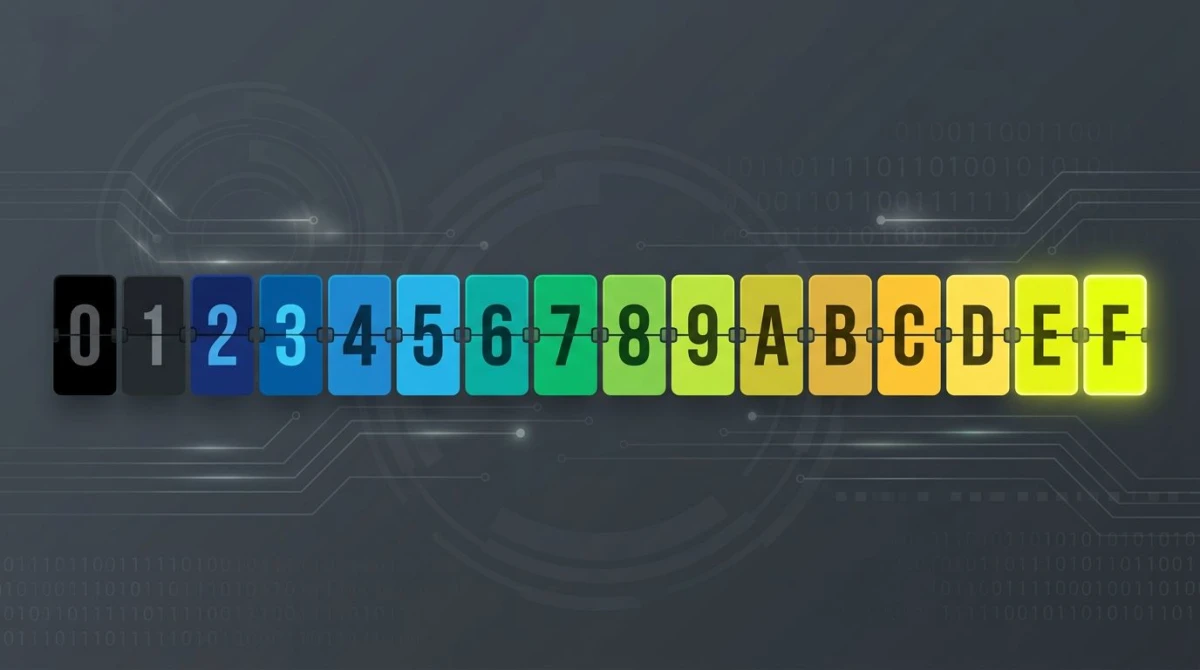
Hex stands for hexadecimal, a base-16 number system. Instead of just using digits 0-9 like decimal, hex adds the letters A through F to count up to 15 with a single character.
Here's the full set of hex digits and their decimal values:
| Hex | Decimal |
|---|---|
| 0-9 | 0-9 |
| A | 10 |
| B | 11 |
| C | 12 |
| D | 13 |
| E | 14 |
| F | 15 |
Two hex digits together can represent any number from 00 (0) to FF (255). That's exactly the range each color channel needs: 256 possible intensities per channel.
A standard hex color packs three channels into six characters: #RRGGBB. The first pair is red, the second is green, the third is blue. So #1A2B3C means red = 1A (26), green = 2B (43), blue = 3C (60).
Why six characters?
Each color channel needs 1 byte (8 bits) of data, which gives 256 values. One byte takes exactly 2 hex digits to write. Three channels × 2 digits = 6 characters. Add the # prefix for CSS and you get the familiar 7-character string.
8-digit hex with alpha
Modern CSS supports #RRGGBBAA, where the fourth pair is the alpha (transparency) channel. #FF000080 is pure red at roughly 50% opacity (80 is 128 of 255). Browsers since 2018 handle this without any extra CSS function.
3-digit shorthand
When all three channels use repeating digits, you can drop the duplicates. #FFF expands to #FFFFFF (white), #000 to #000000 (black), and #F0A to #FF00AA. The shorthand only works when each pair is a doubled character. #1A2 does not equal #1A002. It expands to #11AA22.
There's also a 4-digit shorthand for hex with alpha: #F00C expands to #FF0000CC.
Reading and writing hex codes
The best way to learn hex is to read a few examples and do the math.
Pure red: `#FF0000`
- Red channel:
FF= 255 (max) - Green channel:
00= 0 - Blue channel:
00= 0
Maximum red, no green, no blue. The result is the brightest red your screen can display.
Pure green: `#00FF00`
- Red:
00= 0 - Green:
FF= 255 - Blue:
00= 0
Black and white
- Black:
#000000(all channels at zero) - White:
#FFFFFF(all channels maxed out)
Why `#FF` equals 255
To convert a hex pair to decimal, multiply the first digit by 16 and add the second:
FF= (15 × 16) + 15 = 240 + 15 = 25580= (8 × 16) + 0 = 1281A= (1 × 16) + 10 = 26
That's the entire conversion. If you'd rather skip the math, our free hex to RGB converter handles it instantly.
Common hex values reference
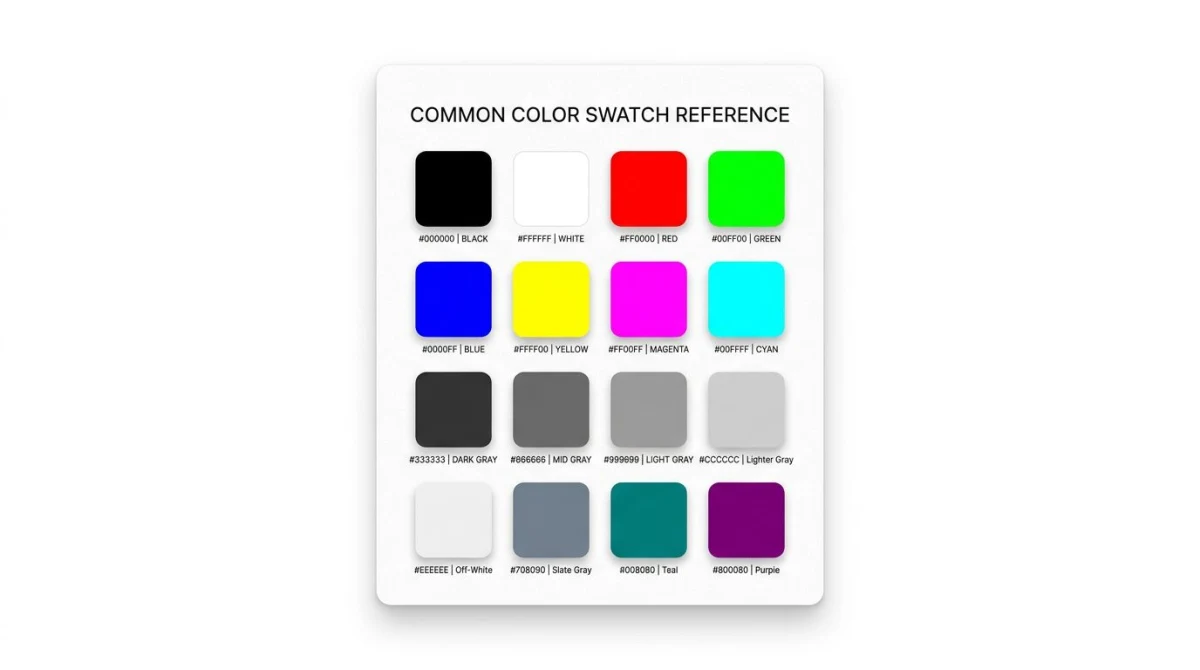
These 16 codes cover most everyday design needs, from CSS named colors to brand-canonical UI tones.
| Color | Hex | Notes |
|---|---|---|
| Black | #000000 | Pure black |
| White | #FFFFFF | Pure white |
| Red | #FF0000 | CSS red |
| Lime | #00FF00 | CSS lime (true green) |
| Blue | #0000FF | CSS blue |
| Yellow | #FFFF00 | CSS yellow |
| Cyan | #00FFFF | CSS cyan / aqua |
| Magenta | #FF00FF | CSS magenta / fuchsia |
| Silver | #C0C0C0 | Light UI gray |
| Gray | #808080 | True 50% gray |
| Maroon | #800000 | Deep red |
| Olive | #808000 | Muted yellow-green |
| Teal | #008080 | Cool blue-green |
| Navy | #000080 | Dark blue |
| Orange | #FFA500 | CSS orange |
| Hot pink | #FF69B4 | CSS hotpink |
For brand work, you'll often see codes like #1DA1F2 (old Twitter blue), #E60023 (Pinterest red), or #25D366 (WhatsApp green). Brands almost always publish their canonical hex in their press kit.

Tired of plain screenshots? Try ScreenSnap Pro.
Beautiful backgrounds, pro annotations, GIF recording, and instant cloud sharing, all in one app. Pay $34 once, own it forever.
See pricing and featuresHex vs RGB vs HSL: when to use each
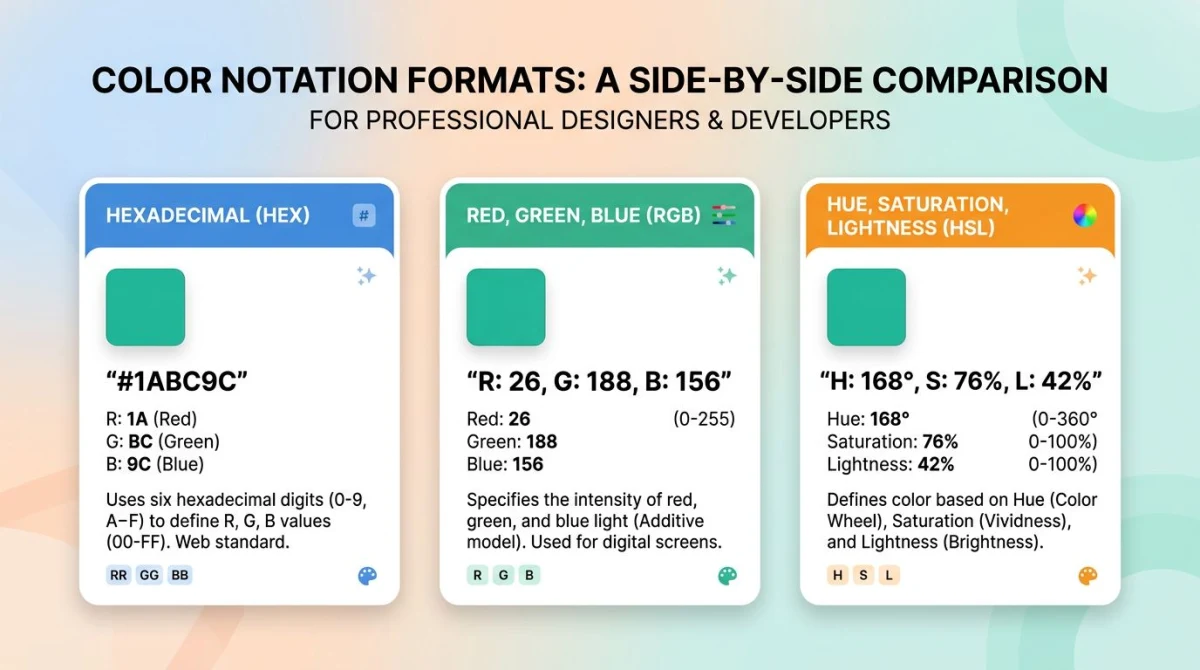
Hex isn't the only color notation. CSS supports rgb(), hsl(), and newer functions like oklch(). Each format has a job it's good at.
| Format | Best for | Example |
|---|---|---|
| Hex | Sharing, CSS, design tools | #FF6B35 |
| RGB | Math, JS animation, image processing | rgb(255, 107, 53) |
| HSL | Manipulating colors (lighten/darken/shift) | hsl(16, 100%, 60%) |
When to use hex
- Pasting colors between Figma, Sketch, Photoshop, and CSS
- Quick visual comparison (
#FFFvs#FAFAFAis faster to scan than rgb) - Sharing brand colors in docs, Slack, or email
- Anywhere readability matters more than math
When to use RGB
- Animating opacity or color in JavaScript:
rgba(255, 107, 53, 0.5) - Manipulating pixel data on a
- Math-heavy operations where the 0-255 integers are easier to reason about
When to use HSL
- Building lighter/darker variants of a base color (just shift the L value)
- Generating complementary or analogous palettes (shift the H value by 180° or 30°)
- Designing with intuitive control: H, S, and L map to how humans actually think about color
Conversion math
Hex to RGB is a direct mapping. RGB to HSL takes a bit more work: the formula normalizes the RGB values to 0-1, then derives hue from the channel differences. Most designers don't memorize it. The Mozilla Developer Network reference for hex-color covers the spec details if you need them, and our hex to RGB tool and RGB to hex tool handle the conversion both ways.
Common hex code mistakes
Hex looks simple, but a few patterns trip up newer designers and developers.
3-digit shorthand misunderstood
#1A2 is not #1A002. It expands by repeating each digit, not by zero-padding. #1A2 = #11AA22. If you need a hex code where any pair has different digits, use the full 6-character form.
Lowercase vs uppercase
#ff6b35 and #FF6B35 render identically in every browser and design tool. There's no functional difference. Pick one convention for your team and stick with it. Most style guides prefer uppercase for readability, while many CSS linters default to lowercase.
Adding `0x` prefix
0xFF6B35 is a JavaScript or C numeric literal. It works in code, not in CSS. Browsers expect #FF6B35. The 0x prefix only applies when you're writing actual hexadecimal numbers in a programming language.
Mixing 3-digit and 4-digit forms
#F00 is opaque red. #F00F is opaque red with full alpha. #F008 is red at ~53% alpha. The fourth digit changes meaning, so don't accidentally type a stray character into a 3-digit code.
Free tools that work with hex
If you're working with colors all day, a few utilities save real time:
- Hex to RGB converter: paste a hex code, get the matching
rgb()value. Useful when you need to convert design specs to CSS variables. - RGB to hex converter does the reverse: paste RGB values from Photoshop or Sketch and get a clean hex string.
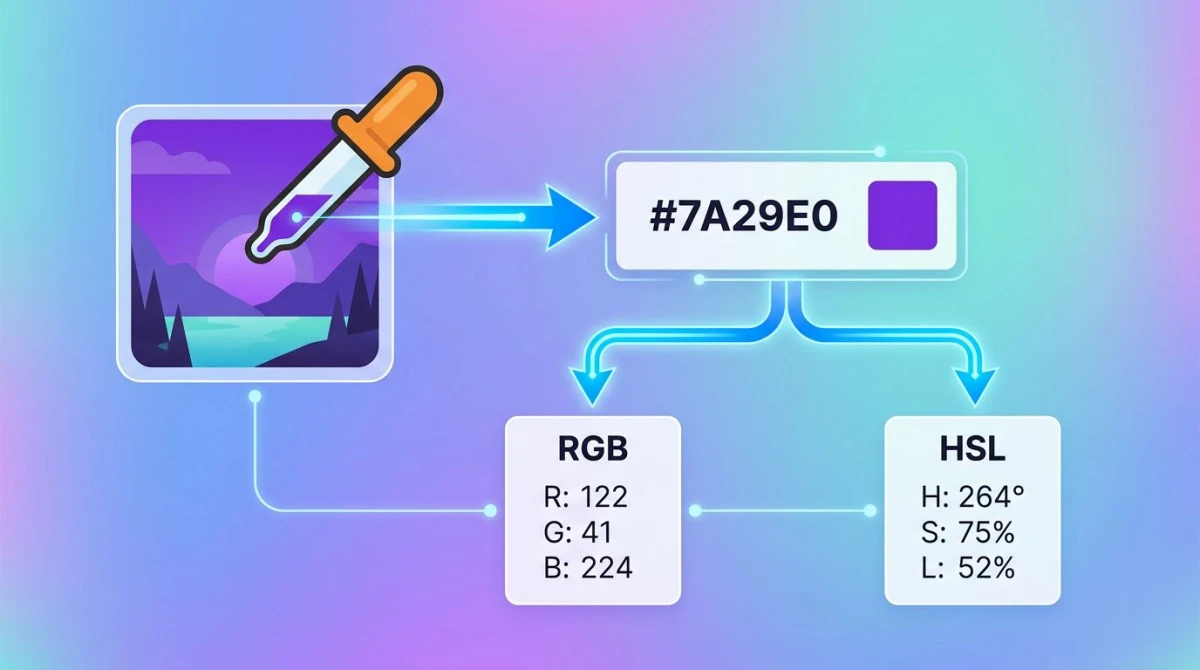
- Color picker: upload any image and pick exact hex codes from any pixel. Great for matching brand assets or grabbing a color from a screenshot.
- Color palette extractor: pull the dominant 5-10 hex codes out of an image automatically. Handy for moodboards or building UI palettes from a hero image.
A typical workflow looks like this: capture a screenshot, drop it into the color picker, grab the hex codes you need, then convert to RGB or HSL only when your CSS or animation code calls for it.
From reading codes to using them well
Knowing how to read #FF6B35 is the first step. Knowing why that warm orange feels energetic next to a cool teal (and how to build a balanced palette around it) is color theory. If you want to go deeper into hue relationships, contrast, and palette systems, our color theory guide walks through the principles every designer should know.
The short version: hex tells you what the color is. Color theory tells you how to use it.
Frequently asked questions

Morgan
Indie DeveloperIndie developer, founder of ScreenSnap Pro. A decade of shipping consumer Mac apps and developer tools. Read full bio
@m_0_r_g_a_n_