Does Instagram Notify Screenshots? (2026 Guide)
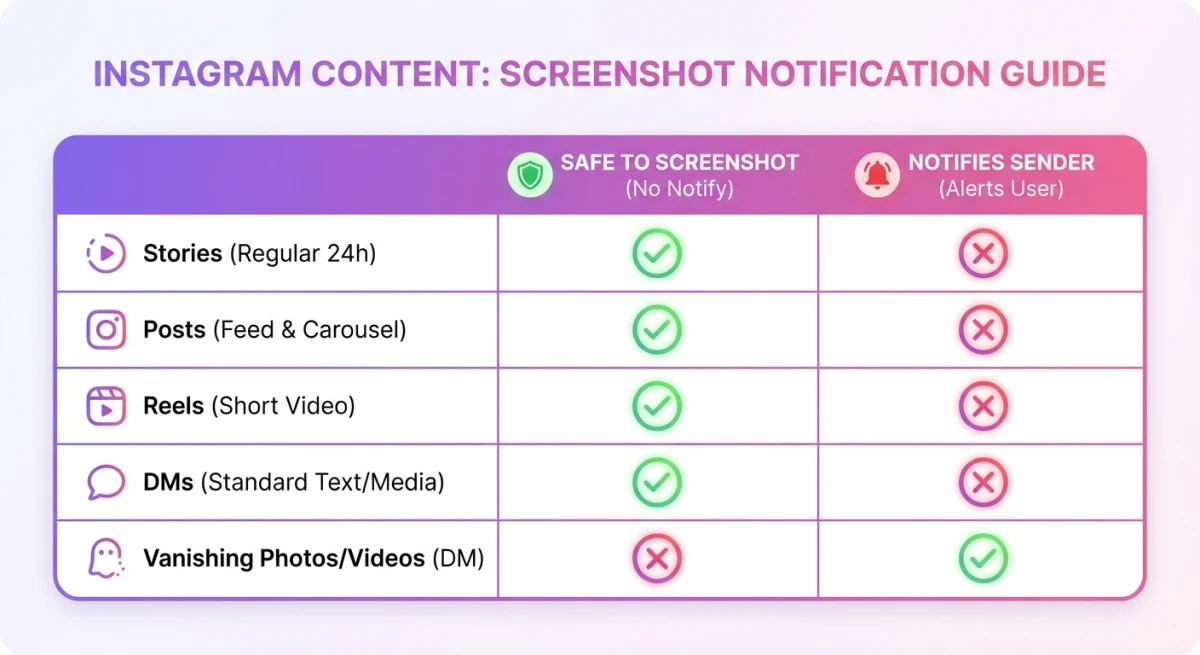
No, Instagram does not notify users when you screenshot stories, posts, or reels. The only exception is vanishing photos and videos in DMs: screenshot those, and the sender gets an alert. Here's a full breakdown of every content type so you know exactly what's safe to capture.
Whether you're doing competitive research on social media or saving a recipe from someone's story, this guide covers every scenario you'll run into on Instagram in 2026.
Quick reference: what notifies vs. what doesn't
Before we break down each content type, here's the complete picture at a glance.
| Content Type | Screenshot Notification? | Screen Recording? |
|---|---|---|
| Stories | ❌ No | ❌ No |
| Close Friends stories | ❌ No | ❌ No |
| Story Highlights | ❌ No | ❌ No |
| Feed posts | ❌ No | ❌ No |
| Reels | ❌ No | ❌ No |
| Profiles | ❌ No | ❌ No |
| Regular DMs | ❌ No | ❌ No |
| Vanishing photos/videos (DMs) | ✅ Yes | ✅ Yes |
| Vanish Mode messages | ✅ Yes | ✅ Yes |
The rule is straightforward: if the content is designed to disappear after viewing, Instagram notifies the sender. Everything else is fair game.
Can you screenshot Instagram stories without them knowing?
Yes. Instagram does not send an Instagram screenshot notification for stories, whether regular stories, Close Friends stories, or story highlights. You can capture them freely without the poster ever finding out.
This is one of the most common questions people ask about Instagram privacy. The answer has been consistent since mid-2018: stories are completely safe to screenshot.
This wasn't always the case. In early 2018, Instagram tested a feature that placed a small camera icon next to usernames of people who screenshotted your story. The backlash was swift: users complained it discouraged sharing and felt invasive. Instagram scrapped the test within months and hasn't brought it back since.
Many people still worry about this because of lingering rumors from that 2018 test period. Rest assured: as of July 2026, no story screenshot has ever triggered a notification outside of that brief experiment, and Instagram's current Help Center makes no mention of screenshot alerts for stories.
What about Close Friends stories?
Same answer: no notification. Even though Close Friends stories go to a smaller, curated audience, Instagram still doesn't alert the poster when someone captures the screen. The privacy settings control who can view the story, not whether those viewers can screenshot it.
Story highlights
Highlights are just archived stories, and they follow the same rules. No notification when you screenshot or screen-record them.
Does Instagram notify when you screenshot a post?
No. Regular feed posts (photos, carousels, and video posts) have never triggered screenshot notifications on Instagram. This applies to posts from public accounts, private accounts you follow, and posts in the Explore tab.
If you're a digital marketer studying competitor content or saving design inspiration, you can screenshot and annotate posts without any alerts being sent. The same goes for saving posts from the Explore page, where no notification is triggered regardless of the account's privacy settings.
Instagram has never even tested notifications for feed post screenshots. The 2018 experiment was limited exclusively to stories, and posts have always been notification-free.
Does Instagram notify when you screenshot reels?
No. Reels are treated the same as regular posts. You can screenshot or screen-record any reel without the creator being notified. This is true whether you're watching from the Reels tab, someone's profile, or your main feed.
This makes reels especially useful for competitive research. If you spot a competitor's reel performing well, you can screenshot the engagement metrics, save frames for reference, or screen-record the entire reel for later analysis, all without alerting the creator.
Does Instagram notify when you screenshot a profile?
No notification here either. You can screenshot someone's profile page, bio, follower count, or profile picture without them knowing. This is useful when you want to share a profile with someone who isn't on Instagram or keep a record for competitive research.

Tired of plain screenshots? Try ScreenSnap Pro.
Beautiful backgrounds, pro annotations, GIF recording, and instant cloud sharing, all in one app. Pay $34 once, own it forever.
See pricing and featuresDoes Instagram notify when you screenshot DMs?
This is where it gets nuanced, and where most people get confused. Regular DM conversations (text messages, shared posts, shared reels, voice messages, and GIFs) do not trigger any screenshot notification. You can screenshot an Instagram DM conversation without the other person knowing.
The key distinction is between persistent messages and ephemeral content. Regular messages stick around in your chat history, so Instagram doesn't flag screenshots. But when content is designed to disappear, that's where notifications kick in.
There are two exceptions that do send notifications:
Vanishing photos and videos
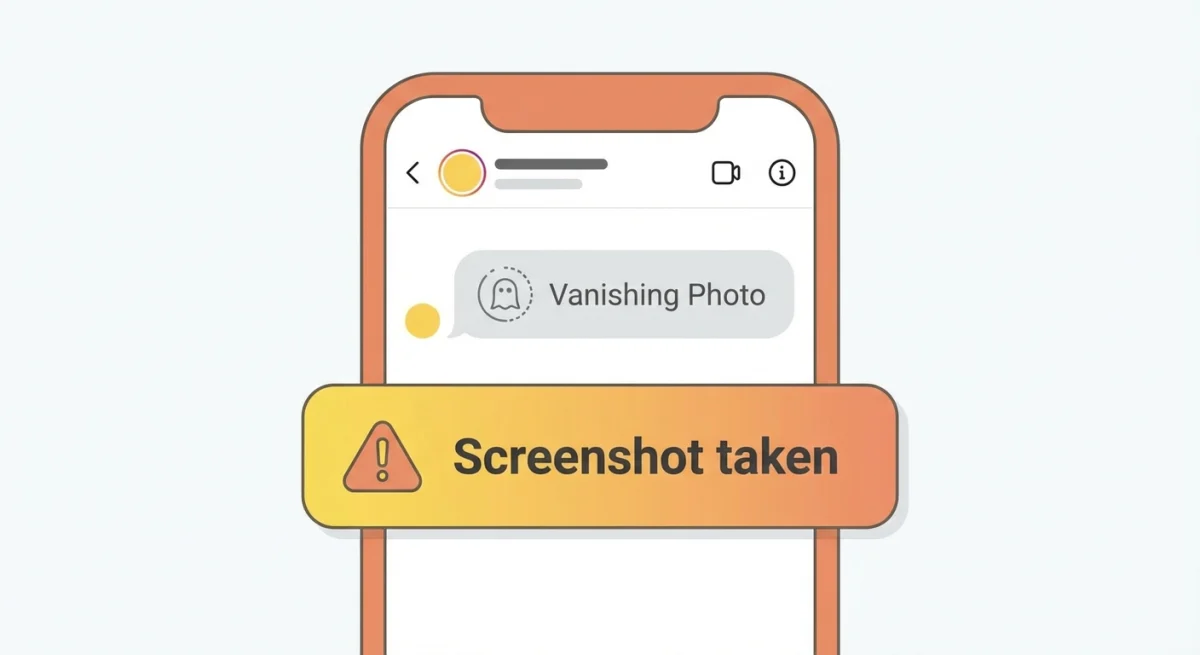
When someone sends you a photo or video set to "View Once" or "Allow Replay" in a DM, Instagram notifies them if you take a screenshot or screen recording. You'll see a small notification appear in the chat thread, and the sender gets an alert that reads something like "Screenshot taken."
This is Instagram's way of protecting ephemeral content. The sender chose to make it disappear, so the app enforces that intent by flagging any capture attempts.
Vanish Mode messages
Vanish Mode is Instagram's disappearing chat feature where messages vanish after you close the conversation. If you screenshot while Vanish Mode is active, the other person gets notified immediately. A "screenshot taken" indicator appears in the chat for both parties.
Pro tip: If you're unsure whether a DM will trigger a notification, look at the media type. If there's a countdown timer, a "View Once" label, or the chat background turns dark (Vanish Mode), assume screenshots are tracked.
The 2018 screenshot notification test: what happened
In February 2018, Instagram began testing screenshot notifications for stories with a small group of users. When you screenshotted someone's story, a camera shutter icon appeared next to your name in their story viewer list.
The response was overwhelmingly negative. Users felt surveilled, and story engagement dropped during the test period. According to Instagram's help center, the feature was removed by mid-2018, and Instagram hasn't publicly revisited it for stories or posts since.
The only lasting result of that experiment is the DM notification system for vanishing content, which launched in 2019 and remains active today.
How to save Instagram content on Mac for marketing research
If you're a digital marketer or content creator who regularly captures Instagram content for competitive analysis, doing it from your Mac desktop gives you higher-quality screenshots and better organization.
Use your Mac's built-in shortcuts
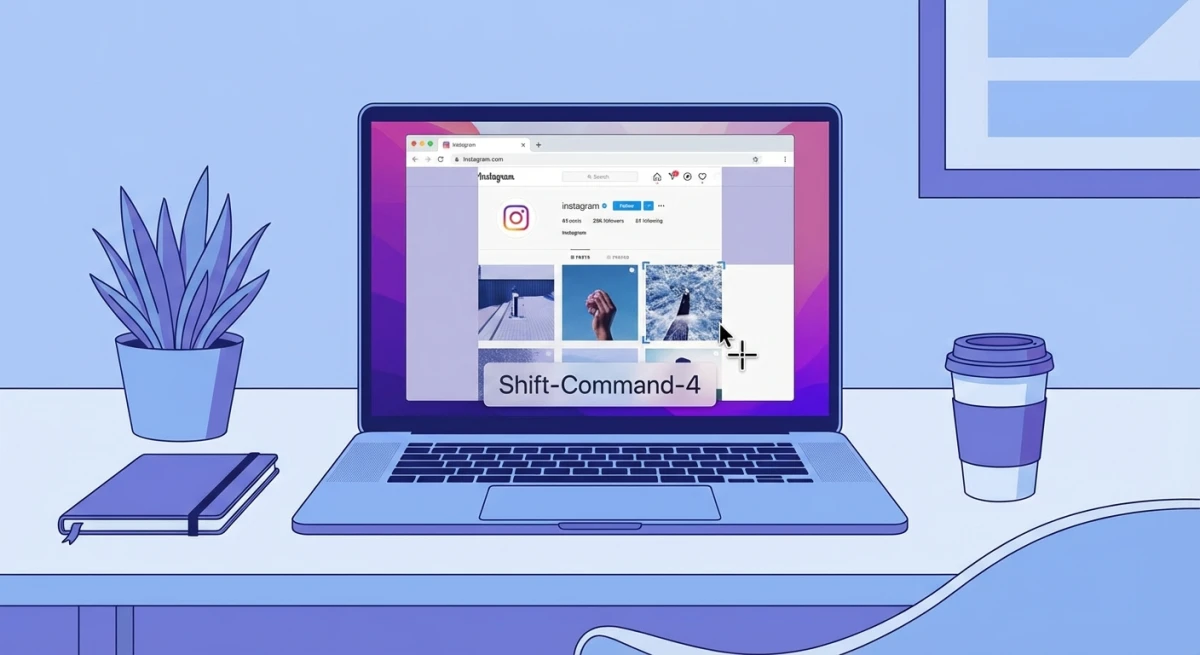
Open Instagram in your browser and use these Mac screenshot shortcuts:
⌘ + Shift + 3: capture your entire screen⌘ + Shift + 4: select a specific area⌘ + Shift + 4 + Space: capture a specific window
These work fine for quick grabs, but you'll end up with files scattered across your desktop and no annotation tools built in.
Level up with a dedicated screenshot tool
For regular research workflows, a tool like ScreenSnap Pro streamlines the whole process. You can capture Instagram content, add annotations like arrows and text callouts, and share instantly via cloud link, all without leaving your workflow.
The pin screenshot feature is especially handy when you're comparing multiple Instagram profiles side by side. Pin one screenshot to your screen while you browse another profile.
Organize your captures
Once you've captured Instagram content, you might need to crop screenshots to focus on specific elements, or extract text from images if you're pulling caption copy for analysis.
If you need to convert screenshots to different formats for presentations or reports, our free image format converter handles that without installing anything.
Does Instagram tell when you screenshot on a computer vs. phone?
No difference. Whether you screenshot Instagram from your iPhone, Android phone, Mac, or PC browser, the notification rules are identical. Desktop screenshots of stories, posts, and reels don't trigger alerts, and vanishing DM content still notifies the sender regardless of what device you use.
Some users believe that using a computer to screenshot Instagram content is "safer" or undetectable. The truth is simpler: Instagram's notification system is tied to the content type, not the device or method you use to capture it.
Privacy tips for protecting your own Instagram content
While you can't prevent screenshots of most content, you can limit who sees what:
- Switch to a private account. Only approved followers can view your posts and stories
- Use Close Friends lists. Restrict sensitive stories to people you trust
- Send vanishing photos. Use "View Once" for DMs where you want screenshot notifications
- Block or restrict users. Remove specific people from seeing your content entirely
- Avoid third-party "screenshot detector" apps. These are scams that can compromise your account. Instagram's API does not share screenshot data with third-party developers
Frequently Asked Questions

Morgan
Indie DeveloperIndie developer, founder of ScreenSnap Pro. A decade of shipping consumer Mac apps and developer tools. Read full bio
@m_0_r_g_a_n_