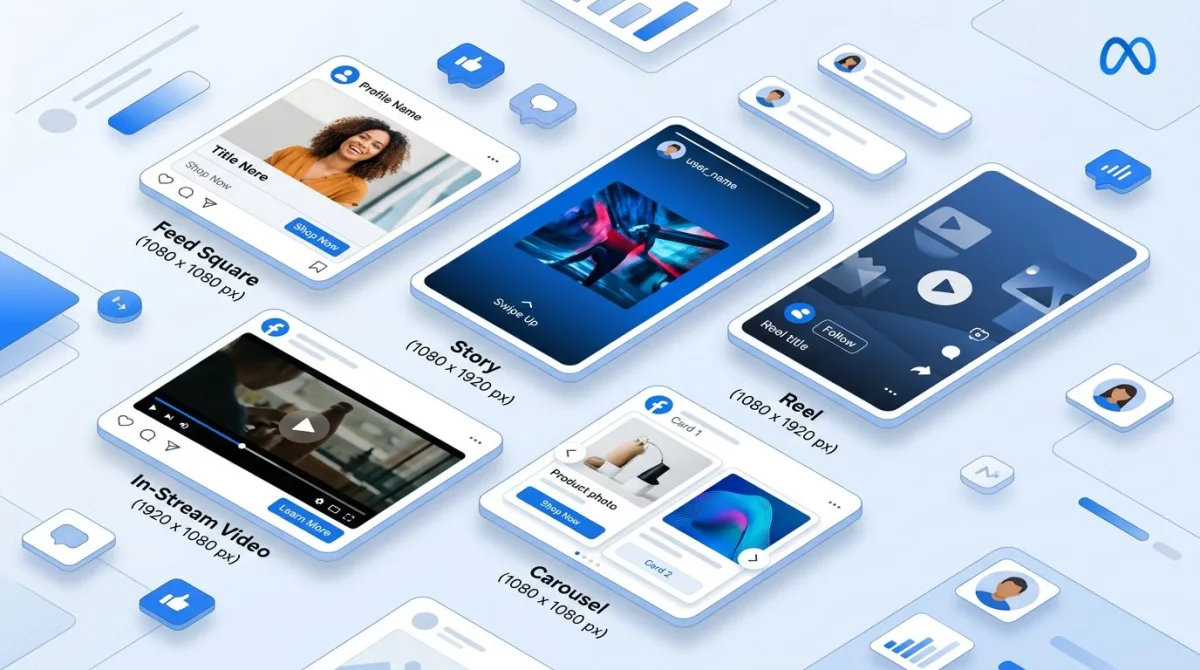
Social Media Image Sizes 2026: Complete Cheat Sheet (All Platforms)
Social media image sizes decide if your posts look sharp or get awkwardly cropped. Wrong social media image dimensions lead to blurry photos, cut-off text, and poor reach. This guide covers every size you need for Instagram, Facebook, LinkedIn, Twitter/X, TikTok, Pinterest, Threads, and YouTube in 2026. (If you build the visuals from screenshots, ScreenSnap Pro lets you export at the exact pixel dimensions each platform expects.)
Marketers, designers, and social media managers should bookmark this page. The right sizes and aspect ratios at your fingertips save hours of work.
Why Image Sizes Matter for Social Media
Proper image sizes aren't just about looks. They affect your results:
- No awkward cropping. Platforms cut images that don't fit. Faces, text, and logos get sliced off.
- Better image quality. Right sizes stop blurry, pixelated uploads.
- More engagement. Sized-right posts get up to 650% more engagement than text-only.
- Pro appearance. Clean visuals build brand trust.
Each platform has its own specs. They update often. Here's what you need for 2026.
Instagram Image Sizes 2026
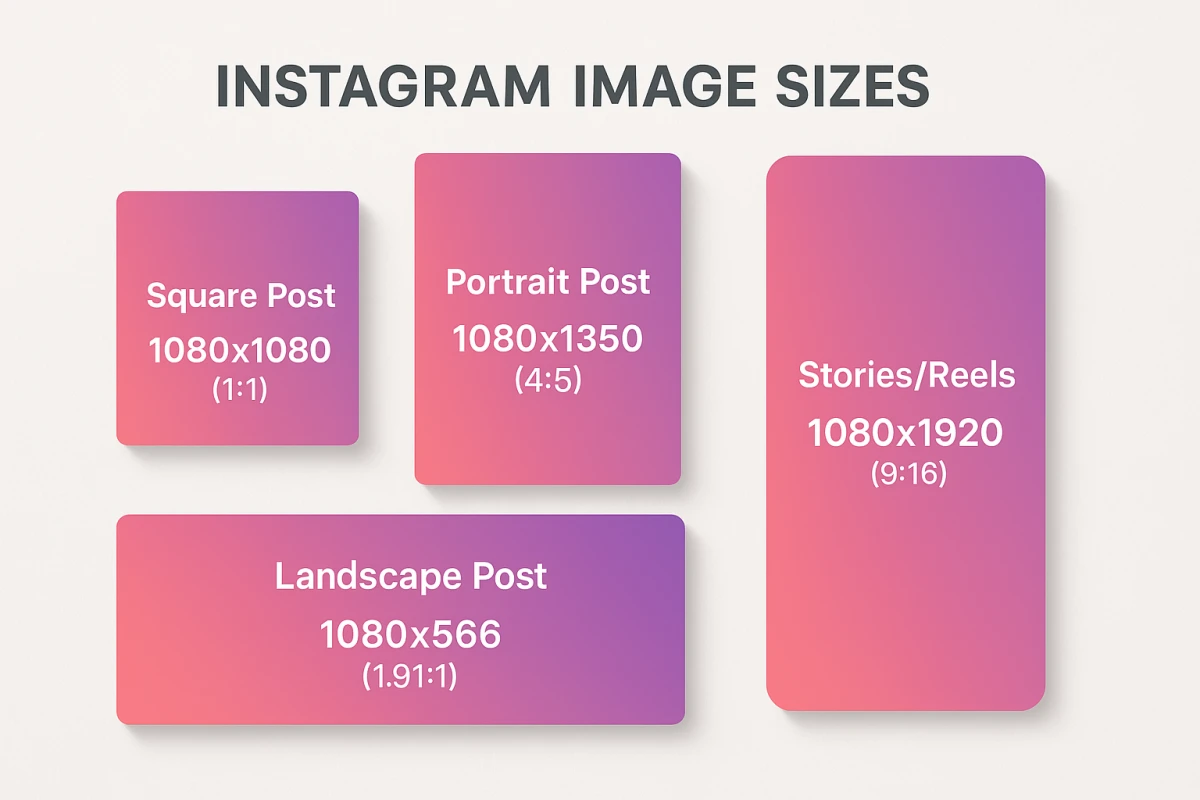
Instagram is visual-first. Proper Instagram image sizes are key to standing out here.
| Image Type | Recommended Size | Aspect Ratio |
|---|---|---|
| Profile Picture | 320×320 px | 1:1 |
| Feed Post (Square) | 1080×1080 px | 1:1 |
| Feed Post (Portrait) | 1080×1350 px | 4:5 |
| Feed Post (Landscape) | 1080×566 px | 1.91:1 |
| Stories | 1080×1920 px | 9:16 |
| Reels Cover | 1080×1920 px | 9:16 |
| Carousel | 1080×1080 px | 1:1 |
| Thumbnail (Grid) | 1080×1080 px | 1:1 |
Instagram Pro Tips
- Portrait posts (4:5) take up more feed space. This boosts visibility.
- Leave 250px free at the top of Stories. Leave 340px free at the bottom. UI elements cover these areas.
- Grid thumbs show at 3:4 ratio. Design with that crop in mind.
- Max file size: 8MB for photos.
- Carousels hold up to 10 images. Keep sizes the same for all slides.
- Per Instagram's business resources, high-quality images get much more reach.
Need to crop screenshots for Instagram on Mac? ScreenSnap Pro resizes to exact sizes fast.
What About Instagram Ads?
Instagram ad specs differ slightly from organic posts:
| Ad Type | Recommended Size | Aspect Ratio |
|---|---|---|
| Feed Ad (Single Image) | 1080×1080 px | 1:1 |
| Feed Ad (Landscape) | 1200×628 px | 1.91:1 |
| Stories Ad | 1080×1920 px | 9:16 |
| Reels Ad | 1080×1920 px | 9:16 |
| Explore Ad | 1080×1080 px | 1:1 |
For ads, quality matters even more. Blurry images hurt your reach and raise cost per click.
Facebook Image Sizes 2026
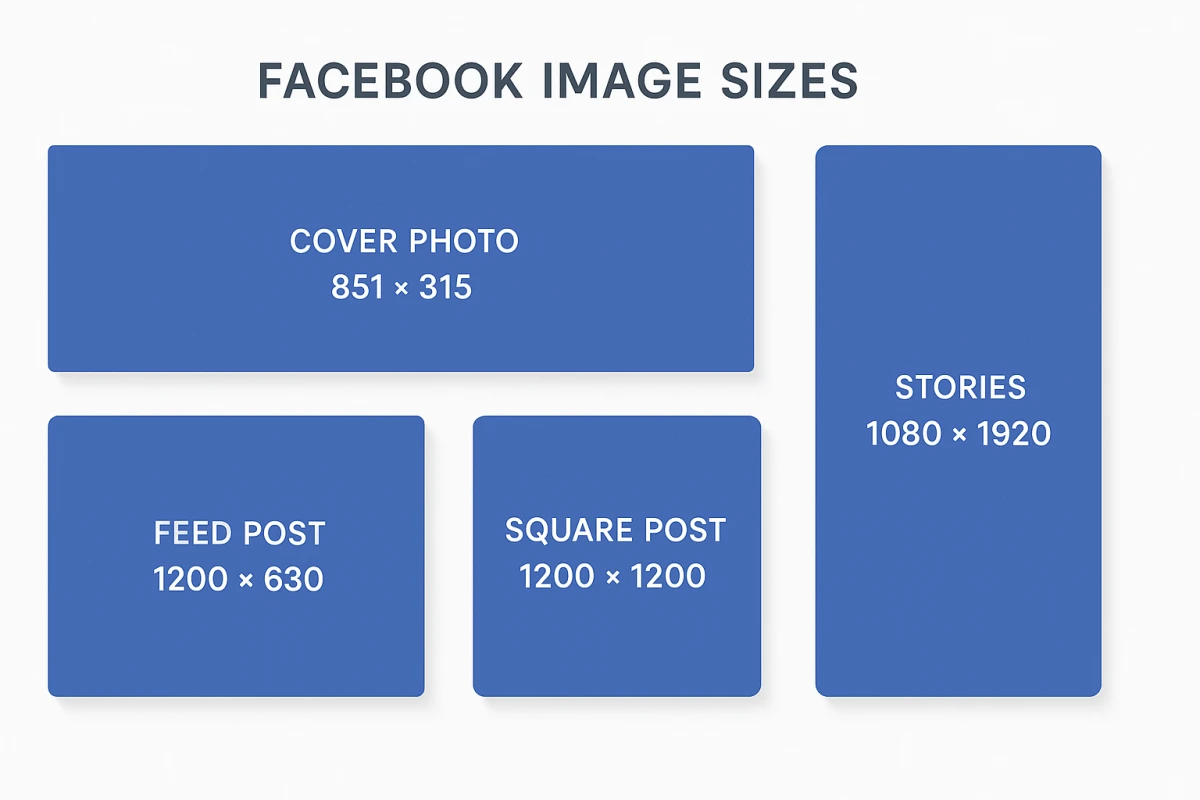
Facebook has nearly 3 billion monthly users. Getting Facebook image sizes right is still a must for business. Here are the specs:
| Image Type | Recommended Size | Aspect Ratio |
|---|---|---|
| Profile Picture | 320×320 px | 1:1 |
| Cover Photo | 851×315 px | 2.7:1 |
| Feed Post | 1200×630 px | 1.91:1 |
| Feed Post (Square) | 1200×1200 px | 1:1 |
| Stories | 1080×1920 px | 9:16 |
| Event Cover | 1920×1005 px | 1.91:1 |
| Link Preview | 1200×630 px | 1.91:1 |
| Carousel | 1080×1080 px | 1:1 |
Facebook Cover Photo Notes
Your Facebook cover photo displays differently on desktop vs mobile:
- Desktop: 820×312 px visible area
- Mobile: 640×360 px visible area
Keep key elements in the center. Edges get cropped on mobile. Your profile photo overlaps the left side on desktop.
Facebook Ads Image Specifications
Running Facebook ads? Here are the image sizes you need:
| Ad Type | Recommended Size | Aspect Ratio |
|---|---|---|
| Single Image Ad | 1080×1080 px | 1:1 |
| Carousel Ad | 1080×1080 px | 1:1 |
| Collection Ad | 1080×1080 px | 1:1 |
| Stories Ad | 1080×1920 px | 9:16 |
| Messenger Ad | 1080×1080 px | 1:1 |
Facebook suggests keeping text under 20% of ad image area. It's not a hard rule anymore. But less text still performs better.
LinkedIn Image Sizes 2026
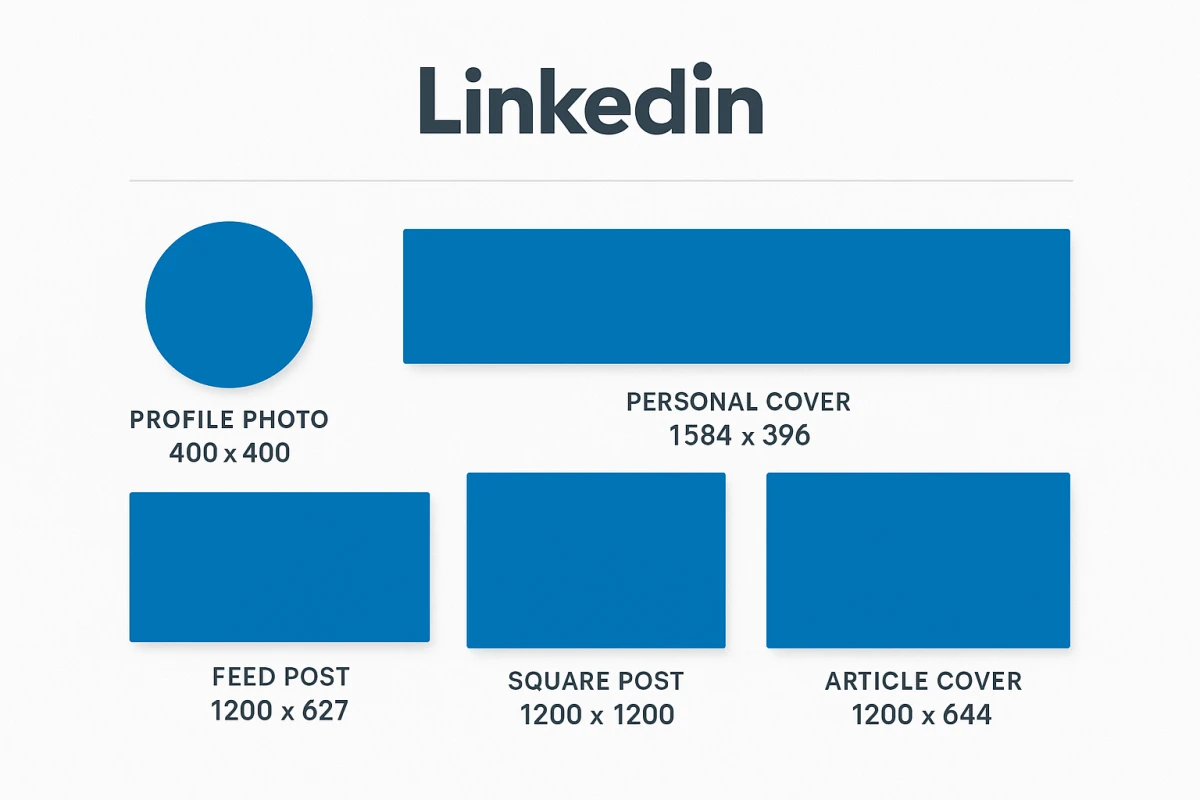
LinkedIn is all about looking sharp. Proper LinkedIn image sizes matter here more than most platforms.
| Image Type | Recommended Size | Aspect Ratio |
|---|---|---|
| Personal Profile Photo | 400×400 px | 1:1 |
| Personal Cover Photo | 1584×396 px | 4:1 |
| Company Logo | 300×300 px | 1:1 |
| Company Cover Photo | 1128×191 px | 5.9:1 |
| Feed Post Image | 1200×627 px | 1.91:1 |
| Feed Post (Square) | 1200×1200 px | 1:1 |
| Article Cover | 1200×644 px | 1.86:1 |
| Carousel Document | 1080×1080 px | 1:1 |
LinkedIn Image Tips
- Square images (1:1) tend to get more reach in the feed.
- Company covers differ from personal covers. Don't mix them up.
- Use PNG or JPG format.
- Max file size: 8MB.
LinkedIn carousels (PDFs or doc slides) drive great reach. Make each slide 1080×1080 px.
Twitter/X Image Sizes 2026
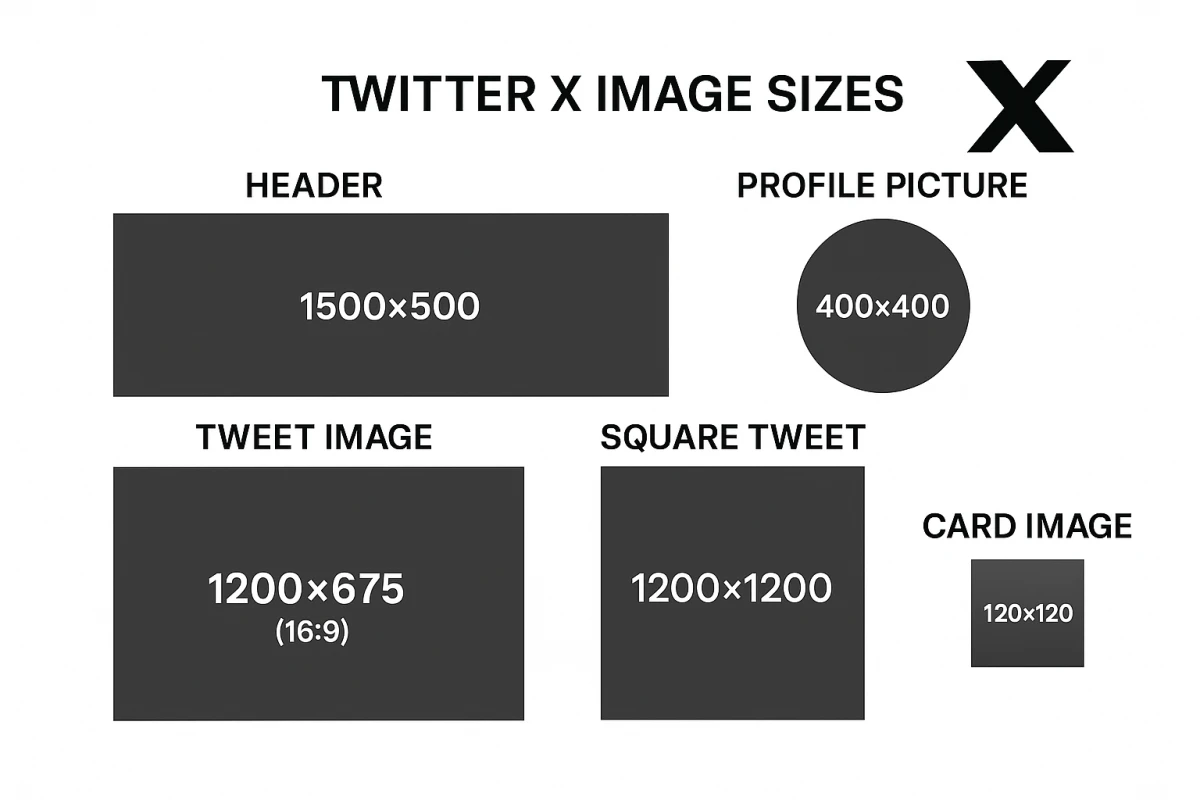
Twitter (now X) has strict Twitter image size rules. Wrong sizes get cropped in the feed.
| Image Type | Recommended Size | Aspect Ratio |
|---|---|---|
| Profile Picture | 400×400 px | 1:1 |
| Header Image | 1500×500 px | 3:1 |
| In-Stream Image | 1600×900 px | 16:9 |
| In-Stream Image (Single) | 1200×675 px | 16:9 |
| Tweet with Link | 1200×628 px | 1.91:1 |
| Tweet Image (Square) | 1200×1200 px | 1:1 |
| Card Image | 120×120 px | 1:1 |
Twitter/X Image Notes
- 16:9 images show full in the feed. No cropping.
- Formats: JPG, PNG, GIF (GIFs up to 15MB).
- Max photo size: 5MB.
- Up to 4 images per tweet.
Sharing screenshots on Twitter? Add pro backgrounds to stand out in busy feeds.
Twitter/X Best Practices
- 16:9 ratio stops auto-cropping in the feed.
- GIFs auto-play. Great for catching eyes. Learn to make GIFs on Mac for more engaging posts.
- 2-4 images show in a grid. Plan your layout.
- Twitter compresses uploads. Use high-res files for best results.
- Dark mode is common. Test your images in both themes.
TikTok Image Sizes 2026
TikTok is mostly video. But images still matter for profiles and thumbs.
| Image Type | Recommended Size | Aspect Ratio |
|---|---|---|
| Profile Picture | 200×200 px | 1:1 |
| Video Thumbnail | 1080×1920 px | 9:16 |
| Photo Post | 1080×1920 px | 9:16 |
| Photo Carousel | 1080×1920 px | 9:16 |
TikTok Tips
- TikTok supports photo carousels (up to 35 images).
- All content should be vertical (9:16).
- Profile photos show as circles.
- Keep key content away from edges. UI covers the corners.
TikTok Safe Zones
TikTok's interface covers large parts of your content:
- Top 150px: Header and search bar.
- Bottom 300px: Caption, name, action buttons.
- Right edge 100px: Like, comment, share icons.
Keep visuals in the center 60-70% of the frame.
Pinterest Image Sizes 2026
Pinterest is a visual search engine. Tall pins grab attention and drive clicks. Here are the sizes you need:
| Image Type | Size | Aspect Ratio |
|---|---|---|
| Profile Picture | 165×165 px | 1:1 |
| Standard Pin | 1000×1500 px | 2:3 |
| Long Pin | 1000×2100 px | 1:2.1 |
| Square Pin | 1000×1000 px | 1:1 |
| Story Pin | 1080×1920 px | 9:16 |
| Board Cover | 222×150 px | 3:2 |
| Carousel Pin | 1000×1500 px | 2:3 |
Pinterest Pin Tips
- 2:3 ratio is ideal. Taller pins stand out in the feed.
- Max file size: 32MB. Keep it under 20MB for fast loading.
- PNG and JPG both work well.
- Pins with text overlays get more saves. Use bold, easy-to-read fonts. Spotted a typeface you love on someone else's pin? A font identifier names it from a screenshot in seconds.
- Add a clear call-to-action on each pin.
- Rich Pins pull data from your site. Set up Open Graph tags for best results.
Pinterest Ad Specs
| Ad Type | Size | Aspect Ratio |
|---|---|---|
| Standard Ad | 1000×1500 px | 2:3 |
| Video Ad | 1000×1500 px | 2:3 or 1:1 |
| Carousel Ad | 1000×1500 px | 1:1 or 2:3 |
| Shopping Ad | 1000×1500 px | 2:3 |
Pinterest ads work best with clear, bright images. Avoid dark or cluttered visuals. Lifestyle shots tend to beat plain product photos.

Tired of plain screenshots? Try ScreenSnap Pro.
Beautiful backgrounds, pro annotations, GIF recording, and instant cloud sharing, all in one app. Pay $49 once, own it forever.
See pricing and featuresThreads Image Sizes 2026
Threads (by Meta) is growing fast. It's text-first but images boost reach. Here are the current sizes:
| Image Type | Size | Aspect Ratio |
|---|---|---|
| Profile Picture | 320×320 px | 1:1 |
| Feed Image (Square) | 1080×1080 px | 1:1 |
| Feed Image (Portrait) | 1080×1350 px | 4:5 |
| Feed Image (Landscape) | 1080×566 px | 1.91:1 |
| Carousel Image | 1080×1080 px | 1:1 |
Threads Tips
- Threads uses your Instagram profile photo. Change it there.
- Carousels hold up to 10 images. Same as Instagram.
- The feed favors square and portrait images.
- Text posts do well. But an image bumps reach.
- No Stories or Reels on Threads. It's a feed-only platform.
- Threads shares sizing rules with Instagram. If it works on IG, it works here.
YouTube Image Sizes 2026
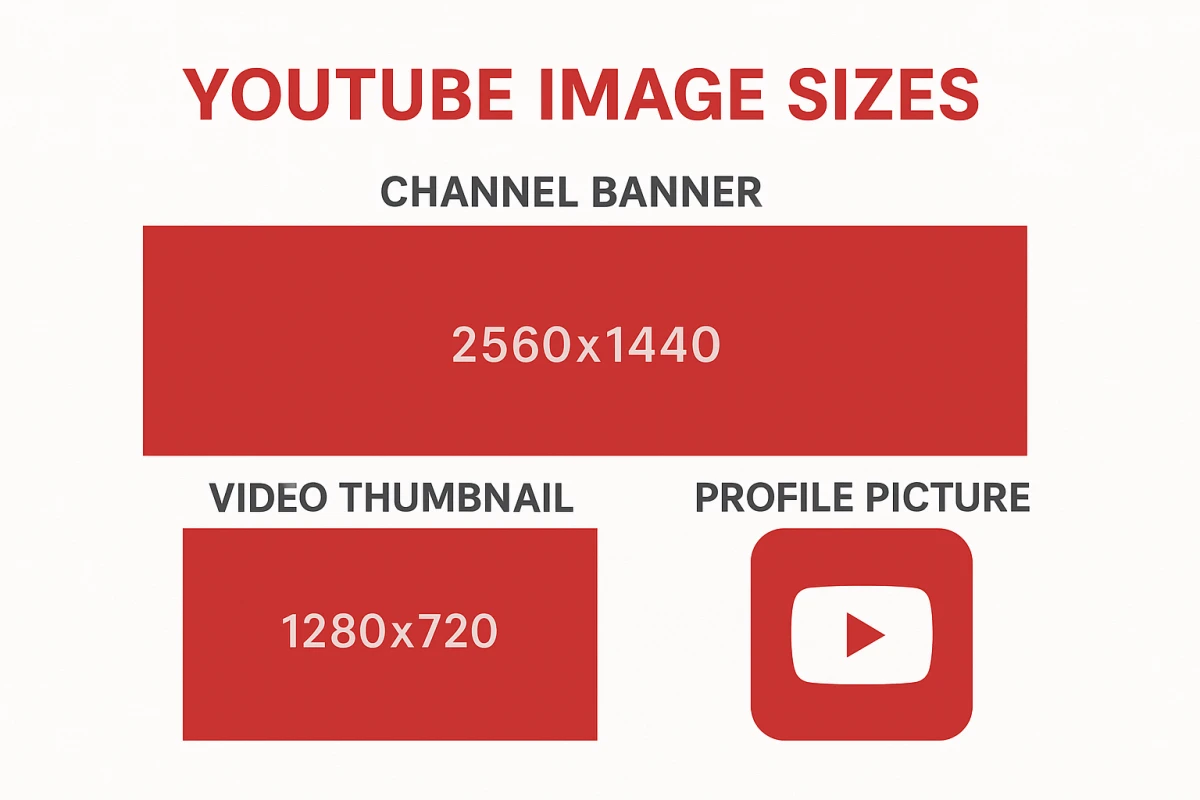
YouTube visuals drive click-through rates. Good thumbnails can boost views fast.
| Image Type | Recommended Size | Aspect Ratio |
|---|---|---|
| Profile Picture | 800×800 px | 1:1 |
| Channel Banner | 2560×1440 px | 16:9 |
| Video Thumbnail | 1280×720 px | 16:9 |
| Community Post | 1200×1200 px | 1:1 |
| End Screen Elements | 300×300 px minimum | Varies |
YouTube Channel Banner Safe Area
YouTube banners show different sizes per device:
- TV: Full 2560×1440 px
- Desktop: 2560×423 px (center)
- Tablet: 1855×423 px (center)
- Mobile: 1546×423 px (center)
Pro tip: Keep logos and key text inside the 1546×423 px center zone. That's the safe area for all devices.
YouTube Thumbnail Best Practices
Thumbnails drive clicks. Here's what works:
- High contrast. Thumbs are tiny in search results.
- Show faces. Clear emotions grab eyes fast.
- 3-4 words max. Keep text readable at small sizes.
- Stay on brand. Build a style people know.
- Keep it simple. Bold, clean designs win.
- A/B test. YouTube Studio tracks thumb stats.
Testing new thumbnails can boost views 10-20% on the same video.
Common Image Size Mistakes to Avoid
Even skilled marketers slip up. Watch out for these:
1. Same image, every platform
What works on Instagram may flop on LinkedIn. Each platform has:
- Different aspect ratios
- Different audiences
- Different contexts
A tall IG Story will get cropped as a Twitter header. Use a social media image resizer to adapt your images for each platform quickly.
2. Skipping mobile preview
Over 85% of social media use is on phones. Your desktop mockup may look great. But text might be too small on a phone screen.
Always check images at mobile size before posting.
3. Low-res uploads
Platforms compress your images. Starting with a low-res file makes it worse. Upload at or above the listed sizes.
4. Content in safe zones
Every platform has UI that covers parts of your image:
- Play buttons
- Profile icons
- Captions
- Action buttons
Keep key content clear of these spots.
5. Mixed carousel sizes
Use the same size for all carousel slides. Mixed sizes look jarring and sloppy.
Quick Reference Cheat Sheet
Here's a quick look at the most-used social media image dimensions:
| Platform | Profile | Cover/Banner | Feed Post | Stories |
|---|---|---|---|---|
| 320×320 | None | 1080×1080 | 1080×1920 | |
| 320×320 | 851×315 | 1200×630 | 1080×1920 | |
| 400×400 | 1584×396 | 1200×627 | None | |
| Twitter/X | 400×400 | 1500×500 | 1200×675 | None |
| TikTok | 200×200 | None | 1080×1920 | 1080×1920 |
| 165×165 | None | 1000×1500 | 1080×1920 | |
| Threads | 320×320 | None | 1080×1080 | None |
| YouTube | 800×800 | 2560×1440 | 1280×720 | None |
Bookmark this page. It's your go-to reference for image sizes.
How to Resize Screenshots for Social Media on Mac
Taking screenshots for social media? Common use cases include product demos, reviews, and research. Here's how to resize them right:
Method 1: Using Preview (Built-in)
- Open your screenshot in Preview
- Go to Tools > Adjust Size
- Enter the dimensions (e.g., 1080×1080 for Instagram)
- Click OK and save
Preview handles basic resizing. But it can't crop to exact aspect ratios.
Method 2: Using ScreenSnap Pro
For a faster workflow with screenshots:
- Capture your screenshot with ScreenSnap Pro
- Use the built-in crop tool to select your desired aspect ratio
- Apply a professional background to make it stand out
- Share directly via cloud link or save to desktop
ScreenSnap Pro has 500+ wallpapers. They make screenshots pop on LinkedIn and Twitter.
Method 3: Online Tools
Free tools like Canva, Adobe Express, or Kapwing resize to platform sizes. But they need you to upload to their servers. Keep that in mind for private content. Our free image resizer runs in your browser with no server uploads.
Pro Tips for Social Media Images
1. Mind the safe zones
Each platform has UI that covers your images. Stay clear of:
- Top/bottom 10-15%. Stories, Reels, TikTok overlays.
- Left edge. Facebook cover (profile pic overlap).
- Bottom corner. YouTube thumbs (timestamp).
2. Size text for mobile
Most people browse on phones. If your image has text:
- Make it big enough to read on small screens.
- Use high-contrast colors.
- Test how text looks after cropping.
3. Preview before posting
Check your image on each platform:
- Instagram grid preview.
- Facebook mobile vs desktop cover.
- YouTube thumb at small size.
4. Pick the right format
Each platform handles files in its own way. For best quality:
- PNG for graphics with text or logos. Great for sharing screenshots.
- JPG for photos (smaller files, good quality).
- Export at 2x for retina screens.
More tips in our guide on cropping screenshots on Mac.
Image File Formats for Social Media
Your file format affects quality and load speed:
| Format | Best For | Pros | Cons |
|---|---|---|---|
| JPG | Photos, gradients | Small files, works everywhere | Loses quality each save |
| PNG | Text, logos, screenshots | Sharp, supports clear backgrounds | Bigger files |
| GIF | Short loops | Animated, small files | Only 256 colors |
| WebP | Modern platforms | Great quality at small sizes | Not yet on all platforms |
Quick rule: JPG for photos. PNG for text and logos. GIF for simple loops.
Frequently Asked Questions
Keep Your Social Images Sharp
Social media image sizes and social media image dimensions change often. Platforms update their layouts and specs. Bookmark this guide, because we keep it current.
Need to resize images for social media on your Mac? ScreenSnap Pro makes it easy: capture, crop to any aspect ratio, add professional backgrounds, and share. One tool for all your social media visuals.

Morgan
Indie DeveloperIndie developer, founder of ScreenSnap Pro. A decade of shipping consumer Mac apps and developer tools. Read full bio
@m_0_r_g_a_n_