Does Snapchat Notify Screenshots? Yes, Here's When (2026)
Yes, Snapchat notifies the other person when you screenshot a Snap, Chat, or Story, and it also detects screen recording. Snapchat is the one big app built around this. The moment you capture private content, the sender sees an alert or a screenshot icon next to your name.
There are a few exceptions, though. Public content, profiles, and the Snap Map don't trigger alerts, and Snapchat for Web behaves differently. Here's exactly what Snapchat notifies in 2026, and what it doesn't.
At a glance: what Snapchat notifies (and what it doesn't)
| What you capture | Does Snapchat notify? | Who sees it? |
|---|---|---|
| A Snap (photo or video) | ✅ Yes | Sender gets a push alert |
| A Chat message | ✅ Yes | Other person sees "took a screenshot of chat" |
| A Story | ✅ Yes | Owner sees a screenshot icon by your name |
| A screen recording of the above | ✅ Yes (flagged) | Same screenshot icon/alert |
| A public profile or Snap Map | ❌ No | No alert |
| Spotlight or public Stories | ❌ Mostly no | No alert |
| Snapchat for Web | ❌ No (known gap) | No alert |
The short version: if the content is private and meant to vanish, Snapchat tells the other person. If it's public, it usually doesn't. Snapchat built its whole brand on disappearing messages, so screenshot alerts are core to how the app works.
This is the opposite of most platforms. TikTok sends no screenshot alerts at all, Instagram only notifies for vanishing DMs, and Facebook and Messenger stay silent too outside encrypted disappearing chats. Snapchat is the rare app where capturing a screen really does get noticed.
Does Snapchat notify when you screenshot a Snap?
Yes. When you screenshot a Snap (a photo or video someone sent you directly), the sender gets an instant push notification. It usually reads "[Your Name] took a screenshot!" and lands within a second or two.
You'll also see a small screenshot icon (two overlapping arrows or squares) next to that Snap in the chat thread. This icon stays there as a record, so even if the sender misses the push alert, they can scroll back and see it later.
This applies to every direct Snap, whether it's set to view once or replay. The alert fires the moment the app detects the capture. There's no quiet way to grab a Snap inside the normal mobile app, because Snapchat is watching for it.
Does Snapchat notify screenshots of Chats?
Yes. Screenshot a Chat message and the other person sees a note in the conversation that says you took a screenshot of the chat. This covers text messages, saved photos in the chat, and most media shared inside the messaging screen.
Snapchat treats your private conversations as protected content. So if you capture a funny exchange or want to save someone's address, the other person finds out. Many people screenshot chats anyway to keep records, but go in knowing the alert will fire.
One thing worth noting: screenshotting your chat list (the screen showing all your conversations) does not trigger an alert. You're not capturing anyone's private message there, only the list of names, so no notification goes out.
Does Snapchat notify when you screenshot a Story?
Yes, for private Stories. When you screenshot someone's Story, the owner can see exactly who did it. A screenshot icon shows up next to your name in their Story viewer list, the same list that shows who watched.
So Story screenshots aren't a loud push alert like Snaps. Instead, they're logged quietly in the viewer list. The owner has to open that list to spot the icon, but it's there, and it points straight at you.
Per Snapchat's own support docs, you can see who viewed your Story and whether anyone screenshotted it. There's one big exception: public Stories and Spotlight content usually don't trigger alerts, because that content is meant for wide sharing. More on that below.
Does Snapchat detect screen recording?
Yes. This is what sets Snapchat apart from nearly every other app. Screen record a Snap, Chat, or Story, and Snapchat flags it. The catch: the alert often looks the same as a screenshot alert rather than saying "screen recorded."
For a direct Snap, the sender may get a push notification, and a capture icon appears in the thread. For a Story, that familiar screenshot icon shows up next to your name in the viewer list. Snapchat detects the recording through your phone's screen-capture system the moment you open the content.
Here's how it breaks down by device:
- iOS. Snapchat uses the system screen-capture API to spot recording. If you're recording when you open a Snap, the sender is alerted right away.
- Android. Detection is a bit less consistent because the recording API doesn't always tell screenshots and recordings apart. Still, Snapchat catches most recordings on Android 10 and newer.
- Snapchat for Web. Recordings on web.snapchat.com are not detected, which is the platform's most well-known gap.
Throughout 2025 and 2026, Snapchat tightened this detection. The app now queues capture events even when you're offline, so clearing your cache or toggling airplane mode is far less reliable than the old rumors suggest.

Tired of plain screenshots? Try ScreenSnap Pro.
Beautiful backgrounds, pro annotations, GIF recording, and instant cloud sharing, all in one app. Pay $34 once, own it forever.
See pricing and featuresWhen Snapchat does NOT notify screenshots
Snapchat doesn't flag everything. Several types of content send no alert at all, because they're public or don't count as someone's private Snap:
- Public profiles and Friendship Profiles. Capturing a public profile generally sends no alert. Snapchat notes a Friendship Profile may notify in some cases, but standard public profile screenshots don't.
- Snap Map. Screenshotting the map or someone's location shares no notification.
- Spotlight and public Stories. Content made for broad distribution, like Spotlight clips and Discover, usually doesn't trigger alerts.
- Your own chat list. The screen listing your conversations isn't anyone's private content, so no alert fires.
- Snapchat for Web. The browser version at web.snapchat.com does not detect screenshots or screen recording. This is the single biggest gap in Snapchat's system.
The pattern is consistent: private, vanishing content gets flagged, and public or non-personal content doesn't. When you're unsure, assume a direct Snap, Chat, or private Story will notify the other person.
Can you screenshot Snapchat without them knowing?
People search for this constantly, so let's be straight about it. Inside the normal mobile app, no: you can't reliably screenshot a Snap, Chat, or private Story without the other person being notified. Snapchat is built specifically to catch this, and it has closed most of the old loopholes.
You'll still find "tricks" floating around the internet: turning on airplane mode before opening a Snap, using a second phone to photograph the screen, or clearing the cache. Here's the honest reality on each:
- Airplane mode rarely works anymore. Snapchat queues the capture event and sends the alert once you reconnect.
- A second device (photographing the screen with another camera) technically avoids the in-app detection, but it's a poor-quality workaround and still captures someone's private content.
- Cache clearing doesn't erase a logged capture event.
This article isn't a guide to dodging detection. It's here so you understand what's tracked. If someone shared something with you in confidence, the respectful move is the same whether or not an alert fires: don't save or reshare private content without asking. Snapchat's notification just makes the breach visible.
Snapchat vs other apps: screenshot notification comparison
Snapchat is the strictest major app when it comes to screenshot alerts. Here's how it stacks up against other platforms people ask about in 2026:
| Platform | Screenshots notified? | Screen recording notified? |
|---|---|---|
| Snapchat | ✅ Yes (Snaps, Chats, Stories) | ✅ Yes (flagged) |
| TikTok | ❌ No | ❌ No |
| ❌ No (except vanishing DMs) | ❌ No | |
| ❌ No (it blocks View Once instead) | ❌ No | |
| Telegram | ⚠️ Secret Chats only | ⚠️ Secret Chats only |
| BeReal | ✅ Yes (others' posts) | ❌ No |
A few notes on the comparison. TikTok notifies no one, because it's a public sharing platform at its core. Instagram only alerts for disappearing photos and videos in DMs, while regular posts, Stories, and Reels are all safe to capture. Facebook and Messenger only notify inside encrypted disappearing chats, so normal posts and Stories are fine.
The two big messaging apps take a different route again. WhatsApp never sends an alert and instead blocks the capture outright on View Once photos and videos, so the sender learns nothing either way. Telegram only notifies inside Secret Chats, where it both alerts the sender and blocks the shot on mobile; ordinary Telegram chats are completely silent. BeReal sits between the two extremes: it shows you who screenshotted your post, but it doesn't flag screen recording.
Snapchat is in a category of its own here. The whole product is built on the promise that messages disappear, so telling you when someone tries to keep one is central to the experience. No other mainstream app commits to that as fully.
How to capture and save Snapchat content the right way
If you have a real reason to keep something (your own memories, a Snap you sent, or public content), there are cleaner ways than a sneaky screenshot. Most respect the other person and avoid awkward surprises.
Use Memories for your own Snaps
Before you send a Snap, tap the save (download) icon to store it in Memories. This keeps your own content forever with no alert involved, since it's yours. Memories lives in the app and syncs across your devices.
Ask the sender to share it
If a friend sends something you'd love to keep, just ask them to send it as a regular file or save it to your chat together. A saved message in a chat (long-press, then Save) stays visible to both of you, and since you both agreed, nobody's caught off guard.
Capture public content on desktop for higher quality
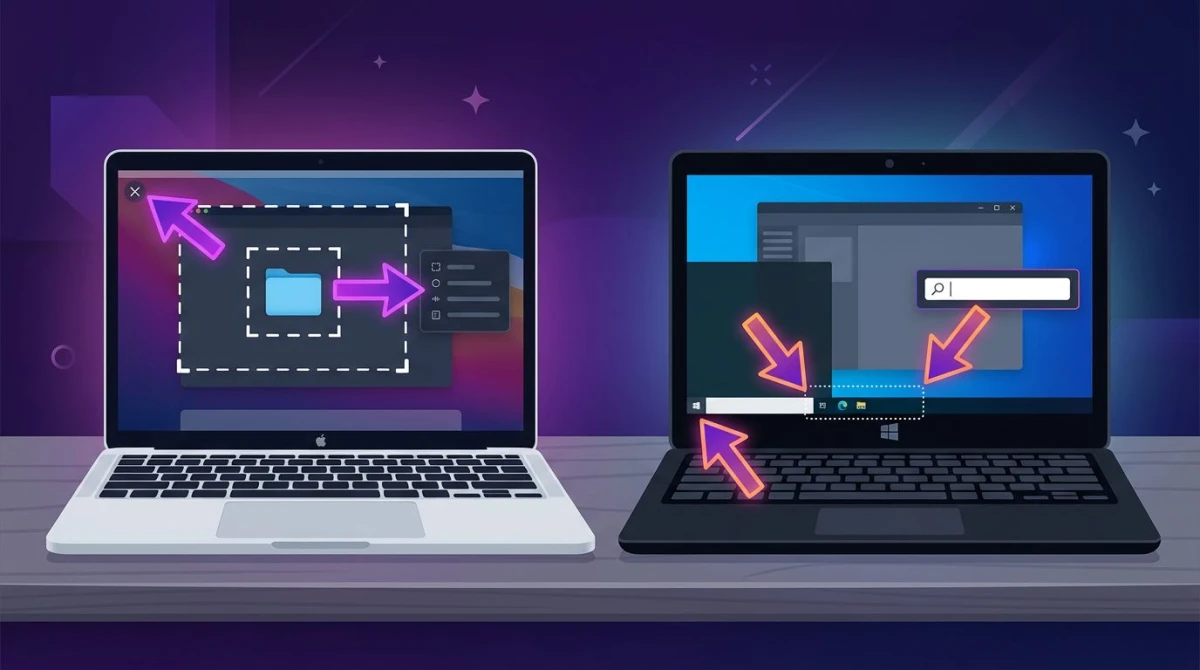
For public Stories, Spotlight clips, or Snapchat for Web, you can capture in your browser at sharper resolution than a phone allows. On a Mac, press ⌘ + Shift + 4 to grab a specific area, or ⌘ + Shift + 3 for the full screen. Our guide to taking screenshots on Mac walks through every shortcut.
Screenshots are great for stills and quick annotated grabs. When you'd rather keep a whole public Story as a video or photo, GetinDevice's Snapchat story viewer makes a handy companion. Paste a public profile link, a Story or Spotlight link, or just type the username, and whatever is currently live loads in your browser, ready to watch or save. There's no login and nothing to install, and it only reaches public content, so friends-only Stories stay exactly as private as they were.
For a faster workflow that adds annotations, clean backgrounds, or a shareable link right away, a tool like ScreenSnap Pro handles the whole flow on Mac and Windows. You can capture, mark up, and share high-quality screenshots without juggling apps. Need to hide a username or face before sharing? Blur or pixelate it first.
Snapchat screenshot etiquette: a quick guide
Just because you can capture something doesn't always mean you should. Since Snapchat usually tells the other person, etiquette matters more here than on most apps. Keep these in mind:
Do:
- Save your own Snaps to Memories. That's what it's built for, and there's no alert.
- Ask before keeping a friend's private Snap or Chat. Most people say yes, and it avoids the awkward "took a screenshot" moment.
- Capture public content freely. Spotlight, public profiles, and the Snap Map send no alerts and are fair game.
Don't:
- Screenshot private chats to share elsewhere. Even with an alert, spreading someone's words breaks trust fast.
- Try to dodge detection to save intimate or sensitive content someone trusted you with.
- Assume web is a free pass. Snapchat for Web doesn't notify, but the person still shared that content privately.
The golden rule on Snapchat is simple: the disappearing format is a feature people rely on. Treat their Snaps the way you'd want yours treated.
Frequently Asked Questions

Morgan
Indie DeveloperIndie developer, founder of ScreenSnap Pro. A decade of shipping consumer Mac apps and developer tools. Read full bio
@m_0_r_g_a_n_