Does TikTok Notify Screenshots? Tested on iOS, Android & Web (2026)
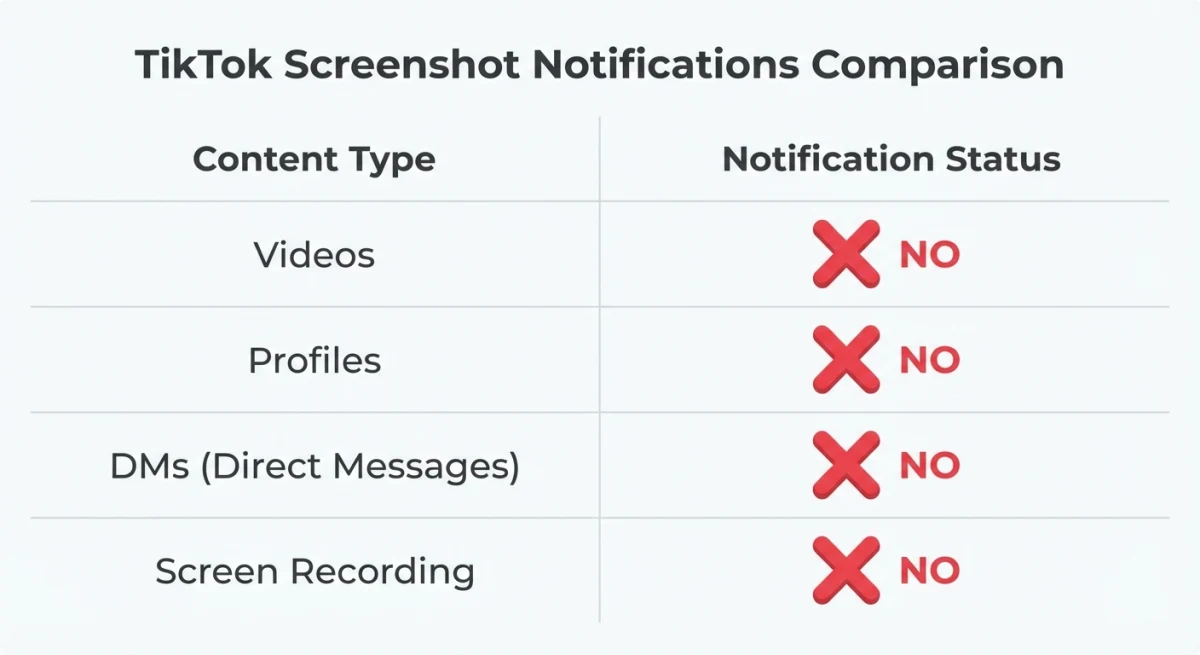
No, TikTok does not notify anyone when you take a screenshot. Not for videos. Not for DMs. Not for profiles, Lives, or Stories. The creator gets no alert and there's no log on TikTok's side. This is true on iOS, Android, and the web, confirmed in 2026.
That said, one phone (the Nothing Phone) shows a popup that makes people think TikTok is watching. It isn't. Here's what actually happens when you screenshot TikTok in every case.
At a glance: what TikTok does (and doesn't) notify
| What you screenshot | Does TikTok notify? | Does it log it? |
|---|---|---|
| A regular video | ❌ No | ❌ No |
| A creator's profile | ❌ No | ❌ No |
| A direct message (DM) | ❌ No | ❌ No |
| A TikTok Live stream | ❌ No | ❌ No |
| TikTok Stories | ❌ No | ❌ No |
| A screen recording of any of the above | ❌ No | ❌ No |
| Snapchat (for comparison) | ✅ Yes | ✅ Yes |
The short version: TikTok is built for public sharing, not private messaging. Adding screenshot alerts would work against the whole platform model. The only place that may change is DMs, and there's no announcement that it's coming.
Can people see when you screenshot TikTok videos?
No. When you grab a screenshot of a TikTok video, the creator gets no alert. This is true whether you:
- Screenshot during playback
- Pause the video and then capture
- Use your phone's built-in screenshot shortcut
- Use a Mac screenshot shortcut on the desktop version at tiktok.com
- Capture a TikTok Live stream
- Screen-record the video using iOS Control Center, Android's built-in recorder, or QuickTime on Mac
TikTok doesn't track or log screenshot activity. The creator's inbox shows likes, comments, follows, shares, and mentions. Screenshots never appear there.
This has been the case since TikTok launched. Unlike Snapchat, which was built around vanishing content, TikTok is a public platform at its core. Videos are meant to be watched, shared, and found. Screenshot alerts would go against that model.
Does TikTok notify when you screenshot a profile?
No. Grabbing a screenshot of someone's TikTok profile (their bio, photo, follower count, or video grid) does not send any alert. The account owner has no way to know you took a picture of their page.
This is handy for marketers and creators who study rival profiles, track follower growth, or save layouts for inspiration. You can freely grab any public profile with no worry. If the account is private, you need to follow them first to see their content. But the screenshot itself still sends no alert.
Does TikTok notify screenshots of DMs?
No. As of May 2026, TikTok does not send alerts when you screenshot direct messages. This is one place where TikTok differs from Snapchat, which famously tells users about DM screenshots.
You can screenshot chats, shared links, or media sent through TikTok DMs without the other person knowing. Many people screenshot DMs to save key info, remember tips, or keep records of conversations.
That said, this could change. TikTok has been growing its chat features over the past two years, and DM screenshot alerts are a feature the app could add. For now, your DM screenshots stay private.
Does TikTok detect screen recording?
No. Screen recording a TikTok video doesn't send an alert. Whether you use your iPhone's built-in screen recorder, QuickTime on Mac, Android's built-in screen capture, or any third-party tool, TikTok does not tell the creator.
This applies to:
- iOS screen recording (swipe down from Control Center and tap the record button)
- Android screen recording (built-in or third-party apps)
- Mac screen recording with keyboard shortcuts or QuickTime Player
- Third-party capture tools like OBS Studio
Some streaming apps like Netflix and Disney+ use DRM that blacks out screen recordings. TikTok does not use any DRM or screen recording blocks. Your recordings will capture the full video with no black screens or extra marks beyond TikTok's standard username overlay.
If you need to record GIFs on Mac from TikTok's desktop site, that works with no detection too. This is a great way to save short TikTok clips as small, easy-to-share GIF files.

Tired of plain screenshots? Try ScreenSnap Pro.
Beautiful backgrounds, pro annotations, GIF recording, and instant cloud sharing, all in one app. Pay $34 once, own it forever.
See pricing and featuresThe "TikTok Detected" popup explained (Nothing Phone)
Here's where the confusion starts. Some Nothing Phone users have seen a "TikTok Detected" popup when taking screenshots. This led to viral posts and Reddit threads asking if TikTok started sending screenshot alerts.
The truth: This popup has nothing to do with TikTok checking your screenshots. It's a Nothing OS feature called "App Suggestions" or "Glyph notifications" that detects which app is open. The popup shows because Nothing OS is suggesting actions, not because TikTok caught your screenshot.
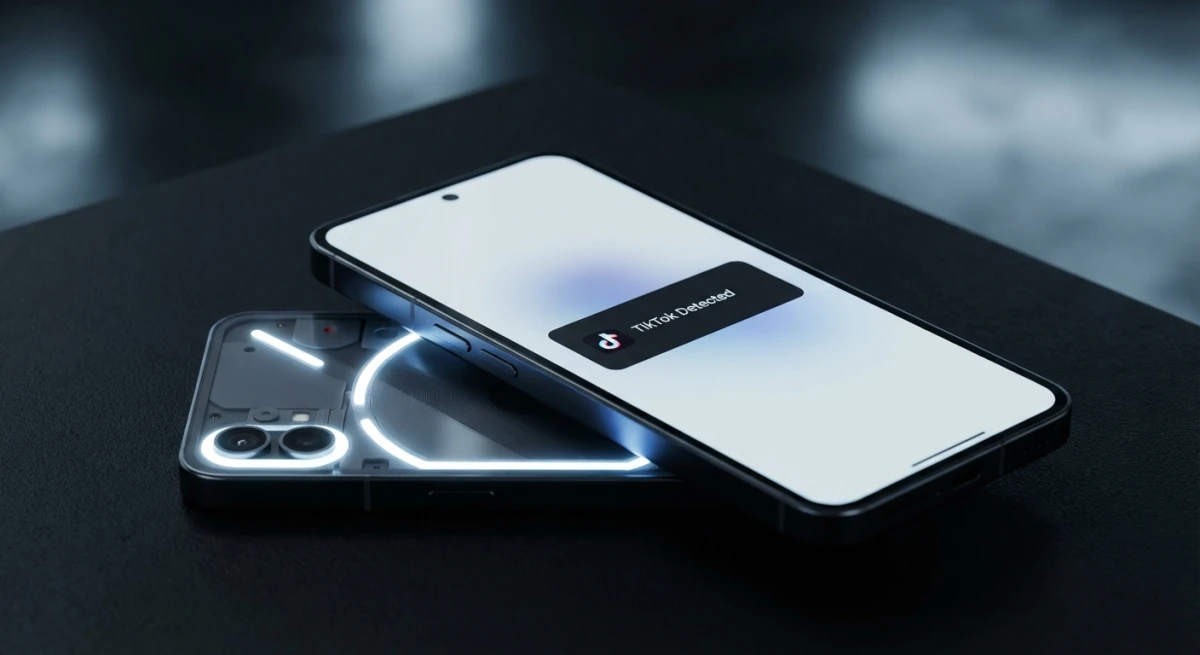
To stop this popup on a Nothing Phone:
- Go to Settings > Nothing specific settings
- Find App Suggestions or Glyph settings
- Toggle off the relevant notification option
This is purely a Nothing OS feature and happens with many apps, not just TikTok. If you switched phones recently and the popup vanished, that's why: your old phone didn't have Glyph notifications.
How to save TikTok content the right way
Instead of screenshotting TikTok videos (which only grabs a single frame), here are better ways to save content.
Download TikTok videos directly
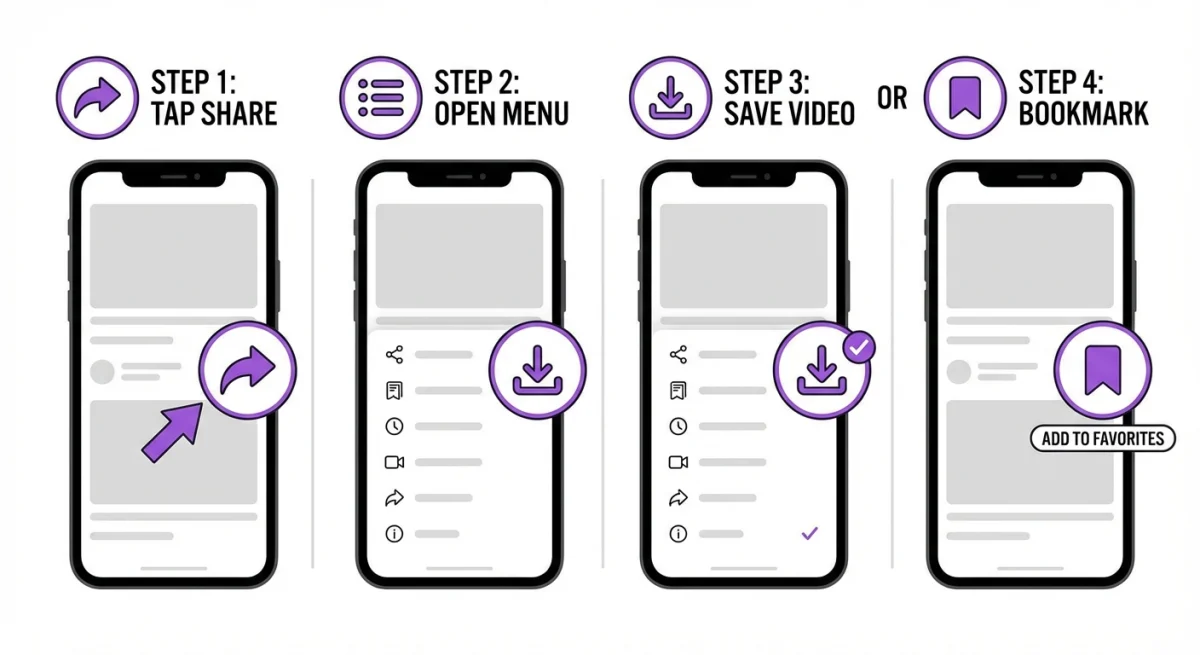
TikTok has a built-in download feature for most public videos:
- Open the video you want to save
- Tap the Share button (arrow icon on the right side)
- Select Save video from the bottom row of options
- The video saves to your camera roll with a TikTok watermark
The saved video has the creator's username as a watermark in the corner. This is TikTok's way of giving credit when content is shared outside the app.
Note: Some creators turn off downloads. If you don't see the "Save video" option, the creator has blocked this in their privacy settings. In that case, you can still bookmark the video to watch later in the app.
Bookmark videos for later
If you want to revisit a video without downloading:
- Long-press the video or tap the Share button
- Select Add to Favorites (bookmark icon)
- Access saved videos from your profile under the Favorites tab
Screenshot TikTok on Mac for high-quality captures
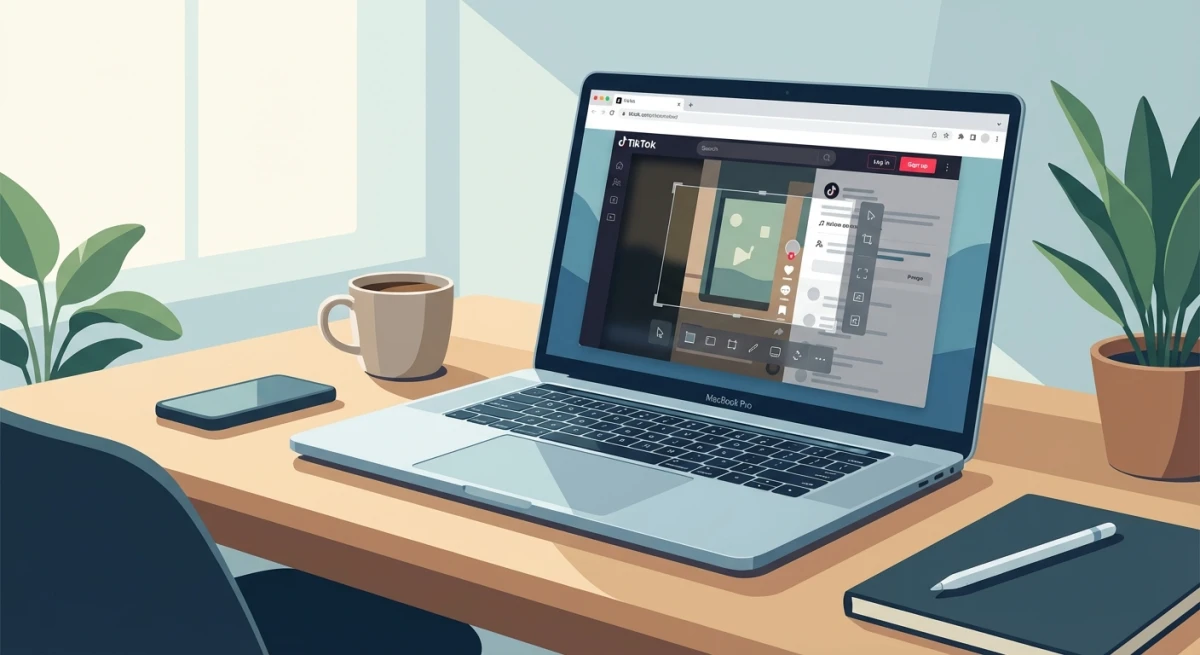
When browsing TikTok on your Mac through a web browser, you get higher-resolution captures than on mobile. Use ⌘ + Shift + 4 to select a specific area, or ⌘ + Shift + 3 for the full screen.
For more control, a tool like ScreenSnap Pro makes the whole flow faster: add annotations, drop in nice backgrounds, or share via a link right away. You can grab, edit, and share without switching apps.
TikTok vs other apps: screenshot notification comparison
Wondering how TikTok compares to other social platforms? Here's the breakdown for 2026:
| Platform | Screenshots notified? | Screen recording notified? |
|---|---|---|
| TikTok | ❌ No | ❌ No |
| Snapchat | ✅ Yes (always) | ✅ Yes |
| ❌ No (posts/stories/DMs) | ❌ No | |
| ❌ No | ❌ No | |
| ❌ No | ❌ No | |
| X (Twitter) | ❌ No | ❌ No |
| Signal | ❌ No (but blocks screenshots in some screens) | Partial |
| Telegram | Only in Secret Chats | Only in Secret Chats |
Snapchat is still the only big platform that tells users about screenshots in regular chats. Instagram briefly tested screenshot alerts for Stories in 2018 but pulled the feature after strong pushback. The takeaway for social apps is clear: users don't want to feel watched while browsing.
This makes TikTok a safe place to grab content you want to keep for later. Whether you're saving a recipe, a workout, or a product tip, your screenshots stay fully private.
Tips for screenshotting TikTok content
If you often grab TikTok content for reference, ideas, or sharing, keep these tips in mind:
- Pause the video first to get a clear, non-blurry frame. Tap the screen to pause, then take your screenshot.
- Use the desktop site at tiktok.com for sharper captures. Phone screenshots are limited to your screen size.
- Give credit. Don't repost without tagging the creator. This is good practice and often required by TikTok's rules.
- If you need text from a TikTok screenshot, OCR tools can pull it out for you. Great for saving recipes, quotes, or step-by-step tips from videos.
- Need to blur private info like usernames before sharing? Do that before posting anywhere.
- Crop out the TikTok UI if you only need the content. On Mac, use
⌘ + Shift + 4to pick just the area you want. - Making your own clips instead of grabbing others'? Match the platform specs first. Our TikTok video size guide covers the exact resolution, aspect ratio, and safe zones.
- Think about converting screenshots to WebP if you use them on a website, since the files will be much smaller with no visible quality loss.
TikTok screenshot etiquette: dos and don'ts
Just because TikTok won't tell anyone about your screenshots doesn't mean anything goes. Here are some ground rules.
Do:
- Save content for your own use. Recipes, tips, outfit ideas, and travel spots are all fair game for your personal files.
- Credit the creator when sharing their content. A simple "@username" goes a long way and helps the creator grow.
- Ask before reposting. If you want to share someone's work on your own page or blog, reach out first. Most creators are happy to say yes.
- Use screenshots for work tasks. Bug reports, design notes, and meeting recaps are all normal use cases.
Don't:
- Repost without credit. Passing off someone's content as your own is bad form and may break TikTok's rules.
- Share private DMs. Even though TikTok won't alert the other person, sharing private chats can damage trust and relationships.
- Use content for ads or sales without the creator's OK. This could lead to copyright claims.
- Screenshot and mock. Taking screenshots to make fun of someone is harmful, even if they'll never know.
The golden rule: treat TikTok content the way you'd want your own posts treated. Just because there's no alert doesn't mean there's no impact.
Will TikTok ever add screenshot alerts?
There's no word from TikTok about adding screenshot alerts. While Snapchat built its brand around vanishing, alert-backed messages, TikTok's model is very different. It's made for public content sharing and finding new creators.
That said, TikTok could add screenshot detection for DMs in the future, as chat becomes a bigger part of the app. Instagram briefly tested DM screenshot alerts before dropping the idea after user pushback. TikTok may learn from that case.
For public videos and profiles, screenshot alerts are very unlikely. The whole TikTok algorithm is built to push views and shares. Adding friction to that would work against the app's core growth plan.
Per TikTok's privacy policy, the app collects device info and usage data. Screenshot tracking is not listed. As noted in Apple's App Privacy details for TikTok, the app collects usage data and diagnostics. Screenshot tracking is not part of what they declare.
Frequently Asked Questions

Morgan
Indie DeveloperIndie developer, founder of ScreenSnap Pro. A decade of shipping consumer Mac apps and developer tools. Read full bio
@m_0_r_g_a_n_