ShareX vs Snagit: Free vs Paid Compared (2026)
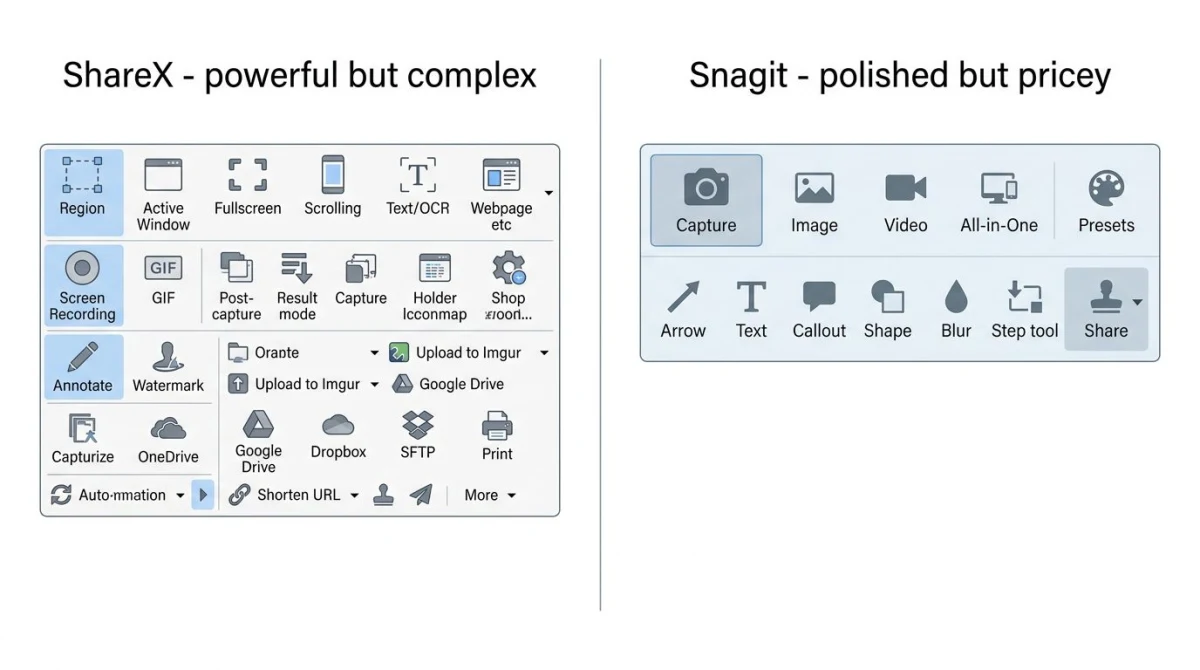
ShareX vs Snagit comes down to one simple trade-off: free and powerful but complex, or paid and polished but pricey. ShareX is a free open-source tool built by a small team of fans. Snagit is a pro-grade app from TechSmith that is now subscription-only, at $39 per year for an individual license.
So which one fits your workflow? And is there a middle path that gets you Snagit's polish at close to ShareX's price?
This guide breaks down both tools across pricing, features, ease of use, and sharing. You'll also see where a $49 one-time app like ScreenSnap Pro lands between them.
ShareX vs Snagit at a glance
Here's the quick side-by-side so you can skim before diving in:
| Feature | ShareX | Snagit |
|---|---|---|
| Price | Free (open-source) | $39/year (subscription only) |
| Platform | Windows only | Windows, Mac |
| Capture modes | Region, window, full, scrolling, GIF, monitor, website, auto | Region, window, full, scrolling, panoramic, menu |
| Screen recording | Yes (MP4, GIF, WebM) | Yes (MP4, MP3, GIF) |
| Annotation tools | Basic to mid-tier | 20+ pro-grade tools |
| Editor polish | Bare-bones | Polished, template-driven |
| Upload destinations | 80+ services | TechSmith Screencast |
| OCR text extract | Yes | Yes |
| Learning curve | Steep | Gentle |
| Support | Community forum | Paid email support |
| Best for | Power users on Windows | Teams, trainers, writers |
Quick verdict:
- Pick ShareX if you're a Windows power user, a developer, or on a tight budget, provided you don't mind tinkering with settings.
- Pick Snagit if polish, team workflows, and clean output matter more than the price tag.
- Pick the middle path (more on this below) if you want Snagit-style polish without the subscription and you also use a Mac.
See our full best screenshot tools for Windows roundup for more options in this space.
Pricing breakdown: where the real cost hides
Price is the loudest difference between these two tools, but the sticker price doesn't tell the full story.
ShareX pricing
ShareX is free, open-source, and has no paid tier at all. No nag screens, no "pro" lock on features, no watermark. You can even audit the source code on GitHub if that matters to your team.
The hidden cost? Time. ShareX has a dense menu system with dozens of capture modes, output tasks, and after-capture rules. Most new users spend an hour or two just learning where things live. That's fine if you're technical. It hurts if you need a tool that "just works" right now.
Snagit pricing
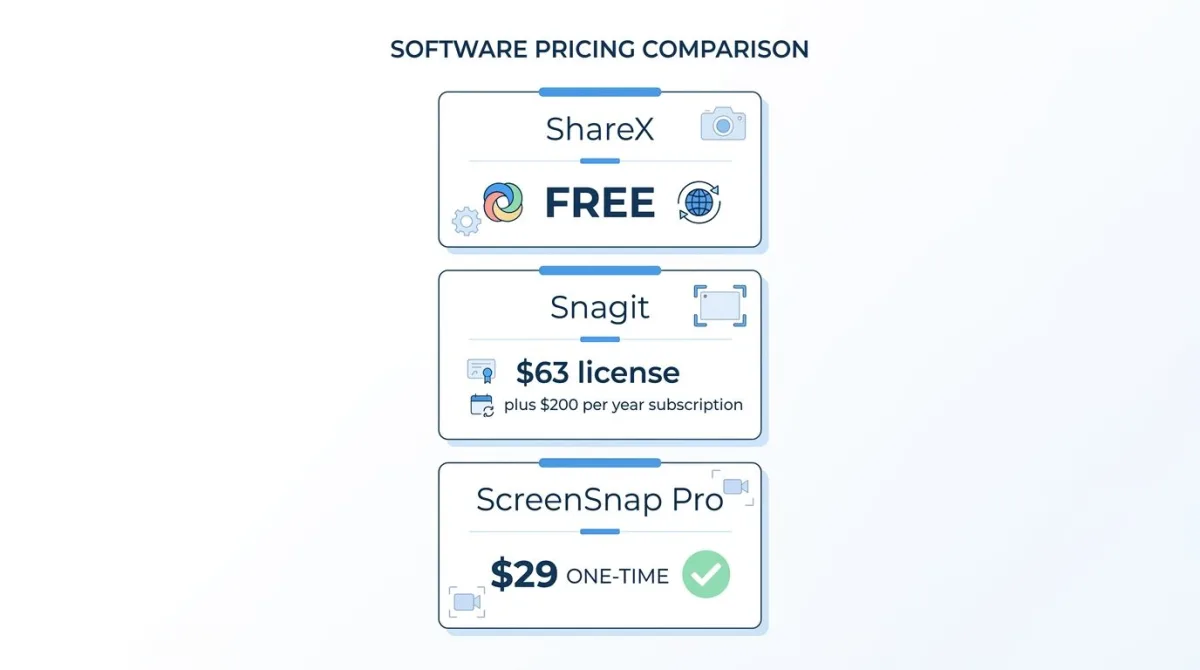
Snagit used to be a one-time license (about $63) with optional paid upgrades every couple of years. That changed with Snagit 2025, released in February 2025: Snagit is now subscription-only. The Individual plan costs $39 per user per year, Business costs $48 per user per year, and verified students pay $19.99 per year. New buyers can't get a one-time license anymore, though older perpetual licenses keep working. The subscription includes every new version, so there are no separate upgrade fees.
That means a typical three-year spend looks like this:
- ShareX: $0
- Snagit Individual: $39/year = $117 over three years.
- Snagit Business: $48 per user per year = $144 per user over three years.
For a detailed breakdown, see our full Snagit pricing 2026 guide. If paying every year makes you wince, you're not alone. We'll cover a $49 one-time option later.
Screen capture features compared
Both tools handle the core job of grabbing pixels off your screen. The question is how many ways they let you do it and how much you need to fuss with settings.
ShareX capture modes
ShareX ships with more capture modes than most paid tools. You get:
- Region (free-form, rectangle, polygon, triangle, diamond)
- Window and monitor capture
- Full screen and last region
- Scrolling capture (for long pages)
- Auto-capture on a timer
- Screen color picker
- Website screenshot by URL
The trade-off is the menu maze. To enable scrolling capture, you dig through the main window to "Capture" then "Scrolling capture." Not hard, just not obvious.
Snagit capture modes
Snagit's All-in-One Capture button does most of what you need. Click it, pick your crosshair, and Snagit figures out if you want a region, a window, or a scrolling grab.
Snagit also has a few tricks ShareX doesn't:
- Panoramic capture. Scroll horizontally and vertically to grab wide documents
- Menu capture. Grabs open dropdowns with a countdown timer
- Video from images. Stitches multiple screenshots into a short video
For scrolling, see our full page screenshot on Windows guide for a head-to-head with built-in options.
Winner
For pure variety, ShareX has more modes. For ease and smart defaults, Snagit wins. If you spend all day making docs, Snagit's panoramic capture alone is worth the cost.
Screen recording
Both tools record the screen. Neither is a Loom replacement, but both work well for short clips.
ShareX records MP4, WebM, and GIF straight to disk. You can add webcam overlay and mic audio. The recorder pulls from FFmpeg under the hood, so output settings are deep if you want to tweak bitrate and codecs.
Snagit records MP4 and includes a basic trim editor. You can add webcam overlay, mic audio, and system audio. The editor lets you cut out "ums" and save as MP4, MP3, or animated GIF. It's not full video editing, so think quick clip cleanup.
Winner: ShareX gives more format control. Snagit gives you a friendlier trimming flow. Neither does full video editing, so if you need that, you'll want a tool like Camtasia. See our Snagit vs Camtasia comparison for more on that.
Annotation and editing
This is where Snagit earns the price tag.
Snagit editor
Snagit's editor is the reason people pay. You get:
- Pre-built arrows, callouts, and shapes that look clean out of the box
- Stamps for cursors, hands, and common UI icons
- Step tool for numbered walkthroughs
- Blur, pixelate, and magnify tools
- Templates to make a grid of screenshots look consistent
- Smart move, which rearranges objects around blurred or moved content
- Text recognition (OCR) to copy or edit text inside images
If you make tutorials or how-to docs for work, this editor saves real hours. See our edit screenshot on Windows guide for more options.
ShareX editor
ShareX has a built-in editor (Greenshot-based) that covers the basics: arrows, text, highlighter, blur, and crop. It's functional. It's not pretty.
Most ShareX power users send captures to an external editor via after-capture tasks. Some pair ShareX with Paint.NET or GIMP. It works, but it's another tool to learn.
Winner: Snagit wins this category by a mile. If editing matters, it's the deciding factor.
Cloud, sharing, and workflows
This is where ShareX shines, and where Snagit feels locked in.
ShareX destinations
ShareX supports more than 80 upload destinations out of the box. Highlights:
- Imgur, Flickr, Photobucket
- Google Drive, Dropbox, OneDrive, Mega
- Amazon S3, Azure Storage, custom FTP/SFTP
- Slack, Discord, Teams webhooks
- Custom HTTP endpoints
After-capture tasks let you chain actions: take screenshot → resize → add watermark → upload to S3 → copy URL to clipboard → open in browser. Once you set it up, it's magical.
Snagit sharing
Snagit connects mainly to TechSmith's own cloud service (Screencast.com) and a handful of third-party apps like Slack, Box, and Google Drive. It's simple and it works. It's also far more limited.
Winner: ShareX, by a large margin. If your workflow depends on a custom cloud bucket or a niche service, Snagit may not be an option at all. If you just need "save and send me a link," Snagit is faster.

Tired of plain screenshots? Try ScreenSnap Pro.
Beautiful backgrounds, pro annotations, GIF recording, and instant cloud sharing, all in one app. Pay $49 once, own it forever.
See pricing and featuresEase of use
No ranking is fair here, because these tools target different users.
Snagit is designed like a polished Mac or Windows app. Most people figure it out inside ten minutes. The capture button is big and clear. The editor opens by default. Menus are labeled in plain English. Your parents could use it.
ShareX is designed like a power tool. The main window has seven sections, a task history, a hotkey manager, and a long list of destinations. That's great once you know the layout. It's overwhelming on day one. Reddit threads asking "how do I even take a screenshot with ShareX" are common.
If you're a developer who loves tinkering, ShareX's flexibility is a feature. If you just want to grab a bug report and paste it in Slack, Snagit wins the ease test.
Who should choose ShareX
ShareX is the right call if you match most of these:
- You're on Windows (there's no Mac or Linux build)
- You want free forever with no subscription worries
- You're comfortable configuring hotkeys, destinations, and workflows
- You need niche upload targets like a custom S3 bucket or Slack webhook
- You're a developer or IT pro who values flexibility over polish
- You take screenshots often but don't need a pro-grade editor
See our scrolling screenshot on Windows guide for more on long-page captures with ShareX and rivals.
Who should choose Snagit
Snagit is the right call if you match most of these:
- You make tutorials, docs, or training material for work
- You need an editor that produces clean, polished output with no fuss
- You share captures with non-technical teammates
- You want panoramic or menu capture, which ShareX can't do
- You use both Mac and Windows (Snagit runs on both)
- You value paid support when something breaks
Also see Snagit vs Snipping Tool if you're weighing Snagit against the free Windows built-in, or Snagit vs Greenshot for another free Windows rival.
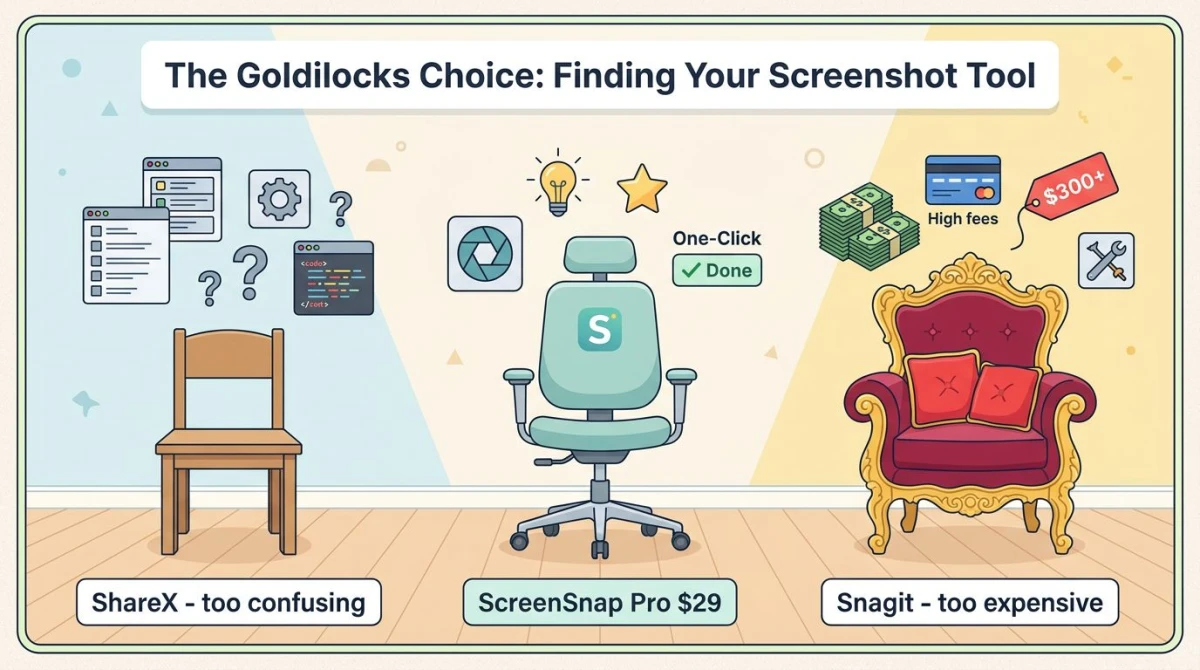
The middle ground: ScreenSnap Pro ($49 one-time)
Here's the gap nobody talks about: what if you want Snagit's polish but don't want a subscription? And what if you work on both Mac and Windows?
That's where ScreenSnap Pro lands. It's $49 one-time for a license that covers two computers (Mac or Windows). No subscription, no upgrade fees, no nag screens, no watermarks.
What you get for $49:
- Screenshot capture (region, window, full screen) on Mac and Windows
- Scrolling Capture. Select an area in any app, scroll down, and get one long screenshot of a PDF, chat thread, or spreadsheet
- Full-Page Website Capture. Paste any URL, grab the first screen or the full page, with safe handling of infinite-scroll and lazy-loaded content
- Screen recording with webcam, mic, and system audio
- GIF recording straight from screen (no video-to-GIF conversion)
- 17 annotation tools, including arrows, shapes, paths, text, blur, pixelate, magnifier, highlighter, spotlight, and counter, plus emoji
- 500+ gradient backgrounds to beautify screenshots for social or docs
- OCR text extraction from any image
- Optional cloud upload with instant shareable links (free, can be disabled)
- Pin screenshot to keep it always visible while you work
- Zero watermarks on output
What ScreenSnap Pro does not do: captions in its video editor or a Linux version. Long content is covered both ways: Scrolling Capture grabs a 50-page Acrobat PDF, a long Slack thread, or an Excel sheet as you scroll, and Full-Page Website Capture handles any public URL with no scrolling at all. Next to Snagit's yearly bill, the price gap is hard to ignore.
Three-year ROI comparison
Let's put real numbers on it:
| Tool | Year 1 | Year 3 total | Platform |
|---|---|---|---|
| ShareX | $0 | $0 | Windows only |
| Snagit (Individual) | $39 | $117 | Win + Mac |
| Snagit (Business, per user) | $48 | $144 | Win + Mac |
| ScreenSnap Pro | $49 | $49 | Win + Mac |
Snagit's total keeps growing every year you use it. ScreenSnap Pro stays at one payment and covers both platforms on a single license.
ShareX vs Snagit on Reddit: what real users say
If you search "sharex vs snagit reddit" you'll see a few themes come up over and over:
- "I switched from Snagit to ShareX to save money and never looked back." (Common, especially after the subscription switch.)
- "ShareX is powerful but my coworkers can't figure it out." (Also common.)
- "Snagit's editor is why I still pay." (Very common among doc writers.)
- "Is there anything in between?" (The question nobody answers. Until now.)
A real blog post from an independent creator put it plainly: when Snagit's annual cost climbed to $200, they switched to ShareX and found it covered their needs. Cost was the push; flexibility was the pull.
The short version
- ShareX = free, flexible, Windows-only, steep learning curve.
- Snagit = polished, paid, cross-platform, great editor, now subscription-only.
- ScreenSnap Pro = $49 one-time, cross-platform, polished UI, no subscription, Scrolling Capture in any app plus Full-Page Website Capture for any URL.
Pick by what matters most: price, polish, or platform.
Frequently Asked Questions
Final take
ShareX and Snagit sit at opposite ends of the screenshot market. ShareX is the open-source power tool for Windows tinkerers. Snagit is the polished pro app for teams and doc writers, on a yearly subscription.
If you see yourself in either camp, the pick is easy. If you're in the middle (you want polish, hate subscriptions, maybe use a Mac too), then a $49 one-time app like ScreenSnap Pro is worth a look. Pay once, own forever, use on both platforms, and get back to the actual work of making clear visuals.

Morgan
Indie DeveloperIndie developer, founder of ScreenSnap Pro. A decade of shipping consumer Mac apps and developer tools. Read full bio
@m_0_r_g_a_n_