SOP Template 2026: 7 Free Standard Operating Procedure Templates
A standard operating procedure template is a reusable document that captures how a repeatable task gets done: purpose, scope, owners, step-by-step actions, and version notes. Good SOP templates make new procedures faster to write, easier to follow, and simpler to keep current. This guide covers the seven template types every team should know, with examples, screenshots, and a comparison table.
If you came here looking for a tool comparison instead, we already covered that in our best process documentation tools roundup. This article is the methodology side: what an SOP actually is, the structure that holds up over time, and the template formats that fit different jobs.
What is a standard operating procedure?
A standard operating procedure (SOP) is a written document that describes how to perform a routine task in a consistent way. The goal is simple: anyone with the right role can pick up the SOP, follow it, and produce the same result.
People sometimes confuse SOPs with policies or work instructions. A policy says what must happen ("All refunds over $500 require manager approval"). An SOP says how to do it ("Open the refund tool, click Approve, attach the manager note..."). A work instruction is even more granular, covering a single step inside a larger SOP.
Teams use SOPs for almost any repeated process: onboarding a customer, deploying code, processing payroll, running a safety check, closing a store. The format matters less than the structure underneath it.
When you actually need an SOP
You don't need an SOP for every task. Writing one takes real time, and SOPs that nobody follows are worse than no SOP at all. Here are the signals that you actually need one.
- The same task is done by more than one person. Different people will drift apart unless there's a shared reference.
- The cost of doing it wrong is high. Compliance, finance, safety, and customer-facing work all qualify.
- The task is done rarely. Year-end procedures or quarterly reports are easy to forget without a doc.
- You're hiring or training. New team members need a checklist they can follow without interrupting a teammate.
- You're trying to scale a process. SOPs let you delegate without losing quality.
If a task is one-off, simple, or only ever done by one expert, skip the SOP and write a short note instead.
The 5 components every SOP must have
Most failed SOPs are missing one of these five parts. Get these right and the rest of the template choice is mostly cosmetic.
1. Purpose and scope
A short paragraph at the top explaining why this SOP exists and what it covers. Two or three sentences is enough. If a reader can't answer "do I need to follow this?" from the first paragraph, the scope is unclear.
2. Roles and responsibilities
Name every role involved, but not specific people. Use job titles like "Support Lead" or "On-call Engineer", not "Sarah". People change roles, but the role stays.
3. The procedure itself
The numbered steps. This is the bulk of the document. Each step should be one action, in plain language, with the screen the reader will see if it's a software task. Avoid stacking three actions into one bullet.
4. Tools, inputs, and outputs
What systems are needed. What inputs trigger the procedure. What output proves it ran correctly. This section turns an SOP from a wish list into a checklist someone can finish.
5. Version control and review
Every SOP needs a version number, a last-reviewed date, and an owner. Without these, an SOP rots within months. We cover this in detail below.
The 7 SOP template types: comparison table
Most SOP advice treats templates as interchangeable. They're not. Different jobs need different formats. Pick the format that matches the work, not the one that looks prettiest.
| Template type | Best for | Complexity | Format |
|---|---|---|---|
| Checklist SOP | Short, repeatable tasks | Low | Word / Google Docs / Notion |
| Hierarchical SOP | Multi-step tasks with sub-steps | Medium | Word / Confluence |
| Flowchart SOP | Decision-heavy processes | Medium | Lucidchart / Miro / draw.io |
| Step-by-step screenshot SOP | Software walkthroughs | Medium | Notion / Confluence / wiki |
| Video SOP | Hands-on or visual tasks | Low for viewer, high to make | MP4 / Loom / YouTube |
| Role-based SOP | Cross-team handoffs | High | Word / wiki |
| Exception / escalation SOP | Edge cases and incidents | High | Word / runbook tool |
Below, we break down when each one wins and what the structure looks like.
1. Checklist SOP template
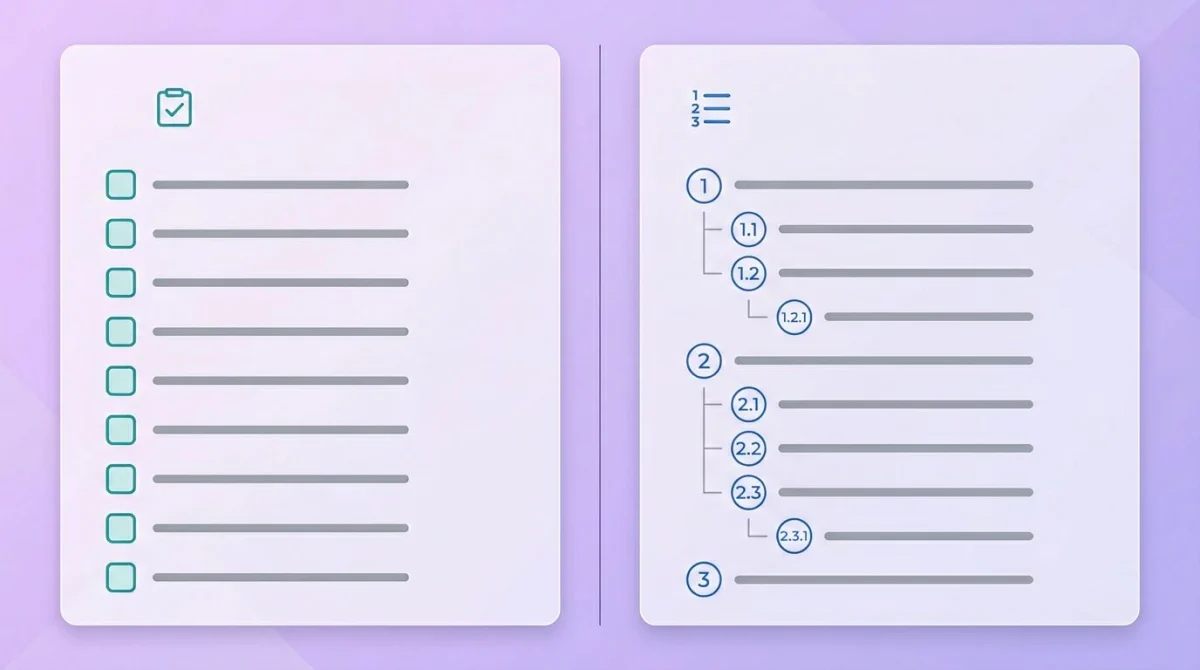
A checklist SOP is the simplest format. It's a numbered or bulleted list of actions with a tick box next to each. No prose, no diagrams.
When to use it. Short routine tasks where the order is obvious and there are no real branches. Examples: opening checklist for a retail store, daily standup prep, pre-flight checks for a deploy.
What it looks like.
SOP-001: Daily Store Opening
Owner: Store Manager  |  Last reviewed: 2026-01-15  |  Version: 1.3

Before opening:
[ ] Unlock back entrance
[ ] Disable alarm (code on laminated card)
[ ] Power on POS terminals
[ ] Verify cash float matches log
[ ] Unlock front door at 09:00
The strength of a checklist is that it's hard to skim past. People physically tick things, which catches errors before they happen. The weakness is that it can't carry nuance. Anything more than "do this" needs another format.
2. Hierarchical SOP template
A hierarchical SOP groups steps under sub-headings and adds short explanations under each. It's the format most large companies default to, and it's the one you'll see in compliance manuals.
When to use it. Multi-step procedures where context matters: onboarding a new employee, processing a customer dispute, running a quarterly close.
Structure.
- Header (title, ID, owner, version, date)
- Purpose
- Scope
- Definitions (if any)
- Roles
- Procedure (broken into numbered phases, each with sub-steps)
- References
- Revision history
Hierarchical templates work in Word, Google Docs, or any wiki. They photocopy well, which still matters in regulated industries.
3. Flowchart SOP template
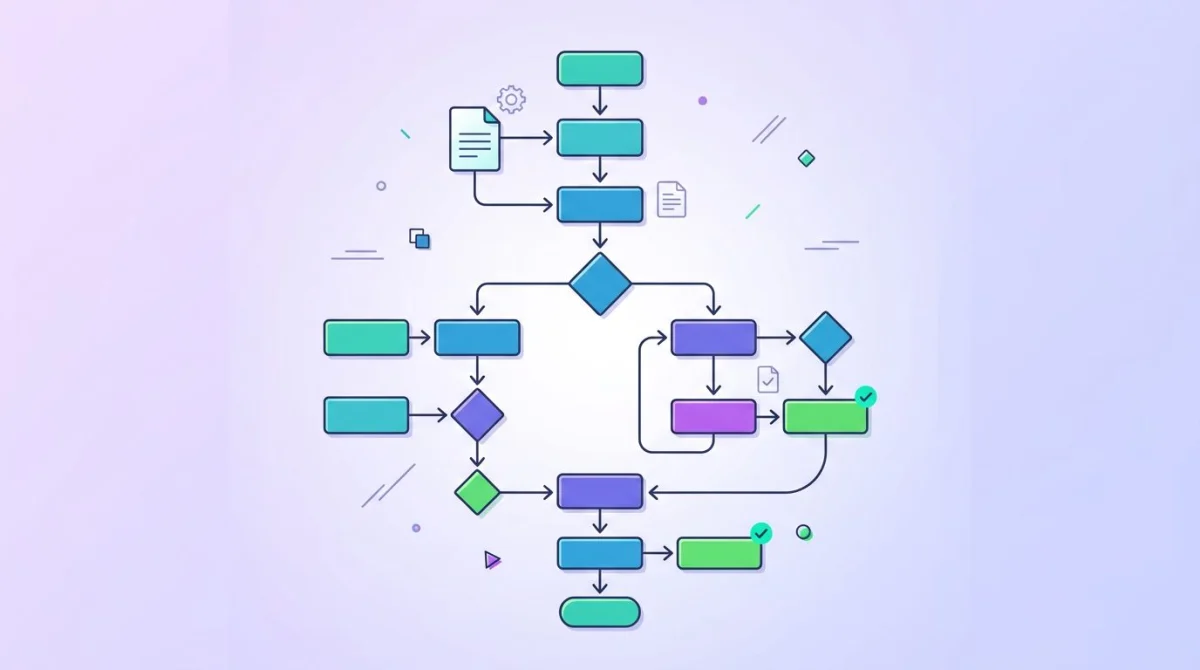
A flowchart SOP draws the procedure as boxes and arrows. Decision points become diamonds; actions become rectangles; outcomes become rounded boxes.
When to use it. Decision-heavy work where the next step depends on the answer to a question. Customer support triage, incident response, returns and exchanges, approval workflows.
A flowchart should never replace the written SOP. It sits next to it. Use the diagram to show the shape of the process at a glance, then link each box to the numbered step in the text version.
Tools like Lucidchart, Miro, draw.io, and even the built-in shapes in Google Slides handle this well. Save the source file (not just the export) so the next reviewer can edit it.
4. Step-by-step screenshot SOP template
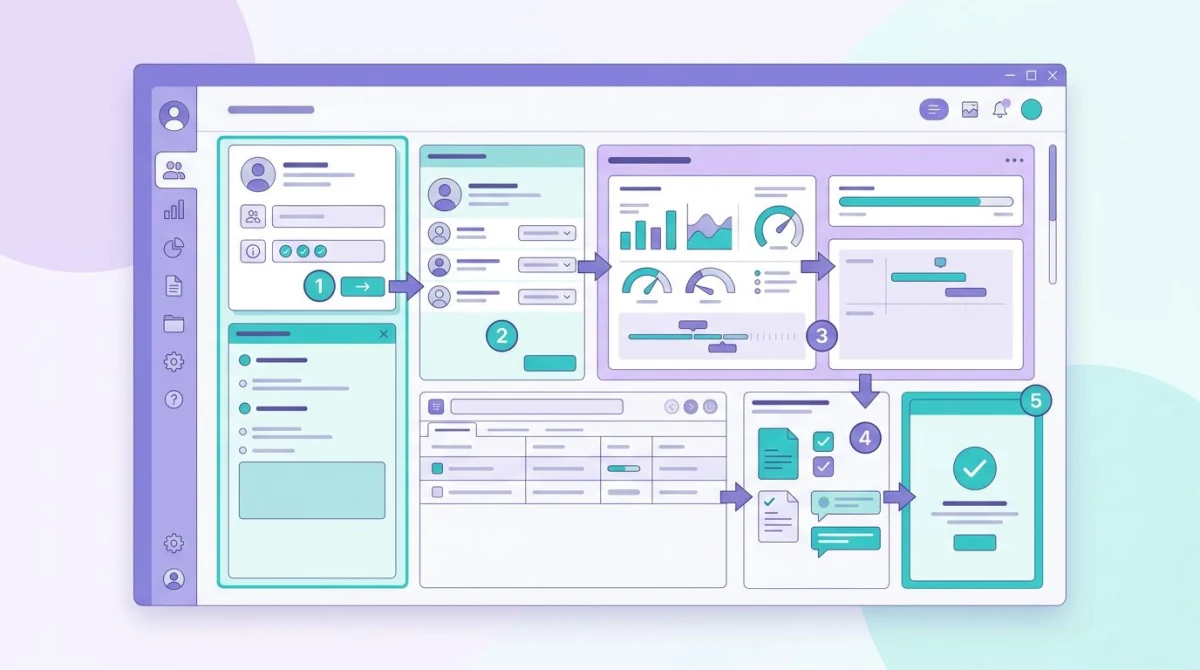
This is the format that wins for software tasks, and it is the one most teams underuse. Every step has a real screenshot of the screen the reader will see, with the relevant button or field marked.
When to use it. Anything that lives in software. Setting up a tool, processing an order in a CRM, configuring a backup, running a report.
Why it matters. Words alone make readers guess. A screenshot proves they're in the right place. A screenshot with an arrow or numbered marker makes the next click obvious.
Capturing screenshots that hold up
Screenshots are central to a good SOP, and they're also where most procedures fall apart. A screenshot from 2023 with a different UI is worse than no screenshot. Keep these rules:
- Capture the smallest area that still shows the action. Avoid full-screen shots when a window crop will do.
- Use a numbered marker or arrow to point at the next click. Don't make readers hunt.
- Add a callout for the data the reader should enter, like a sample order ID or test email.
- Keep the same operating system theme across an SOP. Mixing dark and light mode looks chaotic.
- Re-screenshot when the UI changes, even minor changes.
Tools to make screenshots faster
You can capture and annotate with the built-in tools on Mac (Screenshot.app) or Windows (Snipping Tool). Both are fine for a one-off. For a team writing dozens of SOPs, a dedicated tool saves hours.
ScreenSnap Pro is what we use. It's $39 one-time (no subscription), runs on Mac and Windows, and includes 17 annotation tools, such as arrows, numbered counters, blur for sensitive data, highlighters, and shapes. The 500+ background presets are useful when an SOP screenshot needs to look polished for an external audience. There's also a recording mode for screen, webcam, mic, and system audio if a video SOP fits better than a static one.
If you want a broader look at the alternatives (Snagit, Scribe, Tango, ShareX), see our best process documentation tools roundup. For a deeper dive on screenshot quality itself, our technical documentation screenshots guide covers framing, annotation standards, and file management. You can also clean up captures with our free image annotation tool in the browser. And if the goal is to keep SOP cost off a per-seat plan entirely, our Scribe alternatives guide is organised by pricing model rather than by tool.
Format
Each step in a screenshot SOP should follow the same pattern:
- One-sentence instruction.
- Screenshot showing the screen, with annotation pointing at the action.
- Optional note for edge cases ("if the order is over $500, see SOP-014 for approvals").

Tired of plain screenshots? Try ScreenSnap Pro.
Beautiful backgrounds, pro annotations, GIF recording, and instant cloud sharing, all in one app. Pay $39 once, own it forever.
See pricing and features5. Video SOP template
A video SOP is a screen recording of someone performing the task, narrated. It's faster to make than a written SOP and easier for hands-on tasks.
When to use it. Visual tasks that are hard to describe in text: physical processes, complex software demos, tasks where timing matters. Also great for tasks that are done rarely and where reading a doc feels like overkill.
Length. Keep videos under 5 minutes. Anything longer should be split into chapters. Always pair the video with a short written summary so people who only need to confirm a step don't have to scrub through.
Structure.
- 30-second intro: what this SOP covers and who it's for
- The procedure, narrated step by step
- A brief outro with what success looks like
- Linked written checklist underneath
The downside of video SOPs is that they're hard to update. A small UI change can mean re-recording the whole thing. Use them where the underlying tool is stable.
6. Role-based SOP template
A role-based SOP organizes steps by who does what, not by sequence alone. Each role gets its own column or section, and handoffs are shown explicitly.
When to use it. Cross-team processes where multiple people touch the same workflow: sales-to-support handoffs, design-to-dev handoffs, hiring pipelines.
Format. A swim-lane diagram or a table with one column per role and one row per phase.
| Phase | Sales | Onboarding | Customer Success |
|---|---|---|---|
| Deal closed | Mark deal "won" in CRM | No action | No action |
| Kickoff | Send intro email | Schedule kickoff call | Add to monthly review |
| Day 30 | No action | Hand off to CSM | Run health check |
Role-based SOPs prevent the "I thought you were doing it" problem. They take longer to draft but pay back the first time a handoff goes wrong.
7. Exception / escalation SOP template
An exception SOP covers what to do when the normal procedure fails. It's the runbook your on-call engineer reaches for at 2am.
When to use it. Incidents, edge cases, customer escalations, anything where the standard SOP isn't enough. Most teams should have a small library of these alongside their main SOPs.
Structure.
- Trigger: the symptom or event that activates this SOP
- Severity classification: how to judge how bad it is
- Immediate actions: the first 5 minutes
- Escalation path: who to page and when
- Diagnostic steps: what to check
- Resolution steps: how to fix it
- Post-incident: what to log and review
Exception SOPs need to be short and scannable. Nobody reads a 30-page runbook during an incident.
SOP version control: the part teams skip
This is where most SOPs go to die. A doc gets written, lives on a shared drive, and slowly becomes wrong. Version control fixes that.
A working version control setup needs four things:
- A version number. Use a simple
MAJOR.MINORscheme. Bump major on a structural change, minor on a tweak. - A last-reviewed date. Even if nothing changed, prove the doc was looked at recently.
- A named owner. Not a team, but a single person on the hook for keeping it current.
- A revision history table at the bottom. Date, version, who, what changed.
| Date | Version | Author | Changes |
|---|---|---|---|
| 2026-01-15 | 1.3 | M. Chen | Updated screenshots for new POS UI |
| 2025-09-08 | 1.2 | M. Chen | Added cash float reconciliation step |
| 2025-04-01 | 1.1 | A. Patel | Initial draft after retail expansion |
Set a review cadence too. Compliance-critical SOPs should be reviewed quarterly. Internal operations SOPs once a year is usually enough. Whatever the cadence, calendar it. Don't trust yourself to remember.
SOP formatting standards that hold up
A few small formatting choices make the difference between an SOP people use and one that gathers dust.
Use sentence-case headings. "How to process a refund", not "How To Process A Refund". Easier to read.
One action per step. "Open the dashboard, then click Settings, then click Billing" is three steps, not one.
Active voice. "Click the Submit button", not "The Submit button should be clicked".
Consistent terminology. Pick one term for each thing and stick with it. Don't say "ticket" in step 3 and "case" in step 7.
Visual hierarchy. H1 for the SOP title, H2 for major phases, H3 for sub-steps. Don't go deeper than H3. If you need H4, the SOP is too long and should be split.
Plain text for code, terminal commands, and IDs. Format them as code so they're easy to copy.
No jargon without a glossary. If you must use an internal acronym, define it once at the top.
Common SOP mistakes (and how to avoid them)
Most SOP problems show up in the same handful of patterns. Watch for these.
Too long. A 40-page SOP is a sign the scope is wrong. Split it into smaller SOPs that link to each other.
No screenshots for software tasks. Words alone leave too much room to guess. Add at least one screenshot per major step.
No version control. No version, no review date, no owner. That SOP is guaranteed to be stale within a year.
No review cycle. Even a perfect SOP needs a calendar reminder to revisit it. Treat reviews as recurring work, not optional.
Written by the wrong person. The most senior expert often skips steps that feel obvious. Have a junior team member follow the SOP cold and flag every gap.
Too prescriptive. SOPs that try to remove all judgment end up brittle. Give people the structure, but trust them on the small calls.
Lives in the wrong place. A great SOP saved to a folder nobody opens is useless. Put SOPs where work happens: the wiki, the project tool, the help desk.
How to write your first SOP from scratch
If you've never written one before, start small.
- Pick one task you do often. Don't try to document everything at once.
- Do the task and capture every step. Screenshot the screen at each click. Take notes on inputs and outputs.
- Pick a template type from the seven above. Match the format to the work.
- Write the draft in one sitting. Don't aim for perfect. Aim for done.
- Have someone else follow it cold. Watch them do the task without helping. Note every place they pause or ask a question.
- Revise based on what you saw. The places they got stuck are where the SOP needs more detail.
- Add the version control footer. Owner, version, last-reviewed date, revision table.
- Save it where work happens. Wiki, shared drive, or project tool, never a personal folder.
The first SOP is always the slowest. The second one will be twice as fast. By the fifth, you'll have a house style and most of the work is filling in the template.
For deeper guidance on the screenshot side specifically, see the technical documentation screenshots guide. The principles there (framing, annotation, file naming) apply directly to SOPs.
External references worth bookmarking: Northwestern's SOP writing guide is a solid academic reference, and Smartsheet's SOP overview has good plain-language examples.
Frequently Asked Questions
Wrapping up
Pick the template type that matches the work, lock in the five core components, and put real version control on every SOP. The seven formats above cover almost any procedure you'll need to document, from a one-page opening checklist to a cross-team handoff with swim lanes.
If your SOPs lean software-heavy, screenshots are the single biggest quality lever. A clean capture with a simple arrow turns a vague step into one anyone can follow. ScreenSnap Pro handles that side of the workflow if you want a one-time-purchase tool that runs on both Mac and Windows. And if you're still picking the documentation home, the best process documentation tools comparison covers the major options side by side.

Morgan
Indie DeveloperIndie developer, founder of ScreenSnap Pro. A decade of shipping consumer Mac apps and developer tools. Read full bio
@m_0_r_g_a_n_