How to Make a Meme: 6 Free Methods (2026)
A meme is an image, GIF, or short video paired with funny text that spreads online. Want to make friends laugh, grow your social media, or add personality to your brand? Learning how to make a meme takes less than five minutes with the right tool.
Make a meme right now in your browser: free, no watermark, no signup.
In this guide, you'll find six completely free methods to create memes on any device, plus tips on templates, sizing, and what makes memes go viral.
How to make a meme step by step
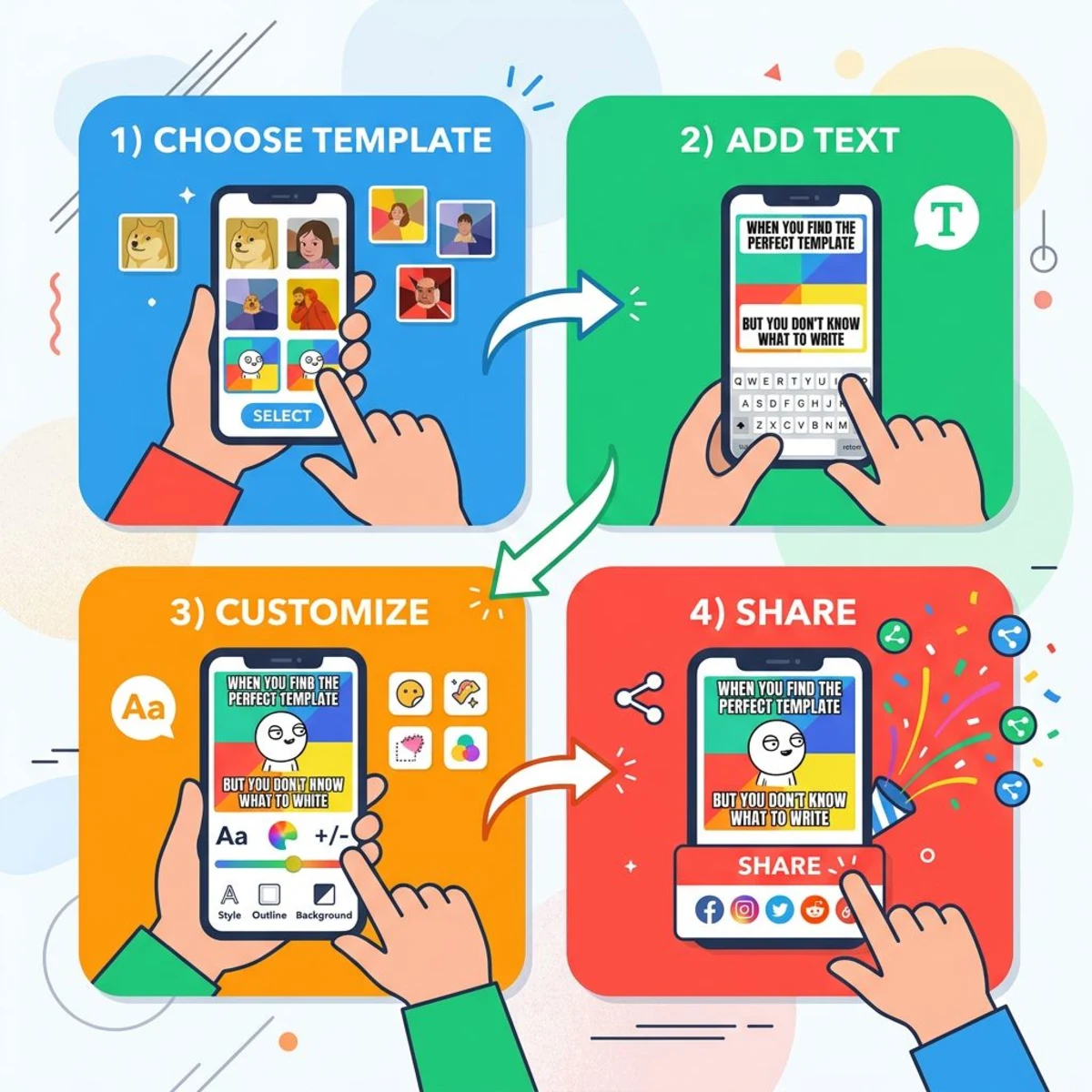
No matter which tool you choose, the process follows the same basic steps. Here's the universal workflow in a nutshell:
- Pick your format: image, GIF, video, or text meme.
- Choose a template or upload your own image.
- Write your caption: setup on top, punchline on the bottom.
- Customize the look: adjust font, size, color, and text position.
- Download and share: save your meme and post it where your audience hangs out.
Here's each step in detail.
Step 1: Pick your format
Decide what kind of meme you're making:
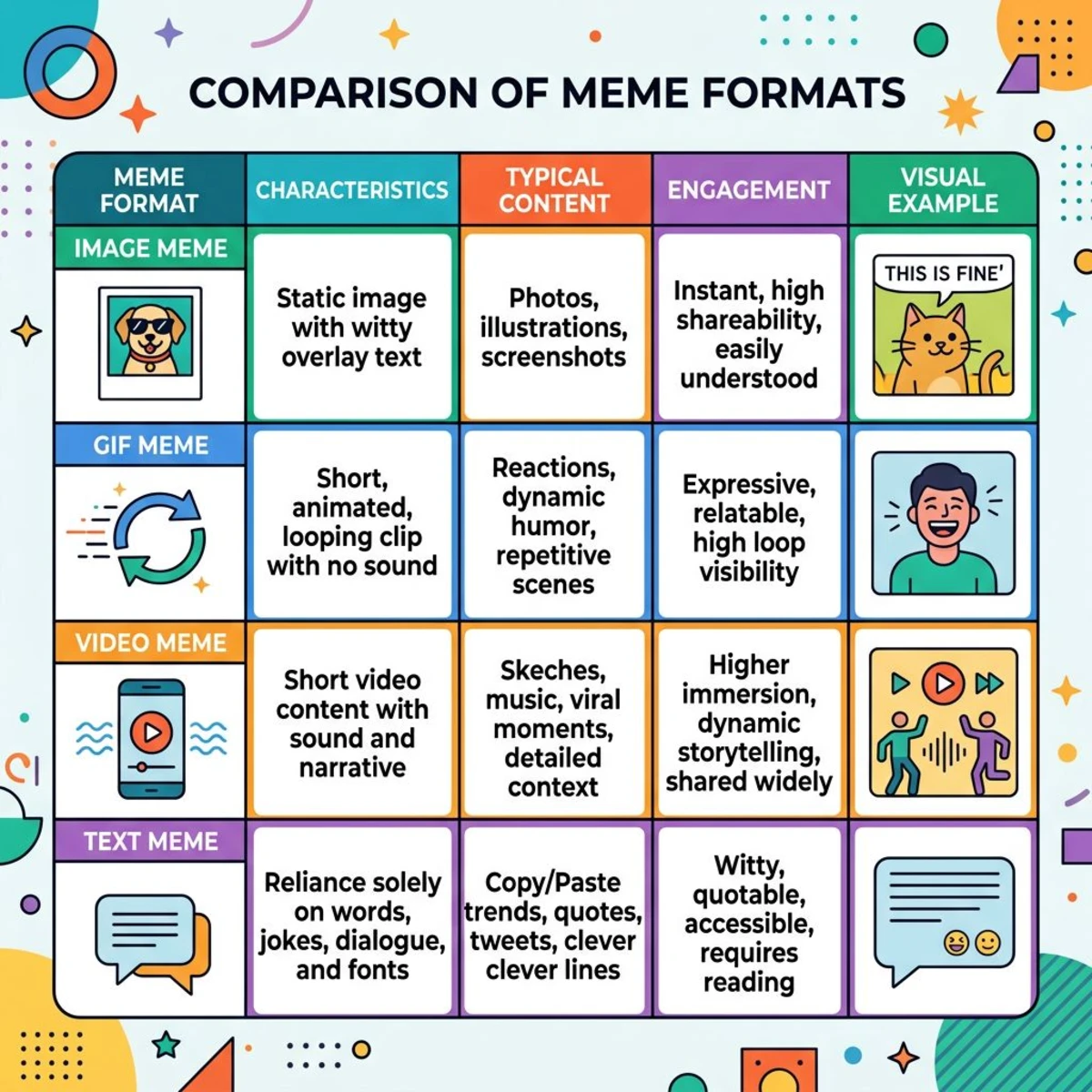
- Image meme. A static photo or illustration with text overlay. The classic format.
- GIF meme. A looping animation with text. Great for reactions. You can convert images to GIF if you have a sequence of photos.
- Video meme. A short clip with text or voiceover. Best for TikTok and Reels.
- Text meme. Plain text on a colored background. Popular on Twitter/X.
Step 2: Choose a template (or use your own image)
Browse your meme tool's template library for trending formats. Alternatively, use a photo from your camera roll or take a screenshot of something funny.
Popular template categories:
- Reaction memes (Drake, Surprised Pikachu, Side-eye Chloe)
- Comparison memes (Expectation vs. Reality, Virgin vs. Chad)
- Label memes (Distracted Boyfriend, Exit 12 highway sign)
- Panel memes (Expanding Brain, Gru's Plan)
Step 3: Write your caption
This is where the magic happens. Keep these rules in mind:
- Top text = setup, bottom text = punchline
- Use ALL CAPS for classic memes, mixed case for modern ones
- Keep it under 10 words per line
- Match the tone to the template's energy
Step 4: Customize the look
Most meme generators let you adjust:
- Font style (Impact is traditional, but modern memes use sans-serif fonts too)
- Text size and position
- Text color and outline (white text with black outline is readable on any background)
- Image cropping and filters
Step 5: Download and share
Save your meme as a PNG for the best quality, or JPG if file size matters. For the differences between these formats, check our PNG vs JPG comparison guide.
If you need to resize your image for a specific platform, do that before posting. Cropped memes with cut-off text don't perform well.
What makes a great meme?
Before opening a meme maker, it helps to understand what separates a forgettable image from one that gets shared thousands of times.
Relatability wins. The best memes tap into a shared experience: Monday morning dread, that awkward Zoom call, or the universal joy of a Friday afternoon. If your audience thinks "that's so me," they'll share it.
Keep text short. Two lines of text is the sweet spot. If your meme needs a paragraph of explanation, the joke probably isn't landing. Think punchline, not essay.
Timing matters. Memes tied to current events, trending topics, or pop culture moments spread faster. A meme about yesterday's viral moment beats a perfectly polished one posted next week.
Use familiar formats. Templates like "Distracted Boyfriend," "Drake Hotline Bling," and "This Is Fine" already carry context. Your audience instantly understands the setup, so you only need to deliver the punchline.
Quality over quantity. A blurry, hard-to-read meme dies in the feed. Use clear images, readable text, and good contrast between text and background.
Know your audience. A meme for developers hits differently than one for dog lovers. The more specific your humor, the more likely it resonates deeply with a particular group, and those are the memes people share with their friends.
Make a meme online (3 best free tools)
Online meme generators are the fastest option. No downloads, no accounts required: open the site, pick a template, add your text, and download.
ScreenSnap Meme Generator
Our free meme generator is the fastest way to create memes without signing up or dealing with watermarks.
How to use it:
- Go to screensnap.pro/tools/meme-generator
- Upload your own image or choose from popular templates
- Add top and bottom text
- Customize font size, color, and position
- Download your meme (no watermark, no account needed)
The biggest advantage: zero friction. There's no signup wall, no "upgrade to remove watermark" popup, and no ads covering your canvas. You get a clean meme in under a minute.
Imgflip
Imgflip is a widely used meme generator with over one million user-uploaded templates, AI-powered text suggestions, and support for animated GIF memes.
Pros:
- Massive template library (1M+ templates)
- AI meme text generator
- Supports GIF and video memes
- Custom sticker overlays
Cons:
- Watermark on free tier (small but visible)
- Ads can be distracting
- Pro features require a paid subscription
Imgflip is a good fit for browsing trending templates when you're looking for inspiration but don't have a specific image in mind.
Kapwing
Kapwing stands out for video meme creation. While most meme generators focus on static images, Kapwing lets you edit video clips, add text overlays, and export in formats optimized for TikTok, Instagram Reels, and YouTube Shorts.
Pros:
- Video + image + GIF meme support
- 2,000+ curated templates
- Pre-set aspect ratios for every social platform
- Clean editor interface
Cons:
- Free tier has export limits
- Requires account for some features
- Can be slower than simpler tools
If you're making video memes or need precise control over timing and text placement, Kapwing is worth the extra steps.
Make a meme on iPhone and Android
You don't need a computer to create memes. These mobile apps work great for quick memes on the go.
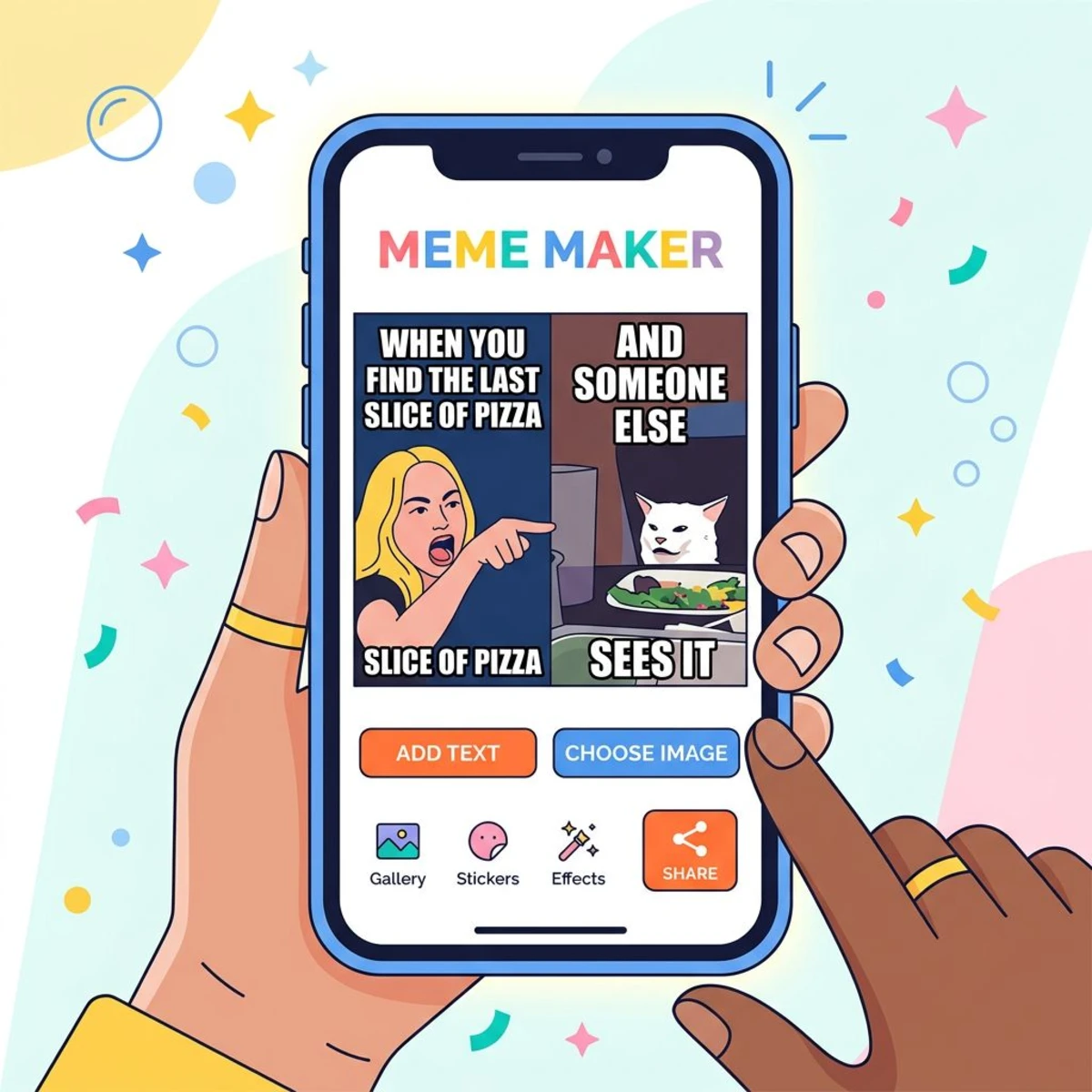
Mematic (iOS & Android)
Mematic is a popular meme maker app. It's free, simple, and gets the job done in three taps.
- Open the app and tap Meme
- Browse templates or tap Photos to use your own image
- Tap the text areas to type your caption
- Adjust font, size, and color
- Tap Save or share directly to social media
Mematic includes popular templates updated regularly, supports custom fonts, and adds a small watermark on the free tier (removable with a one-time $3 purchase).
Meme Generator Free (Android)
For Android users, Meme Generator Free offers a huge library of over 1,000 templates sorted by popularity and category. It supports multi-panel memes, custom drawing, and has a built-in cropping tool.
Pro tip: If you're making memes on iPhone, you can also use the ScreenSnap Meme Generator in your mobile browser, which works on any device without installing anything.

Tired of plain screenshots? Try ScreenSnap Pro.
Beautiful backgrounds, pro annotations, GIF recording, and instant cloud sharing, all in one app. Pay $34 once, own it forever.
See pricing and featuresMake a meme in Canva
Canva takes a different approach. Instead of classic Impact-font meme templates, Canva offers polished, design-forward templates. They work well for brands, social media managers, and anyone who wants a cleaner look. (Spotted a typeface in a meme you want to reuse? A font identifier tool can name it from a screenshot.)
Step-by-step in Canva:
- Go to Canva's meme maker and sign in (free account works)
- Search for "meme" templates or start with a blank canvas
- Click any text element to edit it
- Use the left sidebar to add images, icons, or stickers
- Adjust colors and fonts to match your style
- Click Share > Download to save as PNG or JPG
Canva is best when you want a meme that doubles as branded content. The tradeoff? It's slower than a dedicated meme generator. The templates also lean more "graphic design" than "internet culture."
Where to find meme templates
Running low on inspiration? Here's where to find fresh templates:
- Imgflip Meme Templates. The largest searchable library of meme templates, sorted by popularity
- Tenor (tenor.com): massive library of GIF templates and reaction memes, perfect for animated formats
- Know Your Meme (knowyourmeme.com): encyclopedia of meme origins with downloadable templates
- Google Images. Search "[meme name] template" or "[meme name] blank" for any specific format
- Twitter/X. Follow meme accounts to catch formats as they emerge
Blank meme generators like our ScreenSnap Meme Generator also include popular templates built in, so you can skip the search entirely.
Meme sizing for social media
Different platforms display images at different dimensions. Post a square meme on Twitter and it gets cropped. Share a wide meme on Instagram Stories and it looks tiny.
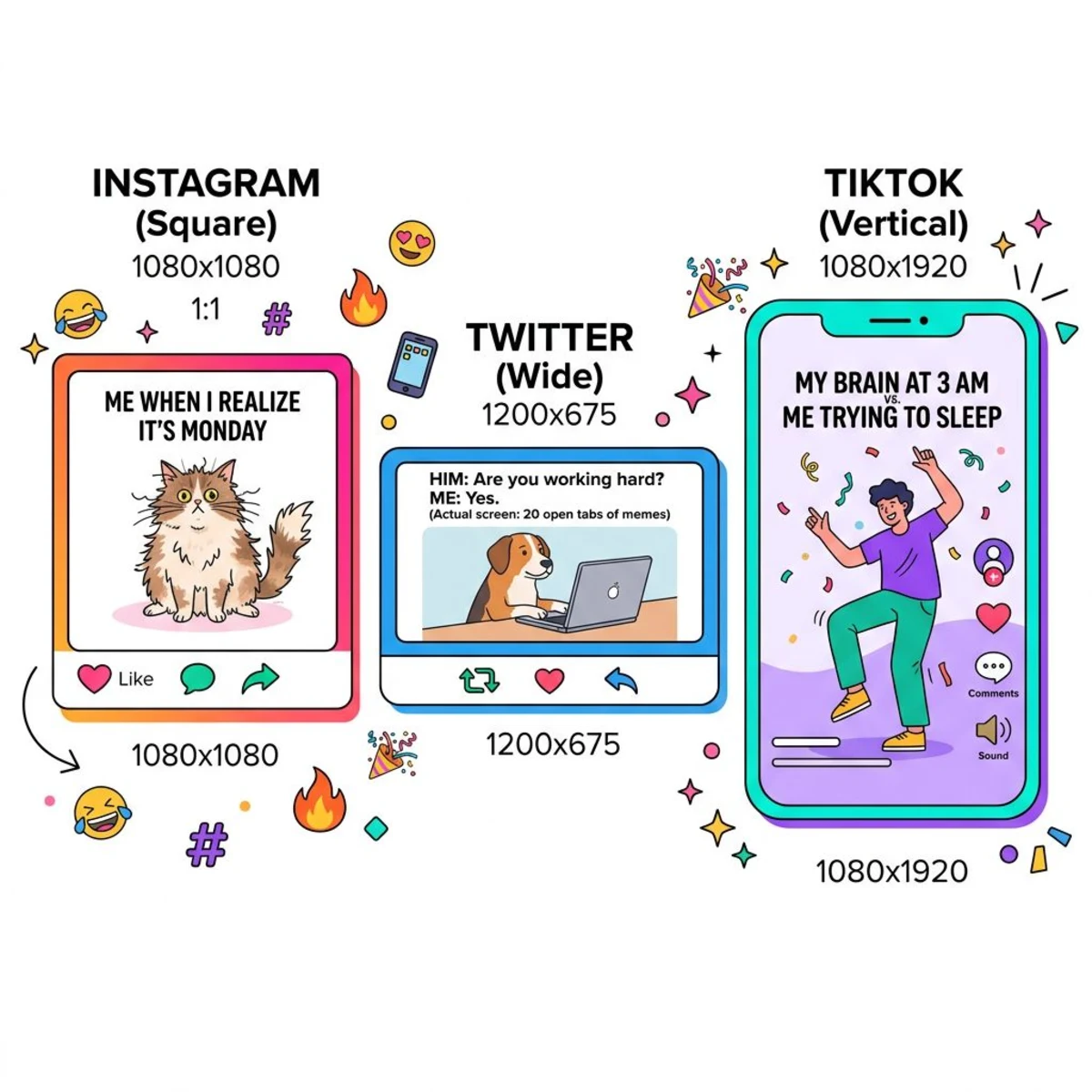
Here are the recommended meme dimensions for each platform:
| Platform | Best Size | Aspect Ratio | Notes |
|---|---|---|---|
| Instagram Feed | 1080 × 1080 px | 1:1 | Square performs best |
| Instagram Stories/Reels | 1080 × 1920 px | 9:16 | Full screen vertical |
| Twitter/X | 1200 × 675 px | 16:9 | Wide format, no cropping |
| 1200 × 630 px | 1.91:1 | Optimized for feed | |
| TikTok | 1080 × 1920 px | 9:16 | Vertical only |
| 960 × 960 px | 1:1 | Square or tall works | |
| Discord | Any size | Any | No cropping, but keep under 8MB |
For a complete breakdown of every platform's image requirements, see our social media image sizes cheat sheet.
Need to resize a meme quickly? Use our free image resizer or social media image resizer. No download required.
Tips for making viral memes
Going viral isn't guaranteed, but these patterns consistently show up in memes that get millions of shares.
1. Ride the wave. Jump on trending formats within hours, not days. The first people to adapt a new template to a popular topic get the most shares. Follow meme accounts on Twitter and Reddit to spot trends early.
2. Target a specific audience. The most shared memes aren't for everyone. They're for a specific group. "Programmers will understand" or "Only cat owners know" creates an in-group feeling that drives shares.
3. Layer the humor. The best memes work on multiple levels. A surface-level joke gets a like. A joke with a hidden second meaning gets a share and a "look at this" DM.
4. Keep it simple. If someone needs more than two seconds to understand your meme, it won't get shared. The setup should be instant, the punchline obvious.
5. Post at the right time. Memes perform best when your audience is online. For most platforms, that's weekday mornings (8-10 AM) and evenings (7-9 PM) in your target time zone.
6. Add your own twist. Don't copy existing memes word-for-word. Take a popular format and add your unique perspective. Originality within a familiar framework is the sweet spot.
7. Use high-quality images. Blurry templates with pixelated text look lazy. Start with a clean, high-resolution template. If your source image is small, you can upscale it before adding text.
8. Cross-post strategically. A meme that works on Reddit might flop on LinkedIn. Adapt your humor and format for each platform. What goes viral on Twitter tends to be punchy and text-heavy, while Instagram favors polished visuals. Repost your best-performing memes across platforms with slight tweaks for each audience.
9. Create series, not singles. Building a recurring meme format around your niche builds recognition. Followers start to expect and look forward to your posts, which boosts engagement over time. Think of it as building a "meme brand" within your topic.
Make memes with AI tools
AI meme generators have changed the game in 2026. Instead of browsing templates and writing captions yourself, you can describe what you want and let AI do the heavy lifting.
ChatGPT
OpenAI's ChatGPT can generate meme images directly in the chat. Type something like "make a meme about developers fixing bugs at 3 AM" and it creates a custom image with text overlay. The results range from hilarious to weird, but that unpredictability is part of the fun.
Best for: Original memes that don't use existing templates. ChatGPT creates unique images from scratch, so you won't run into copyright concerns.
Limitations: You can't use classic meme templates (Drake, Distracted Boyfriend). The AI generates new visuals instead. Results sometimes miss the mark on humor, so you may need a few attempts.
Google Gemini
Google's Gemini works in a similar way to ChatGPT. Ask it to create a meme and it generates an image with text. Gemini tends to produce cleaner images with better text placement than some competitors.
Best for: Quick meme ideas when you want a polished look. Gemini handles text-on-image well, which is a common weak spot for AI image generators.
Limitations: Like ChatGPT, it can't replicate specific meme templates. The humor sometimes feels generic, so you'll get better results with specific, detailed prompts.
Supermeme.ai
Supermeme.ai is purpose-built for AI meme creation. Unlike general AI tools, it pairs your text with real meme templates. Type a caption, and it suggests matching templates from its library.
Best for: Getting the speed of AI with the familiarity of classic meme formats. It bridges the gap between AI generation and traditional meme makers.
Limitations: Free tier has daily limits. Some template matches feel forced if your caption doesn't fit the format naturally.
Tips for using AI meme generators
- Be specific in your prompts. "Make a funny meme" gives weak results. "Make a meme about a cat judging someone who chose salad over pizza" works much better.
- Edit the output. AI gets you 80% there. Take the generated image and tweak the text in a tool like our meme generator or add text to image tool for the final touch.
- Don't rely on AI for timing. AI doesn't know what's trending right now. Use AI for the creative work, but pick your topics based on what's happening in your niche today.
- Mix AI with templates. Generate a unique image with AI, then use a traditional meme maker to add Impact-font text in the classic style. This combo gives you original visuals with familiar meme formatting.
AI won't replace human meme creativity anytime soon. The best memes still come from real observations and shared experiences. But AI tools are great for speeding up the process, especially when you need content ideas fast.
Frequently Asked Questions

Morgan
Indie DeveloperIndie developer, founder of ScreenSnap Pro. A decade of shipping consumer Mac apps and developer tools. Read full bio
@m_0_r_g_a_n_