Shottr for Mac Review 2026: Is It Worth $8?
Shottr is a lightweight screenshot tool for Mac that offers markup, scrolling capture, and pixel-level tools. It used to be free. That changed in late 2024, when it moved to a paid model at $8 for the Basic tier. If you're shopping for a fuller-featured alternative, ScreenSnap Pro bundles capture, recording, and sharing in one app.
Quick verdict: Shottr is worth $8 if you only need local screenshots with pixel-accurate rulers and OCR. But if you share screenshots via links, record GIFs, or need polished backgrounds, a fuller tool like ScreenSnap Pro ($34 one-time) is the better buy.
Is this Shottr Mac app still worth it now that it costs money? This honest Shottr review covers the features, gaps, pricing history, and when it makes sense to pay. If you want to see how it stacks up head-to-head with other tools, check out our ScreenSnap Pro vs Shottr guide.
What Is Shottr? A Quick Overview
Shottr is a Mac-only screenshot app built for developers, designers, and anyone who needs more than Apple's built-in tool. A single developer created it, and the focus is speed and pixel-level control.
The app is only 2MB. It captures a screenshot in about 165 milliseconds, much faster than most rivals. It runs natively on Apple Silicon (M1 to M4) with no Rosetta needed.
Key highlights:
- Scrolling screenshot capture
- OCR text recognition
- Annotation and markup tools
- Screen ruler for measurements
- Color picker
- QR code reader
For anyone using the default Mac screenshot shortcuts, Shottr offers a significant upgrade in functionality without the bloat of enterprise tools like Snagit.
Shottr Mac Features Breakdown
Here's what the Shottr app does well, and where it falls short.
Scrolling Screenshots
One of Shottr's top features is scrolling capture. It scrolls and grabs entire web pages, docs, or chat logs in one shot, with no stitching needed.
This is great for saving long email threads, bug reports, or social media threads. If you often take scrolling screenshots on Mac, Shottr handles this better than most cheap tools.
OCR Text Recognition
Shottr can pull text from any screenshot with built-in OCR. Select an area, and it copies the text to your clipboard. It also reads QR codes, which is handy when you see one on-screen and don't want to grab your phone.
The OCR uses Apple's Vision framework, so it works best with printed text in common fonts. Handwriting and fancy fonts may give spotty results. For standard UI text, code, and docs, it's solid.
Shottr also keeps line breaks when copying text. Code blocks and lists stay readable in your clipboard.
Annotation and Markup Tools
Shottr includes essential annotation tools for screenshots:
- Arrows and shapes (including bendable arrows since v1.9)
- Text boxes with customizable colors
- Blur and pixelate for hiding sensitive information
- Highlight and spotlight effects
- Counter tool for numbered steps
- Hand-drawn style option for a more casual look
These tools handle most markup tasks. The look is more bare-bones than polished when compared to paid tools, but they get the job done.
Screen Ruler and Measurements
This is where Shottr shines for designers and devs. The pixel ruler lets you measure gaps between UI parts with exact numbers. You can stamp sizes right onto screenshots, which is great for design specs or bug reports.
Press the Option key while measuring to see outer sizes. This kind of detail is rare in cheap screenshot tools.
Color Picker
Need to grab a color from your screen? Shottr's color picker zooms in and shows the hex code for any pixel. Since v1.8, it also supports OKLCH and APCA color formats, which is handy for designers who care about color access.
Backdrop Tool (New in 2024)
The v1.8 update added a Backdrop tool that places screenshots on color backgrounds with shadows and rounded corners. This brings Shottr closer to tools like CleanShot X that have had pretty backgrounds for years.
You can pick the background color, add drop shadows, and change corner radius. It's a nice touch for docs or social media posts.
That said, the choices are fewer than what you'll find in other background tools. If you need branded screenshots with a set style, you may outgrow Shottr's options fast.
Smart Select Mode
A lesser-known feature is Smart Select Mode. It helps you capture UI parts with pixel-perfect edges. Hold the Option key while selecting, and Shottr will auto-balance padding on all four sides.
This cuts out the fiddly cropping you'd do in other tools. Anyone who documents UI layouts will like this small but smart touch.
Shottr Pricing: Is $8 Worth It?
This is the big question for 2026. Let's look at how Shottr's pricing changed, and whether Shottr is worth it at the new price.
Shottr Pricing History
Here's a quick timeline:
- 2021 to 2023: Shottr was 100% free. The developer relied on donations.
- Mid-2024: A "tip jar" appeared in the app, but all features stayed free.
- Late 2024: Shottr v1.8 moved to a paid model. A 30-day trial replaced the free tier.
- 2025 to 2026: Prices have stayed at $8 (Basic) and $30 (Friends Club).
The shift upset some long-time users. Many had picked Shottr because it was free. But for a solo developer, free apps rarely last. The $8 price is fair for what you get, and it keeps the app alive.
Now here are the two tiers:
| Tier | Price | What You Get |
|---|---|---|
| Basic | $8 (one-time) | All core features, standard updates |
| Friends Club | $30 (one-time) | Experimental features, priority support, early access |
There's also a 30-day free trial so you can test everything before paying.
The Value Calculation
At $8, Shottr is still cheaper than most alternatives:
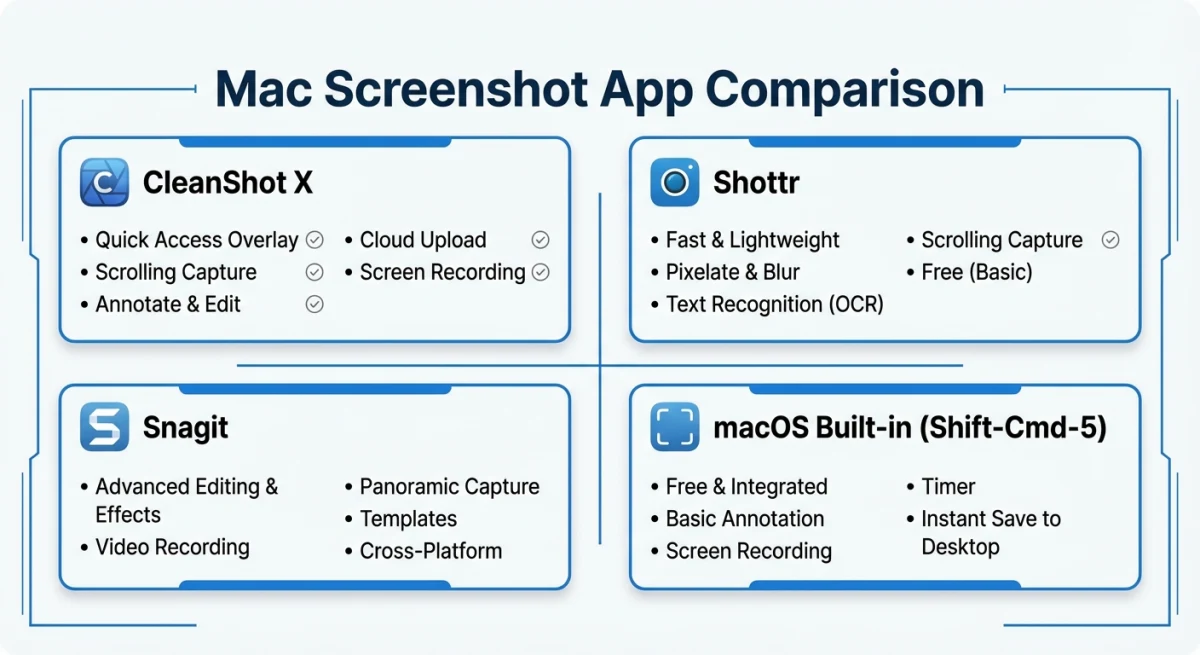
- CleanShot X: $29 one-time (or $8/month via Setapp)
- Snagit: $39 per year (subscription only since Snagit 2025)
- ScreenSnap Pro: $34 one-time with cloud and GIF recording included
If you only need annotations and scrolling capture, $8 is fair. But if you compare features per dollar, the picture changes.
For $34 one-time, you could get a tool like ScreenSnap Pro that includes:
- ✅ Full-Page Website Capture from any URL (handles infinite scroll and lazy-loaded content)
- ✅ Instant cloud sharing (shareable links)
- ✅ GIF screen recording
- ✅ 500+ wallpapers
- ✅ All annotation tools
- ✅ Zero watermarks
Shottr doesn't offer cloud storage (still "in testing"), and there's no screen recording at all. For many workflows, those gaps matter.
Shottr Limitations: What's Missing?
Every tool has tradeoffs. Here's what Shottr doesn't do:
No Screen Recording or GIFs
Shottr is a screenshot-only tool. If you need to record GIFs on Mac for how-tos, bug reports, or docs, you'll need another app.
In 2026, GIF recordings are standard in Slack, Discord, and GitHub. Short clips often show bugs or features better than still images, as GitHub's docs guide notes.
Tools like ScreenSnap Pro and CleanShot X include GIF capture built in. They're better picks if you make visual docs often.
No Cloud Upload
You can't share screenshots via link. Every image stays on your Mac until you upload it by hand. The developer has said cloud support is "in testing," but that note has been there for over a year.
For teams that share screenshots all day in Slack or GitHub, this extra step adds up fast.
Basic User Interface
Shottr's interface works, but it looks bare. It lacks the polish of CleanShot X's Quick Access Overlay or ScreenSnap Pro's floating editor. Power users won't mind, but new users may need time to learn it.
Limited Background Options
The new Backdrop tool is nice but thin. It has fewer templates and styling options than rivals. If you make branded screenshots for social media or docs, you may feel boxed in.

Tired of plain screenshots? Try ScreenSnap Pro.
Beautiful backgrounds, pro annotations, GIF recording, and instant cloud sharing, all in one app. Pay $34 once, own it forever.
See pricing and featuresShottr vs CleanShot X: Quick Comparison
Many people compare these two. Here's a quick Shottr vs CleanShot breakdown (see our full CleanShot X vs Shottr article for more). You can also check out CleanShot X directly to compare pricing and features:
| Feature | Shottr | CleanShot X |
|---|---|---|
| Price | $8 one-time | $29 one-time (or Setapp) |
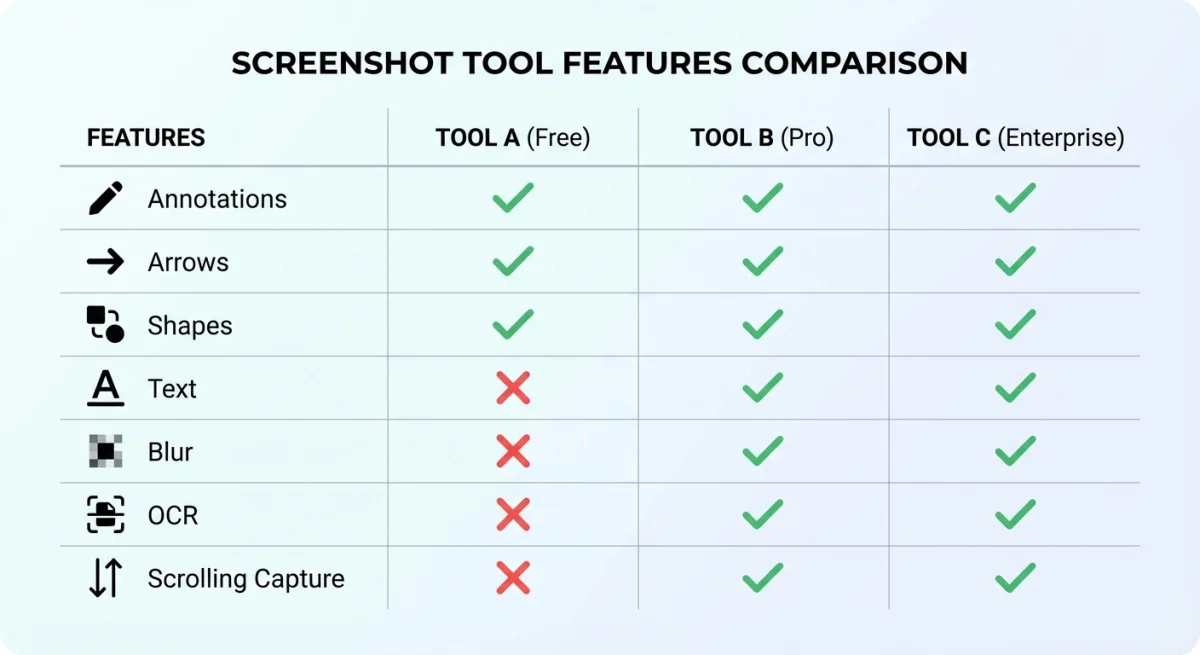
| Scrolling Capture | ✅ | ✅ |
| OCR | ✅ | ✅ |
| Screen Recording | ❌ | ✅ |
| GIF Recording | ❌ | ✅ |
| Cloud Storage | ❌ | ✅ |
| Backgrounds | Limited | 10+ templates |
| Pixel Ruler | ✅ | ❌ |
Bottom line: Shottr wins on price and pixel tools. CleanShot X wins on features and polish.
Better Alternatives to Consider
If Shottr's gaps don't fit your workflow, here are three options worth a look:
ScreenSnap Pro: Best Overall Value
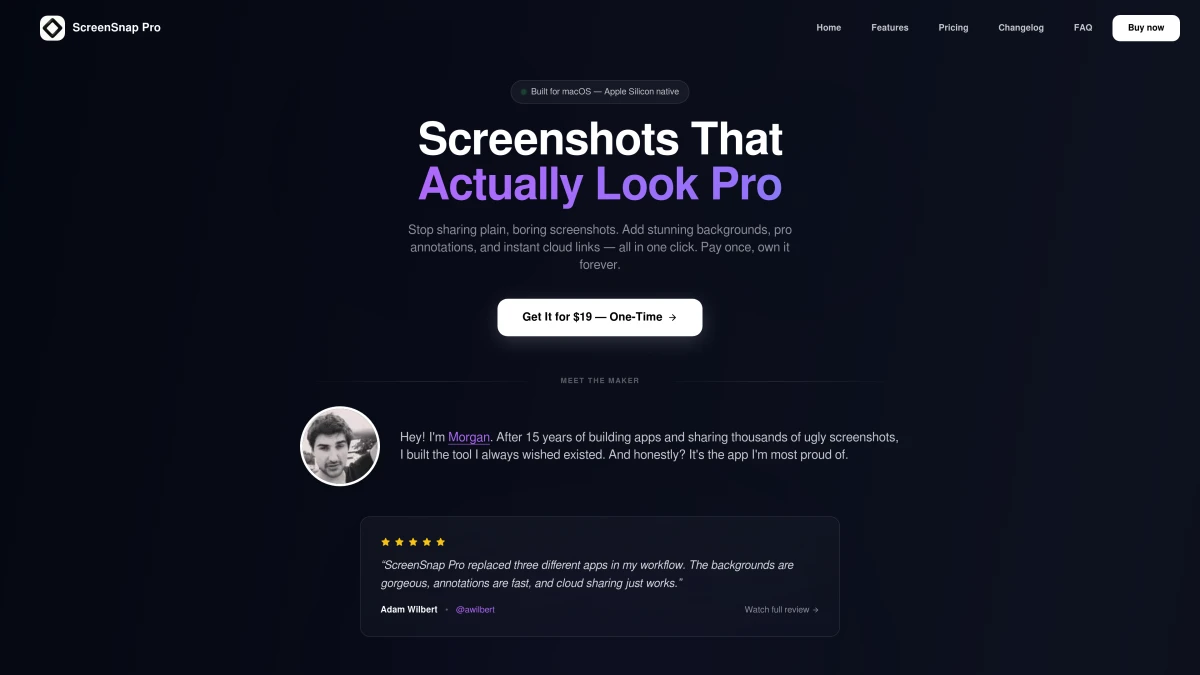
Price: $34 one-time
ScreenSnap Pro sits between Shottr's lean design and CleanShot X's packed feature set. You get:
- All standard screenshot modes
- Full-Page Website Capture. Paste any URL and grab the first screen or the full page, including lazy-loaded and infinite-scroll content
- GIF recording (Shottr doesn't have this)
- Instant cloud sharing via links
- 22 gradient backgrounds for polished visuals
- 17 annotation tools including blur, pixelate, and counters
- OCR text extraction
One-time pricing means no subscriptions, and you get lifetime updates. For creators, devs, and marketers who share web screenshots often, Full-Page Website Capture and cloud links alone close the gap with Shottr. For in-app scrolling of native Mac windows (long Slack threads, Acrobat PDFs, Excel sheets), Shottr's window-level scrolling capture is still the better pick.
CleanShot X: Most Features
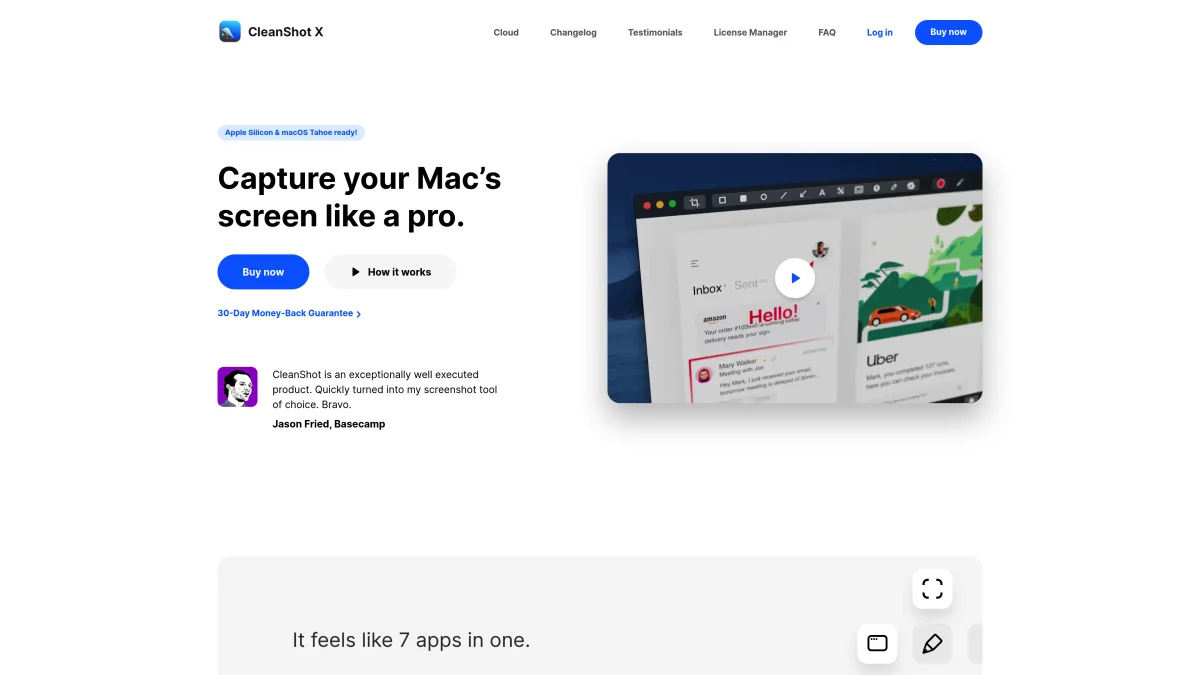
Price: $29 one-time or $9.99/month via Setapp
CleanShot X packs the most features. Screen recording, GIFs, cloud, backgrounds, and video editing are all built in. The Quick Access Overlay makes it fast to capture, edit, and share.
The catch? If you use Setapp, it's a monthly cost. The $29 license doesn't include cloud, which needs its own plan.
macOS Built-In: Free but Limited
Price: Free (included with macOS)
Don't overlook the native screenshot tool. Press ⌘ + Shift + 5 to open it. You get area capture, window capture, and basic screen recording.
It's fine for light use, but there's no scrolling capture, weak markup (only through Preview), and no cloud sharing. You can change where screenshots are saved, but that's about it.
If you're fixing screenshot issues, start here before adding other apps. The built-in tool is solid and needs no setup.
Shottr Update History and Roadmap
It helps to know how Shottr has changed over time before you buy. Here's a quick look at the major updates:
| Version | Date | Key Changes |
|---|---|---|
| v1.5 | Early 2023 | Added counter tool, improved scrolling capture |
| v1.6 | Mid-2023 | OKLCH color support, new shapes |
| v1.7 | Late 2023 | Bendable arrows, hand-drawn style |
| v1.8 | Mid-2024 | Backdrop tool, paid model launch |
| v1.9 | Late 2024 | Bug fixes, Apple Silicon tweaks |
The app updates a few times a year. The developer is one person, so big features take longer to ship. Cloud sharing has been on the roadmap for over a year with no launch date.
If you depend on fast feature updates or need support within hours, keep this in mind. Solo-dev apps are lean and fast, but they carry more risk than team-backed tools.
Who Should Use Shottr in 2026?
After testing Shottr for weeks, here's who will get the most value from it.
Shottr is best for:
- Developers who need pixel-level rulers and spacing tools for UI work
- Designers who run visual checks and need exact gap sizes
- Solo workers who take lots of screenshots and keep them on their Mac
- Budget users who want basic markup and don't mind a plain look
- Apple Silicon users who want a small, native app made for M1 to M4
Shottr is NOT ideal for:
- Content creators who record GIFs or short clips often
- Teams that share screenshots via links in Slack, Discord, or GitHub
- Marketers who need polished, branded visuals with nice backgrounds
- Users who want a modern UI. Shottr looks dated next to newer tools
- Anyone who needs cloud sync. There's no way to reach screenshots from other devices
The Verdict: Is Shottr Worth $8?
Yes, but with caveats.
At $8, Shottr is still one of the cheapest screenshot tools for Mac. Scrolling capture, OCR, and the pixel ruler are all useful. The 30-day trial lets you test it risk-free.
But the gaps (no GIF capture, no cloud sharing, few backgrounds) mean it's no longer the easy pick it was when it was free.
If you only take local screenshots with basic markup, $8 is a fair deal. But if you share screenshots often, need GIFs, or want a cleaner look, ScreenSnap Pro at $34 one-time gives you much more per dollar.
Our take: Try Shottr's free trial first. If you hit its walls within a week, check out ScreenSnap Pro for a fuller tool that still skips the monthly fee.
Frequently Asked Questions

Morgan
Indie DeveloperIndie developer, founder of ScreenSnap Pro. A decade of shipping consumer Mac apps and developer tools. Read full bio
@m_0_r_g_a_n_