Loom Pricing 2026: Plans, Free Limits & Real Team Costs
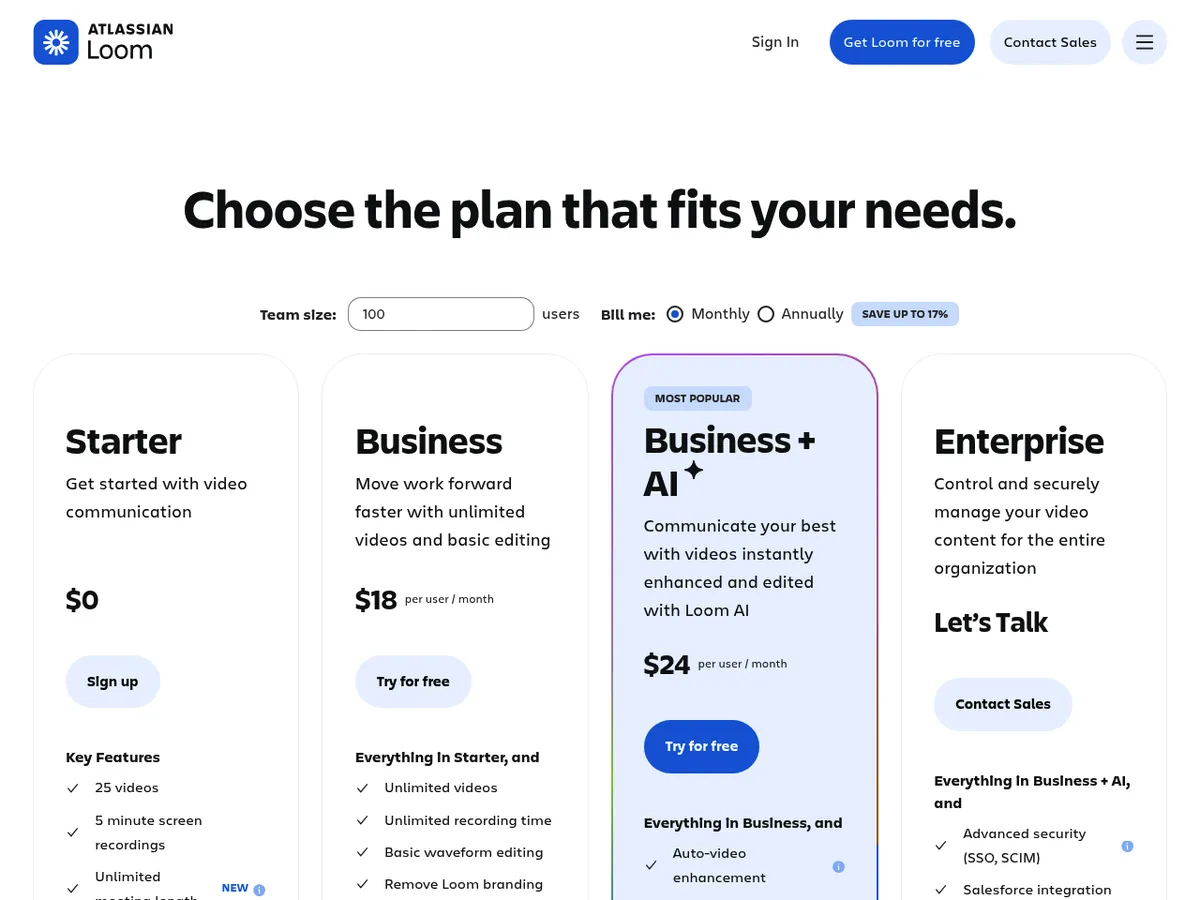
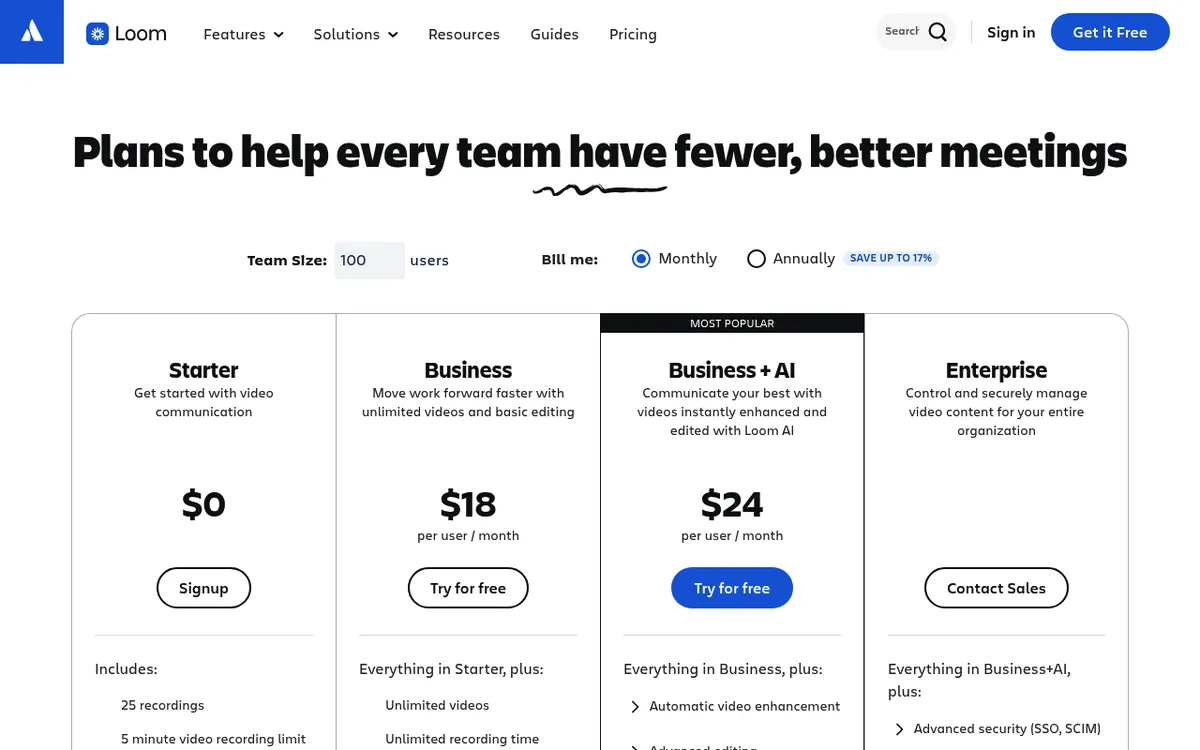
Loom pricing in 2026 has four plans. Starter is free, with 25 videos per person and a 5 minute cap on screen recordings. Business costs $15 per user a month billed yearly, or $18 billed monthly. Business + AI costs $20 a month billed yearly, or $24 billed monthly. Enterprise is priced by sales.
Loom charges for each paid user, which it calls a Creator. Since Atlassian took over billing, the rules for free members, yearly plans and seat changes have shifted.
Below you'll find the real math for 1, 5 and 20 creators, the hidden costs and the discounts. If the 5 minute cap is your only problem, start with these free Loom alternatives.
Loom pricing at a glance (2026)
Here is what each plan costs as of October 2026, in USD per user per month.
| Plan | Monthly billing | Yearly (annual) billing, per month | Per user per year | Videos | Recording length | Quality | Loom AI |
|---|---|---|---|---|---|---|---|
| Starter | $0 | $0 | $0 | 25 per person | 5 min (meetings unlimited) | Up to 720p | Auto titles only |
| Business | $18 | $15 | $180 | Unlimited | Unlimited | Up to 4K | Auto titles and Auto CTA |
| Business + AI | $24 | $20 | $240 | Unlimited | Unlimited | Up to 4K | Full Loom AI |
| Enterprise | Yearly only | Contact sales | Custom rate | Unlimited | Unlimited | Up to 4K | Full Loom AI |
Prices match on loom.com and atlassian.com. Yearly billing saves up to 17% ($15 instead of $18 is 16.7% off). Viewers of public videos don't pay: anyone with the link can watch without a Loom account.
Loom plans explained, one by one
Starter (free)
The Loom Starter plan is a real plan, not a trial. Beyond the limits covered below, it includes:
- Unlimited meeting recording length: Loom links to your calendar and records Zoom, Google Meet and Teams calls
- Transcripts in 50+ languages, closed captions, comments, emoji reactions and viewer insights
- Unlimited screenshots, which don't count toward the 25-video cap
- Auto titles and 1 all-company space
Business ($15 a month yearly, or $18 monthly)
The Loom Business plan removes the limits. Videos, recording time and storage are unlimited, and quality goes up to 4K.
You also get basic waveform editing (trim and stitch), no Loom branding, uploads and downloads, custom thumbnails, password protection, exportable engagement insights, 3 extra spaces and priority support.
Business + AI ($20 a month yearly, or $24 monthly)
Loom Business + AI is everything in Business plus the full Loom AI suite. Loom labels it "Most popular", and it's the tier the 14-day free trial unlocks.
Enterprise (contact sales)
Loom Enterprise pricing isn't published. It's sold yearly through sales, at a custom per-member rate based on volume. For a ballpark, Vendr purchase data shows a median Loom contract of $20,160 a year, with deals from $5,972 to $75,219.
You get everything in Business + AI, plus:
- SSO via SAML and SCIM, with Atlassian Guard Standard included
- Salesforce integration and Zoom import
- A 99.95% uptime SLA
- Unlimited spaces, plus custom data retention and video download restrictions (Loom's comparison table also lists these two for Business + AI)
- Advanced admin controls and a dedicated account manager
Legacy loom.com workspaces vs Atlassian-managed workspaces
Loom is now sold and billed by Atlassian. Every workspace created since February 2026 runs on Atlassian rules, whichever site you sign up on, and older loom.com workspaces are being moved over. The list prices match, but Atlassian-managed workspaces differ from legacy ones in three ways:
- Starter caps at 10 users instead of 50.
- The free Creator Lite role is gone, so every member on a paid plan is a paid user.
- Yearly plans bill by user tier, not per seat (more on this below).
If you already pay for Jira and Confluence, check Atlassian's Teamwork Collection. It bundles Jira, Confluence, Loom and Rovo. Standard is $15 per user a month (10 users, monthly billing) with unlimited Loom videos, and Premium is $29 with Loom AI.
Is Loom free? The Starter plan limits that matter
Yes. Loom's Starter plan is free forever, but it has hard ceilings:
- 25 videos per person. Archived videos count. If you drop from a paid plan with more than 25 videos, you keep them all, but you can't record until you upgrade or delete down below 25.
- The Loom 5 minute limit. Each screen recording stops at 5 minutes. Meeting recordings have no cap.
- 720p quality. Paid plans go up to 4K.
- Loom branding stays on. Removing it is a Business feature.
- No downloads. Admins and creators on Starter can't download their videos. Downloads need Business or higher.
- 10 members on new workspaces (every signup since February 2026). The loom.com card's "Up to 50 Members" only applies to legacy workspaces that haven't moved to Atlassian.
For quick bug reports, Starter is plenty. If the 5 minute wall is the problem, these free Loom alternatives record longer at no cost.
How much does Loom AI cost?
Loom AI is Loom's set of AI tools for editing and summing up videos. It isn't sold as an add-on: you get it with Business + AI, which costs $5 more per user a month on yearly billing ($20 vs $15), or $6 more on monthly ($24 vs $18).
What the upgrade adds:
- Auto summaries, chapters and tasks (auto titles already come with every plan)
- Filler word removal, silence removal and edit by transcript
- AI workflows
- Auto meeting notes and recap emails (new)
- "Record for agents" (new) and admin insights
AI use is unlimited for paid seats. The catch: AI covers the whole workspace, so you can't buy it for part of the team. Adding AI for 20 creators on yearly billing costs $1,200 more per year ($4,800 instead of $3,600).
What changed in Loom pricing (2023 to 2026)
Many Loom pricing pages are out of date, because billing changed every year under Atlassian. The timeline, from official sources:
- October 2023: Atlassian announces it is buying Loom.
- 2024: Loom raises list prices for new customers to today's levels. From October 23, 2024, Loom is also sold on atlassian.com.
- July 14, 2025: Atlassian starts moving monthly plans to "maximum quantity billing", finishing by October 2025. Loom already billed this way.
- Late 2025: Older Loom workspaces start moving to Atlassian. Existing Business and Business + AI customers were told to prepare for a price increase "as early as November 30, 2025" (Loom support), with no option to keep old pricing. Creator Lite users become paid Creators after a grace period that runs until the next bill, and yearly plans switch to user tiers.
- February 2026: New signups run on Atlassian. Starter drops to 10 users, and Creator Lite is gone.
- Today: The legacy free Education plan no longer takes new applicants (Loom doesn't say when it closed), and verified teachers and students get discounts instead.
The late 2025 increase moves existing customers to today's list prices, so its size depends on what you paid before. If a review site shows a single cheap "Pro" plan or a lower Business price, you're looking at pre-2024 data.
Loom isn't the only tool whose price changed: Snagit pricing moved to a subscription in 2025.
What Loom costs a team: 1, 5 and 20 creators
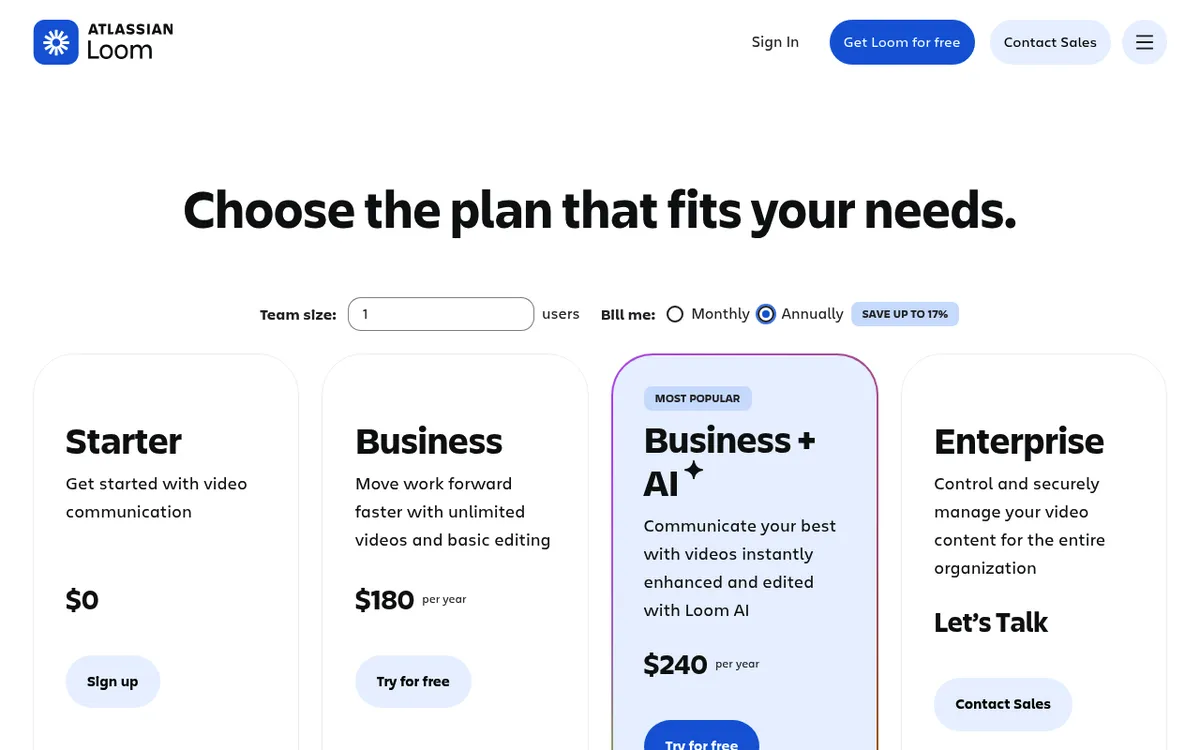
Here's the Loom subscription cost per year at list price. Monthly totals are the monthly price times 12.
| Creators | Business yearly | Business monthly | Business + AI yearly | Business + AI monthly | Business, 3 years (yearly) | Business + AI, 3 years (yearly) |
|---|---|---|---|---|---|---|
| 1 | $180 | $216 | $240 | $288 | $540 | $720 |
| 5 | $900 | $1,080 | $1,200 | $1,440 | $2,700 | $3,600 |
| 20 | $3,600 | $4,320 | $4,800 | $5,760 | $10,800 | $14,400 |
- Yearly billing saves $36 per creator a year on Business and $48 on Business + AI. For 20 creators, that's $720 or $960 a year.
- Atlassian bills yearly plans by user tier, so quotes can land a little off. At 6 users, the calculator showed $1,075 for Business (not $1,080) and $1,450 for Business + AI (not $1,440).
- Monthly plans above 100 users get volume pricing. At 150 users, Business averages $16.50 per user a month and Business + AI $22.
- Sales tax comes on top where required.

Tired of plain screenshots? Try ScreenSnap Pro.
Beautiful backgrounds, pro annotations, GIF recording, and instant cloud sharing, all in one app. Pay $39 once, own it forever.
See pricing and featuresHidden costs of Loom
Every member is a paid seat
On Atlassian-managed paid plans, Creator Lite no longer exists, so every workspace member is billed, even people who rarely record. Before each billing date, remove anyone who only watches.
No refunds for seat removals or cancellations
Monthly plans use maximum quantity billing: you pay for the highest user count during the month, so removing someone mid-cycle doesn't lower that bill. Cancelling gives no prorated refund either.
Atlassian refunds a monthly plan only within the first paid month after a trial, and a new yearly plan only within 30 days of the first purchase. Renewals and upgrades are never refunded, and these rules don't cover Enterprise.
User tiers can make yearly cost more than monthly
Atlassian's yearly plans charge a flat rate per user tier, and crossing into the next tier makes the price jump. Here's the edge case for Business, from Loom's own calculator:
- 100 users on yearly billing: $18,000 a year
- 101 users on yearly billing: $31,500 a year (the "101 to 200" tier)
- 101 users on monthly billing: about $21,762 a year, worked out from the page's tier data (100 x $18 + 1 x $13.50 = $1,813.50 a month)
One extra hire can add $13,500 a year on yearly billing. Near 100 users, price both options before you renew.
Features locked to higher tiers
- Full Loom AI: Business + AI and Enterprise only, and only for every paid seat in the workspace
- SSO, SCIM, Salesforce and Zoom import: Enterprise only
- Custom data retention and video download restrictions: Business + AI and Enterprise, per Loom's comparison table
- Downloads, branding removal, 4K and engagement insights: Business and up
- 4K recording: desktop app only, on paid plans. The Chrome extension tops out at 1080p, and Starter records at up to 720p in both.
Loom discounts: yearly billing, education, nonprofit and trials
- Yearly billing: up to 17% off ($15 instead of $18, or $20 instead of $24).
- Free trial: 14 days of Business + AI for every new workspace, with no user cap. When it ends, you drop to Starter unless you added a card. Workspaces with more than 10 users and no card get a 14-day grace period before they're shut off.
- Education: the free Education plan is closed to new applicants. Verified teachers and students get up to 50% off for academic use or 75% off for classroom use. You need a school email, and Goodstack runs the checks.
- Nonprofits: Atlassian's Social Impact License gives 100% off Business or Business + AI for up to 25 users, on yearly billing only. At 26 users or more, every seat is billed at 75% off, or 85% off for organizations in low and lower-middle income countries.
- Open source projects: Atlassian runs an open source license program. Ask Atlassian whether your project qualifies for a Loom discount.
How to cancel or downgrade Loom
The steps depend on whether Atlassian or legacy loom.com billing runs your workspace. Loom's cancellation guide covers both.
Atlassian-managed workspace (only Atlassian billing admins or org admins can do this):
- Open the Atlassian Admin portal from Loom's left sidebar and select Billing.
- Select Subscriptions, find Loom, and select Manage.
- Open the Loom subscription, open its options menu and select Deactivate.
- Pick a reason and select Continue.
- Choose Downgrade to move to Starter, or Continue to cancel.
- Select Cancel subscription. The confirmation shows the exact end date.
Legacy loom.com workspace:
- Open Workspace Settings from the left sidebar.
- Select the Plan & Billing tab.
- Select Manage Subscription.
- Select Downgrade to Starter.
- Pick a reason and select Complete cancellation.
You keep paid features until the cycle ends, and you aren't charged at renewal. Trial users without a card drop to Starter on their own, as long as the workspace has 10 users or fewer.
After a downgrade, the Starter limits come back. Engagement insights and custom branding go away, SSO turns off, and you can't create new spaces. Save anything you need before the paid period ends.
Cheaper Loom alternatives (and what you give up)
Loom is still the better pick for teams that need viewer analytics, comments and reactions, embeds, transcripts and captions, AI summaries and a shared team video library. If you mostly record, edit and send clips, these Loom alternatives cost less.
| Tool | Price for 1 creator | Best for |
|---|---|---|
| ScreenSnap Pro | $39 once | Recording, editing and screenshots on Mac and Windows |
| Cap | Free, $58 once, or $8.16/mo yearly | Open source, Loom-style sharing |
| Tella | $13/mo yearly | Polished recorded walkthroughs |
| Screen Studio | $9/mo yearly | Polished product demos on macOS |
| Vidyard | Free, or $59/seat/mo yearly | Sales video with viewer tracking |
| ScreenPal | Free, or $4/mo yearly | Budget recording on many devices |
| OBS Studio | Free | Long local recordings with no caps |
1. ScreenSnap Pro: $39 once for Mac and Windows
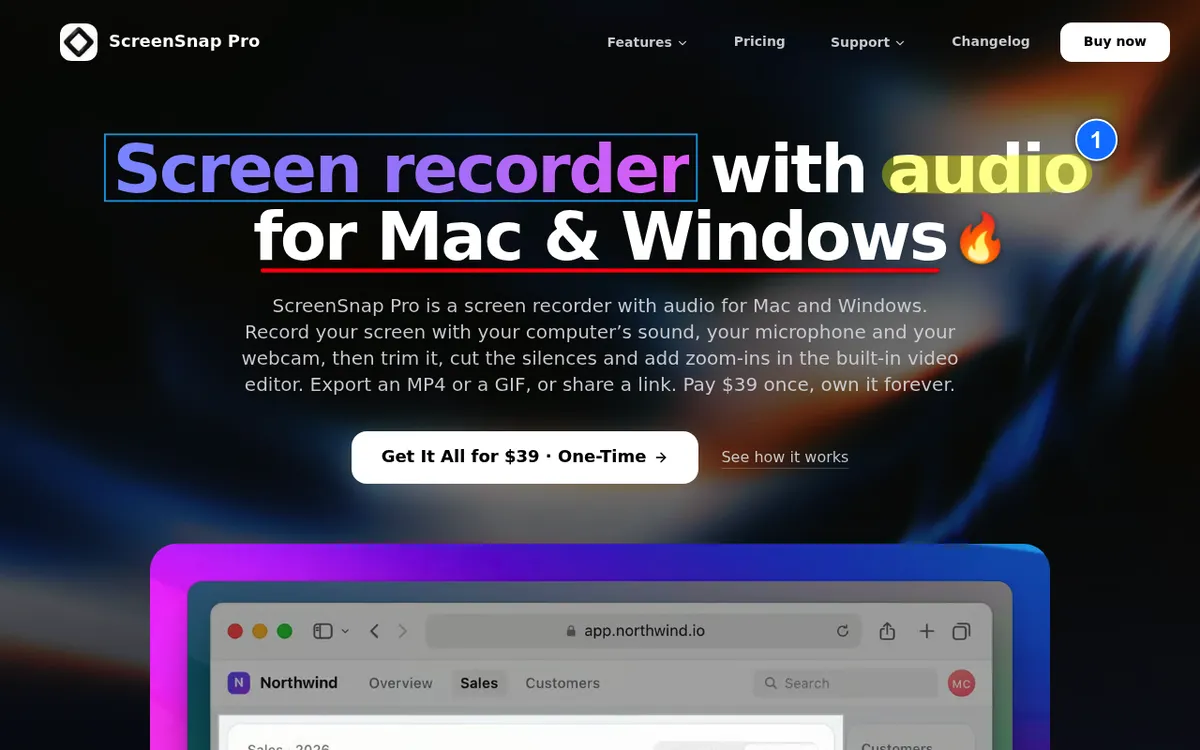
ScreenSnap Pro is a screenshot tool, screen recorder and video editor in one app for Mac (macOS 15 or later) and Windows 10 or 11. It costs $39 once, with no monthly seat fee. You get 1 license, 2 seats (2 computers, Mac or Windows), free updates and a 30-day money-back guarantee.
- Recording: full screen or an area at 60fps, with webcam, mic and system audio together or apart. Save as MP4, or as a GIF of up to 1 minute.
- Video editor: a timeline with trim, split, cut and speed, one-click silence removal, B-roll, music and voiceover tracks, automatic cursor-follow zoom plus manual zoom, backgrounds, a webcam overlay, aspect presets, and MP4 (up to 4K) or GIF export.
- Screenshots: 17 annotation tools, 500+ wallpapers, OCR and manual Scrolling Capture (you scroll the page yourself).
- Sharing: create a share.screensnap.pro link for a screenshot, GIF or MP4 and paste it into a chat, ticket or email. Files stay on your computer unless you create a link or turn on Auto Upload.
Here's how to edit a screen recording on Mac or edit screen recordings on Windows with it.
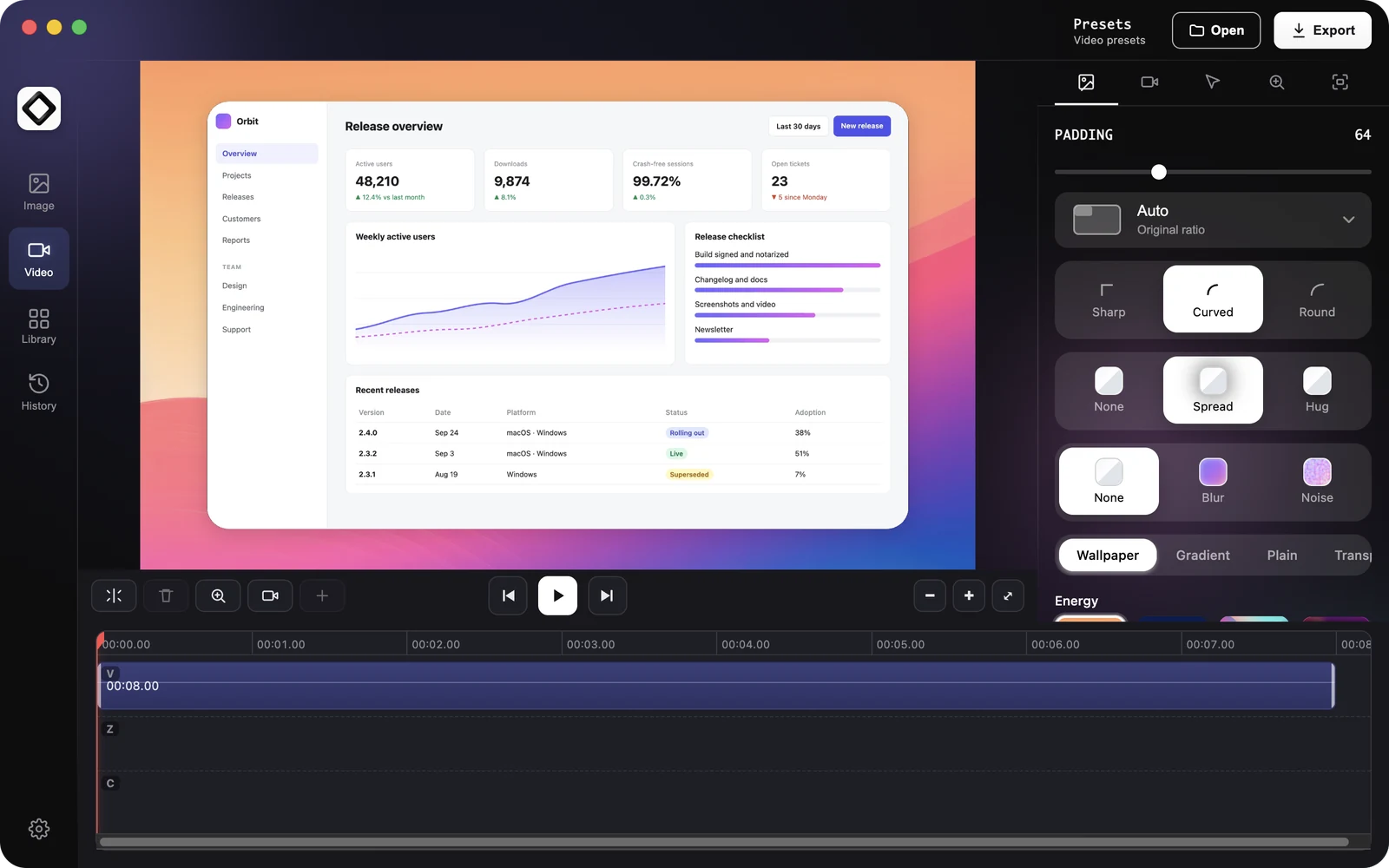
What it doesn't do: the one-time license has no viewer analytics, no comments or reactions, no embeds, no transcripts or captions, no AI summaries or chapters, and no team video library. If those are why you pay for Loom, keep Loom.
Cost: one creator pays $39 once, versus $180 every year on Loom Business. See ScreenSnap Pro pricing.
2. Cap: open source with a free tier
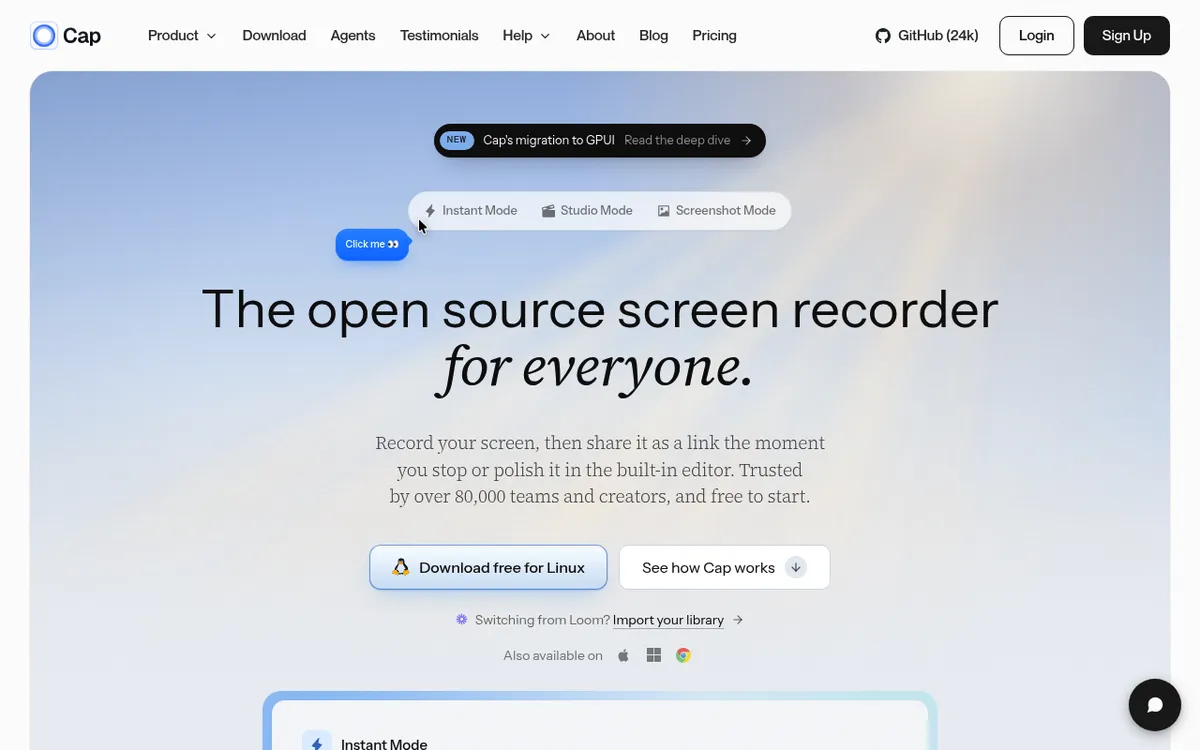
Cap is the closest open source match to Loom, and it runs on Mac, Windows and Linux. Personal use is free, with unlimited local recording. The Desktop License costs $29 a year or $58 once, with commercial rights and 20 cloud links a month.
Cap Pro is $12 per user a month, or $8.16 a month billed yearly. It adds unlimited cloud sharing, AI summaries, transcriptions, viewer analytics and a Loom importer. More in this Cap review.
3. Tella: polished walkthroughs on a subscription
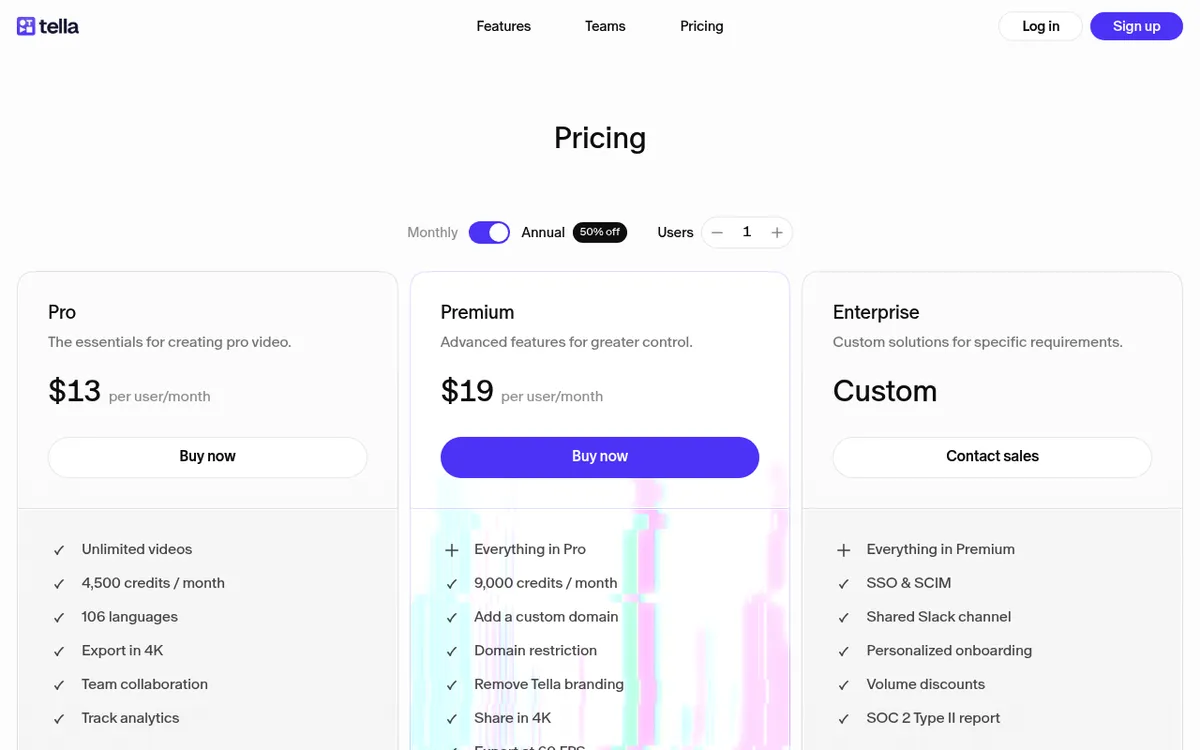
Tella suits creators who want polished recorded walkthroughs on macOS, Windows or Chrome. Pro costs $13 per user a month billed yearly or $26 monthly, and Premium costs $19 or $39.
Clips can run up to 6 hours, and AI credits are included. There's no free plan, but Tella offers a 7-day free trial. Compare more Tella alternatives.
4. Screen Studio: polished product demos on macOS
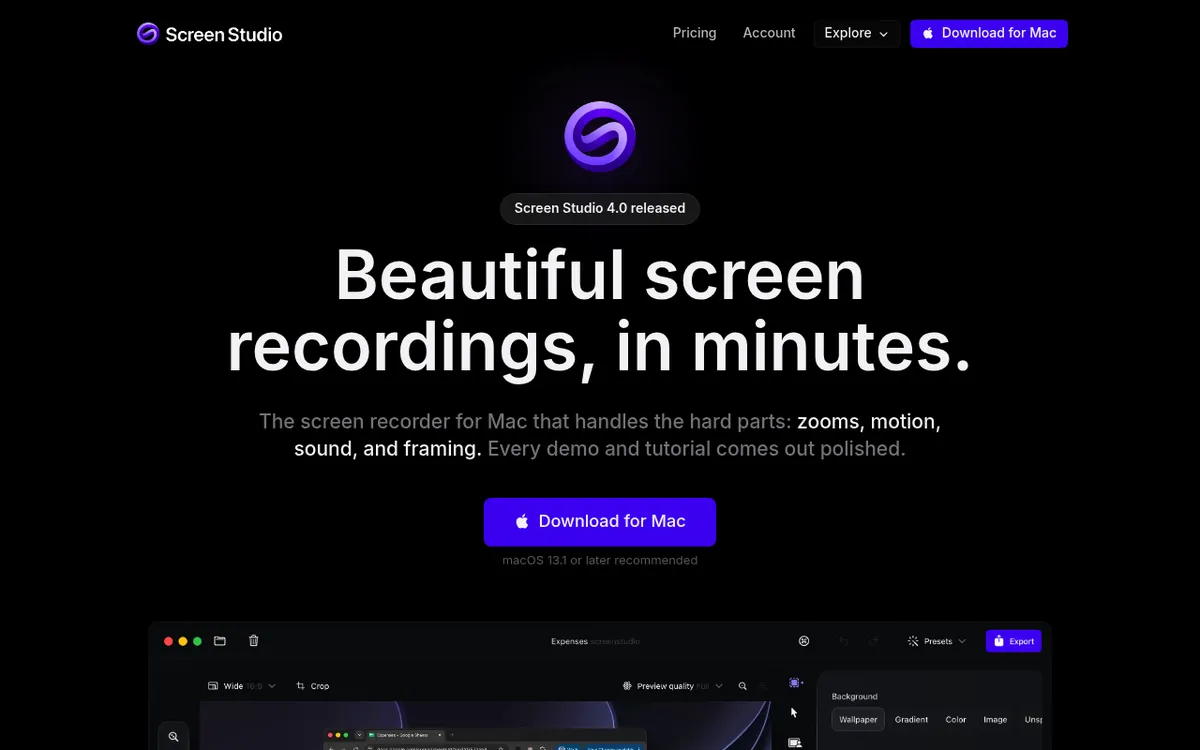
Screen Studio makes slick, zoomed product demos, but it runs on macOS only. It costs $9 a month on yearly billing or $29 month to month, with every feature in every plan.
One-time licenses are no longer sold to new buyers, and students and educators get 40% off. See the full Screen Studio vs Loom comparison.
5. Vidyard: sales video with viewer tracking
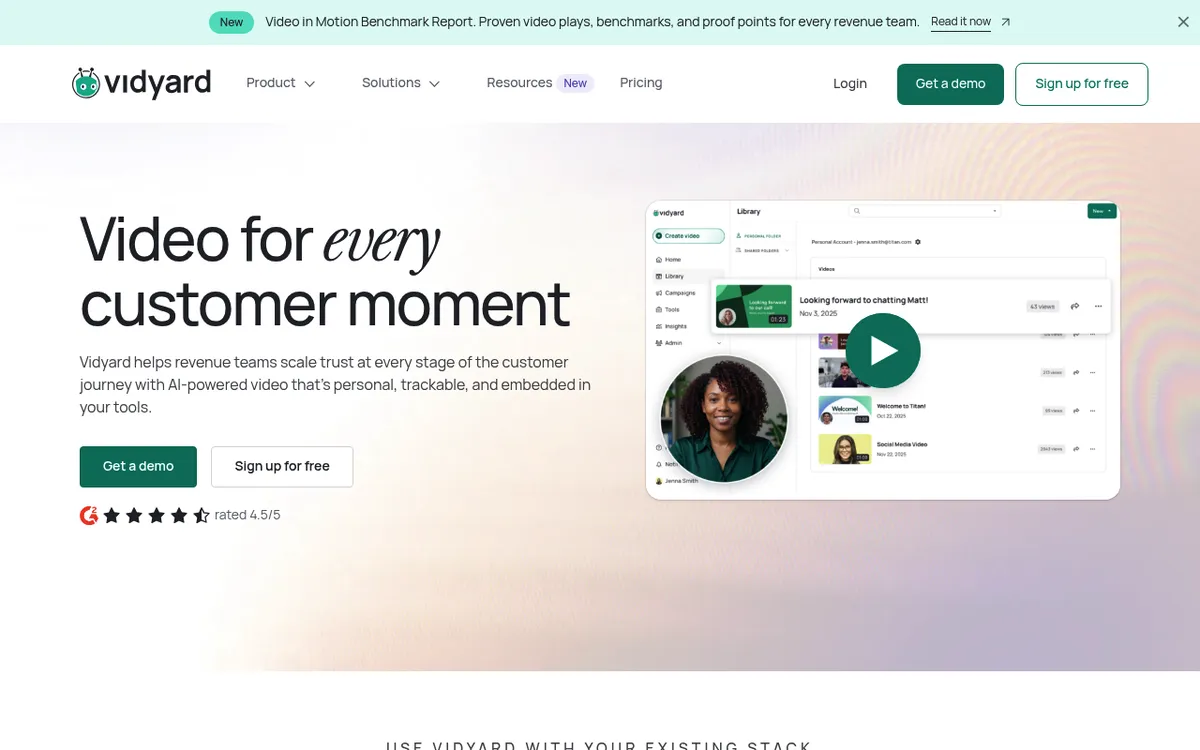
Vidyard is built for sales teams that want to know who watched. The free plan needs no card and gives you 5 videos a month, recordings up to 30 minutes and 15 AI videos.
Starter costs $59 per seat a month billed yearly or $89 monthly, with a 14-day trial. Vidyard currently labels Starter "Now 10% off", so these may be promo prices. Read Loom vs Vidyard or browse Vidyard alternatives.
6. ScreenPal: cheap plans on almost any device

ScreenPal runs on Windows, Mac, iOS, Android and Chromebook. The free plan records up to 15 minutes per video and hosts up to 10 videos.
Deluxe costs $4 a month billed yearly ($48 a year) or $8 monthly. Max costs $10 a month billed yearly ($120 a year) or $20 monthly. Team Business is $8 per user a month billed yearly, for at least 3 creators.
7. OBS Studio: free, with no caps and no share links
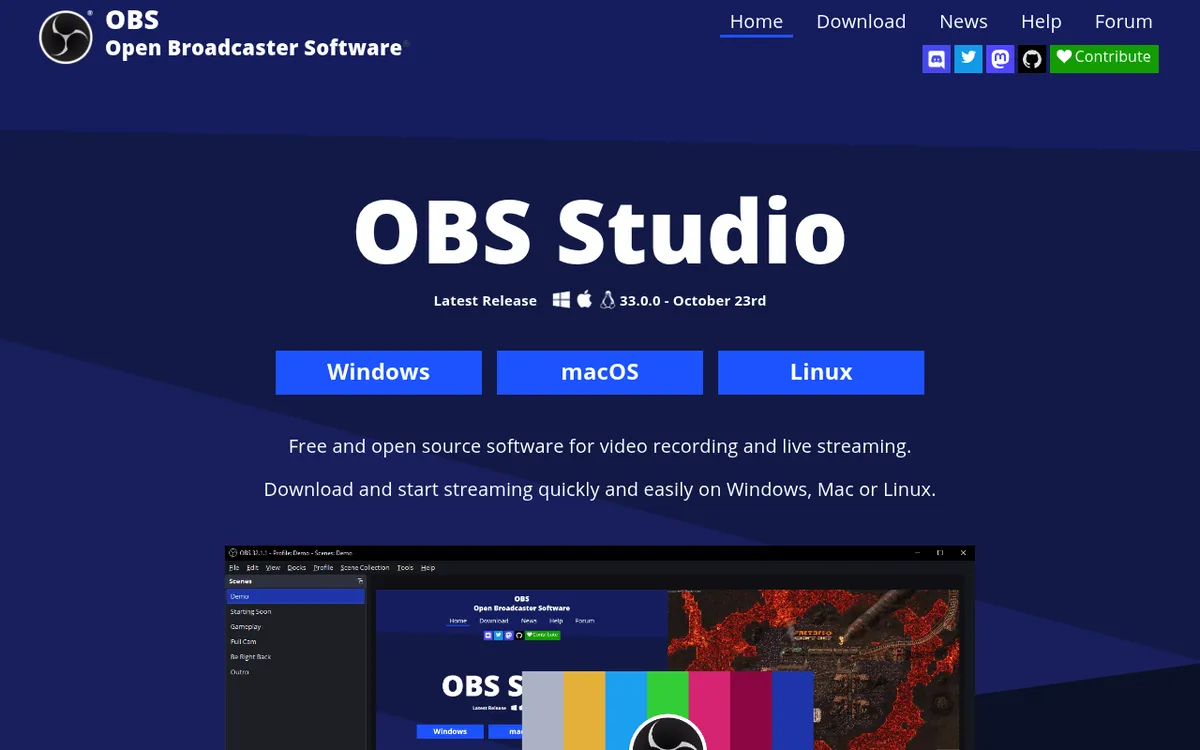
OBS Studio is free, open source software for Windows, macOS and Linux. It has no time limits, but also no share links, no cloud and no built-in editor. It suits long local recordings, not quick async messages.
For platform shortlists, see the Loom alternatives for Mac and Loom alternatives for Windows roundups.
Is Loom worth the price?
- Short clips under 5 minutes: Starter is enough, and it's free.
- Teams that live on comments, analytics and AI: Business + AI on yearly billing, at $20 per user a month.
- Sales teams: compare Loom vs Vidyard first, since viewer tracking is Vidyard's focus.
- Solo creators who want long recordings, editing and screenshots without a subscription: ScreenSnap Pro at $39 once.
Frequently Asked Questions
The bottom line on Loom pricing
Loom's list prices are simple, but yearly user tiers, paid seats for every member and no refunds for removed users decide your real bill. Run your own numbers before you renew.
If you'd rather pay once for recording, editing and screenshots, ScreenSnap Pro is a one-time $39 purchase: 1 license, 2 seats (2 computers, Mac or Windows). See the pricing.

Morgan
Indie DeveloperIndie developer, founder of ScreenSnap Pro. A decade of shipping consumer Mac apps and developer tools. Read full bio
@m_0_r_g_a_n_