Skitch for Mac 2026: Still Works? + 5 Alternatives
Skitch for Mac was once the go-to screenshot annotation tool. Mac users loved it for quick captures, markups, and sharing. Evernote bought it in 2011. The free app made adding arrows, shapes, and text dead simple. Today, modern apps like ScreenSnap Pro pick up where Skitch left off.
But here's the problem: Skitch hasn't been updated since 2016. That's nearly a decade of no bug fixes. No new features. No compatibility updates.
So is Skitch for Mac worth downloading in 2026? Let's look at what still works and what's broken. Then you can decide if you need a modern alternative.
What is Skitch?
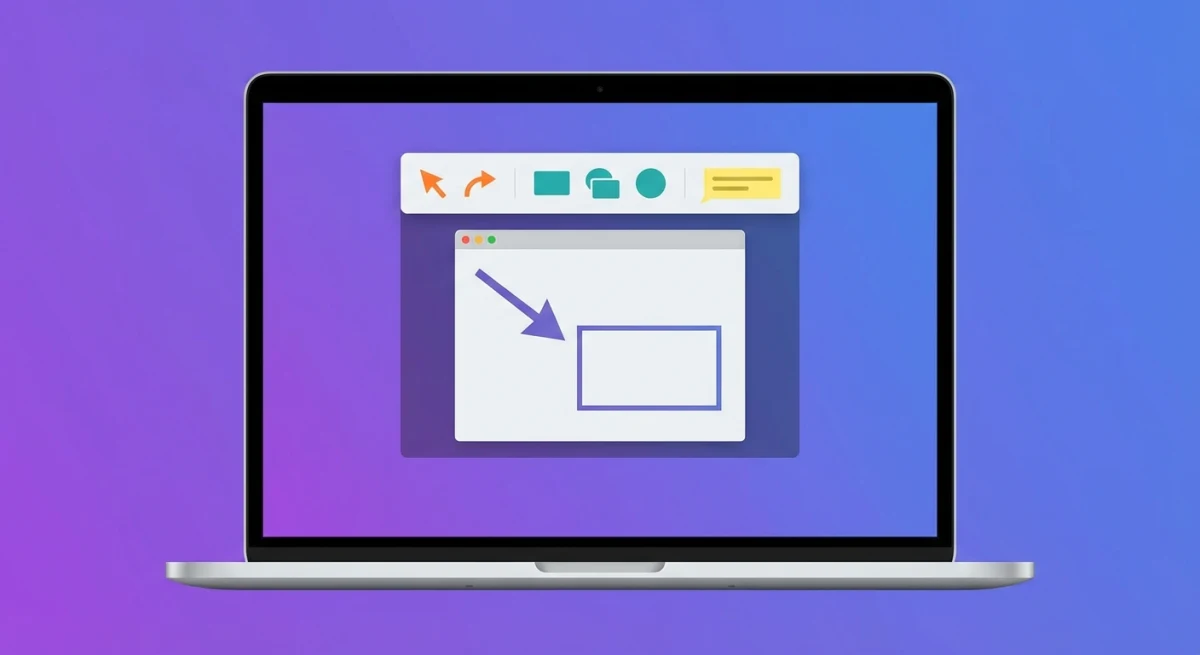
Skitch (the name means "to sketch it") is a lightweight screenshot app for Mac. Its claim to fame? Simplicity. Capture your screen. Add arrows and text in seconds. Share via drag-and-drop.
Evernote bought Skitch in 2011. They added it to their note-taking ecosystem. At its peak, bloggers and support teams loved it. Anyone who needed to explain things visually used Skitch.
Core features included:
- Screen capture (full screen, selection, or window)
- Annotation tools: arrows, shapes, text, highlighting
- Image cropping and resizing
- One-click sharing to social media
- Evernote sync for Premium users
For years, Skitch was the answer when someone asked how to annotate screenshots on Mac. But things changed.
Can You Still Download Skitch for Mac?
Yes, Skitch is still available on the Mac App Store. But with some caveats.
Here's the current status:
- Last updated: 2016 (version 2.9)
- Requires: macOS 10.11 El Capitan or later (see Apple's macOS compatibility guide for your Mac)
- Price: Free (with optional Evernote Premium for PDF markup)
- Developer: Listed as "Skitch Inc" (Evernote subsidiary)
You can still download it from the App Store. It runs on Sonoma and Sequoia. But "runs" and "works well" are different things.

Tired of plain screenshots? Try ScreenSnap Pro.
Beautiful backgrounds, pro annotations, GIF recording, and instant cloud sharing, all in one app. Pay $39 once, own it forever.
See pricing and featuresThe app has no Apple Silicon support. M1, M2, and M3 Macs run it through Rosetta 2. This works. But you'll notice:
- Slower performance than native apps
- Small quirks here and there
- Higher battery use
Skitch Features in 2026: What Still Works
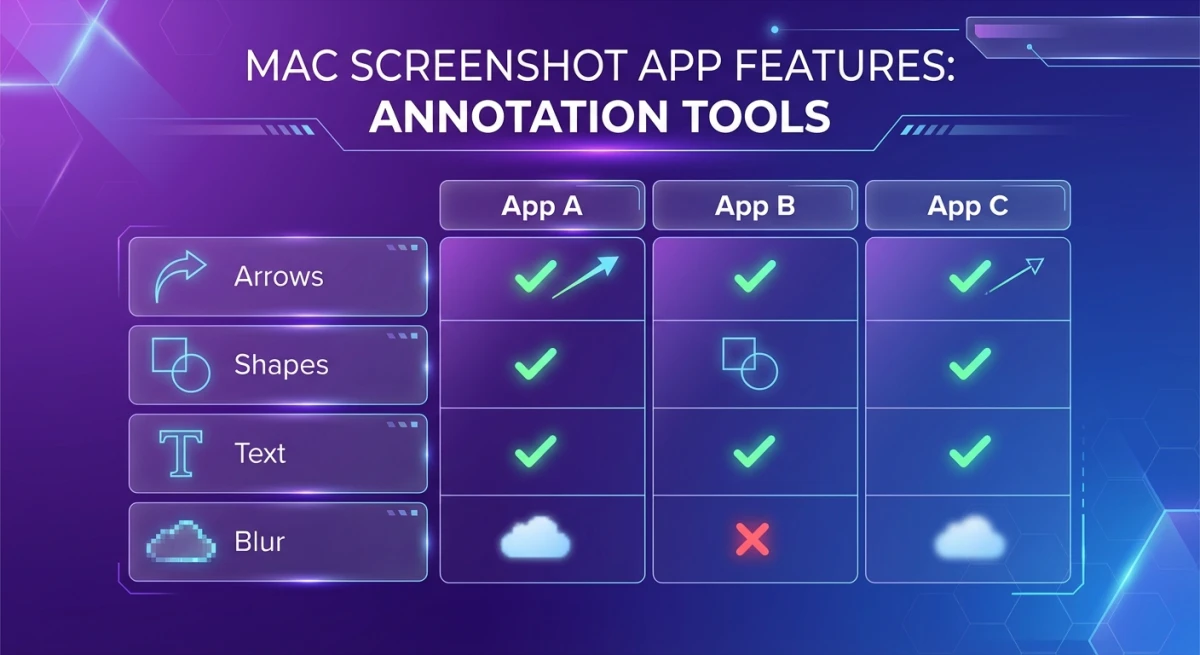
Despite being abandoned, Skitch's core functionality still works:
What still works
- Screen capture. The Snap feature captures selections, windows, or full screen
- Arrow tool. The iconic pink arrows still work perfectly
- Text annotation. Add labels with customizable colors
- Shapes. Rectangles, circles, and lines
- Color picker. Choose from presets or custom colors
- Image cropping. Basic crop and resize
- Export formats. PNG, JPG, PDF, GIF, BMP, TIFF
- Drag-and-drop sharing. Drag images directly into other apps
For basic needs, Skitch still works. Need to slap an arrow on a screenshot and email it? The app does the job.
How to use Skitch (if you want to try it):
- Download from the Mac App Store
- Launch and click "Snap" to capture
- Add arrows, shapes, or text from the toolbar
- Drag the image to any app, or use File → Export
The workflow is simple. That was always Skitch's strength. The problem? It's not usability. It's capability.
Step-by-Step: Using Skitch on Your Mac in 2026
Want to give Skitch a try before deciding? Here's how to get started:
Installing Skitch
- Open the Mac App Store
- Search for "Skitch"
- Click "Get" to download (it's free)
- Open from your Applications folder
On M1/M2/M3 Macs, your system may ask to install Rosetta 2. Click "Install" if prompted. Rosetta lets older Intel apps run on Apple Silicon.
Taking Your First Screenshot
Skitch gives you several capture options:
- Crosshair Snapshot. Draw a selection box around anything
- Fullscreen Snapshot. Captures your entire screen
- Window Snapshot. Click any window to capture just that
- Camera Snapshot. Uses your Mac's webcam
- Open Image. Annotate an existing image file
The keyboard shortcut ⌘+Shift+5 opens capture options. But Skitch's built-in Snap button is often faster.
Adding Annotations
The toolbar shows your annotation options:
- Arrow: Skitch's famous pink arrow. Great for "look here" moments.
- Text: add labels anywhere. Pick your color and size.
- Shapes: rectangles, circles, and lines to highlight areas.
- Pen: freehand drawing for quick marks.
- Highlighter: yellow highlight like a marker.
- Stamp: checkmarks, X marks, and question marks.
- Crop: trim the edges of your image.
Colors live at the bottom of the toolbar. Click to change. The limited palette keeps things simple.
Sharing Your Screenshot
Skitch offers a few sharing methods:
- Drag and drop. Drag from the Skitch window into email, Slack, or any app
- Export. File → Export saves to PNG, JPG, PDF, or other formats
- Copy.
⌘+Ccopies the image to your clipboard
The old social sharing buttons (Twitter, Facebook) no longer work. Those integrations broke years ago and were never fixed.
What was removed or broken
Here's where things get frustrating:
- Eraser tool removed. You can no longer erase mistakes. Your only option is repeated Undo (
⌘+Z) - SVG export removed. Vector output is gone, limiting use for design work
- Evernote sync broken. The share-to-Evernote option was removed (ironic, given who owns it)
- Pixelate/blur missing. No way to hide sensitive information like you can with modern blur tools
- No screen recording. Can't create GIFs or videos
- No scrolling capture. Can't capture long scrolling content
- No OCR. Can't extract text from images
The eraser removal hit longtime users hard. As PCMag noted: you "can no longer use the eraser to break a square into two parts." Many users relied on this trick. Now it's gone. Your only fix for mistakes is Undo.
Skitch Limitations: Why Users Are Moving On
Let's be real about Skitch's problems in 2026:
No updates in nearly a decade
Software without updates piles up problems:
- No Apple Silicon support. Runs through Rosetta on M-series Macs
- No macOS integration. Doesn't work with Stage Manager
- Security risks. Vulnerabilities stay unpatched
Missing modern features
Screenshot tools have evolved. Today's alternatives offer:
- Cloud sync with shareable links
- Gradient backgrounds for social media
- Screen recording and GIF creation
- OCR text extraction
- Team collaboration
- Browser extensions
Skitch has none of these. Want to add backgrounds to screenshots? You'll need a different tool.
No Windows version anymore
Searching for "skitch for windows 2018"? The trail goes cold. Evernote killed the Windows version years ago. The desktop app is gone. Mobile versions died too.
Work on both Mac and Windows? Skitch isn't an option. Try these instead:
- Monosnap: works on both platforms
- ShareX (Windows) + ScreenSnap Pro (Mac): best of both worlds
The Evernote question
Why did Evernote let Skitch die? The likely answer: they wanted users in their main app. Not standalone tools. They even removed Evernote sync from Skitch. The message was clear: use Evernote, not this better tool we bought.
It's a shame. Skitch's simplicity was what made it special. Sometimes the best tool does one thing well.
Limited export options
Skitch exports to common formats. But it lacks:
- Direct cloud upload
- Shareable links
- Social media integration (old Twitter/Facebook sharing broke)
Need to share screenshots fast? Skitch's drag-and-drop feels old next to instant cloud links.
5 Better Skitch Alternatives for Mac in 2026
If Skitch's limitations are frustrating you, here are modern alternatives that actually receive updates:
1. ScreenSnap Pro: Best overall Skitch replacement
Pricing: One-time purchase (no subscription)
ScreenSnap Pro picks up where Skitch left off. It adds everything Evernote never built:
- All annotation tools (arrows, shapes, text, highlighting)
- Blur and pixelate for sensitive info
- Beautiful gradient backgrounds (150+ options)
- GIF screen recording built-in
- Instant cloud sharing with links
- OCR text extraction from any image
- Native Apple Silicon support
- Pin screenshots to keep them visible
The workflow feels familiar to Skitch users. Capture with a shortcut. Annotate in seconds. Share with a link. No extra steps.
Pay once. Own it forever. No subscriptions or cloud fees. If you loved Skitch's simplicity but need modern features, this is the natural upgrade. You keep the speed. You gain the tools.
2. CleanShot X: Feature powerhouse
Pricing: $29 one-time (cloud extra)
CleanShot X is packed with features:
- Scrolling capture for long web pages
- Screen recording with basic editing
- Excellent annotation tools with modern design
- Background cleanup and beautification
- Quick access overlay that stays out of your way
Developers and designers love it. The interface is polished. Keyboard shortcuts work great. You can capture, annotate, and share without leaving your workflow.
The downside? Cloud storage costs extra per month. The base $29 gets you all capture features. But if you want instant shareable links, you pay more. That adds up over time.
Want a CleanShot alternative without recurring fees? Keep reading.
3. Shottr: Best free option
Pricing: Free
Shottr is impressive for a free app:
- Fast screenshot capture with area selection
- Basic annotation tools (arrows, shapes, text)
- OCR text recognition to copy text from images
- Scrolling capture for long pages
- Measurement tools for designers
- Color picker built-in
The developer keeps it updated. New macOS versions don't break it. That alone makes Shottr better than Skitch for long-term use.
Not as polished as paid tools. The interface is minimal. Some features require digging through menus. But if budget matters, Shottr is a solid choice. You won't outgrow it as fast as you might expect.
4. Preview: Already on your Mac
Pricing: Free (built-in)
macOS Preview has hidden annotation tools:
- Open any image with Preview
- Press
⌘+Shift+Afor the Markup toolbar - Add shapes, arrows, text, and signatures
It's basic. But for occasional use, you don't need to install anything. See our Mac screenshot shortcuts guide for more tips.
The catch? Preview lacks quick capture. You must:
- Take a screenshot (
⌘+Shift+4) - Open the file
- Then annotate
Dedicated tools combine these steps into one.
5. Snagit: Enterprise choice
Pricing: $63 one-time + optional subscription
Snagit from TechSmith has been around longer than Skitch. It's still actively developed. Features include:
- Video capture with audio recording
- Built-in editor with templates
- Extensive annotation tools
- GIF creation from video
- Batch image processing
- Cross-platform support (Mac and Windows)
Teams in corporate settings often pick Snagit. It handles documentation workflows well. The editor has preset callouts and stamps. Training materials come together fast.
The downsides? Higher price at $63. The interface feels dated compared to newer tools. It's heavier than you might need for quick captures. Need a Snagit alternative? There are lighter, more modern options.
Skitch Alternatives Comparison Table
| Feature | Skitch | ScreenSnap Pro | CleanShot X | Shottr | Preview |
|---|---|---|---|---|---|
| Price | Free | $39 one-time | $29 + cloud | Free | Built-in |
| Last Updated | 2016 | 2026 | 2026 | 2026 | 2026 |
| Apple Silicon | ❌ Rosetta | ✅ Native | ✅ Native | ✅ Native | ✅ Native |
| Arrows & Shapes | ✅ | ✅ | ✅ | ✅ | ✅ |
| Blur/Pixelate | ❌ | ✅ | ✅ | ✅ | ❌ |
| Scrolling Capture | ❌ | ✅ | ✅ | ✅ | ❌ |
| GIF Recording | ❌ | ✅ | ✅ | ❌ | ❌ |
| Cloud Sharing | ❌ | ✅ | ✅ (paid) | ❌ | ❌ |
| OCR | ❌ | ✅ | ✅ | ✅ | ❌ |
| Backgrounds | ❌ | ✅ | ✅ | ❌ | ❌ |
When Skitch Might Still Work for You
To be fair, Skitch isn't useless. It might still fit your needs if:
- You only need basic arrows and text on screenshots
- You don't need to blur or pixelate sensitive info
- You're okay with no cloud features
- You're running an Intel Mac (native performance)
- You want something free with no catches
- You don't need screen recording or GIFs
For simple annotations where looks don't matter, Skitch works. Just don't expect updates. If a future macOS breaks it, no one will fix it.
Who should NOT use Skitch
Skip Skitch if you:
- Share screenshots often. No cloud links means attaching files every time
- Work with sensitive data. No blur tool puts private info at risk
- Need scrolling captures. Skitch can't capture long web pages
- Create tutorials. No GIF recording, no step numbering
- Use an M-series Mac. Rosetta works, but native apps run better
For these use cases, modern tools save real time. The learning curve is low. Most Skitch skills transfer directly.
Frequently Asked Questions
- Eraser removed
- SVG export gone
- Platform support dropped
- ScreenSnap Pro. One-time purchase with modern features (blur, GIFs, cloud)
- Shottr. Best free option with active development
- CleanShot X. Feature powerhouse (cloud costs extra)
- No security updates since 2016
- Vulnerabilities may be unpatched
- No modern macOS security support
The Verdict: Time to Move On
Skitch for Mac was great in its time. Simple interface. Iconic pink arrows. Drag-and-drop sharing. Millions loved it.
But it's 2026. Skitch has collected dust since 2016. Key features removed. Nothing new added. Evernote won't revive it. Using abandoned software means:
- Screenshot issues won't get fixed
- Modern workflows aren't supported
- Security concerns linger
Still using Skitch out of habit? A modern tool could save you time. ScreenSnap Pro offers everything Skitch did. Plus blur tools. Cloud sharing. GIF recording. Actual support.
Good news: Modern alternatives are plentiful. Many offer one-time pricing. Your muscle memory for arrows and annotations transfers instantly.
Miss what Skitch represented? A simple, focused tool that just works? That spirit lives on. Apps like ScreenSnap Pro and Shottr do screenshots really well. No feature bloat. Just the tools you need.
Ready for a proper Skitch upgrade? Get ScreenSnap Pro for $39 once and see what a modern screenshot tool feels like.

Morgan
Indie DeveloperIndie developer, founder of ScreenSnap Pro. A decade of shipping consumer Mac apps and developer tools. Read full bio
@m_0_r_g_a_n_