User Story Template: Format, 15 Examples + Free Template
The standard user story template is "As a [type of user], I want [goal] so that [benefit]." A user story is a short, user-centered description of one piece of value, written for the backlog, with acceptance criteria that define done. The full template below adds context, a visual reference, scope and QA notes.
Copy it into Jira, GitHub or a spreadsheet, borrow from 15 user story examples, and check each story with INVEST before it enters a sprint.
What is a user story?
A user story describes one thing a user wants to do and why, in plain words. It is a promise of a conversation, not a spec.
Ron Jeffries summed this up in 2001 as the three C's:
- Card: the written story, short enough for an index card.
- Conversation: the talk between the product owner, developers and testers that fills in the details.
- Confirmation: the acceptance criteria that prove the story is done.
The product owner usually writes stories and orders the backlog, but anyone can draft one. Good stories start from evidence: support tickets, analytics, interviews and usability testing sessions.
Stories live in a backlog in Jira, GitHub Issues or Azure Boards. Many start in a product requirements document (PRD) and later link to their tests in a requirements traceability matrix.
The user story format: role, goal and benefit
Most teams write the story as one sentence: As a [type of user], I want [goal] so that [benefit].
The Agile Alliance glossary traces this role-feature-reason format to Connextra, a UK company, in 2001.
- Role: a specific type of user, such as "returning shopper". "User" alone tells the team nothing.
- Goal: what that person wants to do, not how the screen should do it.
- Benefit: why it matters. The "so that" helps the team weigh trade-offs and rank the story.
Job stories start from the situation instead: When [situation], I want to [motivation], so I can [expected outcome]. For example: "When a card payment fails, I want to retry with another card without retyping my address, so I can finish the order."
Use job stories when the moment matters more than the person, as with errors and alerts, and the role format everywhere else.
User story template (copy and paste)
Paste this agile user story template into a ticket, doc or wiki page. Put the title in the Summary field, fill in each bracket and delete what doesn't apply.
## [STORY-123] [Verb + object, such as "Save cart items for later"]

**Story**
As a [type of user], I want [goal] so that [benefit].

**Context**
[The problem and the evidence: ticket count, metric or quote]

**Acceptance criteria**
- [ ] AC-1: [One testable rule with a number or exact copy]
- [ ] AC-2: [Unhappy path: an error, empty state or missing permission]
- [ ] AC-3: [A limit, if any: speed, accessibility or security]

**Visual reference**
[Attached file: STORY-123_cart_annotated.png, callouts 1 to 3 = AC-1 to AC-3]

**Out of scope**
- [What this story will not do]

**Dependencies**
- [Stories, APIs, teams or decisions needed first]

**Notes for QA**
- Test data: [accounts, roles, seeded records]
- Risk areas: [what could break nearby]
- Evidence: [screenshot, GIF or API response per AC]

**Estimate:** [story points or T-shirt size]
**Definition of done:** [link to the team's DoD page]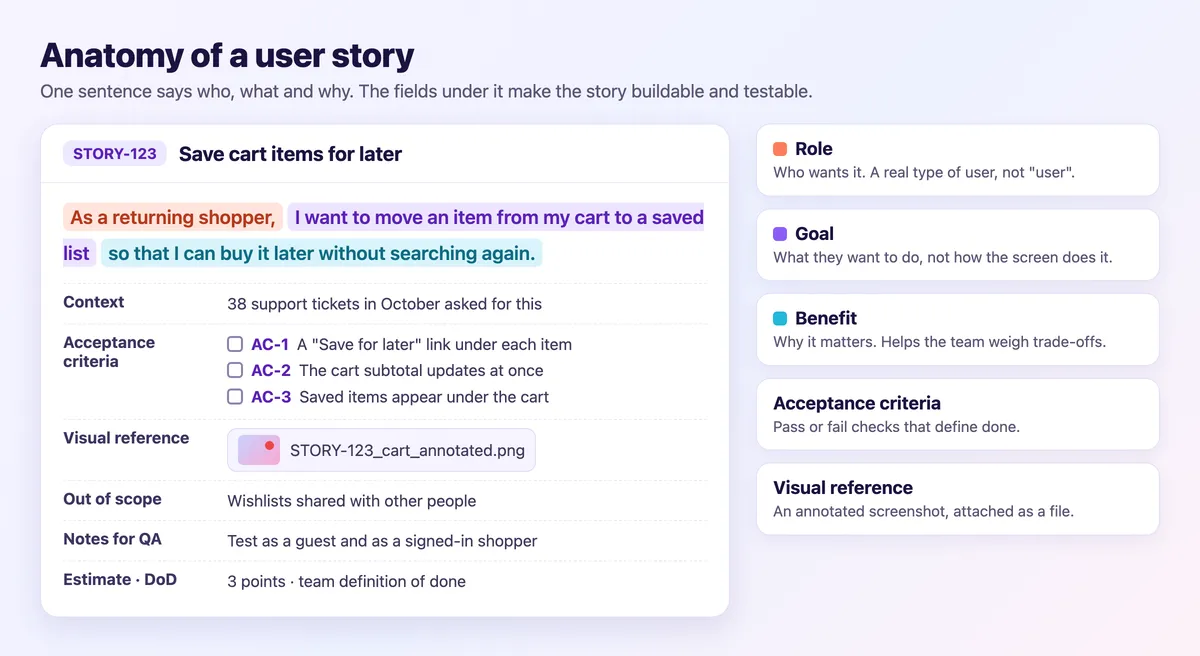
How to write a user story, field by field
- Title: a verb and an object, such as "Save cart items for later".
- Story: one user type, one goal, one benefit. An "and" in the goal often means two stories.
- Context: the evidence, such as "38 support tickets asked for this".
- Acceptance criteria: 3 to 7 pass or fail checks, including one unhappy path. For formats, see these acceptance criteria examples.
- Visual reference: an annotated screenshot or mockup, attached as a file.
- Out of scope and dependencies: what the story won't do, and what it needs first.
- Notes for QA: test data, risk areas and evidence per criterion. Your test strategy sets the test levels, and each criterion becomes at least one test case.
- Estimate and definition of done: points or a T-shirt size, plus a link to the team's shared DoD.
User story templates for Jira, GitHub, Word and Excel
User story template in Jira
Jira Cloud has no story template field, but you can pre-fill the Description:
- Team-managed projects: open Project settings, then Work types, select Story and add the template as default text in the Description field.
- Company-managed projects: there is no built-in default. Atlassian's support article uses an automation rule: trigger Work item created, condition Issue Type equals Story, action Edit work item. Set Description to
{{issue.description}}plus the template, which keeps what the reporter typed.
The rule runs after the story is saved, so the template never shows in the Create dialog.
User story template in GitHub
A YAML issue form turns the template into separate fields. Save it as .github/ISSUE_TEMPLATE/user-story.yml on the default branch:
name: User story
description: One slice of user value with acceptance criteria.
title: "[Story]: "
labels: ["user-story"]
body:
  - type: textarea
    id: story
    attributes:
      label: Story
      placeholder: "As a [type of user], I want [goal] so that [benefit]."
    validations:
      required: true
  - type: textarea
    id: criteria
    attributes:
      label: Acceptance criteria
      placeholder: "- [ ] AC-1: one testable rule"
    validations:
      required: true
  - type: upload
    id: visual
    attributes:
      label: Annotated screenshot or mockup
    validations:
      accept: ".png,.jpg,.jpeg,.gif,.mp4"
  - type: textarea
    id: notes
    attributes:
      label: Out of scope, dependencies and notes for QA
  - type: dropdown
    id: estimate
    attributes:
      label: Estimate (story points)
      options: ["1", "2", "3", "5", "8", "Needs a spike"]
Issue forms are in public preview, and required works in public repos only. The GitHub issue template guide covers the rest.
User story template for Word, Google Docs or Excel
In Google Docs, turn on Tools > Preferences > Enable Markdown, then right-click and choose Paste from Markdown. File > Download > Microsoft Word gives you a .docx copy.
In a spreadsheet, use one row per story and split role, goal and benefit into columns, so you can sort by user type:
ID,Title,As a,I want,So that,Acceptance criteria,Visual file,Estimate,Status,Epic
STORY-123,Save cart items for later,returning shopper,to move an item to a saved list,I can buy it later,AC-1 to AC-3,STORY-123_cart_annotated.png,3,Ready,EPIC-12
Open it in Excel with Data > From Text/CSV, or in Google Sheets with File > Import.
15 user story examples by product type
These user story examples for software development use made-up products. Swap in your own roles and numbers.
E-commerce user story examples
1. Save for later. As a returning shopper, I want to move a cart item to a saved list, so that I can buy it later.
- The cart subtotal updates at once.
- Saved items stay after I sign out.
2. Guest checkout. As a first-time buyer, I want to check out as a guest, so that I can pay without creating an account.
- Checkout asks only for email, address and payment.
- After payment, one click turns the order into an account.
3. Delivery date up front. As a gift buyer, I want the delivery date on the product page, so that I know the item arrives in time.
- The date uses my saved postcode, or asks for one.
- After the 2 p.m. cut-off, it shows the next day.
B2B SaaS admin user story examples
4. Audit log. As a workspace admin, I want to see who changed a member's role and when, so that I can answer security reviews.
- Each entry shows who, what changed and a UTC timestamp.
- Nobody can edit or delete an entry.
5. Invoice history. As an account owner, I want every past invoice as a PDF, so that finance can close the month without emailing support.
- Invoices are listed newest first.
- Each PDF shows our legal name and tax ID.
6. Offboarding. As a workspace admin, I want to deactivate a member and hand their projects to a teammate, so that no work is lost.
- Their sessions end within 1 minute.
- Their projects move to the person I pick, comments included.
Mobile app user story examples
7. Offline drafts. As a field technician, I want to fill in an inspection form with no signal, so that I can finish the job on site.
- The draft saves on the phone every 10 seconds.
- It syncs within 30 seconds of reconnecting.
8. Biometric sign-in. As a daily user, I want to unlock the app with Face ID or a fingerprint, so that I don't type my password each time.
- It is offered after the first password sign-in, off by default.
- After 3 failed scans, the app asks for the password.
API and technical user story examples
9. Read-only API keys. As a partner developer, I want an API key that can only read data, so that a leaked key can't change anything.
- Write requests with a read-only key return 403.
- A revoked key stops working within 60 seconds.
10. Request tracing (enabler story). As the on-call engineer, I want one ID to follow each request through every service, so that I can trace an error in minutes.
- Every API response has an X-Request-ID header.
- The same ID appears in each service's logs.
Accessibility user story examples
11. Errors for screen readers. As a screen reader user, I want form errors announced when I submit, so that I know what to fix.
- Focus moves to an error summary that links to each field.
- Each error is read out with its field's label.
12. Zoom without sideways scrolling. As a user with low vision, I want the dashboard to work at 400% zoom, so that I can read it without a magnifier.
- At 320 CSS pixels wide, only charts and data tables scroll sideways.
- No text or button is cut off.
Performance and non-functional user story examples
Speed and uptime can be stories when one user feels the limit. For product-wide limits, see functional vs non-functional requirements.
13. Fast product pages. As a shopper on a phone, I want product pages to load fast, so that I don't leave before I see the price.
- Largest Contentful Paint is 2.5 seconds or less for 75% of mobile visits.
- Images below the fold load only when scrolled into view.
14. Checkout at peak. As a store owner, I want checkout to stay up during sales peaks, so that I don't lose orders on the busiest day.
- At 3 times last year's peak orders per minute, errors stay under 0.5%.
- A payment timeout shows "Payment pending" and never charges twice.
Internal tool user story examples
15. Orders next to the ticket. As a support agent, I want a customer's last 5 orders next to their ticket, so that I can answer without switching tools.
- Orders load in the sidebar within 2 seconds.
- Card numbers show only the last 4 digits.
Two bad-to-good rewrites
Before: "As a developer, I want to add a Redis cache to the product API."
After: "As a shopper, I want prices to appear instantly, so that I can compare items without waiting." The first names no user value and picks the solution before anyone has talked.
Before: "As a user, I want a better dashboard."
After: "As a sales manager, I want this month's pipeline by rep, so that I can spot who needs help before the forecast call." "User" and "better" can't be tested.

Tired of plain screenshots? Try ScreenSnap Pro.
Beautiful backgrounds, pro annotations, GIF recording, and instant cloud sharing, all in one app. Pay $39 once, own it forever.
See pricing and featuresINVEST checklist for good user stories
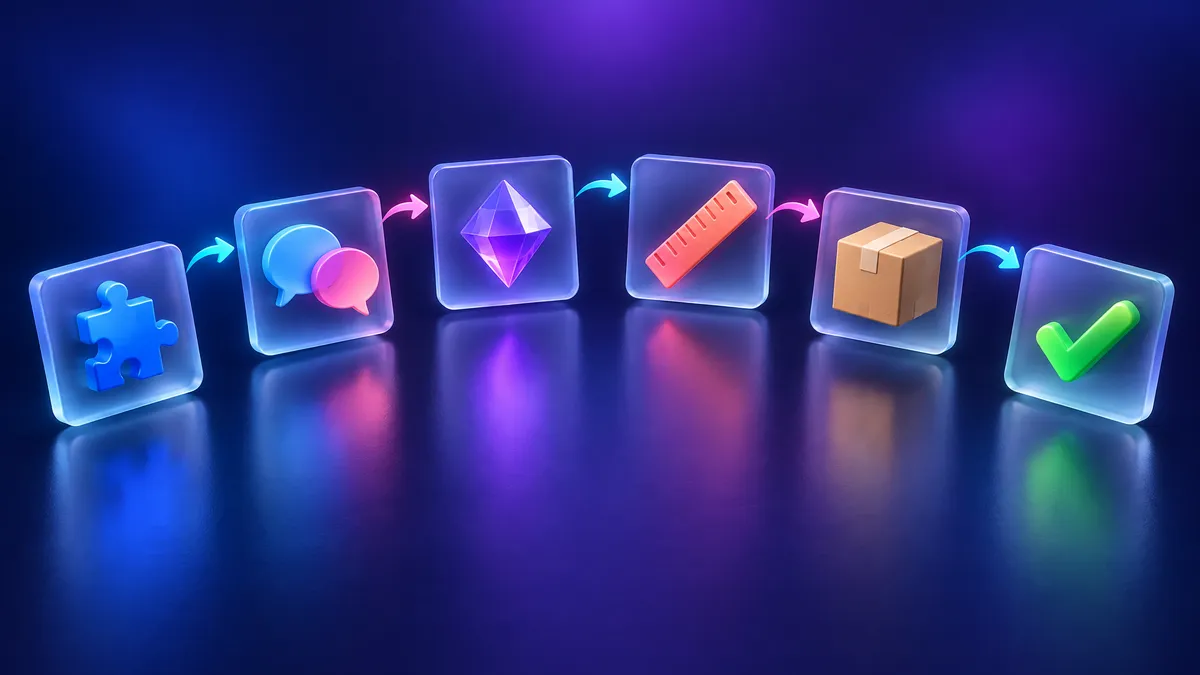
Bill Wake proposed the INVEST criteria in 2003 as a quick check for stories. Ask six questions before a story enters a sprint:
- Independent: can it ship without waiting for another story in the same sprint?
- Negotiable: does it state the need and leave the how open?
- Valuable: would a user or customer notice if it shipped alone?
- Estimable: can the team size it in planning? If not, run a spike first.
- Small: does it fit well inside one sprint, ideally in a few days?
- Testable: can a tester pass or fail every acceptance criterion?
A story that fails one letter needs a rewrite or a split, not a longer description.
Epic vs user story vs task
| Epic | User story | Task | |
|---|---|---|---|
| What it is | A big goal that holds many stories | One slice of value for one type of user | One piece of work to finish a story |
| Typical size | Several sprints | A few days, inside one sprint | Hours to a day |
| Written as | An outcome or problem | As a, I want, so that | A verb and an object |
| Example | Guest checkout | As a first-time buyer, I want to check out as a guest. | Add a guest flag to the orders table. |
Some teams group epics into initiatives or themes. A defect is a different work type, so file it with a bug report template, not as a story. Before a release, business users check whole flows in user acceptance testing.
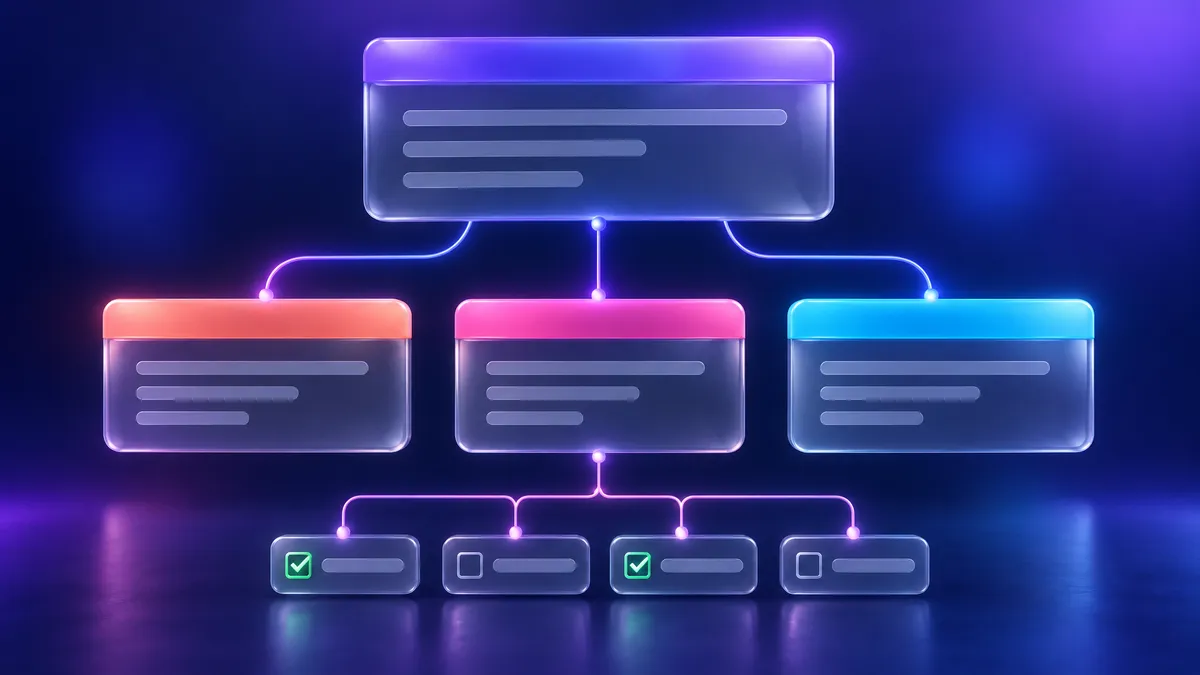
How to split a big user story
A story is too big when it won't fit in one sprint, needs more than about 7 acceptance criteria, or has an "and" in its goal. Split it into thin vertical slices that each cross the UI, logic and data, so every slice still gives a user something. A front-end-only story is not a slice.
Take "As a customer, I want to pay my invoice online, so that I don't have to send a bank transfer." Six ways to split it:
- By workflow step: view the invoice, pay it, then get a receipt.
- By business rule: full payments first, partial payments later.
- By data variation: US dollar invoices first, then euros and pounds.
- By interface: the web app first, then the mobile app.
- Happy path first: a successful card payment, then declined cards and expired sessions.
- Spike first: if nobody can estimate, time-box a day to check, for example, whether the provider can save cards.
Mike Cohn's SPIDR (Spike, Path, Interface, Data, Rules) covers most of these. Ship the thinnest slice first, behind a feature flag or to a small beta testing group, and let what you learn shape the next.
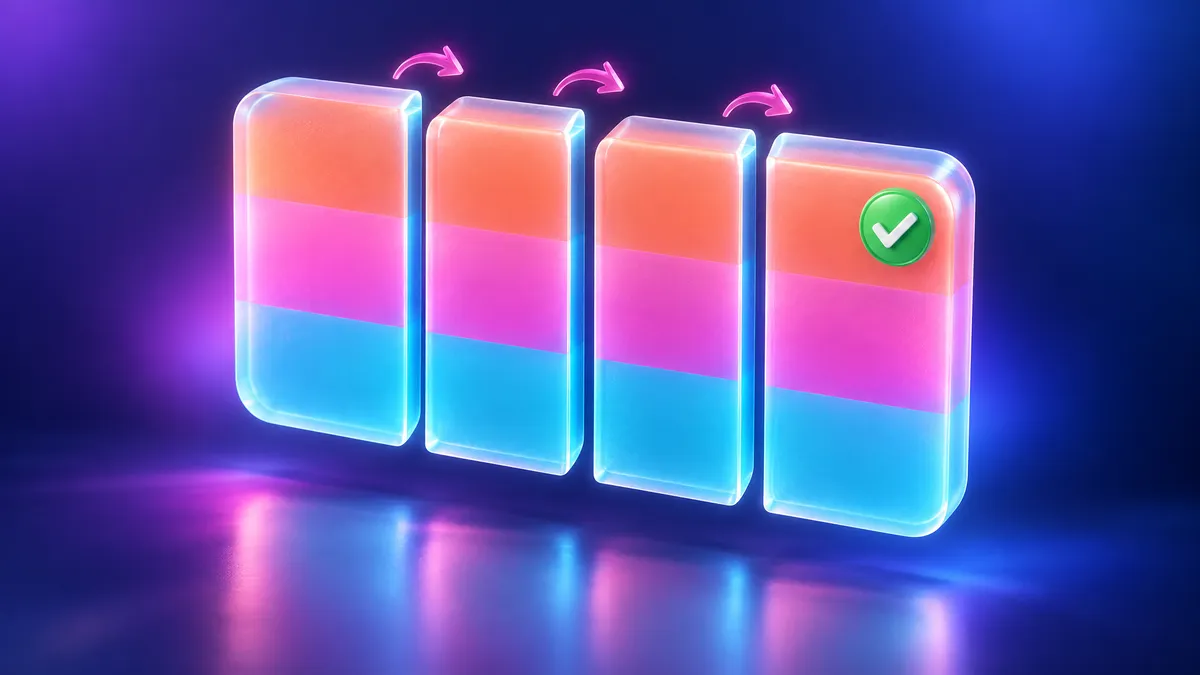
Add visuals to your user stories
A screenshot answers "where?" faster than a paragraph. "Add a link under the price" can mean three places, while an arrow on the current screen means one.
- Capture the current screen. Take a region shot of the part that changes, with enough context to find it.
- Mark what changes. Draw an arrow to the new element's spot, and number the callouts to match the AC IDs.
- Cover customer data with a solid box. Blur and pixelate can be reversed (how to redact text).
- Attach the image file to the story, as the Jira screenshot guide shows. A share link suits a quick look in chat, but the story outlives it, and cloud links can expire.
- Record flows instead of stacking stills. A 10 to 20 second GIF or MP4 beats five screenshots.
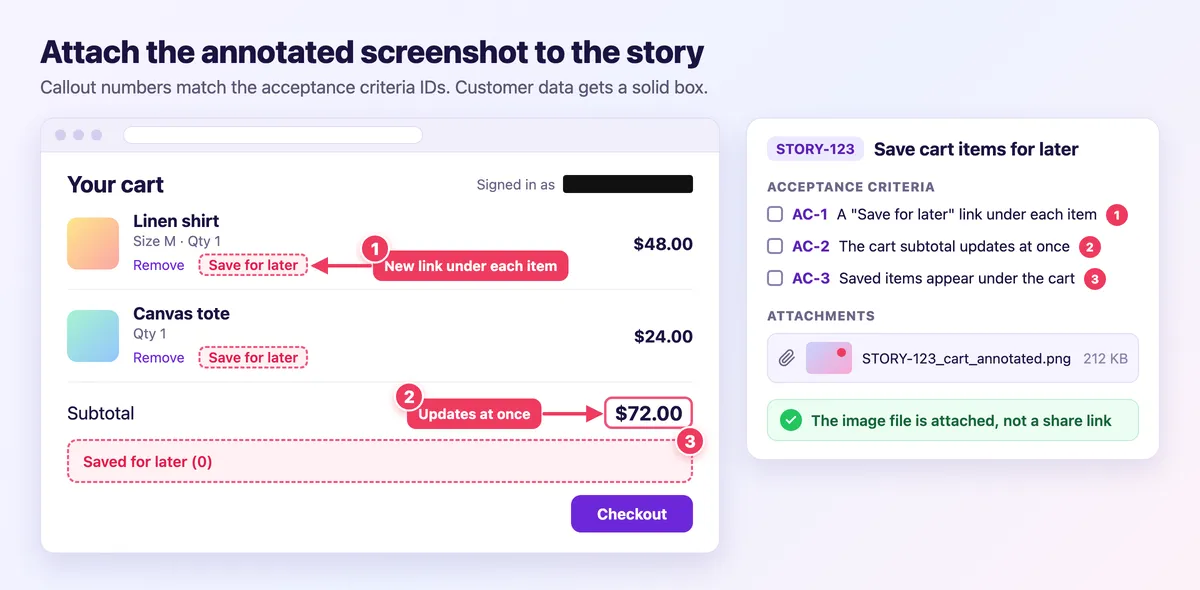
No markup tool installed? The free image annotation tool adds arrows, text and solid boxes in the browser.
ScreenSnap Pro (Mac and Windows) keeps this loop in one app: region capture, arrows, the Counter tool for numbered callouts and a Filled Rectangle for customer data. Scrolling Capture handles screens longer than the window, and recordings are trimmed in the built-in editor and saved as MP4 or GIF.
Common user story mistakes
- A task dressed up as a story. "Refactor the cart service" has no user value. Make it a task under the story it serves.
- No "so that". Without the benefit, nobody can weigh trade-offs or rank the story.
- Too big for a sprint. Split it before planning, not halfway through.
- The solution baked in. "I want a dropdown" decides the design too early. Leave the how to refinement or a software design document.
- No acceptance criteria. Without them, "done" is an opinion.
- "As a user" on every story. Name the role, or the story can't guide design or tests.
Frequently Asked Questions
Write your next story from the template
Copy the template, write one story from real evidence, and run it through INVEST before refinement.
If your stories start with a screenshot of the current screen, ScreenSnap Pro covers the capture and the markup. It is a one-time $39 purchase: 1 license, 2 seats (2 computers, Mac or Windows). See pricing.

Morgan
Indie DeveloperIndie developer, founder of ScreenSnap Pro. A decade of shipping consumer Mac apps and developer tools. Read full bio
@m_0_r_g_a_n_