Root Cause Analysis Template: RCA Format, 5 Whys + Examples
A root cause analysis template is a format for root cause analysis (RCA): finding the underlying cause of a problem, not only its symptom, and fixing it so it does not recur. It records the problem and impact, a timeline, a 5 whys or fishbone analysis, root and contributing causes, actions with owners and dates, and verification.
Responding to an incident right now? Follow your runbook until service is stable, then start the RCA while the evidence is fresh.
What is root cause analysis?
Root cause analysis traces a problem back to the condition that made it possible, then removes that condition. The ISTQB glossary calls it "the process used to identify the root cause of a defect." Software teams also use it for outages, escaped bugs and support spikes.
A fix makes this problem go away. An RCA asks why the problem was possible, why nobody caught it sooner and what stops the whole class of problems.
When to run an RCA
Agree on triggers before the next incident, so nobody has to debate them at 2 a.m. Common ones for software teams:
- Sev1 or Sev2 incidents: user-visible downtime or slowness past your threshold.
- Data loss or exposure of any size.
- Escaped defects: bugs users found that your tests should have caught.
- Recurring bugs: the same failure a second or third time.
- Failed releases: a rollback, an urgent hotfix or a broken migration.
- Support spikes: tickets on one topic at double their 7-day average.
Small one-off bugs rarely need a full RCA. A cause line in the bug report or the fix's pull request is enough.
Symptom, trigger, root cause and contributing factor
Weak RCAs stop at the symptom or the trigger. ISTQB defines a root cause as a source of a defect that, once removed, makes that defect type rarer or stops it.
| Layer | What it is | Example: checkout errors after a deploy |
|---|---|---|
| Symptom | What users and dashboards see. | 18% of checkout requests return HTTP 500. |
| Trigger | The event that set it off. | Release 4.12 reads a column that does not exist yet. |
| Root cause | The condition that made it possible. | The pipeline deploys code before its migration, with no schema check. |
| Contributing factor | Made it likelier, bigger or slower to fix. | The error alert fires at 25%, so nobody was paged for 19 minutes. |
In QA vs QC terms, RCA is quality assurance work: quality control finds the defect, and the RCA fixes the process that let it through.
Root cause analysis template (copy and paste)
Copy this RCA template into Confluence, Notion, Google Docs, a Jira work item or a Markdown file in your repo. Replace each bracketed prompt and delete what does not apply. The same RCA report template works for incidents, escaped defects and ticket spikes.
Fill sections 1 to 4 within a day, while memory is fresh. Sections 5 to 9 come from the analysis meeting, and section 10 closes the RCA once the fix proves itself.
# RCA: [short problem title]
ID and severity: [RCA-2026-031 · Sev2]
Owner and reviewers: [facilitator · engineering manager, service owner]
Status: [draft · in review · actions open · closed]
Links: [incident ticket · bug IDs · pull requests · dashboards]

## 1. Summary
[2 to 3 sentences: what broke, for whom, for how long and why.]

## 2. Impact
- Users affected: [number or %, segment, region]
- Duration: [start and end in UTC · minutes]
- Business impact: [failed orders, revenue, SLA credits, tickets]
- Data impact: [none · delayed · lost · exposed]

## 3. Detection
- Detected: [YYYY-MM-DD HH:MM UTC] by [alert · customer · support · engineer]
- Time to detect: [minutes from first impact]
- Should have caught it: [the alert, test or check that missed it]

## 4. Timeline (UTC)
| Time | Event | Source |
| --- | --- | --- |
| [HH:MM] | [first impact, alert, mitigation, all clear] | [log, chat, dashboard] |

## 5. Problem statement
[What is wrong, where, since when, how big, against what normal. No cause, no fix.]

## 6. Analysis
- Method: [5 whys · fishbone · change analysis · fault tree]
- 5 whys: [why 1 to why 5, each with its evidence]
- Fishbone bones checked: [code, configuration, infrastructure, process, people, third parties, data]
- Causes ruled out: [cause · evidence]

## 7. Root causes
- RC1: [condition that, once removed, stops this class of problem · evidence]

## 8. Contributing factors
- CF1: [what made it likelier, bigger or slower to fix · evidence]

## 9. Corrective and preventive actions
| ID | Action | Type | Owner | Due | Status |
| --- | --- | --- | --- | --- | --- |
| A1 | [specific change · ticket] | [corrective · preventive · detection] | [name] | [date] | [open] |

## 10. Verification
- Measure: [test, metric or check that proves the fix]
- Target and window: [for example, 0 repeats in 30 days]
- Result: [date · outcome · checked by]

## 11. Lessons learned
- Went well: [...] · Went wrong: [...] · Got lucky: [...]

## 12. Evidence attached
- [file name · what it shows · timestamp and time zone]
- Attach the files, not share links.
How to fill in the fields that matter most
Three fields decide whether an RCA changes anything:
| Field | Weak | Strong |
|---|---|---|
| Problem statement | Checkout was broken. | 18% of checkout requests returned HTTP 500 from 14:07 to 14:52 UTC on Nov 3, against a normal 0.3%. |
| Root cause | Human error during the deploy. | The pipeline deploys code before its database migration, and nothing checks the schema version. |
| Action | Be more careful with deploys. | Add a pre-deploy schema check that blocks the rollout (A1 · J. Park · Nov 14). |
A good root cause passes three tests: evidence ties it to the problem, removing it would have prevented the problem, and your team can act on it. As in other technical documentation examples, real error text and exact times beat summaries.
Quick RCA for a single bug
In software testing, defect root cause analysis asks why the bug exists and why testing missed it. Paste this short version into the bug ticket or the fix's pull request:
## Quick RCA: [bug ID and title]
1. What happened: [symptom · who saw it · since when]
2. Root cause: [one sentence · evidence]
3. Why we missed it: [the test, review or alert that should have caught it]
4. Fix: [pull request · release]
5. Prevention: [test, check or runbook change · owner · due date]
6. Verified: [how · when · by whom]
The bug fix layout in this pull request template has a Root cause field for the same sentence. Both templates are plain Markdown, so GitHub renders them as written and Notion formats them on paste. In Google Docs, turn on Markdown under Tools > Preferences first.
How to do a root cause analysis in 6 steps
Run the steps in order. Skipping step 2 is the most common reason an RCA ends in guesses.
1. Define the problem
Write the problem as a fact: what is wrong, where, since when, how big and against what normal. Leave the cause and fix out, or the meeting will defend a theory instead of testing one.
If the damage continues, contain it first: roll back, turn off the feature flag or add a manual check. Log the containment in the timeline, but do not mistake it for the fix. Name one owner and set a draft date, ideally within 5 business days.
2. Collect evidence and build the timeline
Pull the deploy log, alerts, dashboards, error traces, chat threads and first customer tickets. Capture graphs and logs early, because many tools keep detailed data for days or weeks, not months.
Write every timeline entry in UTC with its source, and mark first impact, detection, mitigation and recovery. The gaps between those four moments often hold the best findings. Interview the people involved within a day or two, and ask what they saw, expected and knew at the time.
3. Find possible causes
List every candidate before you pick one. The 5 whys follows one chain, a fishbone makes sure no category gets skipped, and change analysis asks what changed between the last good state and the first bad one. Note the evidence for and against each candidate.
4. Pick the root causes
Keep a cause only when evidence supports it. The strongest check is to switch it on and off: reproduce the failure in staging, remove the cause and watch the failure stop.
Ask three questions, because each can have its own root cause:
- Why did it happen? The cause of the failure itself.
- Why did we not catch it sooner? The test, review or alert that missed it.
- Why was the impact so large? Missing limits, canary releases or fallbacks.
Most problems end with 1 to 3 root causes plus a few contributing factors. Record the causes you ruled out, so the next team does not chase them again.
5. Agree on corrective actions
Every action needs a specific change, one owner (a person, not a team), a due date and a ticket. "Improve monitoring" is not an action. "Alert when checkout 5xx errors pass 2% for 5 minutes" is.
Prefer actions that do not depend on people remembering. Healthcare RCA teams rank actions as stronger, intermediate or weaker, and the ladder works for software too:
| Strength | What it does | Software examples |
|---|---|---|
| Strong | Removes the failure or blocks it automatically. | Pipeline gates, schema checks, safe defaults, removing a manual step. |
| Medium | Catches it early or limits the damage. | Alerts, canary releases, feature flags, rate limits, tests. |
| Weak | Relies on people remembering. | Training, wiki pages, checklist items, "be more careful". |
Pair each weak action with a strong or medium one. If an action changes how on-call responds, update the runbook for that alert too. Track every action in a GitHub issue template with Owner, Due date and RCA ID fields, so none fade after the meeting.
6. Verify the fix and share the RCA
Close the RCA when the fix is proven, not when the tickets are done. Proof is a test that failed before and passes now, a metric that stays normal for 30 days or zero repeat tickets.
Have someone who was not involved review the draft. Then publish it with your other internal documentation under one title format, and tell affected users what changed in your release notes.
5 whys template and a worked software example
The 5 whys comes from the Toyota Production System. Ask why the problem happened, then ask why about that answer, and repeat until you reach a cause your team can fix. Five is a rule of thumb, not a quota.
Problem: [what happened, where, when, how big]

Why 1: Why did [the problem] happen?
Because: [answer] · Evidence: [log, graph, commit, ticket]
Why 2: Why did [answer 1] happen?
Because: [answer] · Evidence: [...]
Why 3: Why did [answer 2] happen?
Because: [answer] · Evidence: [...]
Why 4: Why did [answer 3] happen?
Because: [answer] · Evidence: [...]
Why 5: Why did [answer 4] happen?
Because: [answer] · Evidence: [...]

Root cause: [the last answer your team can act on]
Check: if we remove it, does the problem stop? [yes or no · how we know]
Actions: [change · owner · due date]
5 whys example: checkout errors after a deploy
Problem: from 14:07 to 14:52 UTC on Nov 3, 18% of checkout requests returned HTTP 500, against a normal 0.3%. About 2,300 orders failed.
- Why did checkout fail? The order service threw
column "tax_region" does not existon requests through the new tax code (41,000 events in the error tracker). - Why was the column missing? Release 4.12 reads
tax_region, but the migration that adds it had not run in production. - Why had the migration not run? Migrations run as a separate manual job, and the deploy job ran first (pipeline history).
- Why could the deploy run first? The pipeline never checks the schema version before rollout. The order lived only in a deploy checklist.
- Why was there no check? Migrations moved to their own job in March to speed up deploys, and nobody added a gate.
Root cause: the pipeline lets code deploy before its migration, with no automated schema check.
Contributing factors: staging got the migration by hand two days earlier, so staging tests passed. The 5xx alert fired at 25%, so nobody was paged for 19 minutes.
Actions: A1 adds a pre-deploy schema check that blocks the rollout (corrective). A2 makes migrations a required stage in every service's pipeline (preventive). A3 alerts at 2% checkout 5xx over 5 minutes (detection), and A4 rebuilds staging from scripted migrations only.
Notice why 3. A team that stops there writes "human error: jobs ran in the wrong order", and the action becomes "be more careful". One more why finds the gap that let a normal mistake through.
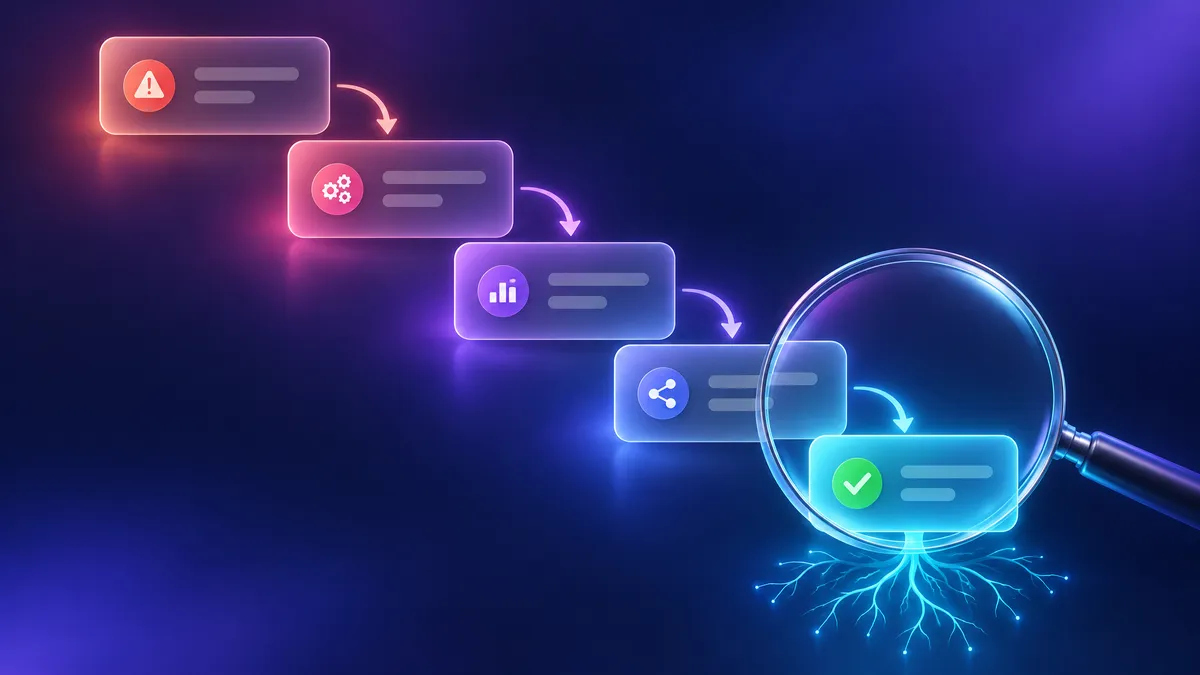
When the 5 whys fails
- Several causes at once. The chain follows one path, but most incidents have two or three causes. Branch where an answer splits, or use a fishbone.
- Stopping at human error. Ask what made the mistake easy and why nothing caught it.
- Answers without evidence. Each "because" needs a log line, graph, commit or test, or it is a guess.
- Going past your control. "Because budgets are tight" leads nowhere you can act on.
- The loudest voice wins. Let the evidence pick the answer, not the most senior person.
Fishbone (Ishikawa) diagram for software teams
A fishbone diagram, also called an Ishikawa or cause-and-effect diagram, puts the problem at the head and groups possible causes along the bones. Kaoru Ishikawa made it popular in Japanese quality control. Factories often use six bones, the 6Ms: manpower, machine, method, material, measurement and environment.
Software needs different bones. Use this table as a fishbone diagram template:
| Bone | What to check | Question to ask |
|---|---|---|
| Code | Recent commits, error handling, library versions. | What changed in this code path? |
| Configuration | Feature flags, environment variables, limits, DNS. | Which setting changed in the last 24 hours? |
| Infrastructure | Servers, containers, network, database, capacity. | Was any node, zone or queue saturated? |
| Process | Deploy order, code review, testing, approvals. | Which step should have caught this? |
| People and training | Handovers, on-call load, system knowledge. | Did people have the information and time they needed? |
| Third parties | Payment providers, APIs, SaaS and cloud services. | Did a vendor change or degrade? |
| Data | Migrations, bad input, volume, unusual records. | Was there unusual data or a backfill? |
Many teams add an eighth bone for monitoring, which keeps detection gaps visible.
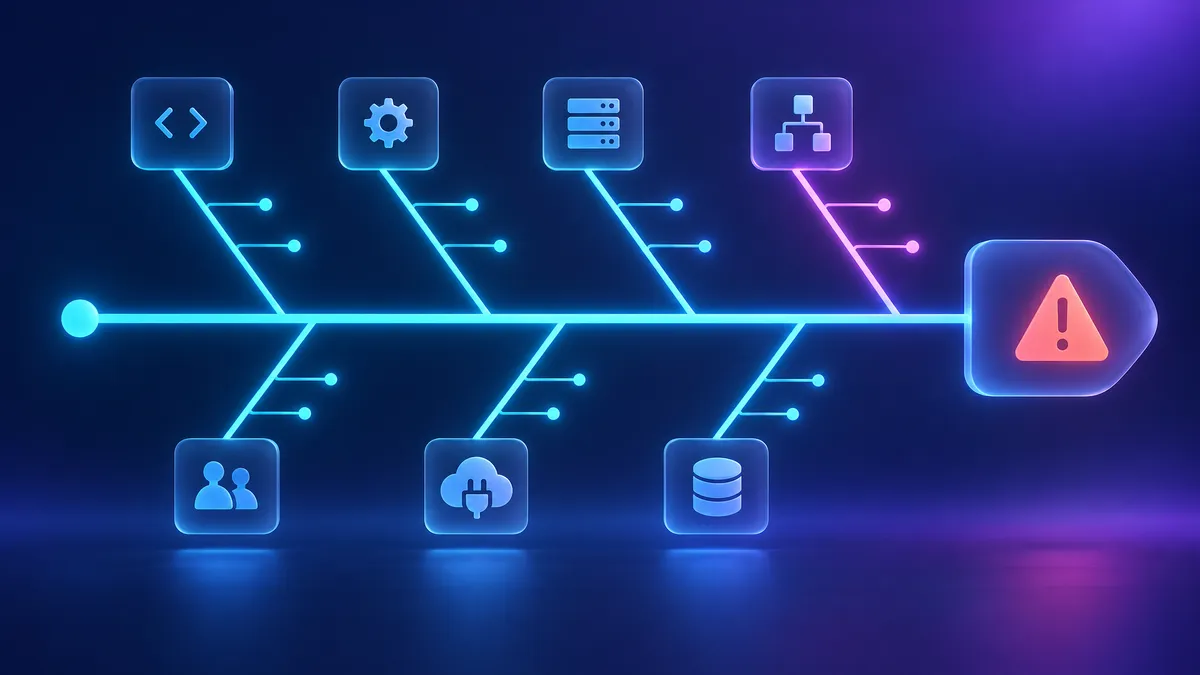
Fishbone example: slow search after a feature launch
Since Nov 10, search p95 latency rose from 400 ms to 3.2 seconds for about 20% of users. Each bone gets a verdict backed by evidence:
- Code (confirmed): the new ranking feature runs one extra query per result.
- Configuration (confirmed): a cleanup cut the search cache lifetime from 10 minutes to 1.
- Infrastructure (effect, not cause): database CPU hit 95% because of the extra queries.
- Process (contributing): no performance test covers search in CI.
- Data (contributing): the slow 20% are the largest workspaces, with 50 times more documents.
- Third parties and people (ruled out): vendor latency stayed flat, and the change passed normal review.
Two root causes showed up, and a single 5 whys chain would likely have found only one. Run the 5 whys on each confirmed bone, keep the session to 30 to 45 minutes and turn every unknown into a task with an owner.

Tired of plain screenshots? Try ScreenSnap Pro.
Beautiful backgrounds, pro annotations, GIF recording, and instant cloud sharing, all in one app. Pay $39 once, own it forever.
See pricing and featuresOther root cause analysis methods
The 5 whys and the fishbone cover most software problems. These methods fit specific cases:
| Method | How it works | Best for |
|---|---|---|
| Change analysis | Compare the last good state with the first bad one. | "It worked yesterday" problems, such as a diff of deploys and config between two builds. |
| Timeline analysis | Order every event by time and source, then study the gaps. | Incidents that cross several teams. |
| Fault tree analysis | Break the failure into AND and OR conditions. | Failures that need several conditions at once, like a retry, a timeout and a missing idempotency key. |
| Pareto analysis | Rank causes by count or cost. | Many small recurring problems, such as 600 tickets where 3 categories make up 70%. |
| Barrier analysis | List the safeguards that should have stopped it and why each failed. | Escaped defects and security incidents. |
| Git bisect | Binary search through commits for the first bad one. | Regressions with a known good version. |
FMEA (failure mode and effects analysis) belongs in design reviews instead, because it predicts failures before they happen.
Root cause analysis examples: outage, escaped bug and ticket spike
These filled examples use fictional companies and data.
Example 1: production outage from an expired certificate
Summary: on Nov 12, the mobile apps could not load data for 38 minutes because the TLS certificate on the mobile API host expired.
| Time (UTC) | Event | Source |
|---|---|---|
| 02:14 | Certificate expires, and mobile API calls start to fail. | Load balancer log |
| 02:21 | First support ticket arrives. | Help desk |
| 02:31 | Support lead pages on-call. | Pager |
| 02:38 | On-call finds the expired certificate. | Browser check |
| 02:49 | New certificate deployed. | Deploy log |
| 02:52 | Error rate back to normal. | Dashboard |
- Impact: every mobile API call failed, and about 41,000 users saw an error screen. The website used another host and stayed up.
- Detection: 17 minutes, by a customer. No certificate expiry alert existed.
- Root cause: the certificate was issued by hand in 2025, outside the auto-renewal system, so nothing tracked or renewed it.
- Contributing factors: expiry emails went to a former employee, and synthetic checks covered the website only.
- Actions: move the certificate to auto-renewal (corrective), alert on all certificates 30 and 7 days before expiry (detection), and add a mobile API check to the post-deploy smoke test. Write a manual renewal runbook as the fallback.
- Verified: all 214 certificates report expiry dates, and a test certificate due to expire in 6 days fired the alert.
Example 2: escaped bug in a CSV export
Summary: since release 3.8 on Oct 21, admin CSV exports silently stopped at 10,000 rows. A customer found it on Nov 4.
- Impact: 37 accounts downloaded incomplete files over 14 days, two of them for payroll checks.
- Root cause: a new pagination helper capped results at 10,000 by default, and the export called it without a limit.
- Why it escaped: test fixtures had 200 rows, so no test passed the cap, and the review did not question the default.
- Actions: fix the call and add a 25,000-row test (corrective). Add large fixtures to every export test (preventive), log a warning when a file hits the cap exactly (detection) and send the 37 accounts corrected files.
- Verified: the 25,000-row test passes in CI, and no export has stopped at exactly 10,000 rows in 30 days.
If escape causes keep pointing at the same gap, change the test strategy, not only one test, and feed the lesson into your QA testing process.
Example 3: support ticket spike after a login change
Summary: login tickets rose from about 40 to 130 a day in the week after Nov 3.
- Impact: about 640 extra tickets, and first response time grew from 2 hours to 9.
- Analysis: a Pareto count showed 71% of tickets said the magic link had expired, 12% got no email and 17% had other issues.
- Root cause: a security change cut the magic link lifetime from 60 minutes to 10, but email delivery at peak hours often took longer.
- Contributing factors: the help article still said links last an hour, and no ticket tag existed for login problems.
- Actions: set the lifetime to 30 minutes with a one-click resend (corrective). Alert when a ticket tag rises 50% over its 7-day average (detection), add a support review to login security changes (preventive) and update the help article.
- Verified: login tickets averaged 38 a day over the next 3 weeks.
Tickets written in a clear support ticket format made the count take minutes. Update saved replies as well, since good support ticket response examples help agents explain the fix in plain words.
RCA vs postmortem vs incident report
Teams use these words loosely, and many postmortems contain an RCA. The difference is scope and timing:
| Incident report | Root cause analysis | Postmortem | |
|---|---|---|---|
| When | During or right after the incident. | Days later, once service is stable. | Days after the incident. |
| Main question | What is happening, and who is affected? | Why did it happen, and how do we stop it coming back? | What happened, how did we respond and what will we change? |
| Covers | Facts, impact, status, workaround. | Causes, evidence, actions, verification. | Timeline, response, causes, actions, lessons. |
| Used for | Incidents only. | Incidents, escaped bugs, ticket spikes, failed releases. | Mostly incidents. |
The Google SRE book chapter on postmortem culture describes a postmortem as a written record of an incident's impact, mitigation, root causes and follow-up actions. It also argues for setting postmortem triggers before incidents happen, and for keeping end-user details out of the document.
Blameless postmortem template
Use this variant when the review should cover the response as well as the causes:
# Postmortem: [incident title] · [date]
Status: [draft · reviewed · published] · Authors: [names]

## Summary and impact
[What happened, who was affected, for how long]

## Timeline (UTC)
[Time · event · source]

## Root causes and contributing factors
[Causes with evidence: systems and decisions, not people]

## What went well · What went wrong · Where we got lucky

## Action items
| Action | Type (prevent · detect · mitigate) | Owner | Due | Ticket |
| --- | --- | --- | --- | --- |
Blameless does not mean nobody is accountable. It means the document describes actions and conditions, not character: "the deploy ran before the migration", not "Sam deployed too early". Assume people made reasonable choices with what they knew, and ask what made the risky step look normal.
Evidence that makes an RCA convincing
An RCA persuades through evidence, not opinion. Every timeline row and every "because" should point to something a reviewer can open:
| Evidence | What to capture |
|---|---|
| Dashboards and graphs | The metric across the incident window, with the time axis and time zone visible. |
| Errors and traces | Exact error text, request ID and build number, pasted as text as well. |
| Logs | The lines around the first failure, plus the raw excerpt. |
| Chat and tickets | Decision points in the incident channel and the first customer reports, in order. |
| Changes | Pull requests, deploy records and config diffs. |
Five rules keep the evidence usable:
- Capture early. Metrics lose detail and logs rotate, so screenshot key graphs on the day.
- Show the time. Keep timestamps and the time zone in the frame, then convert them to UTC in the timeline.
- Annotate one point per image. Use an arrow, a short callout and numbered markers that match timeline rows.
- Redact with a solid box. Cover tokens, emails, IP addresses and customer names with an opaque box. Blur and pixelate can be reversed, as this guide on how to redact text explains.
- Attach files, not links. Cloud share links can expire or get deleted, and the RCA must still make sense in a year. Attach the image file to the RCA or the ticket.
For long logs and chat threads, a scrolling screenshot keeps the whole sequence in one file on Mac or Windows. To pull exact error text out of an image, use the free extract text from image tool.
ScreenSnap Pro handles this evidence work on Mac and Windows. Scrolling Capture puts a long log or Slack thread in one image: select the area, click Start Capture, scroll down by hand, then click Finish. Arrows, callouts, numbered counters and a filled rectangle for secrets cover the markup.

Common root cause analysis mistakes
- Blaming a person. "Human error" ends the search where it should start.
- Twelve root causes. A long list mixes roots with contributing factors. Keep 1 to 3 and label the rest.
- A root cause that repeats the symptom. "The database was slow" says what happened, not why.
- Actions with no owner or date. "Improve monitoring" will still be open next quarter.
- Fixing only this instance. Add preventive actions wherever the same gap exists.
- Skipping the detection question. If it took 40 minutes to notice, that gap needs its own action.
- Closing without verification. A finished ticket is not a solved problem.
Frequently Asked Questions
Run your next RCA while the evidence is fresh
Copy the template into your wiki, agree on triggers and name an owner before the next incident. The best RCA starts on day one, while graphs, logs and memories are sharp.
If you capture incident evidence every week, ScreenSnap Pro is a one-time $39 purchase: 1 license, 2 seats (2 computers, Mac or Windows). See pricing.

Morgan
Indie DeveloperIndie developer, founder of ScreenSnap Pro. A decade of shipping consumer Mac apps and developer tools. Read full bio
@m_0_r_g_a_n_