Camtasia Review 2026: Pricing, Pros, Cons and Who Should Buy It
Camtasia is a screen recorder and video editor built for tutorials, training videos and online courses. It is easy to learn and strong on cursor effects, callouts, captions, quizzes and SCORM export. Since the 2025 versions it is subscription-only, from $39 to $599 a year, and exports stay watermarked until the $179.88 Essentials plan.
This Camtasia review checks every plan against TechSmith's live store, explains the watermark trap on the free and Starter tiers, and tells you who should skip it.
Camtasia review at a glance
| Question | Short answer |
|---|---|
| Best for | Course creators, trainers and L&D teams who edit every video and ship to an LMS |
| Skip it if | You record short walkthroughs, bug repros or GIFs and rarely edit |
| Price | $39 to $599 a year, billed yearly (US prices, verified on techsmith.com on November 3, 2026) |
| Watermark-free video | From the Essentials plan, $179.88 a year |
| Free option | The free Camtasia Editor (watermarked exports) and the free Camtasia Online |
| Platforms | Mac (macOS 14 or later) and Windows 10 or 11, 64-bit |
Quick pros
- Built for tutorials, with callouts, cursor effects and auto zoom in one panel.
- Quizzes, captions and SCORM for LMS courses.
- Screen, camera, mic and system audio land on separate tracks.
- A free Editor lets you try every tool first.
Quick cons
- Subscription only, billed once a year.
- Video stays watermarked until the $179.88 plan.
- AI voices and avatars cost $249 to $599 a year.
- Below Pro, Screencast hosting stops at 25 videos.
What is Camtasia in 2026?
Camtasia is TechSmith's screen recorder and video editor. In 2026 it is sold as a suite of apps under one yearly plan:
- Camtasia Editor: the desktop recorder and editor for Mac and Windows. It got this name in February 2026 (version 2026.0.2 on Windows).
- Camtasia Online: a free browser recorder with light editing.
- Camtasia Audiate: edit audio and video by editing the transcript, plus AI voices on higher plans.
- Screencast: TechSmith's video hosting and sharing service.
Every plan also includes TechSmith's screenshot app, listed in the suite as Camtasia Snagit. If you're weighing the two apps against each other, the Snagit vs Camtasia breakdown covers it.
Camtasia Rev is not a separate product. It is a fast workflow you switch on in the recorder: it turns a new recording into a finished video in preset sizes and layouts, which you export as is or send to the Editor.
What's new in Camtasia 2026
TechSmith ships a feature release every few months. The big ones on its what's new page this cycle:
- 2026.0 (November 2025): Edit as Text through Audiate, plus dynamic captions and SmartFocus auto zoom for Rev.
- 2026.1 (April 2026): Zoom cloud recording import, VTT caption import and export, and media sync by audio. Useful if you record Zoom meetings for training.
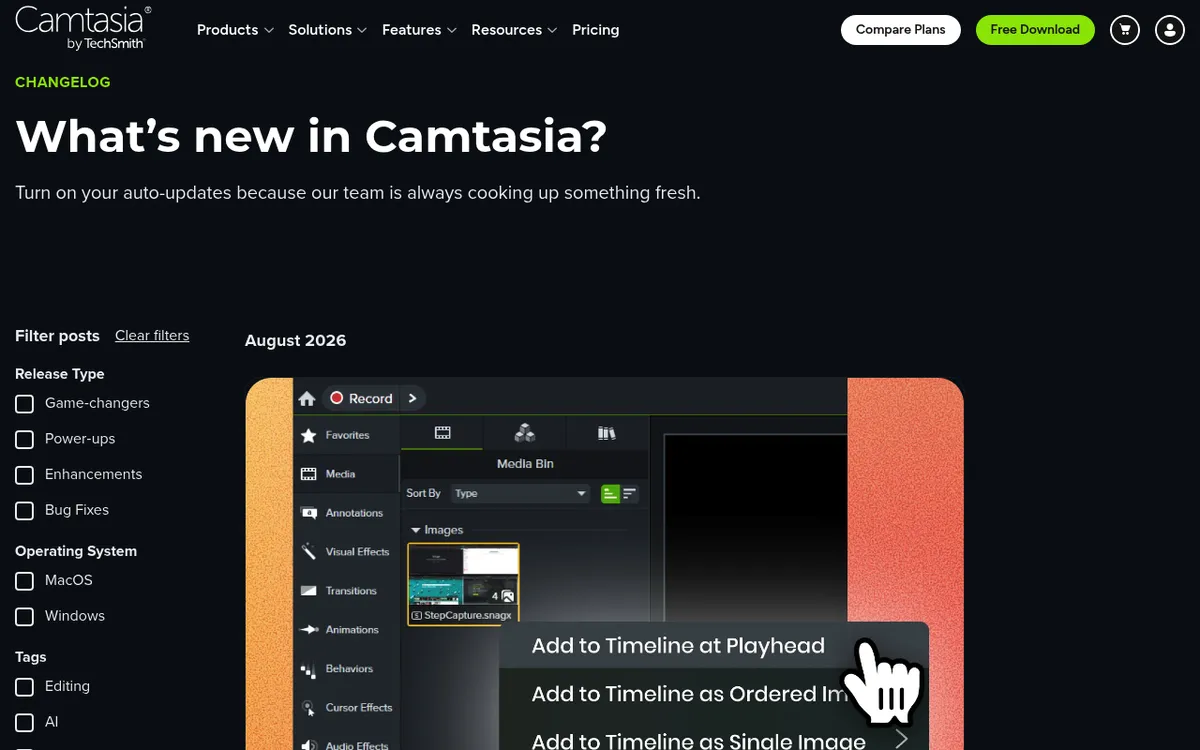
- 2026.2 (August 2026): training videos built from step captures, WebM export and curved arrow callouts.
The latest build is 2026.2.4 on both platforms: October 28, 2026 on Windows and October 6, 2026 on Mac.
How this Camtasia review was researched
Every price, plan feature and date here was checked on techsmith.com, TechSmith's support articles and the Mac App Store on November 3, 2026. The prices are TechSmith's US store prices.
This is a research-based review, not a lab benchmark. You won't find timed launch or export numbers here. The paid AI tools (voices, avatars, translation, dubbing) come from TechSmith's own docs and are marked as not tested.
The free Editor includes every editing tool, so you can run your own trial project before you pay. A short tutorial video with a webcam, a callout and one zoom makes a good test.
Recording and editing: what Camtasia does well
Recording: screen, camera and audio on separate tracks
Camtasia records your screen, webcam, microphone and system audio at the same time, and saves each one on its own track. Every plan lists unlimited recordings at up to 4K and 60 fps.
Separate tracks are the real win. You can cut a cough from the mic track without touching the screen, or move the webcam to a corner later. Camtasia also saves cursor data, so you can smooth, resize or reposition the cursor after recording.
Grant permissions before the first take. On a Mac, allow Camtasia under screen and system audio recording in System Settings. On Windows 11, check the microphone privacy settings.
For cleaner sound, see the guides to screen recording with audio on Mac and on Windows.
The editor: the main reason to buy Camtasia
The Editor is where Camtasia earns its price. It is built for screen tutorials, so the tools you need sit in one panel:
- Multitrack timeline with drag-and-drop media and a media bin.
- Annotations: callouts, arrows (curved ones since 2026.2), shapes and blur.
- Cursor effects: motion blur, kinetic and elevation effects, plus editable cursor paths.
- Zoom and pan: manual animations, or SmartFocus, which adds them for you.
- Transitions, animations and behaviors (preset motion for text and objects).
- Clean-up tools: background noise removal, webcam background removal and a Remove a Color (green screen) effect.
- PowerPoint import and click edits: bring in .ppt or .pptx slides to narrate, and edit recorded clicks and keystrokes.
- Templates and themes you can share with a team.
None of this is unique on its own. The value is that it all sits in one place, built around screen recordings, so there is less to learn than in a general video editor.
Captions, quizzes and SCORM
This is Camtasia's clearest edge over cheaper recorders. From Essentials up, it writes captions for you with no cap. You can style them as dynamic captions and export them as subtitle files.
Quizzes support multiple choice, fill in the blank, short answer and true/false questions. A SCORM package bundles the video, captions and quizzes, and can report scores to your LMS gradebook.
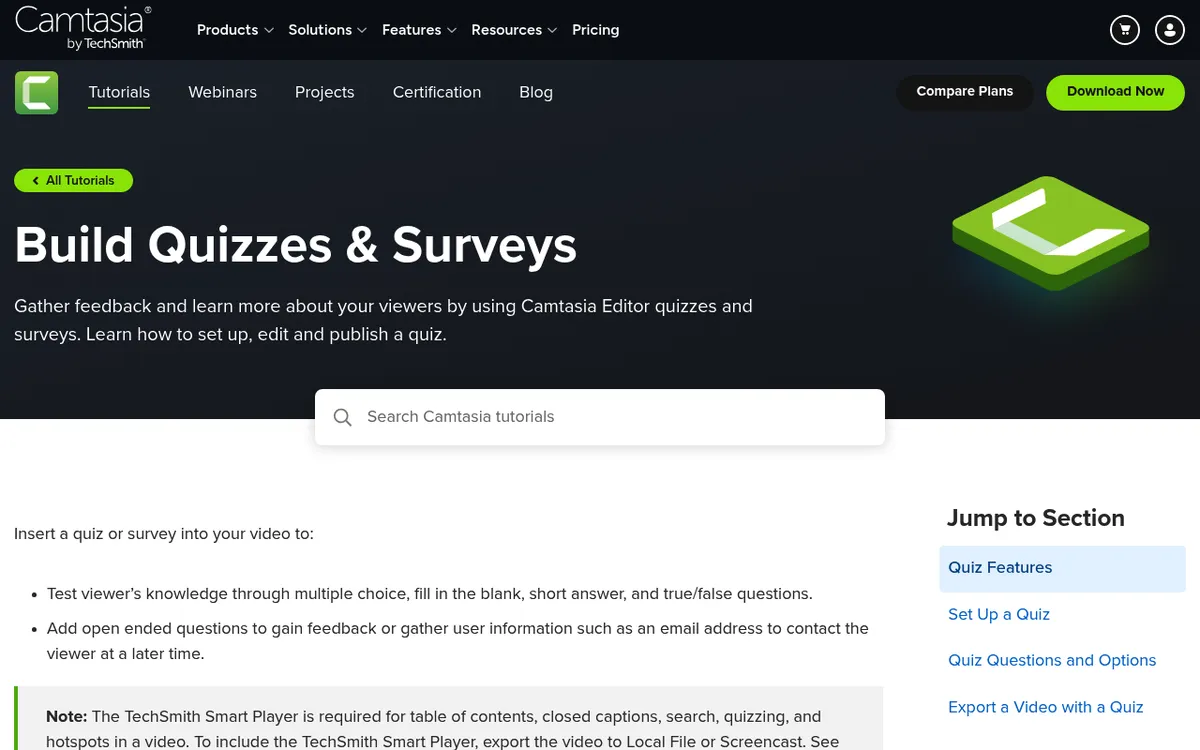
Quizzes run in TechSmith's Smart Player. They work in a SCORM package or on Screencast, but not on YouTube or in a direct LMS upload.
AI features by plan
| AI feature | Lowest plan |
|---|---|
| Blur and redact images, SOP guides, noise removal, webcam background removal | Starter |
| Text-based editing, filler-word removal, transcription, captions | Essentials |
| AI scripts, voiceovers with 200+ voices, multi-language support | Create |
| Avatars (49 styles), script translation, dubbing, image generation (beta), titles and chapters | Pro |
The paid AI tools were not tested for this review. Note that the premium ElevenLabs voices only come with plans bought directly from TechSmith, not through a reseller.
Performance and system requirements
TechSmith's system requirements at the time of writing:
| Minimum | Recommended | |
|---|---|---|
| Windows | Windows 10 64-bit (20H2), Intel 8th Gen or Ryzen 2000, 8 GB RAM, 2 GB GPU memory | Windows 11 (23H2), Intel 12th Gen or Ryzen 4000, 16 GB RAM, 4 GB GPU memory, SSD |
| Mac | macOS 14, Intel 7th Gen or newer, 8 GB RAM | macOS 26, Apple M1 Pro or newer, 16 GB RAM, SSD |
The recommended column tells you a lot. TechSmith expects a strong machine, so on an 8 GB laptop keep projects short and close other apps while you edit.

Tired of plain screenshots? Try ScreenSnap Pro.
Beautiful backgrounds, pro annotations, GIF recording, and instant cloud sharing, all in one app. Pay $39 once, own it forever.
See pricing and featuresCamtasia pricing in 2026: every plan explained
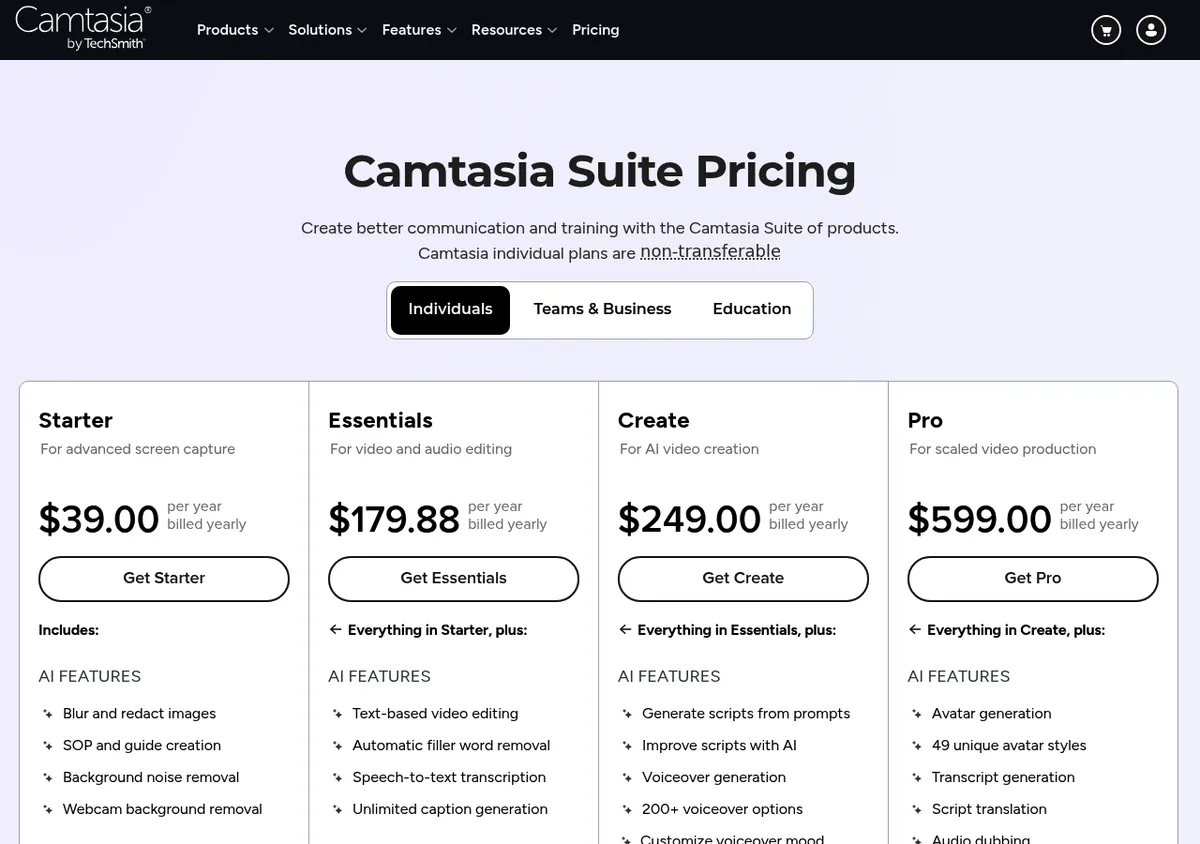
Camtasia is sold as a yearly plan. Here are the four individual plans:
| Plan | Price (US, billed yearly) | Watermark-free Editor? | What it adds | Best for |
|---|---|---|---|---|
| Starter | $39.00 | No | Screenshot app, GIF maker, 4K recording, AI blur and redact | Screenshots and quick captures |
| Essentials | $179.88 | Yes | Audiate, text-based editing, captions, cursor effects, quizzes and SCORM | Courses and training videos |
| Create | $249.00 | Yes | AI scripts and AI voiceovers with 200+ voices | AI narration |
| Pro | $599.00 | Yes | AI avatars, translation, dubbing, 100M+ stock assets, unlimited Screencast | Teams producing at scale |
Prices verified on techsmith.com on November 3, 2026.
Since the bill repeats, think in years. Three years of Essentials comes to $539.64. Over the same three years, Create comes to $747 and Pro to $1,797.
Is there a free version of Camtasia?
Yes. There are two free options, plus trials:
- Free Camtasia Editor: every editing tool. The only limit TechSmith lists is a watermark on every export.
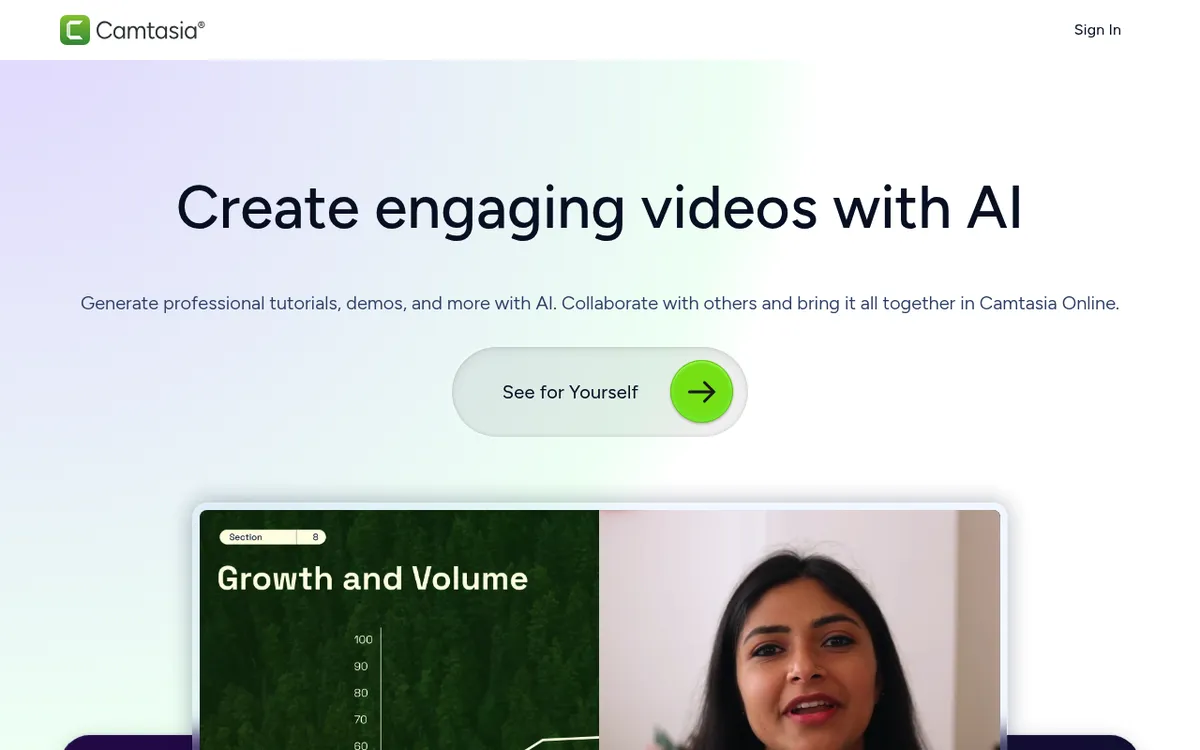
- Camtasia Online: a free browser recorder at 1080p, with simple editing and sharing. It needs a free TechSmith account and Google Chrome, and each scene stops at 5 minutes. A screen recording timer helps you pace each take.
- Trials: Audiate has a 7-day trial and the screenshot app a 15-day trial.
Here is the trap: the $39 Starter plan still watermarks Editor exports. TechSmith's free trial article confirms it. Watermark-free video starts at Essentials.
Can you still buy Camtasia with a one-time payment?
Not from TechSmith. Its transition article says Camtasia went subscription-only with the 2025 versions, out in February 2025. You can't buy a one-time upgrade to 2025 or later.
If you already own an older version, it keeps working. Owners with active maintenance got a Legacy License key that unlocks the plan. TechSmith says their renewals stay below the full price through 2030.
The one leftover is the Mac App Store listing for Camtasia 2024 at $199.99, a one-time buy. It gets no new versions and TechSmith supports it only through December 31, 2026, so it is a dead end for new buyers.
Teams, business and education pricing
- Business: $198.00 per user per year, for 1 to 99 users. Licenses are transferable, and there's a discount from 10 users (teams store).
- Enterprise: custom pricing on a quote.
- Students: $45.00 a year, verified through Student Beans in the US, UK and Canada.
- Educators: $162.36 per user per year (education store).
The fine print
- Plans are billed yearly. There is no monthly option, but you can cancel anytime.
- TechSmith offers a 14-day money-back guarantee.
- Individual plans are tied to your TechSmith account and can't be transferred. Each license works on two devices for the same user.
- Below Pro, Screencast holds up to 25 videos, and media storage lasts 12 months.
- Volume discounts start at 10 licenses and don't apply to individual plans.
Which Camtasia plan do you need?
- Mostly screenshots and quick captures: Starter, or skip Camtasia. Starter is a screenshot plan at heart, since its video exports carry the watermark.
- Courses or LMS training: Essentials. It is the cheapest plan with clean exports, captions, quizzes and SCORM.
- AI narration without recording your voice: Create. It adds AI scripts and voiceovers on top of Essentials.
- Avatars and translation at scale: Pro. It is the only individual plan with avatars, dubbing, premium stock and unlimited Screencast.
You can move up a plan later from your TechSmith account, so start low if you're unsure.
Camtasia pros and cons
Pros
- Screen, webcam, mic and system audio on separate tracks, with cursor data kept for later edits.
- Quizzes and SCORM built in, with scores sent to your LMS.
- Tutorial-first annotations: callouts, arrows, cursor effects and auto zoom and pan.
- Unlimited captions from Essentials, with VTT import and export.
- The same app on Mac and Windows, on two devices per license.
- A free Editor with every tool, so you can test before you pay.
Cons
- Yearly bill with no monthly option and no one-time license from TechSmith.
- The $39 Starter plan still watermarks Editor exports.
- AI voices and avatars sit on the $249 and $599 plans.
- Recommended specs are steep: 16 GB of RAM and an SSD.
- Below Pro, Screencast caps you at 25 videos and 12 months of storage.
- Individual plans can't move to another person.
Who should buy Camtasia, and who should skip it
Buy it if you edit every video. Three groups get the most from it:
- Course creators and trainers who polish each lesson.
- L&D and onboarding teams that ship SCORM packages to an LMS.
- Tutorial YouTubers who want callouts and cursor effects without learning Premiere Pro or DaVinci Resolve.
Still comparing tool types? See the roundups of training video software and lecture recording software.
Skip it if your videos are 2-minute walkthroughs, bug reproductions for a ticket or GIFs for docs. A yearly editor subscription is more than that job needs, and a one-time app that records and edits covers it.
ScreenSnap Pro records your screen as a video or a GIF, with webcam, mic and system audio. Its built-in editor handles trims, cuts, zoom-ins, silence removal and backgrounds. It has no captions, quizzes or SCORM.
It also makes marked-up screenshots with arrows, counters and highlights. It costs $39 once: 1 license, 2 seats (2 computers, Mac or Windows).
Also skip it if you only trim the ends of a recording. Free built-in tools handle that: see how to edit a screen recording on Mac or the best ways to edit screen recordings on Windows. For a one-off cut, the free video trimmer runs in your browser.
Camtasia alternatives
Pick by the job Camtasia was doing for you:
- Quick recordings, GIFs and screenshots: a one-time app such as ScreenSnap Pro.
- Free recording or live streaming with no editing: an open-source recorder.
- Long, heavy edits: a full video editor.
Want named picks with prices? On a Mac, see Camtasia alternatives for Mac. On a PC, see Camtasia alternatives for Windows.
Verdict: is Camtasia worth it in 2026?
Yes, if you edit tutorials or courses every week. Few tools make quizzes, SCORM, captions and cursor effects this easy. Essentials at $179.88 a year is easy to justify once you sell or ship training.
No, if you record now and then. The Starter watermark and the yearly bill make it a poor fit for quick clips. TechSmith gives you a 14-day refund window; ScreenSnap Pro gives you 30 days.
If you need quick, polished recordings, GIFs and annotated screenshots more than captions, quizzes and SCORM, see ScreenSnap Pro's pricing.
Frequently asked questions

Morgan
Indie DeveloperIndie developer, founder of ScreenSnap Pro. A decade of shipping consumer Mac apps and developer tools. Read full bio
@m_0_r_g_a_n_