Loom Review 2026: Is Atlassian's Async Video Tool Worth Paying For?
Loom, the async video messaging tool from Atlassian, is worth it for teams that work async: you record, share a link, and viewers get transcripts, comments and viewer insights. Solo use is harder to justify. The free plan stops at 25 videos of 5 minutes with no downloads, and paid seats cost $18 or $24 per user a month, billed monthly.
Prices and limits checked on loom.com and atlassian.com on November 3, 2026.
This Loom review is a research review, not a lab test. It's built on Loom's published plans, help docs and pricing pages, read on the date above.
It's written for team leads, engineers and QA who want to know if a Loom seat pays off. For the full plan math, see the Loom pricing breakdown.
Loom review verdict by use case
| Use case | Loom verdict | Better fit if not Loom |
|---|---|---|
| Team async updates in Slack, Jira and Confluence | Strong yes, on Business | Loom is the fit |
| Sales prospecting videos | Yes, but compare Vidyard first | Loom vs Vidyard |
| Meeting notes and recaps | Only on Business + AI, and not with a free Confluence plan | A dedicated AI note taker |
| Bug reports and dev walkthroughs | Good if your team lives in Jira or Linear, and Bug Report mode adds console and network logs on Business + AI | A short GIF or annotated screenshot on the ticket |
| Polished product demos and tutorials | Weak, the editing is basic | Screen Studio vs Loom |
| Solo, occasional quick recordings | Free plan works until 25 videos | A recorder you pay for once |
| Keeping your own files | Weak, Loom is cloud-first | A local recorder that saves MP4 files |
Loom pros and cons
Pros
- A share link the moment you stop recording
- Transcripts and captions in 50+ languages on every plan
- Comments, reactions and viewer insights
- Close ties to Jira, Confluence and Slack
- Bug Report mode and Loom AI on Business + AI
Cons
- Free plan capped at 25 videos of 5 minutes
- No downloads on the free plan
- Per-user pricing that grows with the team
- Basic editing and no GIF export
- Your videos live in Loom's cloud
Loom at a glance: what it is in 2026
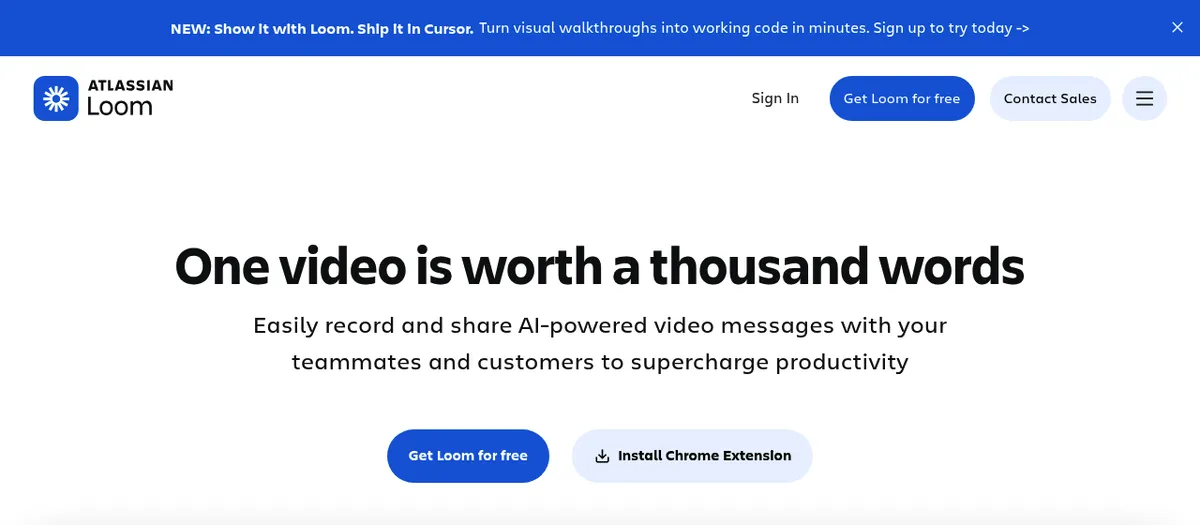
Loom records your screen, camera and voice, then hands you a share link the moment you stop. Viewers watch in the browser, with nothing to install. Since late 2023, it has been an Atlassian product.
Paid plans record in up to 4K in the desktop app. The Chrome extension tops out at 1080p, and the free plan records in up to 720p.
| Quick facts | Loom in November 2026 |
|---|---|
| Owner | Atlassian (deal closed November 30, 2023) |
| What it does | Async video messages, screenshots and meeting recordings |
| Platforms | Mac and Windows apps, Chrome extension, iOS and Android |
| Free plan | Starter with 25 videos per person, 5 minute recordings, 720p |
| Paid plans | Business $18 and Business + AI $24 per user a month, Enterprise via sales |
| Trial | 14 days of Business + AI |
| Best for | Teams that talk async and live in Jira and Confluence |
| Not for | Solo users who want files on their own disk |
Atlassian announced the deal in October 2023 at about $975 million and completed it on November 30, 2023. Since then, you sign in with an Atlassian account, and Loom shows up inside Jira and Confluence.
Enterprise gets SSO and SCIM through Atlassian Guard Standard. Loom is also sold inside the Teamwork Collection, next to Jira, Confluence and Rovo.
Atlassian raised list prices on October 13, 2026 for the Teamwork Collection, Jira, Confluence and more. Standalone Loom isn't on that list. If your company already pays for Jira and Confluence, price the bundle before you buy Loom seats on their own.
What Loom does well
Record to link in seconds
Open the desktop app or the Chrome extension, pick your screen, a window or a custom area, and talk. When you stop, the link is ready to paste. Anyone with the link can watch a public video without a Loom account.
You can also record only your camera, pause and resume mid-take, or record from the iOS and Android apps. Paid plans let you upload existing videos into your library too.
That speed is the whole pitch. A 3 minute video can replace a meeting or a long message.
The viewer side is the product
Most screen recorders stop at the file. Loom's value starts when someone opens the link:
- Loom transcription: transcripts and captions in 50+ languages, on every plan.
- Comments and emoji reactions under each video, so replies stay in one place.
- Viewer insights: basic on Starter, with exportable engagement insights on Business.
- Privacy settings on every video, plus password protection on Business.
Videos sit in a shared library, sorted into spaces. Starter gets one all-company space, Business adds three more, and Enterprise has no limit.
If your team answers each other in comments instead of meetings, this layer is what you pay for.
It lives where teams work
Loom links unfurl into previews in Slack and Confluence. Loom can join your Zoom, Google Meet and Teams calls from your calendar and record them on any plan. On Business + AI and Enterprise, AI meeting notes then land in Confluence on their own.
Atlassian's Loom page also lists Rovo, Claude, Cursor and GitHub Copilot as tools that can work from a Loom recording. On November 3, the loom.com banner pitched sending walkthroughs to Cursor to turn them into code.
Loom AI, if you pay for it
Loom AI is the reason Business + AI costs $24 instead of $18. It adds:
- Auto summaries, chapters and tasks (auto titles come with every plan)
- Filler word and silence removal, plus edit by transcript
- AI workflows that turn a video into a doc, a message, or a Jira or Linear issue
- Meeting notes, action items and recap emails
- Record for agents (open beta), which turns a walkthrough into a prompt an AI agent can act on
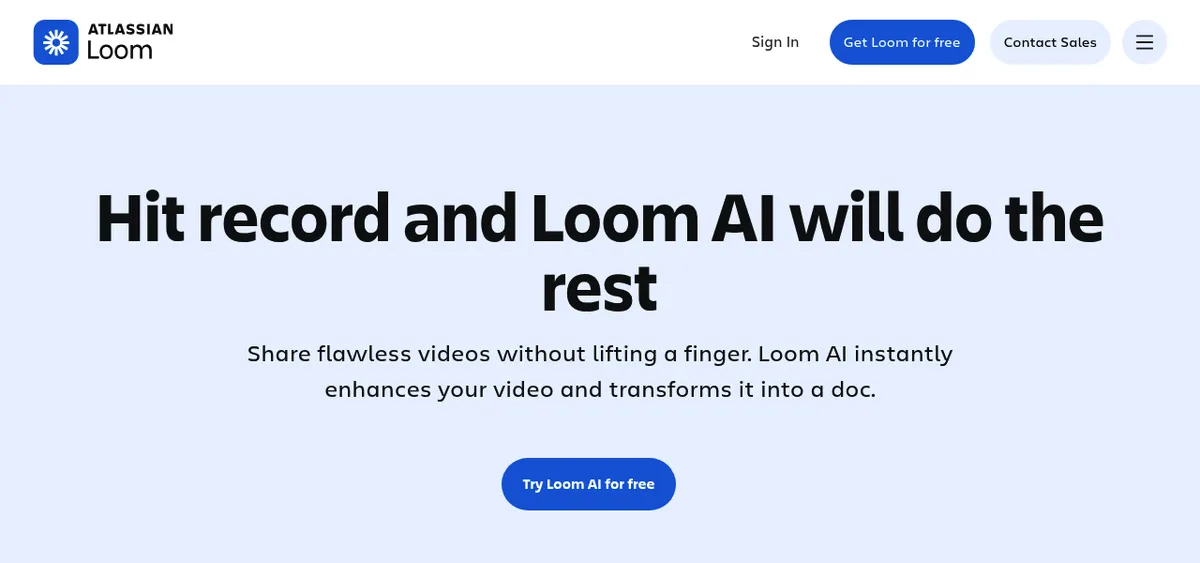
Two catches. AI workflows only write in English for now. And AI covers every paid seat in the workspace, so you can't buy it for half the team.
Loom screenshot tool (yes, it has one)
Many older reviews say Loom can't take screenshots. It can.
The desktop app and the Chrome extension capture a custom area or the full screen. You can add text, rectangles and arrows, then crop or blur.
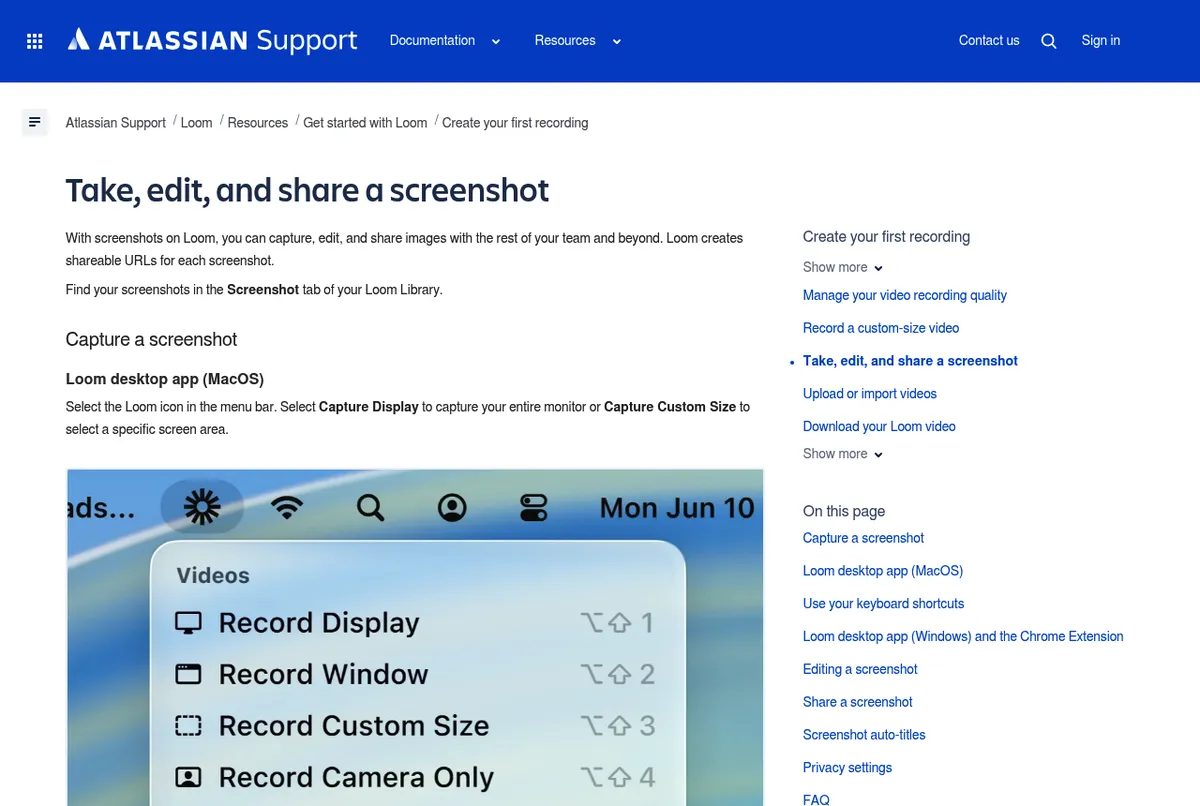
Loom copies a share link right away and keeps each capture in the Screenshot tab of your library. Every plan gets unlimited screenshots, and they don't count toward the free 25-video cap.
The editor is basic, though. Loom's guide lists no numbered steps, highlighter or pixelate tool. And once you crop, you can't edit the annotations you added before.
Where Loom falls short
The free plan is a trial with a ceiling
Starter gives each person 25 videos, and archived videos count toward that cap. Screen recordings stop at 5 minutes, quality tops out at 720p, and you can't download what you record.
Once you hit 25, you can't record until you delete videos or upgrade. If that wall is your only problem, start with these free Loom alternatives.
Per-seat pricing scales with headcount
Everyone who records needs a paid seat for unlimited videos. On Atlassian-managed workspaces, the free Creator Lite role is gone, so every member on a paid plan is billed. Loom AI adds $6 per user a month on monthly billing.
A team of 10 pays for 10 seats, even if 3 people do most of the recording. And if you remove someone mid-cycle, that seat's fee for the rest of the cycle is not refunded.
Your videos live in Loom's cloud
Loom is cloud-first. Downloads come as MP4 files, and who can download depends on plan and role:
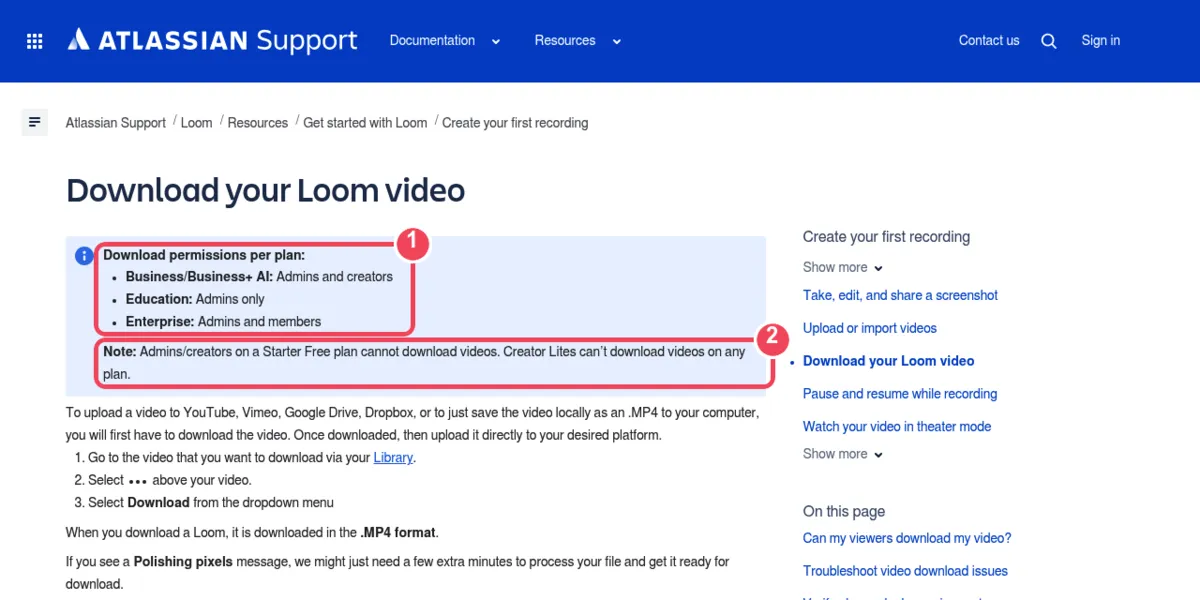
- Starter: admins and creators can't download.
- Business and Business + AI: admins and creators can.
- Enterprise: admins and members can, unless an admin turns downloads off.
- Creator Lite: no downloads on any plan.
- Viewers: only if a paid creator allows downloads on that video and the viewer is signed in.
- Meeting recordings: only the organizer can download.
Videos with Variables can't be downloaded, and files over 20GB need a request to Loom support. If you plan to leave, export the videos you need while you're still on a paid plan.
Editing is basic
Business gives you trim and stitch on a waveform. Edit by transcript and filler word removal sit in the AI tier. That's enough to tidy a message, but not to build a polished product demo.
For that job, see how Screen Studio compares in Screen Studio vs Loom.
No GIF export
Loom makes an animated GIF preview from the first few seconds of a video and uses it as the cover. It can't export a whole recording as a GIF.
Paid users can download the MP4 and convert it to a GIF. To record GIFs from the start, see how to record GIFs on a Mac or record your screen as a GIF on Windows.
Quick troubleshooting
- Free cap reached: archived videos count, so delete old ones or upgrade.
- Camera or mic missing: run a free webcam test and microphone test. Then check camera and mic access in your macOS privacy settings or Windows privacy settings.
- No Download option: check your plan and role, make sure Allow downloads is on in the video's settings, and refresh. A "Polishing pixels" message means the file needs a few more minutes.

Tired of plain screenshots? Try ScreenSnap Pro.
Beautiful backgrounds, pro annotations, GIF recording, and instant cloud sharing, all in one app. Pay $39 once, own it forever.
See pricing and featuresLoom pricing in 2026
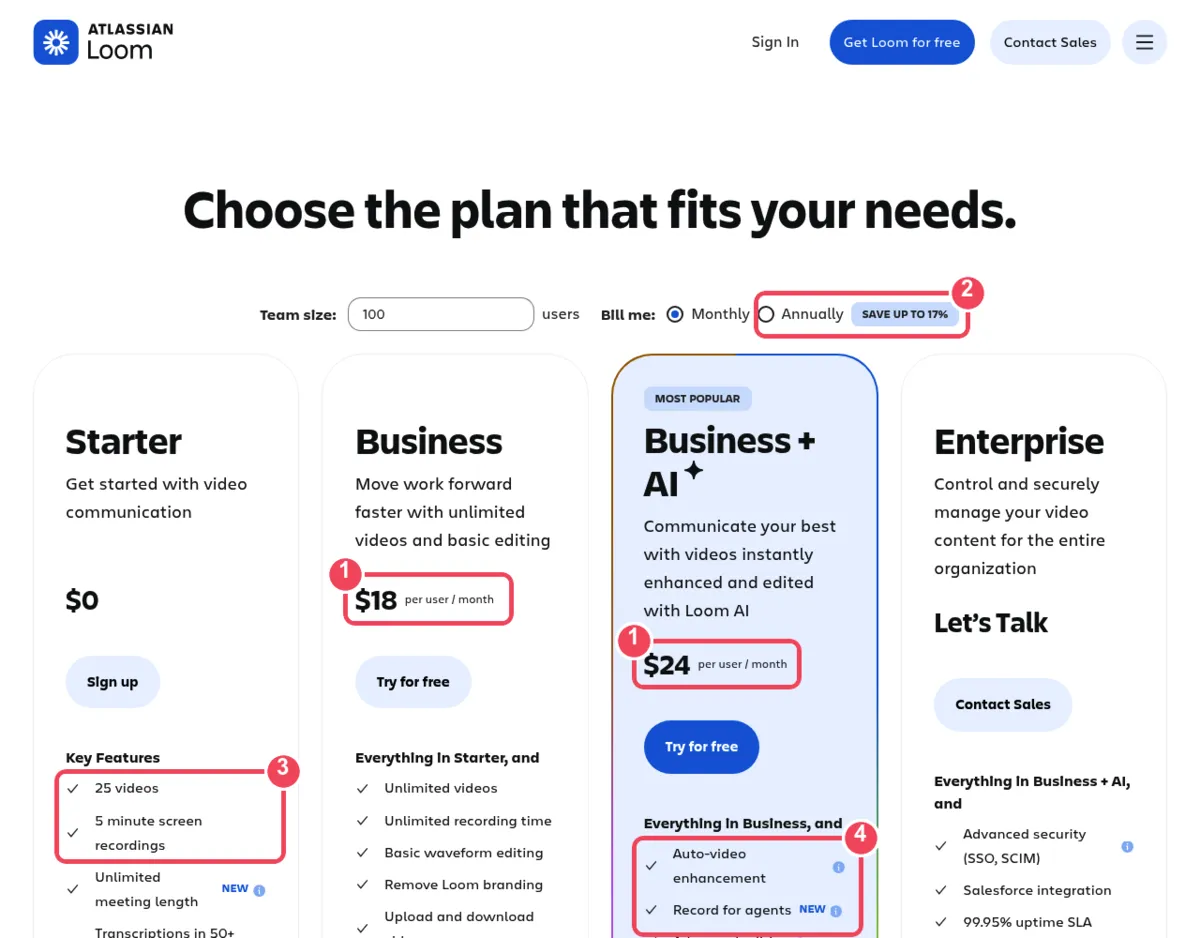
Callouts: (1) per-user monthly prices, (2) up to 17% off with yearly billing, (3) Starter limits, (4) what the AI tier adds. Captured from loom.com on November 3, 2026.
| Plan | Per user a month, billed monthly | What you get |
|---|---|---|
| Starter | $0 | 25 videos, 5 minutes each, 720p, no downloads |
| Business | $18 | Unlimited videos and length, up to 4K, downloads |
| Business + AI | $24 | Business plus Loom AI, data retention and download controls |
| Enterprise | Contact sales | Business + AI plus SSO and SCIM, yearly only |
Viewers never pay: anyone with the link can watch a public video. Yearly billing cuts these prices by up to 17%. Here's what a team pays at the monthly list price:
| Team size | Business, per year | Business + AI, per year |
|---|---|---|
| 1 person | $216 | $288 |
| 5 people | $1,080 | $1,440 |
| 10 people | $2,160 | $2,880 |
Yearly plans are billed by user tier, so a yearly quote won't be exactly 17% below these figures. Business + AI comes with a 14-day free trial. Yearly prices, user tiers, refund rules and discounts are all in the full Loom pricing guide.
Loom for bug reports and dev walkthroughs
Loom now pitches straight at engineers and QA. Per loom.com/ai, AI workflows can turn a repro video into a Jira or Linear ticket. They can also write pull request descriptions and SOPs from what you show.
Loom's Bug Report mode, documented since February 2026, is live on Business + AI and Enterprise. It works in the Chrome extension only, not the desktop app. While you record a tab, Loom saves device info (URL, OS, browser, window size), console logs (log, warn, error) and network request metadata with the video.
You or your viewers can then create a Jira work item or a Linear issue from the recording. Network response data is still coming soon, and loom.com/ai still shows an older "Coming Soon" card for this feature. For web-app bugs where console and network context matters, Loom is the stronger repro tool.
Many tickets need less. A 5 to 10 second GIF of the bug, or one screenshot with numbered steps, says enough. Attach it to the ticket as a file, so it stays with the ticket even if a seat or a link goes away.
Write the steps, the expected result and the actual result as text too, because that's what triage reads and search finds. This bug report template shows the full layout.
For that kind of ticket, ScreenSnap Pro records a short GIF or MP4 and takes annotated screenshots with numbered callouts, arrows and a solid box over secrets, which you attach as files, but it captures no console or network logs.
Is Loom safe to use?
For most teams, yes. Loom is an Atlassian product, and its controls grow with the plan:
- Every plan: privacy settings on each video and screenshot.
- Business: password-protected videos.
- Business + AI and Enterprise: custom data retention, video download restriction and advanced video privacy controls.
- Enterprise: SSO and SCIM through Atlassian Guard Standard.
- Admins on Business + AI and Enterprise can turn off Loom AI for the whole workspace.
On AI data, Loom says OpenAI gets transcript text to write titles and summaries. It does not get your full video or audio. Loom's SOC 2 report covers security, availability and confidentiality controls, and you can request it through the Atlassian Trust Center.
Before you share a sensitive video, check its privacy setting, so it isn't open to anyone who gets the link.
The bigger risk is what's on your screen. Close password managers and hide tokens before you record.
In screenshots, cover API keys with a solid, opaque box, not a blur. Here's how to redact text the right way.
Who should use Loom, and what to pick if you shouldn't
Use Loom if your team works async, wants a searchable shared video library, needs to see who watched, talks in comments and reactions, or runs on Jira and Confluence.
Skip it if you mostly record short one-off walkthroughs, need GIFs or annotated screenshots, want files on your own disk, or pay for seats nobody fills.
If most of what you record is a short walkthrough, a bug repro or a demo you send once, a local recorder can replace a Loom seat.
ScreenSnap Pro records your screen with webcam, mic and system audio. Its built-in video editor lets you trim, cut, speed up, add zoom-ins and remove silence, then export MP4 or GIF. It also handles annotated screenshots and OCR.
ScreenSnap Pro is a one-time $39 purchase: 1 license, 2 seats (2 computers, Mac or Windows). What it doesn't do is Loom's team layer.
There's no hosted video library, no comments or reactions, no viewer analytics, no captions and no AI summaries. Its share links are for quick sharing, not long-term hosting. See pricing.
Or pick a guide by job:
- On Windows: Loom alternatives for Windows
- On a Mac: Loom alternatives for Mac
- Free only: free Loom alternatives
- Open source: the Cap review, on the Cap recorder
- Polished demos: Screen Studio vs Loom
- Sales video with tracking: Loom vs Vidyard
- Webcam, mic and system audio in one file: screen record with audio on Mac or Windows
Frequently Asked Questions
The verdict
Loom is still the easiest way for a team to swap meetings for short videos. The share link, transcripts, comments and viewer insights work well, and the Jira, Confluence and AI features make Business + AI a strong pick for Atlassian shops.
The weak spots are the free plan's cap, per-seat costs that climb with headcount, cloud-first storage and basic editing. Pay for Loom if your team watches and replies to each other's videos every day. If you mostly record short clips for one person, a seat is hard to justify.

Morgan
Indie DeveloperIndie developer, founder of ScreenSnap Pro. A decade of shipping consumer Mac apps and developer tools. Read full bio
@m_0_r_g_a_n_