Text Recognition (OCR)
Copy text from anything on your screen, like a paused video, an image or an error dialog, or pull the text out of any screenshot with built-in OCR.
Overview
ScreenSnap Pro can read the text in an image and copy it to your clipboard, so you can paste it as real text. Text recognition runs on your computer: on Mac it uses the text recognition built into macOS, and on Windows the OCR engine built into Windows. Your images are not uploaded for it. You can use it in four places:
- 1
Recognize Textin the menu, for any area of the screen. - 2
Copy Text (OCR)on the Quick Preview thumbnail. - 3
Copy Text (OCR)on a pinned screenshot. - 4The
OCRbutton in the editor, to select just the lines you need.
Copy text from any part of the screen
Recognize Text does not save a screenshot or show Quick Preview. It only puts the text on your clipboard. On Mac, a "No Text Found" notification tells you when there was no readable text in the area. On Windows no message appears, so paste to check the result.
- 1Choose
Recognize Textfrom the menu bar or tray menu, or press the shortcut you assigned to it. - 2Drag over the text you want, just like an area capture.
- 3Release the mouse button. The recognized text is now on your clipboard.
- 4Paste it anywhere with
Cmd + Von Mac orCtrl + Von Windows.
Recognize Text has no shortcut by default. Assign one in Settings > Shortcuts > Recognize Text. On Mac, turn on Settings > General > System Notifications to see a confirmation with the start of the text every time.
From Quick Preview or a pinned screenshot
Hover over the Quick Preview thumbnail or a pinned screenshot and click Copy Text (OCR). ScreenSnap Pro reads the whole screenshot and copies all of its text. The thumbnail shows a check mark and closes, and a pinned screenshot shows "Text Copied". If no text is found, the button turns red. These buttons appear on screenshots only, not on GIFs or videos. To get text from a video, pause it and use Recognize Text.
Select exactly the text you need in the editor
The editor's OCR mode is the best choice when a screenshot has a lot of text and you only need a few lines of it.
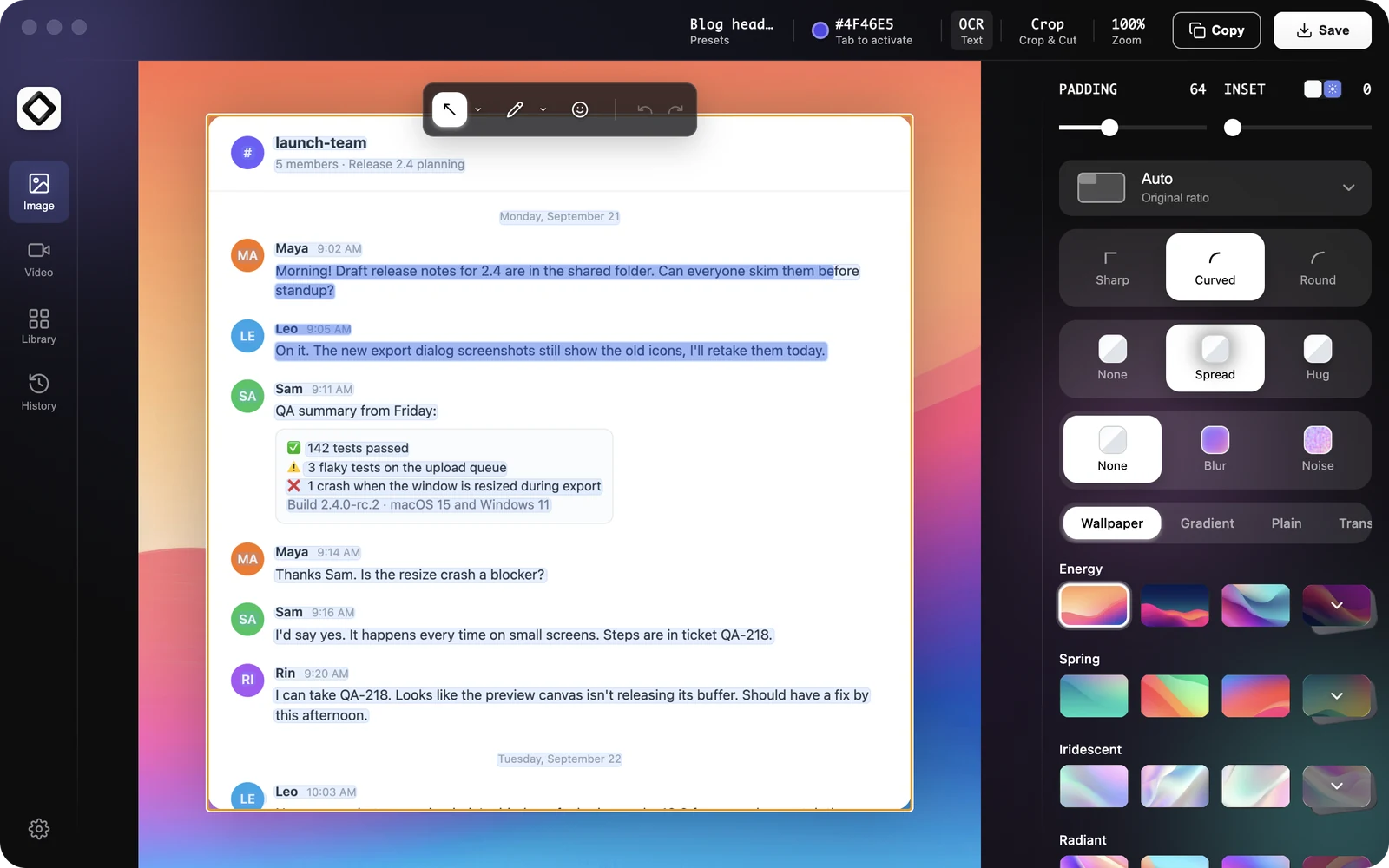
- 1Open the screenshot in the editor and click
OCRin the top bar. Its tooltip reads "Recognize text in editor". - 2All recognized text is copied right away, and each line is highlighted on the image.
- 3Click a line to select it, or drag across several lines to select part of the text.
- 4Press
Cmd + Con Mac orCtrl + Con Windows to copy only your selection.Cmd + AorCtrl + Aselects all lines. - 5Press
Esc, click outside the image or clickOCRagain to leave text mode.
Languages
On Mac, the language is detected automatically, and macOS applies language correction to the result. On Windows, ScreenSnap Pro uses the Windows OCR engine with the languages in your Windows language list and falls back to English. To recognize another language on Windows, add it under Windows Settings > Time & Language > Language & region, then restart ScreenSnap Pro.
Troubleshooting
If Recognize Text is missing from the tray menu and thumbnails have no Copy Text (OCR) button, text recognition isn't available on this Windows PC. When a language pack is missing, Settings > Shortcuts shows "Not available: Windows has no OCR language pack installed." Add a language under Windows Settings > Time & Language > Language & region, then restart ScreenSnap Pro. On computers where company policy restricts PowerShell, text recognition can't run, so ask your IT team for help.
No text recognized? Select a slightly larger area that includes whole lines, and make sure the text is sharp and not too small on screen.